
I recently reviewed a set of high-stakes legal contracts sent as PDFs. Each was marked with a digital signature, intended to be the modern equivalent of a pen-and-ink sign-off. But it sparked a crucial question: how much trust should we place in that little green checkmark? It's not just a fancy image; it's a complex cryptographic process designed to provide assurance. But like any security mechanism, its effectiveness is not absolute.
Understanding what goes on behind the scenes is essential for anyone dealing with signed documents. A digital signature is supposed to guarantee who signed a document and that it hasn't been tampered with since. Let's break down how it works and where potential weaknesses might lie.
Table of Contents
What Is a Digital Signature, Really?
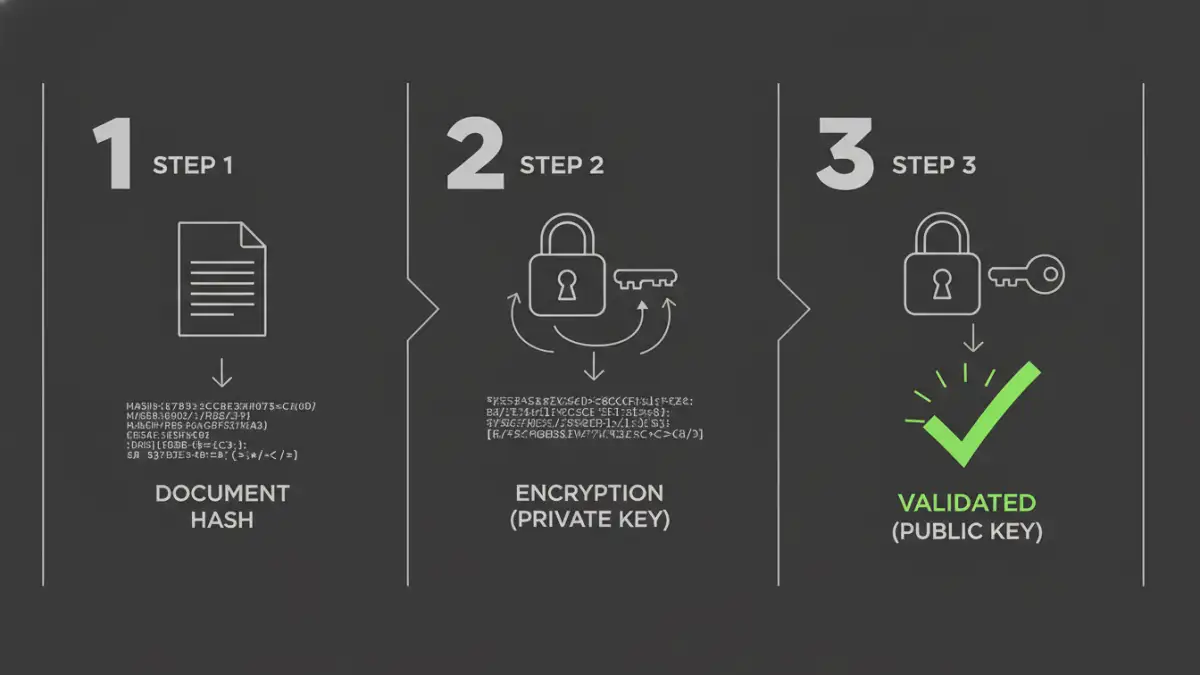
First, let's clear up a common misconception. A digital signature is not a scanned image of your handwritten signature. It's a block of encrypted data that is mathematically tied to the document and the signer. This process relies on Public Key Infrastructure (PKI), a system that uses a pair of keys: a private key, which you keep secret, and a public key, which you share.
When you sign a document, the software creates a unique digital fingerprint of the file, called a hash. This hash is then encrypted using your private key. The result is the digital signature, which is attached to the PDF. Anyone with your public key can decrypt the signature, recalculate the hash of the document they received, and compare the two. If they match, the signature is valid.
The Role of Hashing and Encryption
The hashing algorithm (like SHA-256) ensures that even a tiny change to the document—like adding a single space—will produce a completely different hash. This is how integrity is verified. The encryption part, using your private key, proves that you, and only you, could have created that signature. This combination provides a robust foundation for document signing security.
The Three Pillars of Digital Signature Security
A properly implemented digital signature provides three core security guarantees. These are the reasons we use them for contracts, financial reports, and official records. When you see a valid signature, it should confirm these three things.
1. Authenticity
Authenticity answers the question: "Is the signer who they claim to be?" Because the signature is created with the signer's private key, and that key is linked to a digital certificate issued by a trusted Certificate Authority (CA), you can be confident in the signer's identity. The CA does the work of verifying the person's or organization's identity before issuing the certificate.
2. Integrity
Integrity ensures the document has not been altered since it was signed. As mentioned, any modification to the PDF will change its hash. When a recipient's software validates the signature, it compares the original hash (embedded in the signature) with a new hash of the received document. If they don't match, the software will flag the signature as invalid, immediately alerting you to potential tampering.
3. Non-Repudiation
This is a crucial legal concept. Non-repudiation means the signer cannot later deny having signed the document. Since they are the sole holder of the private key used to create the signature, a valid signature serves as undeniable proof of their intent to sign. This makes digitally signed documents legally binding in many jurisdictions.
Common Vulnerabilities and Attack Vectors
While the underlying cryptography is strong, the overall pdf digital signature security depends on the entire ecosystem. The chain is only as strong as its weakest link. Over the years, I've seen security models fail not because the math was wrong, but because of implementation flaws or human error.
One major threat is compromised private keys. If an attacker steals your private key (often stored on a hardware token or your computer), they can sign documents as you. Another vulnerability lies within the PDF reader software itself. Researchers have found bugs in popular readers that could be exploited to show a signature as valid when it's not, or to alter document content after signing without invalidating the signature.
How to Properly Validate a PDF Signature
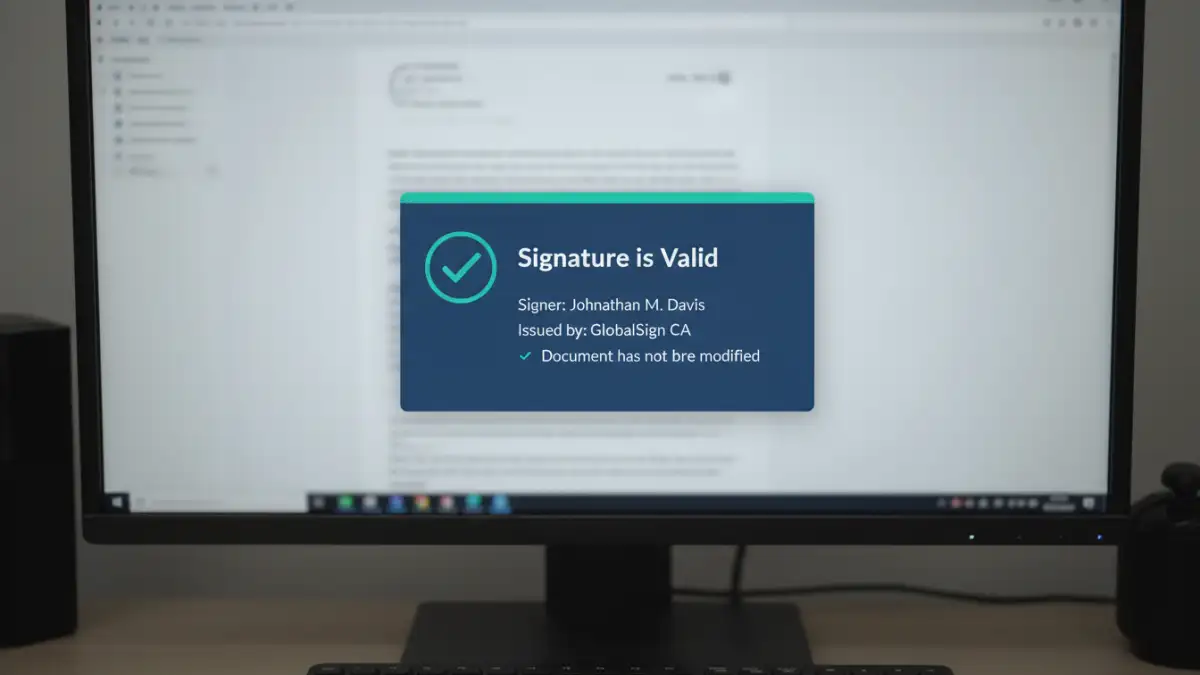
Simply seeing a signature on a PDF isn't enough. You must actively validate it. Most PDF readers, like Adobe Acrobat, have a built-in mechanism for this. When you open a signed document, you should see a signature panel or bar.
Clicking on the signature will bring up the signature details. Here's what to look for:
- The Green Checkmark: This is the first good sign, indicating the signature is cryptographically valid.
- Signer's Identity: The details should show the name of the person or organization that signed the document.
- Certificate Trust: The software should indicate that the signer's certificate is trusted. This means it chains up to a root certificate from a trusted CA that is already in your system's trust store.
- Document Integrity: It should explicitly state that the document has not been modified since this signature was applied.
If you see a yellow warning triangle or a red 'X', investigate immediately. It could mean the certificate has expired, it's from an untrusted source, or the document has been altered.
Best Practices for Secure Signing
To ensure the highest level of document signing security, follow these guidelines. For signers, protect your private key at all costs. Use strong passwords and, if possible, store your key on a dedicated hardware device like a USB token or smart card. This prevents malware on your computer from stealing it.
For verifiers, always use up-to-date PDF reader software to benefit from the latest security patches. Configure your software to automatically check for certificate revocation. This ensures that even if a key was once valid, you'll be alerted if it has since been compromised and revoked by the CA. Trust is not a one-time check; it's an ongoing process.
Digital Certificate Types Compared
| Certificate Type | Validation Level | Trust Source | Best For |
|---|---|---|---|
| Self-Signed Certificate | None | Untrusted (Signer's own assertion) | Internal testing, informal use where trust is not required. |
| Basic/Standard Certificate | Domain/Email Validated | Trusted Certificate Authority (CA) | Individual professionals, small businesses, general contracts. |
| Advanced Electronic Signature (AES) | Identity Validated | Trusted Certificate Authority (CA) | High-value transactions, legal documents requiring strong identity proof. |
| Qualified Electronic Signature (QES) | In-person or equivalent identity verification | Qualified Trust Service Provider (QTSP) | Legally binding documents in the EU, equivalent to a handwritten signature. |