
I was recently tasked with migrating a massive archive of project documents, some dating back over a decade. While the data was invaluable, I immediately noticed a potential problem: the files were all in very old PDF formats. This isn't just a compatibility issue; it's a significant security concern that many organizations overlook. An old, seemingly harmless document can be a gateway for malware.
These legacy files often lack the robust encryption and security features we rely on today. Thinking a file is safe just because it's a PDF is a common mistake. The format has evolved tremendously, and understanding that evolution is key to proper legacy file protection.
Table of Contents
The Evolution of PDF Security
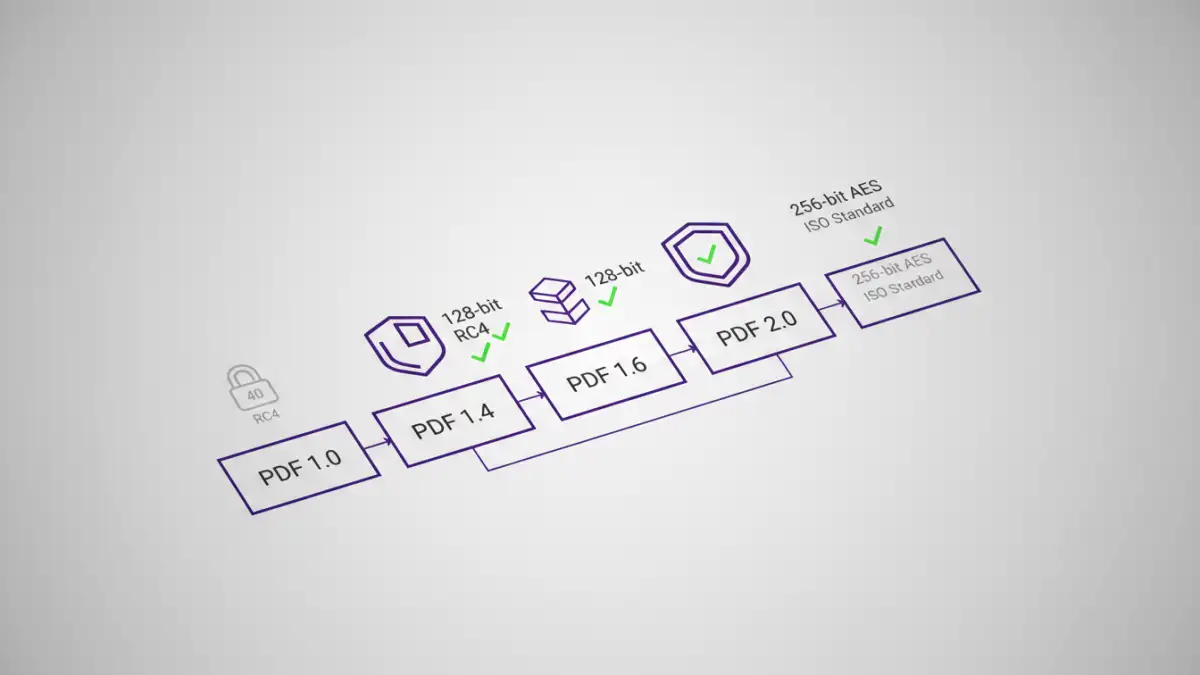
The Portable Document Format (PDF) was created by Adobe in the early 1990s. Since then, it has gone through numerous revisions, with each new version introducing more advanced features, including significant security enhancements. The standards are now managed by the International Organization for Standardization (ISO).
Early versions of the PDF specification used relatively weak encryption algorithms that are now considered obsolete. For instance, PDF 1.4, released in 2001, primarily used RC4 encryption with a 40-bit or 128-bit key. While 128-bit was strong for its time, modern computing power can crack it with relative ease. This is a classic example of an old pdf format vulnerability.
From RC4 to AES Encryption
A major leap in pdf version encryption came with PDF 1.6, which introduced support for the Advanced Encryption Standard (AES). Later versions, like PDF 1.7 and the current PDF 2.0 standard, made 256-bit AES the norm. This level of encryption is vastly superior and is the standard for protecting sensitive data today. A file encrypted with 40-bit RC4 is trivial to break, while one secured with 256-bit AES is practically impenetrable by brute force.
Key Vulnerabilities in Older PDF Formats
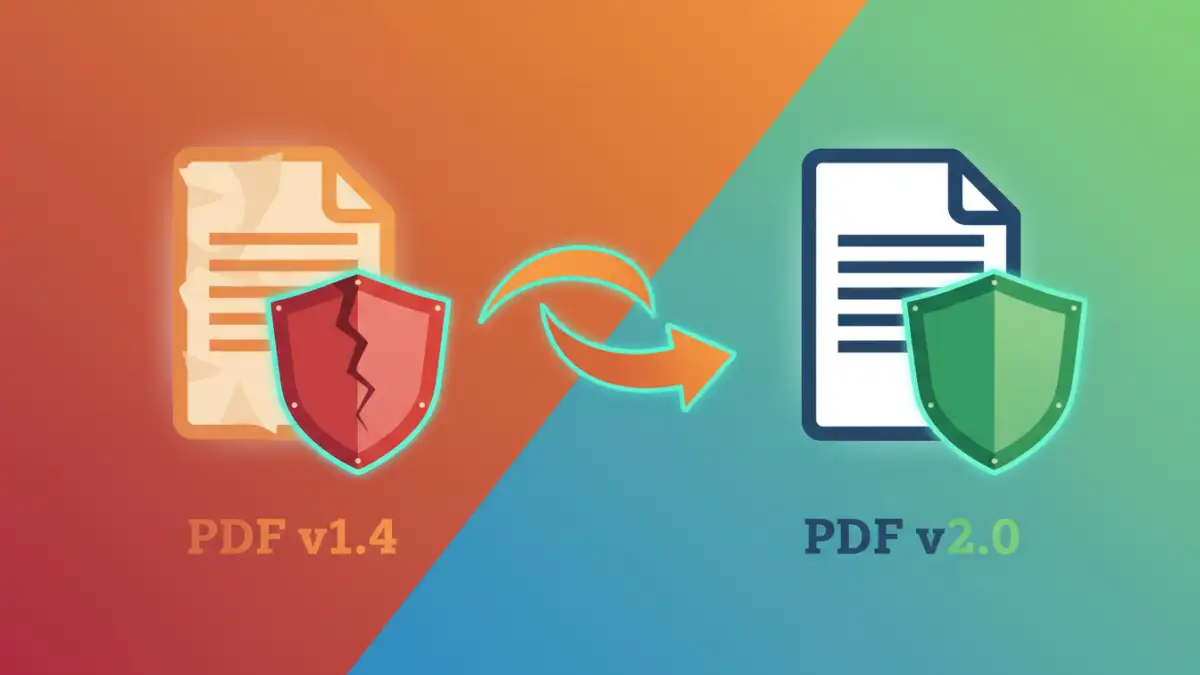
The risks associated with old PDFs go beyond weak encryption. The structure of the format itself can be exploited if it doesn't adhere to modern security protocols. The potential for a significant pdf file security risk increases dramatically with the age of the file format.
JavaScript and Multimedia Exploits
PDFs are not static documents; they can contain interactive elements like JavaScript, forms, and embedded multimedia. In older versions, the sandboxing and permission models for these features were less restrictive. Attackers can craft malicious PDFs with embedded scripts that execute when the file is opened. These scripts can do anything from downloading malware to stealing local data. Modern PDF readers have improved their handling of such content, but an old file might be designed to exploit vulnerabilities in older, unpatched software.
Structural and Parsing Vulnerabilities
The way a PDF file is structured can also be a source of vulnerabilities. Attackers have found ways to create malformed PDF files that cause PDF reader applications to crash or behave unexpectedly. This can lead to buffer overflow vulnerabilities, allowing the attacker to execute arbitrary code on the victim's machine. Newer PDF standards have stricter rules for file structure to prevent these kinds of parsing attacks.
How to Identify and Mitigate Risks
Protecting yourself from these legacy threats involves a two-step process: identification and remediation. You can't fix a problem you don't know you have. Fortunately, checking a file's properties is straightforward.
Most desktop PDF readers, like Adobe Acrobat Reader or Foxit Reader, allow you to view a document's metadata. You can typically find the PDF version by going to 'File' > 'Properties' and looking at the 'Description' tab. If you see a version like 1.4 or older, you should consider it a potential risk, especially if it contains sensitive information.
Steps for Mitigation
Once you've identified an at-risk file, the best course of action is to update it. This doesn't just mean changing a version number; it means re-saving or 're-frying' the PDF to a modern standard. Here’s a simple process:
- Open the old PDF in a modern, fully updated PDF application (like the latest Adobe Acrobat).
- Use the 'Save As' or 'Print to PDF' function. When you save the file again, the modern software will reconstruct it according to current document security standards.
- Select the latest compatible version in the save options if available (e.g., PDF/A for archiving, or a standard PDF 1.7 or higher).
- Apply new security settings. This is the perfect time to add a strong password using 256-bit AES encryption.
This process effectively rebuilds the document, stripping out many potential structural vulnerabilities and allowing you to apply modern encryption.
Modern Document Security Best Practices
Dealing with old files is reactive. A proactive approach to document security is far more effective. When creating or handling any PDF, regardless of its origin, follow these modern best practices for legacy file protection and ongoing security.
Always use the latest version of trusted PDF software and keep it updated to receive security patches. When creating new PDFs, configure your software to use the highest available security standard, which is typically 256-bit AES encryption. For documents containing sensitive information, enforce strong passwords and consider setting permissions to restrict printing, copying, or editing. Finally, educate your team about the dangers of opening unsolicited PDF attachments, as social engineering remains a primary vector for malware delivery.
PDF Version Security Feature Comparison
| PDF Version | Default Encryption | Key Security Features | Relative Risk Level |
|---|---|---|---|
| 1.0 - 1.3 | None / 40-bit RC4 | Very basic password protection. | High |
| 1.4 | 40-bit / 128-bit RC4 | Introduced stronger (for its time) 128-bit encryption. | High |
| 1.5 | 128-bit RC4 / 128-bit AES | Public-key security handlers. | Moderate |
| 1.6 | 128-bit / 256-bit AES | First to introduce 256-bit AES encryption. | Low |
| 1.7 (ISO 32000-1) | 256-bit AES | Standardized strong encryption and improved security handlers. | Very Low |
| 2.0 (ISO 32000-2) | 256-bit AES | Deprecates insecure algorithms, enhances digital signatures. | Very Low |