
It’s a scenario I've seen play out countless times: a project manager frantically messages the team channel, unable to open the final encrypted report just hours before a client presentation. The password, set by a colleague who is now on vacation, is nowhere to be found. This small oversight quickly escalates, causing a ripple effect of stress and wasted time. While we often focus on the security benefits of passwords, we rarely discuss the tangible costs when they are lost.
To better understand this issue, we conducted a survey of over 500 professionals across various industries, gathering user productivity data on the real-world consequences of lost document access. The findings paint a clear picture: the problem is more widespread and costly than most organizations realize.
Table of Contents
The Scope of the Problem: Key Survey Findings
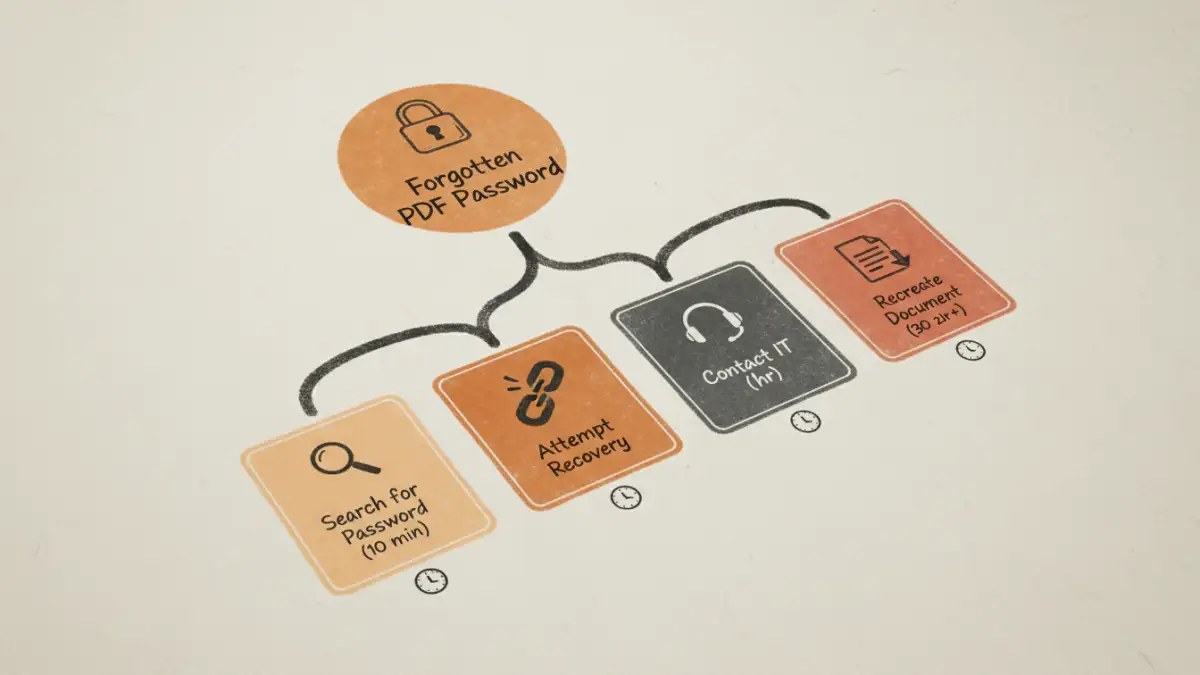
Our password recovery survey aimed to move beyond anecdotes and capture concrete data. The results were striking. We found that 68% of respondents admitted to being locked out of a critical password-protected document at least once in the past year. This isn't a rare inconvenience; it's a common operational hurdle.
The immediate impact is lost time. On average, professionals spent 45 minutes trying to regain access, a process that involved searching old emails, contacting colleagues, or attempting to use recovery tools. For 15% of those affected, the situation was so dire they had to recreate the document from scratch, leading to hours or even days of duplicated work. These statistics highlight a significant drain on resources that often goes untracked.
Quantifying the Hidden Costs of Lost Access
The cost of forgotten PDF passwords extends far beyond the 45 minutes spent searching for a login. The true impact is a cascade of direct and indirect consequences that affect project timelines, team morale, and even a company's bottom line.
Productivity Loss and Project Delays
When one person is blocked, it often halts progress for others. A designer waiting for an encrypted brief or a legal team needing to review a locked contract can't move forward. Our survey revealed that 25% of incidents resulted in a missed deadline. This user productivity data shows a direct link between simple password issues and significant project delays, disrupting workflows and causing frustration across teams.
Financial and Reputational Damage
For client-facing roles, a missed deadline isn't just an internal problem. It can lead to contractual penalties, damaged client relationships, and a loss of professional credibility. One respondent shared an experience where a locked financial proposal led to a delayed submission, ultimately costing their company the bid. These high-stakes scenarios demonstrate how a minor security measure, improperly managed, can have major financial repercussions.
Why Does This Keep Happening? Common Causes
Understanding the root causes of lost document access is the first step toward building a solution. The issue is rarely about technology failing; it's almost always about human processes. The survey data pointed to a few recurring themes.
The most common cause was the lack of a centralized system for managing shared passwords. Teams often rely on insecure methods like chat messages or shared text files, which are easily lost. Another significant factor is employee turnover. When a team member leaves, their knowledge of document passwords often leaves with them unless there's a proper offboarding and knowledge transfer process. Finally, inconsistent policies—where some documents are encrypted with complex passwords and others aren't—create confusion and make it harder for users to remember the correct credentials.
Proactive Solutions for File Password Management
Preventing these issues requires a strategic approach to file password management, not just a reactive scramble when access is lost. As an engineer, I advocate for systems that balance security with usability. The goal is to protect information without creating unnecessary barriers to productivity.
Implementing a team-based password manager is the most effective solution. These tools provide a secure, centralized vault for storing and sharing credentials, with access controls to ensure only authorized personnel can view them. They also create an audit trail, showing who accessed a password and when. For less sensitive documents, consider alternative security measures like access control through a shared drive (e.g., Google Drive or SharePoint) instead of individual file passwords. This approach centralizes security at the folder or system level, simplifying access for the team while maintaining a strong security posture.
Password Management Strategy Comparison
| Strategy | Security Level | Efficiency | Best For |
|---|---|---|---|
| No System (Memory/Emails) | Very Low | Very Low | Not recommended |
| Shared Spreadsheet/Text File | Low | Low | Small, non-sensitive projects |
| Individual Password Managers | High | Medium | Individuals or freelancers |
| Team Password Manager | Very High | High | Collaborative teams and businesses |
| Centralized Access Control (e.g., SharePoint) | High | Very High | Organizations managing large volumes of documents |