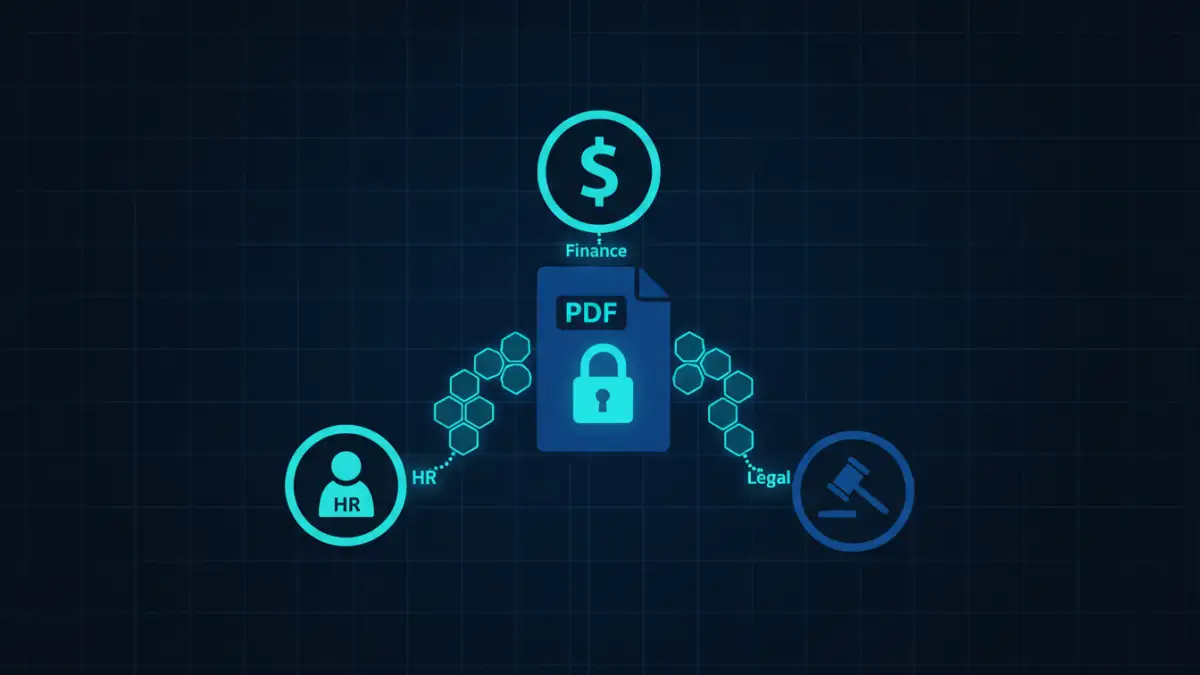
A few years ago, a client faced a minor crisis. A junior marketing team member, needing a logo from a contract, was given access to the entire unredacted PDF. They saw sensitive financial terms not meant for their eyes. It wasn't malicious, but it was a preventable breach caused by a common problem: treating all employees and all documents the same. This highlighted a critical need for nuanced security that a simple password can't provide.
The reality is that not everyone in an organization needs the same level of access. Giving universal access to sensitive files is like handing out a master key to every door in the building. A much smarter approach is to tailor access and handling procedures based on an employee's specific role, a strategy that forms the core of effective departmental security.
Table of Contents
Why Generic Security Fails for Sensitive PDFs
Applying a single security policy across an entire organization is inefficient and dangerous. A finance executive needs to edit and annotate financial reports, while a sales representative might only need to view a final, approved version. A generic, password-protected PDF doesn't distinguish between these roles, creating security gaps.
This approach often leads to password sharing, storing credentials in insecure places, or employees having far more access than their job requires—a principle known as the 'Principle of Least Privilege'. When a breach occurs, it becomes incredibly difficult to trace the source because too many people had access. This is why a targeted approach is not just better; it's essential for robust data protection.
Implementing Role-Based Access Control (RBAC)
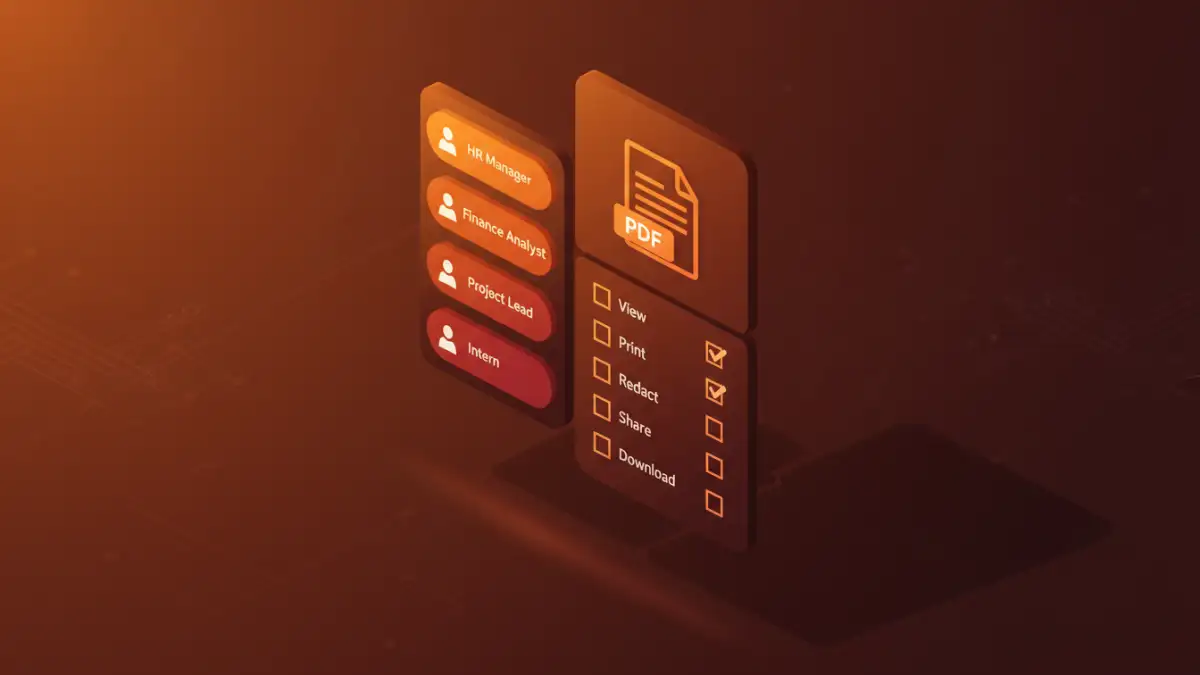
Role-Based Access Control, or RBAC, is a security model that restricts network access based on a person's role within an organization. Instead of assigning permissions to individuals, you assign them to roles, and then assign roles to people. This simplifies administration and improves security posture.
For sensitive PDF documents, RBAC means defining what each role can do. Can they open the file? Can they print it? Can they copy text? Can they edit it or add comments? By defining these permissions at the role level, you ensure that employees only have the capabilities necessary to perform their jobs, significantly reducing the risk of accidental or intentional data leakage.
Defining Roles and Permissions
The first step is to map out the roles within your company that handle sensitive information. This isn't just about job titles but about functions. For example, you might have roles like 'HR Administrator', 'Financial Analyst', 'Legal Reviewer', and 'Executive Assistant'.
Once roles are defined, you must determine the necessary permissions for each. An 'HR Administrator' might need full edit access to employee contracts, while a 'Hiring Manager' may only need view-only access to specific candidate files. Documenting these rules is the foundation of your security policy.
Tailoring Training for Key Departments
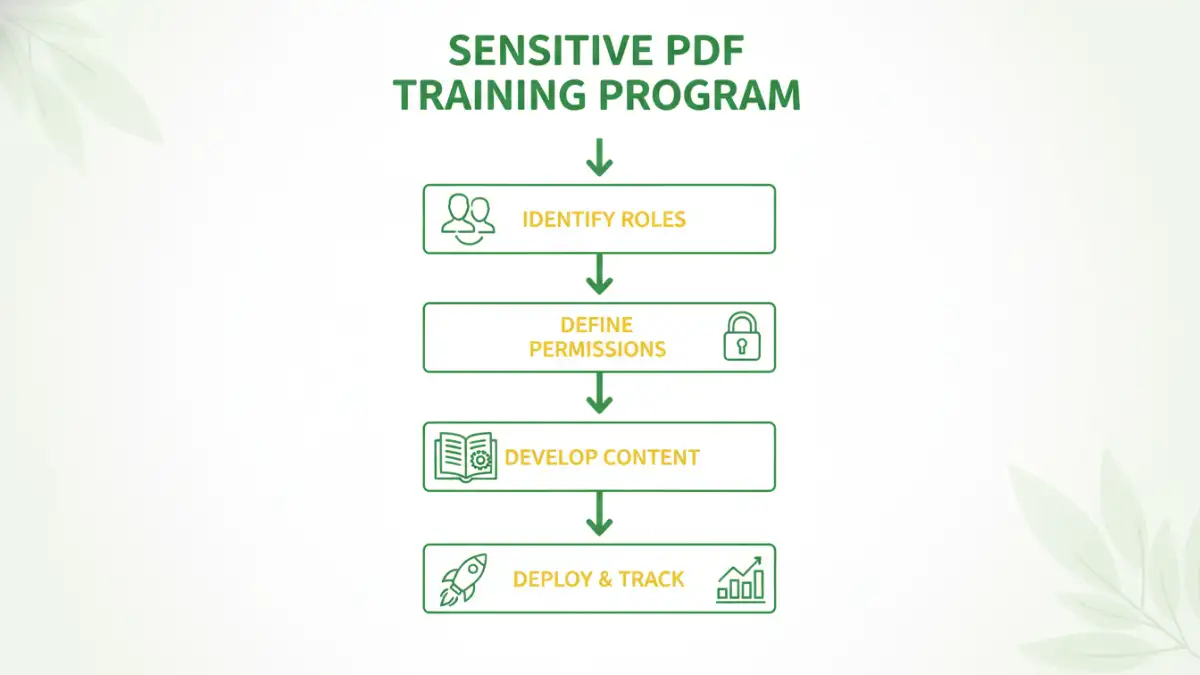
Once you have a solid RBAC framework, the next step is training. Effective sensitive PDF documents training is not a one-time event but an ongoing process tailored to the specific risks and responsibilities of each department. Generic cybersecurity training is a good start, but it doesn't cover the specific nuances of departmental security.
HR Department: Protecting Employee Data
HR handles some of the most sensitive personal data in any company: salaries, performance reviews, medical information, and personal identification. The focus for HR document security should be on preventing unauthorized internal access and external breaches. Training should cover topics like redacting personal information before sharing, using secure platforms for document transmission, and understanding the legal requirements of data privacy laws like GDPR or CCPA.
Finance Department: Securing Financial Records
The finance team deals with financial statements, projections, payroll data, and M&A documents. The risk here is both financial fraud and corporate espionage. Proper finance file protection training should emphasize the importance of encryption, setting user permissions to prevent editing of final reports, and recognizing phishing attempts aimed at stealing financial credentials. They need to understand how to securely share documents with external auditors or banks without exposing the entire file system.
Legal and Compliance Teams: Ensuring Confidentiality
Legal teams handle contracts, litigation documents, and intellectual property records. Confidentiality and legal privilege are paramount. Their training should focus on advanced security features like digital signatures, document certification, and setting permissions that prevent copying, printing, or altering legally binding agreements. They also need to be trained on secure document retention and destruction policies to remain compliant.
Essential Tools for Secure PDF Handling
Technology is a critical enabler of any role-based security strategy. Simple password protection isn't enough. Modern document management systems (DMS) and platforms like Adobe Acrobat Pro DC, Microsoft Purview Information Protection, or other enterprise-grade solutions offer granular controls.
These tools allow you to create security policies that can be applied to documents based on their content or classification. For instance, any document containing a social security number can be automatically encrypted and restricted to the HR role. This automates the enforcement of your RBAC policies, reducing the chance of human error. It's about building a system where the secure way is the easy way.
Measuring Training Effectiveness and Compliance
How do you know if your training is working? Measurement is key. This can be done through periodic phishing simulations, quizzes on security protocols, and regular audits of document access logs. Access logs are particularly useful; they can show you if a user from one department is attempting to access files they shouldn't be.
Regularly reviewing these metrics helps you identify gaps in your training or areas where the policy might need refinement. An effective security program is a living one that adapts to new threats and organizational changes. It’s a continuous cycle of policy, training, enforcement, and review.
Training Focus by Department
| Department | Primary Document Types | Key Security Focus | Recommended Training Modules |
|---|---|---|---|
| Human Resources | Employee Contracts, Payroll, PII | HR document security, Data Privacy (GDPR/CCPA) | Redaction, Secure Sharing, Access Control |
| Finance | Financial Reports, Invoices, Budgets | Finance file protection, Fraud Prevention | Encryption, Permission Settings, Phishing Awareness |
| Legal | Contracts, Litigation Files, IP | Confidentiality, Legal Privilege | Digital Signatures, Document Certification, Retention Policies |
| Sales & Marketing | Client Proposals, Marketing Plans | Protecting Commercial Strategy | Watermarking, View-Only Permissions, Secure Portals |
| Executive Leadership | Strategic Plans, Board Materials | Corporate Espionage Prevention | Secure Communication, Device Security, Advanced Encryption |