When a new engineer joins my team, their first week is a crash course in not just our codebase, but our security protocols. With everyone working from different locations, that training has become the single most important barrier against data leaks. It highlighted a critical point for me: technology is only half the battle; effective, ongoing training is the true first line of defense for a distributed workforce.
Simply handing a remote employee a laptop and a security policy document is a recipe for disaster. The unique challenges of working from home—from insecure Wi-Fi networks to the casual blending of personal and professional life—create vulnerabilities that office-based training rarely addresses. We need a more targeted approach.
Table of Contents
Why Standard Security Training Fails Remote Teams
The transition to remote work happened so quickly for many companies that security training often lagged behind. Generic, one-size-fits-all modules don't account for the specific threats that arise when the office perimeter dissolves. The risks are fundamentally different, and our training must reflect that.
The Home Network Blind Spot
In an office, the IT team controls the network. At home, employees are on their own. They might be using a router with a default password, sharing a network with family members' potentially infected devices, or connecting from a public coffee shop. This lack of a controlled environment is a major gap in traditional work from home security protocols.
Psychology of the Home Office
The mental context shifts at home. The lines between work and personal life blur, which can lead to lapses in judgment. An employee might be more tempted to use a personal cloud service to quickly transfer a file or click on a suspicious link while distracted by household activities. This human element is a significant factor in protecting company files.
Core Pillars of Effective Document Security Training

A successful training program isn't about scaring employees; it's about empowering them. I focus on building a curriculum around a few core pillars that give team members the knowledge to make smart decisions independently. This approach fosters a culture of security rather than just a checklist of rules.
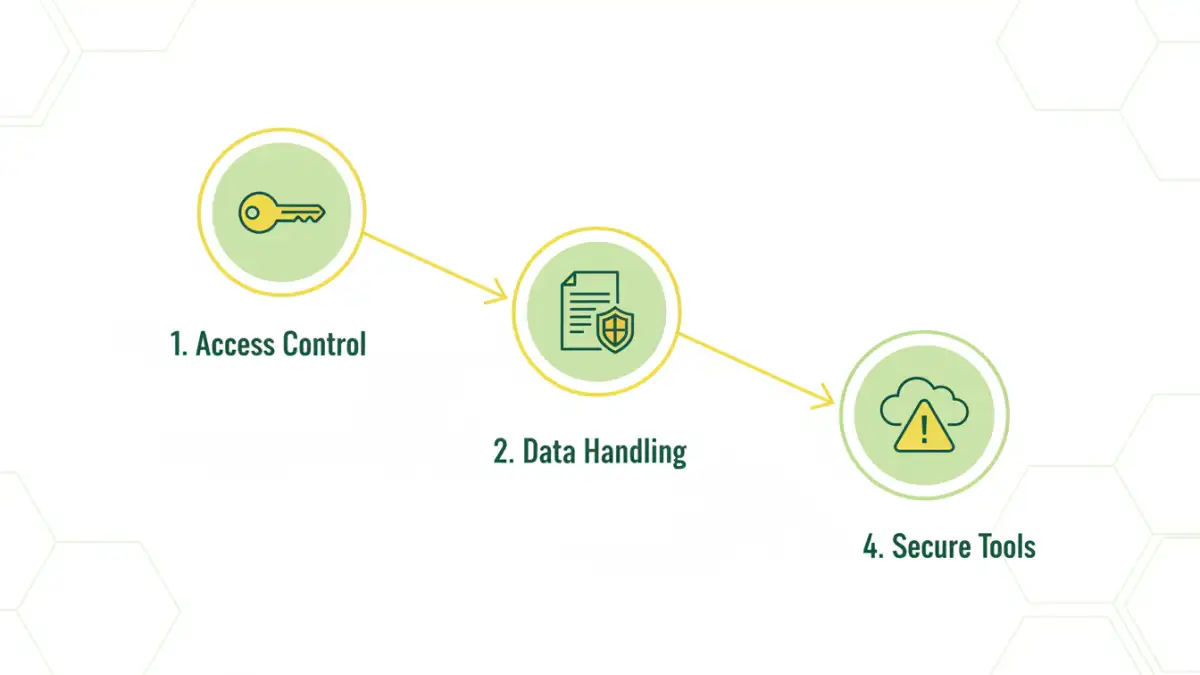
Access Control and the Principle of Least Privilege
Every employee must understand *why* they only have access to the files they need. We train them on the principle of least privilege (PoLP), explaining that it minimizes potential damage if their account is ever compromised. This includes training on how to use password managers, enable multi-factor authentication (MFA), and recognize when access permissions seem incorrect.
Data Handling and Classification
Not all documents are created equal. A key training module should teach employees how to identify and classify data: Is it public, internal, confidential, or restricted? Once they can classify it, they need to know the correct procedures for storing, sharing, and eventually destroying that data based on its sensitivity level.
Practical Training Modules for Your Program
Theory is important, but practical, scenario-based training is what truly sticks. For our virtual team security, we've found that interactive modules addressing real-world remote threats are far more effective than static presentations.
Phishing and Social Engineering Drills
Remote workers are prime targets for sophisticated phishing attacks. Training should include simulations that mimic real threats, such as fake password reset emails, urgent requests from a 'CEO' via text, or technical support scams. The goal is to build muscle memory for spotting and reporting these attempts, not to trick people.
Secure File Sharing and Collaboration
This is a big one. Employees need crystal-clear guidance on *which* tools are approved for sharing files and why. Training should cover the risks of using personal email or consumer cloud storage for work documents. We provide hands-on sessions for our sanctioned platforms, ensuring everyone knows how to set permissions, use encryption features, and share links securely.
Implementing and Measuring Your Training Program
Launching a training program is just the beginning. To ensure it's effective, you need a strategy for continuous reinforcement and a way to measure its impact. A one-and-done annual training session is easily forgotten and largely ineffective.
Continuous Learning vs. One-Off Sessions
Instead of a long annual session, we use a micro-learning approach. This involves short, regular communications—like a monthly security tip in Slack, a 5-minute video on a new threat, or quick quizzes. This keeps security top-of-mind without causing training fatigue and is crucial for strong remote document security.
Using Metrics to Gauge Effectiveness
You can't improve what you don't measure. We track metrics like phishing simulation click-through rates, the number of security incidents reported by employees, and completion rates for training modules. A downward trend in clicks and an upward trend in reporting tells me the training is working.
Training Delivery Method Comparison
| Method | Pros | Cons | Best For |
|---|---|---|---|
| Live Webinars | Interactive, allows for Q&A, builds team culture. | Difficult to schedule across time zones, less scalable. | Onboarding new hires, introducing major policy changes. |
| Self-Paced Modules | Flexible, scalable, consistent messaging. | Lower engagement, no real-time interaction. | Annual compliance training, foundational knowledge. |
| Phishing Simulations | Highly practical, provides real-world experience. | Can cause anxiety if not handled properly. | Testing and reinforcing threat detection skills. |
| Micro-Learning (e.g., Slack tips) | High retention, low time commitment, keeps security top-of-mind. | Not suitable for complex topics, can be overlooked. | Ongoing reinforcement and security awareness. |
| Knowledge Base / Wiki | Centralized, on-demand information source. | Requires employees to be proactive in seeking information. | Detailed policies, procedures, and how-to guides. |