
A project I was on ground to a halt last week. The reason? A key stakeholder was on vacation, and nobody could access a critical, password-protected strategy document. It was a classic case of a well-intentioned security measure backfiring completely, causing a frustrating and costly delay. This scenario is all too common in teams that haven't established a clear system for handling shared credentials.
Protecting sensitive information is non-negotiable, but when access becomes a bottleneck, the system is broken. The solution isn't to abandon passwords but to implement a smart, scalable strategy that balances security with accessibility for authorized team members.
Table of Contents
The Problem with Ad-Hoc Password Methods
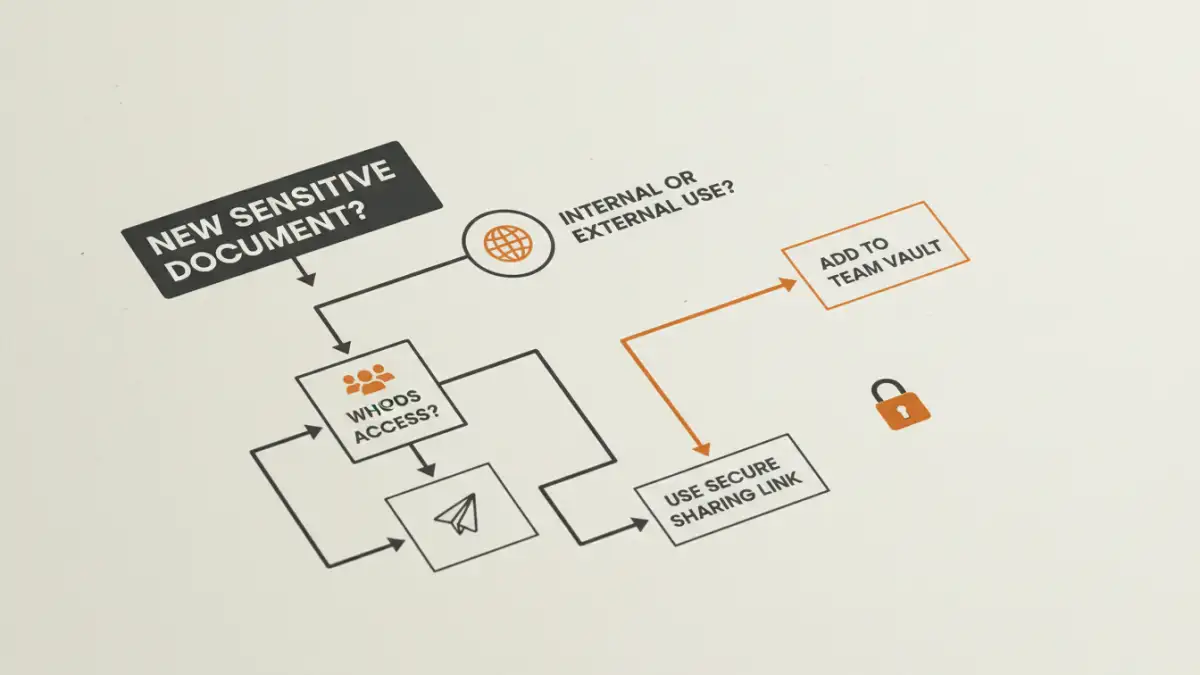
Most teams start with informal methods for sharing document passwords. A password might be sent over a chat message, stored in a shared spreadsheet, or even written on a sticky note. While convenient for one-off situations, these methods create significant security holes and operational friction as the team grows.
Security and Compliance Risks
When shared document passwords float around in insecure channels, you lose control. There's no audit trail to see who accessed a password and when. If an employee leaves the company, revoking their access becomes a nightmare of trying to find and change every password they might have known. This is a huge liability for corporate file security and can violate compliance standards.
Productivity Bottlenecks
As my team recently experienced, a lack of a system creates delays. Time is wasted hunting for the right password, asking colleagues, or waiting for the one person who knows it to become available. This friction disrupts workflows and adds unnecessary stress, directly impacting project timelines and efficiency.
Establishing a Centralized System

The core of successfully managing team document passwords is to move from chaos to a centralized, controlled environment. This means adopting tools and processes designed specifically for secure credential management. It’s the single most important step you can take.
Leverage a Team Password Manager
Modern password managers like 1Password, Bitwarden, or LastPass Teams are excellent for this. They allow you to create shared vaults or folders where you can store document passwords. Access can be granted to specific teams or individuals, and it's all logged. When a password needs to be updated, you change it in one place, and it syncs for everyone with permission. This is far superior to manual tracking.
Utilize Role-Based Access Control (RBAC)
Instead of giving everyone the same password, use systems that support role-based access. For example, your cloud storage (like Google Drive or OneDrive for Business) allows you to grant access to files based on user accounts or groups. This is inherently more secure because access is tied to an individual, not a shared secret. It also makes offboarding simple: disable the user's account, and their access to all documents is instantly revoked.
Crafting an Enterprise Password Policy
A tool is only as good as the rules governing its use. An official enterprise password policy ensures everyone on the team understands their responsibilities and follows consistent security practices. This document should be clear, concise, and easy for everyone to follow.
Define Password Creation and Storage
Your policy should mandate the use of the company's password manager for all shared credentials. It should also set complexity requirements for new passwords (e.g., minimum length of 16 characters, mix of character types). Discourage password reuse across different documents or systems. The goal is to make every password strong and unique.
Streamline Onboarding and Offboarding
A solid policy details the exact process for new and departing employees. For onboarding, this means adding the new team member to the appropriate groups in the password manager. For offboarding, it involves a checklist to ensure their access is immediately and completely removed from all shared vaults and systems. This process should be non-negotiable and executed on the employee's last day.
Day-to-Day Best Practices for Your Team
With a system and policy in place, the final piece is ensuring the team uses them correctly. Consistent reinforcement and training are key to building a security-conscious culture.
Focus on Securing the Container
Rather than applying individual passwords to dozens of files, it's often more efficient to place them in a secure, access-controlled folder. For instance, creating an encrypted ZIP archive with a single strong password or using a secure folder in your cloud storage. This approach simplifies access management, as you only need to manage the password or permissions for the container, not every file inside.
Provide Regular Training
Don't assume everyone knows how to use the tools or understands the policy. Hold brief training sessions to demonstrate how to use the password manager and explain the 'why' behind the security rules. When people understand the risks you're trying to mitigate, they are much more likely to be active participants in maintaining good corporate file security.
Password Management Method Comparison
| Method | Security Level | Scalability | Ease of Use |
|---|---|---|---|
| Ad-Hoc (Chat/Spreadsheet) | Very Low | Poor | Very Easy (Initially) |
| Cloud Storage Permissions (RBAC) | High | Excellent | Moderate |
| Team Password Manager | Very High | Excellent | Easy |
| Encrypted Containers (e.g., ZIP) | Moderate to High | Good | Moderate |