I recently helped a legal team that needed to share confidential contracts as PDFs. Their main concern was ensuring only authorized individuals could open them, but they were using simple, guessable passwords like "Contract2024". This is a common mistake that leaves sensitive data incredibly vulnerable, as a weak password is often worse than no password at all because it provides a false sense of security.
Effective password protection is the first line of defense for your digital documents. It's not just about setting any password; it's about creating one that can withstand common hacking attempts. Let's walk through the principles and practical steps to secure your PDFs properly.
Table of Contents
Why PDF Password Strength Matters
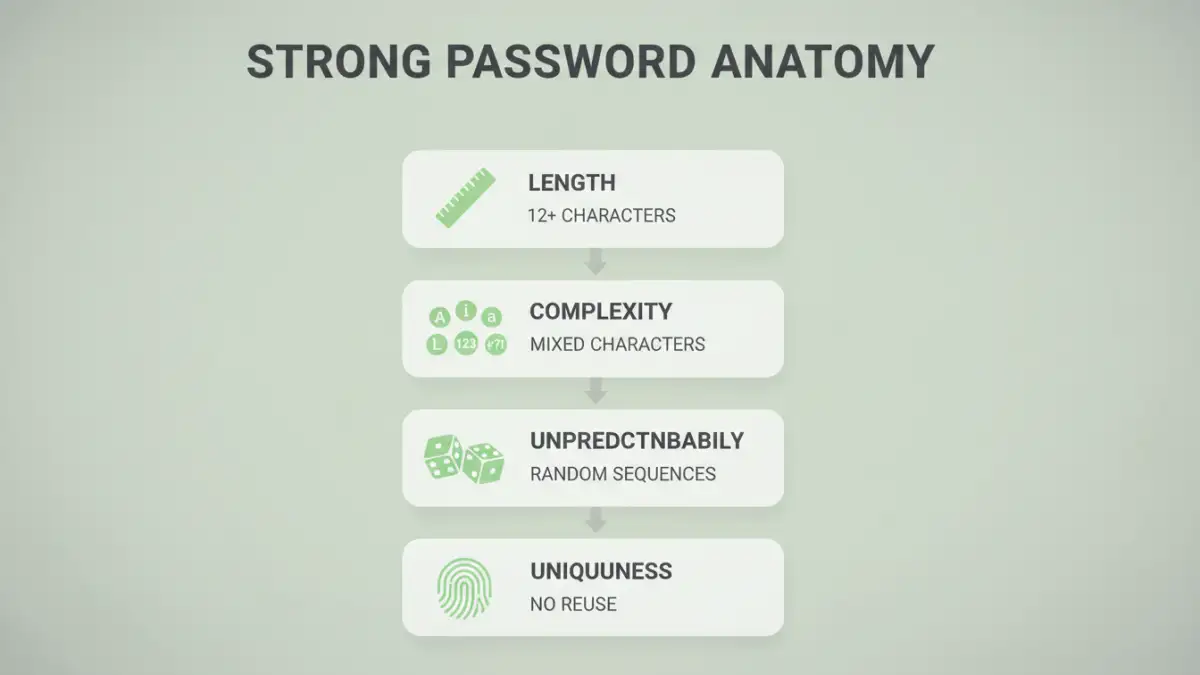
When you set a password on a PDF, you're not just locking it; you're applying a layer of file encryption. The effectiveness of this encryption is directly tied to the password's strength. Weak passwords can be cracked in minutes or even seconds using automated software that runs through millions of combinations.
Attackers use several methods, including brute-force attacks (trying every possible combination) and dictionary attacks (using common words and phrases). A complex, long password makes these methods computationally impractical, meaning it would take an attacker years or even centuries to guess it. This is the core principle behind pdf password strength.
Understanding Encryption Levels
Modern PDF tools, like Adobe Acrobat, use Advanced Encryption Standard (AES) encryption. You'll often see options for 128-bit or 256-bit AES. While both are secure, 256-bit AES offers a significantly higher level of security and is the industry standard for protecting highly sensitive data. Always choose the highest level of encryption available when protecting your documents.
The Anatomy of a Strong PDF Password
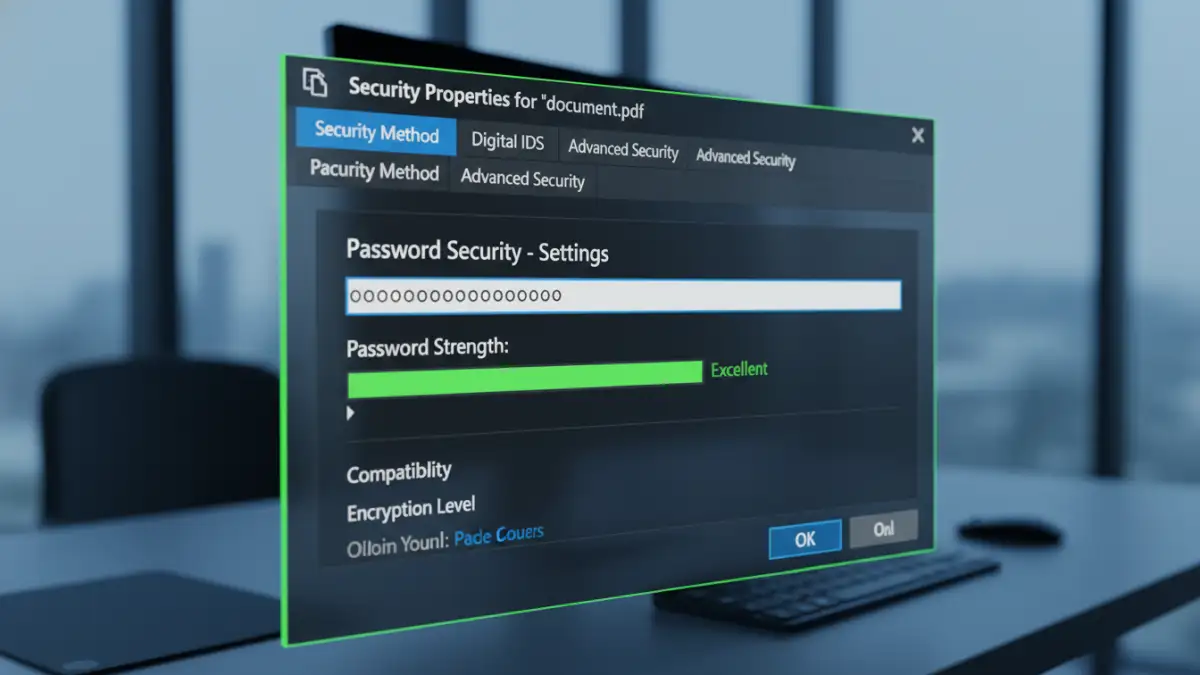
A secure password isn't just a random string of characters; it's a carefully constructed key. The goal is to increase its entropy, which is a measure of its unpredictability. Here are the key components that contribute to creating genuinely strong pdf passwords.
Essential Components
Follow these rules to construct a password that is difficult to crack:
- Length: This is the single most important factor. Aim for a minimum of 16 characters. Each additional character exponentially increases the number of possible combinations an attacker would have to try.
- Complexity: Use a mix of character types. Include uppercase letters (A-Z), lowercase letters (a-z), numbers (0-9), and special characters (!, @, #, $, %, etc.). This variety dramatically expands the character set, making brute-force attacks much harder.
- Unpredictability: Avoid using common words, phrases, or easily guessable information like your name, birthdate, or pet's name. Steer clear of sequential numbers ("12345") or keyboard patterns ("qwerty").
- Uniqueness: Never reuse passwords across different documents or services. If one password is compromised, all other accounts or files using it become vulnerable.
How to Create and Apply Secure PDF Passwords
Knowing what makes a password strong is one thing; applying it correctly is another. Most PDF editing software provides straightforward tools for adding password protection. A password manager can be a great asset here, as it can generate and store highly complex passwords for you.
A good technique is to use a passphrase—a sequence of random words. For example, "Correct!Horse-Battery-Staple7" is far more secure and easier to remember than "p@$$w0rd123". The length and randomness make it incredibly robust.
Applying a Password in Adobe Acrobat
If you're using Adobe Acrobat Pro, the process is simple and offers granular control. You can set different passwords for opening the document (User Password) and for changing permissions like printing or editing (Owner Password).
- Open your PDF in Adobe Acrobat Pro.
- Go to File > Protect Using Password.
- In the dialog box, select whether you want to set a password for viewing or editing.
- Enter a strong password in the provided field. Acrobat often includes a strength meter to guide you.
- Click Advanced Options to select the encryption level (choose AES-256 if available).
- Click Apply and save the document.
Using Free Online Tools
While convenient, online PDF password tools should be used with extreme caution. When you upload a document to a third-party website, you lose control over your data. For sensitive or confidential information, I always recommend using trusted, offline desktop software. If you must use an online tool, ensure it has a clear privacy policy and deletes files from its servers promptly.
Best Practices for Managing PDF Passwords
Creating a strong password is only half the battle. You also need a secure way to manage it, especially if you handle numerous protected documents.
The best solution is to use a reputable password manager. These applications generate, store, and auto-fill complex passwords in an encrypted vault. This approach eliminates the need to remember dozens of unique passwords and prevents you from resorting to insecure practices like writing them down on a sticky note. When sharing a protected PDF, always transmit the password through a separate, secure channel—never in the same email as the file itself.
Password Strength Comparison
| Characteristic | Weak Password Example | Strong Password Example | Why It Matters |
|---|---|---|---|
| Length | `docu9` (5 chars) | `R@ndom-Tree-Branch!42` (22 chars) | Exponentially increases the time needed for a brute-force attack. |
| Character Mix | `password` | `p@55w0Rd!#` | Expands the character set, making guessing much harder. |
| Predictability | `Summer2024` | `7^blue$guitarFox?` | Avoids dictionary words and common patterns that are easily cracked. |
| Reusability | Using the same password everywhere | A unique password for each PDF | Prevents a single breach from compromising multiple documents. |