
I once saw a project delayed by a week because a junior team member, trying to be helpful, shared a folder of proprietary code using their personal, unapproved cloud account. The link was public, and it took our IT security team days to confirm it hadn't been accessed externally. This wasn't malicious; it was a simple lack of awareness, a perfect example of why proactive training is not just a 'nice-to-have' but a core business necessity.
Your employees are your first line of defense, but without the right knowledge, they can also be your weakest link. Equipping them with the right habits and understanding of secure collaboration tools is fundamental to protecting your company's digital assets.
Table of Contents
Why Effective Training Matters
Many organizations invest heavily in security software but overlook the human element. A firewall can't stop an employee from emailing a spreadsheet with sensitive customer data to an external address. The goal of training is to build a culture of security awareness where every team member understands their role in protecting information.
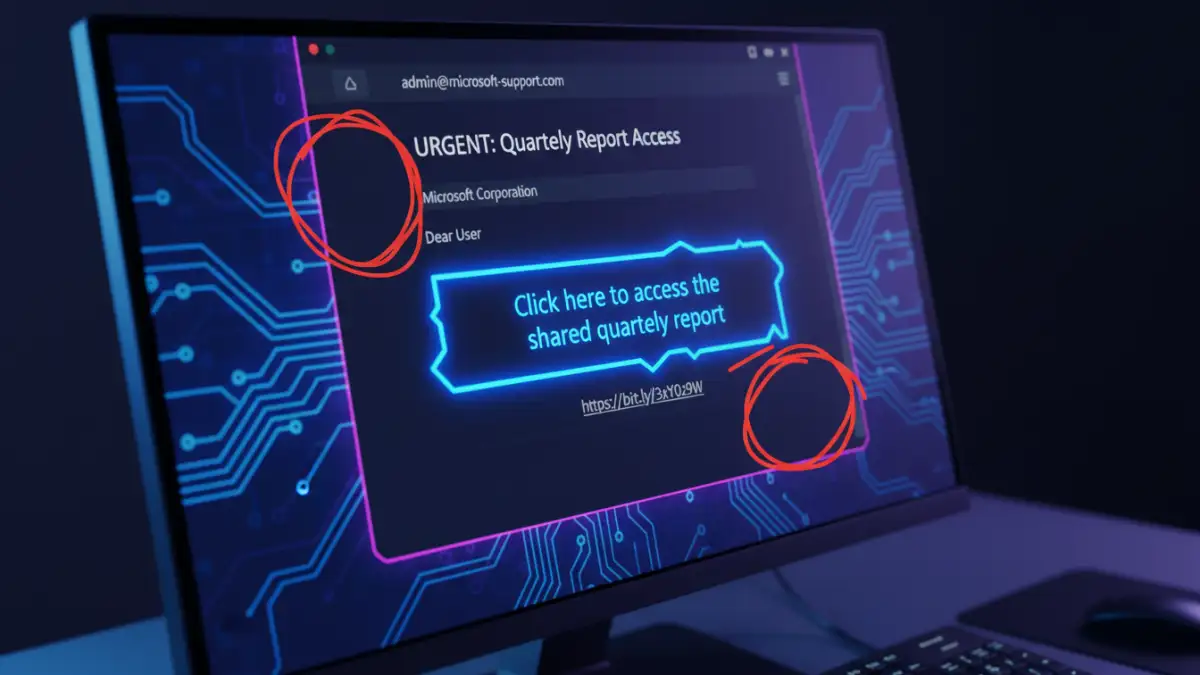
The risks of untrained staff are significant. They range from accidental data leaks and compliance violations (like GDPR or HIPAA) to falling victim to phishing attacks designed to steal credentials for confidential file transfer systems. Proper training mitigates these risks by turning potential liabilities into proactive defenders of your data.
Core Components of Your Training Program
A comprehensive training program should be more than just a list of rules. It needs to explain the 'why' behind the 'what'. I've found that breaking the content into logical, digestible modules works best for retention.
Understanding Data Classification
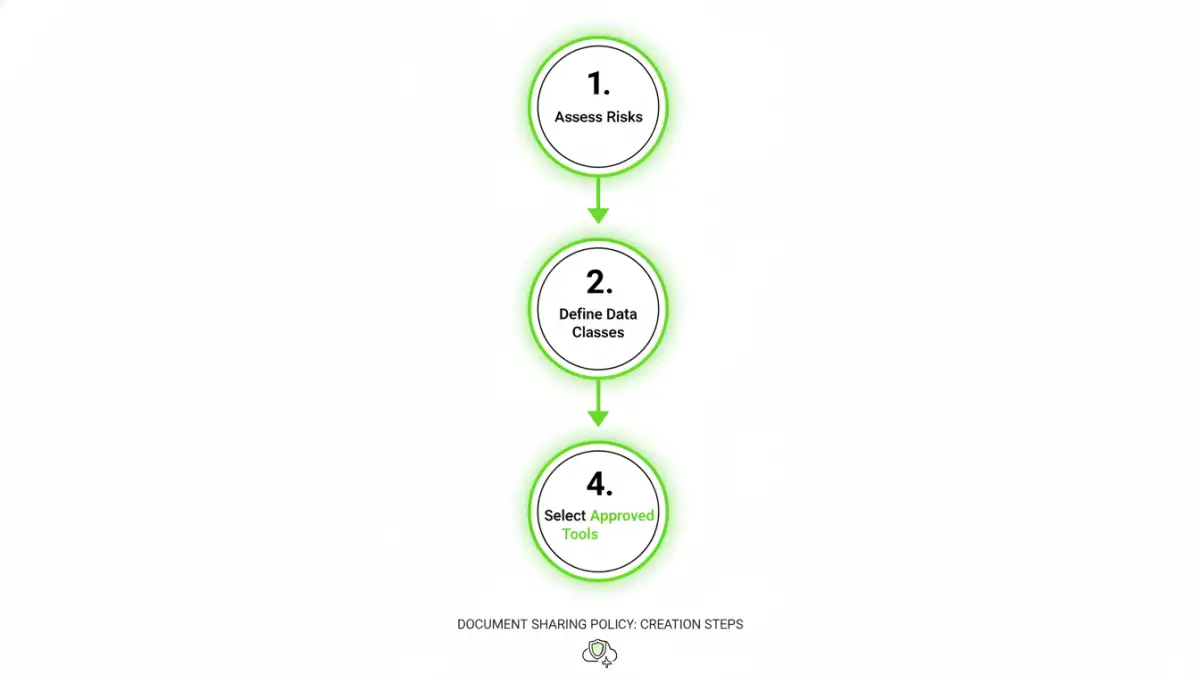
Not all data is created equal. Employees must learn to differentiate between public, internal, and confidential information. A training module should clearly define these categories with real-world examples relevant to their roles. For instance, a marketing brochure is public, while an internal project plan is for internal use, and a list of client social security numbers is highly confidential.
Choosing Approved Tools and Platforms
One of the biggest risks is the use of unauthorized, consumer-grade file-sharing services. Your training must clearly outline which tools are approved by the company for secure collaboration and why. Explain the security features of the approved platforms (like end-to-end encryption, access logs, and granular permissions) and the dangers of using unvetted alternatives.
Building a Clear Document Sharing Policy
Training is most effective when it's built upon a solid foundation: a formal document sharing policy. This document shouldn't be a dense, legalistic text but a clear, accessible guide that employees can reference. It serves as the single source of truth for all data handling procedures.
Your policy should explicitly cover key areas such as acceptable use, rules for sharing data with third parties, password and encryption requirements, and procedures for reporting a suspected data breach. Involving department heads in its creation ensures the rules are practical and don't hinder productivity. Once established, this policy becomes the curriculum for your training sessions.
Practical Training Delivery Methods
How you deliver the training is as important as the content itself. A monotonous presentation will be forgotten an hour later. Engaging, interactive methods are key to making the lessons stick and building lasting habits around employee data security.
Consider a blended approach. Use interactive e-learning modules for baseline knowledge, followed by in-person workshops or webinars for role-specific scenarios. Regular phishing simulations are also incredibly effective. They provide a safe environment for employees to make mistakes and learn to spot real-world threats without causing actual harm. The key is to make training an ongoing process, not a one-time event.
Training Delivery Method Comparison
| Method | Pros | Cons | Best For |
|---|---|---|---|
| In-Person Workshops | Highly interactive, allows for Q&A, good for role-playing. | Scalability issues, expensive, scheduling difficulties. | Onboarding new hires, deep-diving on role-specific risks. |
| E-Learning Modules | Scalable, self-paced, consistent messaging, easy to track completion. | Can be less engaging, lacks real-time feedback. | Annual compliance training, foundational knowledge. |
| Phishing Simulations | Provides practical, real-world experience in a safe environment. | Can cause anxiety if not handled properly; requires careful planning. | Testing and reinforcing threat identification skills. |
| Lunch & Learns | Informal, good for building culture, focuses on specific topics. | Lower attendance, may not cover topics in depth. | Introducing new tools or policy updates. |
| Regular Email Tips | Keeps security top-of-mind, easy to distribute. | Easily ignored or forgotten, not comprehensive. | Ongoing reinforcement and security reminders. |