
A colleague once asked me to remove the password from a sensitive financial report. "It's just easier for the team to access it without typing a password every time," he explained. While the request seemed innocent, it set off alarm bells. The convenience of removing a password is a trade-off that often isn't worth the cost, creating a false sense of security while opening the door to significant risks.
This idea of creating permanent file access by stripping away its primary layer of defense is a common but dangerous shortcut. It fundamentally misunderstands the purpose of encryption and passwords: they are not just hurdles to be overcome, but essential safeguards for the information contained within.
Table of Contents
The Illusion of Convenience: Owner vs. User Passwords
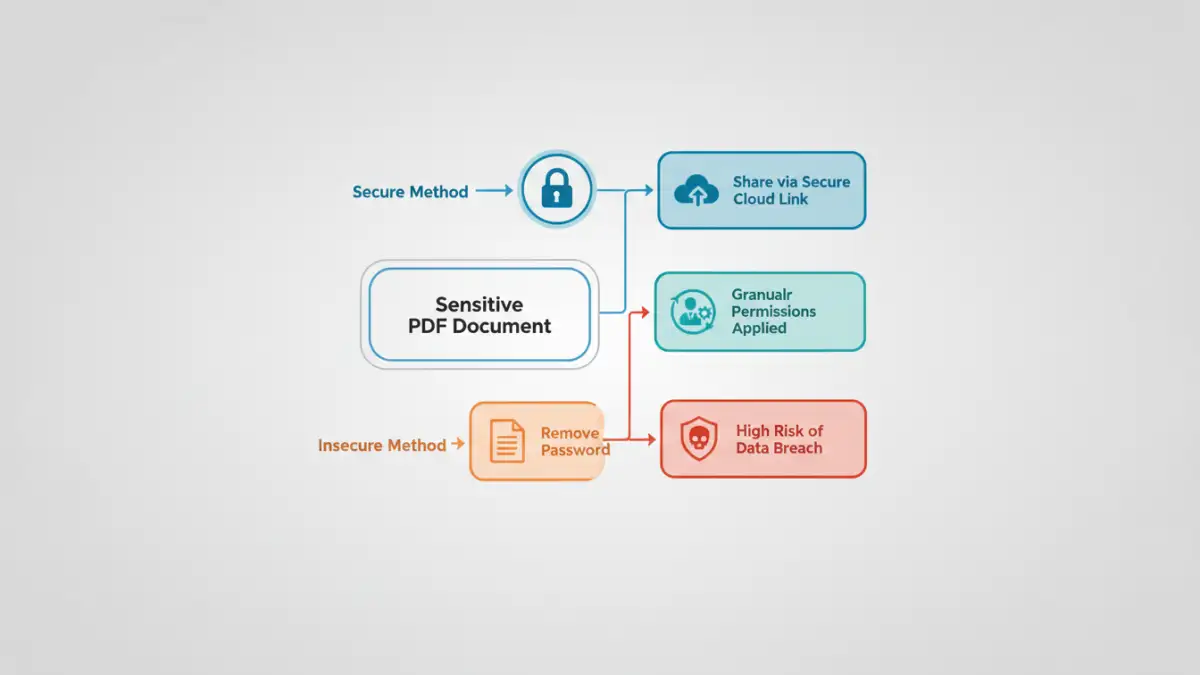
Many people don't realize that PDFs can have two types of passwords. The 'user' or 'open' password is what most of us are familiar with; it's required to simply view the document. The 'owner' or 'permissions' password, however, restricts actions like printing, copying text, or editing the file. Often, the request to remove a password is about disabling these restrictions.
The problem is that tools used to remove the owner password often create a completely new, unprotected version of the file. While the original might remain safe, this new copy is now a rogue element. It has no access controls, no restrictions, and can be freely distributed, fundamentally compromising the document's integrity and confidentiality.
Key Vulnerabilities of Password Removal

Stripping a password from a PDF introduces several immediate and critical vulnerabilities. These aren't theoretical problems; I've seen them lead to actual data leaks in professional environments. The core issue is the complete loss of control over the document's lifecycle.
Loss of Access Control
The most obvious risk is the loss of access control. A password ensures that only authorized individuals can view the document's contents. Once removed, that control vanishes. The file is now accessible to anyone who gets their hands on it, whether through a misplaced USB drive, a forwarded email, or a compromised network share. You can no longer dictate who sees the information.
Uncontrolled Distribution and Duplication
An unprotected file is a shareable file. It can be attached to an email, uploaded to a public cloud service, or posted on a messaging platform with a single click. This creates a chain reaction of unsecured document sharing. You have no way to track where the document has gone, how many copies exist, or who has seen it. This is particularly dangerous for documents containing personal data, financial information, or intellectual property.
Real-World Consequences of Unsecured Sharing
The fallout from a seemingly minor act of removing a password can be severe. These scenarios are not just hypothetical; they are grounded in the realities of corporate data management and the constant threat of security breaches. Proper data breach prevention requires thinking about every stage of a document's life.
Imagine an HR department circulates a spreadsheet of employee salaries, but removes the password for internal convenience. An employee saves it to their personal laptop, which is later lost or stolen. The entire company's salary data is now exposed. Similarly, a legal team sharing a draft contract without protection could find their negotiation strategy leaked to the opposing party after an accidental email forward.
Beyond reputational damage, there are serious compliance implications. Regulations like GDPR, HIPAA, and CCPA impose strict requirements for protecting sensitive personal information. A breach resulting from a negligently unprotected document can lead to crippling fines and legal action. The convenience of no password is a weak defense in an audit or investigation.
Best Practices for Secure Document Handling
Effective document protection is not about making things difficult; it's about implementing smart, sustainable security practices. Instead of removing passwords, we should adopt better methods for sharing and collaboration that maintain security throughout.
Use Secure Sharing Platforms
Instead of emailing unprotected files, use enterprise-grade cloud storage and collaboration platforms like Microsoft SharePoint, Google Drive, or Dropbox Business. These systems allow you to grant granular, revocable permissions to specific users. You can allow someone to view a file but not download it, or give them editing rights for a limited time. This approach provides control without the hassle of managing individual file passwords.
Implement Digital Rights Management (DRM)
For highly sensitive documents, DRM solutions offer a more robust layer of protection. DRM embeds access rules directly into the file itself. This means you can control who opens the document, prevent screenshots, apply dynamic watermarks, and even revoke access remotely after it has been shared. It ensures security follows the document wherever it goes.
Adopt a Strong Password Policy
If you must use passwords, make them strong and unique. Use a password manager to generate and store complex passwords for your documents. When sharing, provide the password through a separate, secure channel—for instance, send the document via email and the password via a secure messaging app. This simple two-channel approach prevents an intercepted email from giving away both the lock and the key.
Comparison of Document Sharing Methods
| Sharing Method | Security Level | Pros | Cons |
|---|---|---|---|
| Password-Removed PDF via Email | Very Low | Convenient for recipient. | No access control, high risk of leaks, no audit trail. |
| Password-Protected PDF via Email | Low to Medium | Basic layer of protection. | Password can be shared or intercepted; file is uncontrolled after opening. |
| Secure Cloud Link (View-Only) | High | Granular permissions, access can be revoked, provides an audit trail. | Requires recipient to have an internet connection. |
| Digital Rights Management (DRM) | Very High | Persistent protection, remote revocation, prevents copying/printing. | Can be complex to set up; may require specific software. |