
I once worked on a project where we had to retrieve design documents from seven years prior. The files were in an encrypted ZIP archive, but the password was lost to time—the original engineer had left the company, and nobody had documented it. That experience taught me a crucial lesson: encrypting a file is only half the battle. The other, equally important half is creating a system for archiving password protected files that ensures you can actually access them in the future.
Simply locking a file and forgetting about it is a recipe for digital amnesia. A proper archiving strategy balances robust security with planned, long-term accessibility. It's about ensuring the right people can open the right files, even a decade from now, without compromising security.
Table of Contents
The Challenge of Long-Term Secure Archives
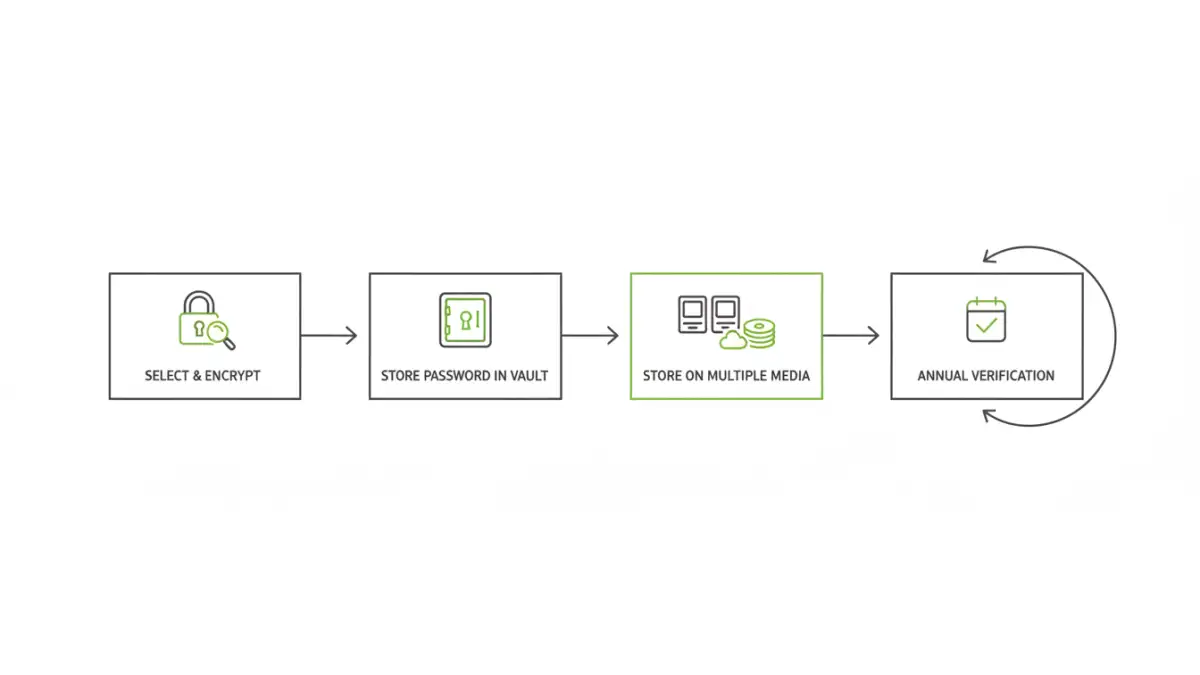
The primary goal of secure document archiving is to protect information over its entire lifecycle. This introduces a fundamental tension: the measures we take to secure data against unauthorized access today can become barriers to authorized access tomorrow. Forgetting a password, employee turnover, or changing technology can effectively destroy data just as surely as a disk failure.
The 'Digital Amnesia' Problem
I've seen it happen more than once. A team encrypts a project folder with a strong, complex password, but they store it in a private text file on one person's machine. When that person leaves the company, the password is lost forever. This digital amnesia turns a security measure into a data loss event. Without a system, you're relying on human memory, which is notoriously unreliable for long term file storage.
Meeting Compliance and Data Retention Needs
Many industries are subject to a strict data retention policy, requiring them to store records for several years. These regulations often mandate that the data be both secure and accessible for audits. A haphazard approach to encryption and archiving not only risks data loss but can also lead to serious legal and financial penalties if you're unable to produce requested documents.
A Strategic Approach to Secure Document Archiving
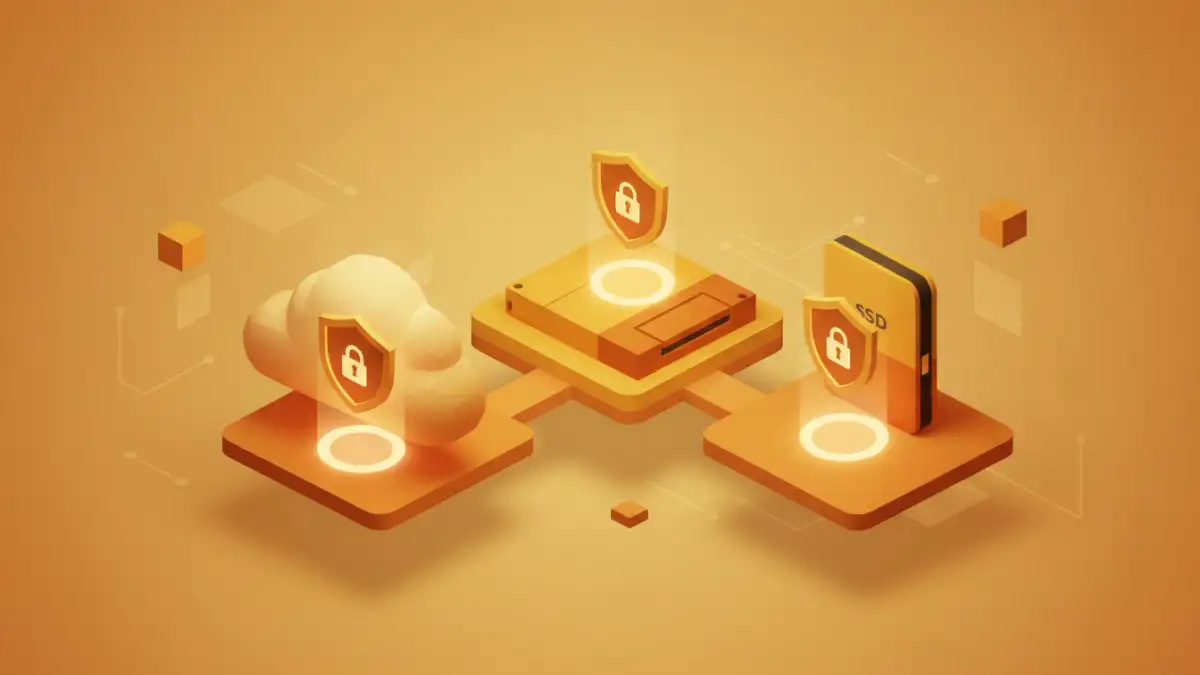
A successful strategy is built on standards and processes, not on individual heroics. It involves making deliberate choices about encryption methods and file formats to maximize future compatibility and security.
Choose a Reliable Encryption Standard
When you encrypt a file for long-term storage, you're making a bet that the algorithm will remain secure and accessible. Stick with well-established, open-source standards like AES-256. It's the industry benchmark for a reason: it's incredibly strong, widely implemented, and has no known practical vulnerabilities. Avoid proprietary or obscure encryption algorithms, as the software needed to decrypt them might not exist in ten years.
Standardize Your Archive Formats
Just as with encryption, use common, open-standard container formats for your archives. Encrypted ZIP (using AES-256, not the weaker ZipCrypto) and 7z are excellent choices. They are supported by a vast range of software on every operating system. This reduces the risk that you'll be unable to find a tool to open your archive in the future. Standardizing on one or two formats simplifies processes and training for your team.
Managing the 'Key to the Kingdom': The Password Vault
The password is the weak link in most encryption schemes. The most secure archive in the world is useless if the key is lost. Therefore, managing the passwords for your archives is just as critical as creating the archives themselves.
Why Team Password Managers are Essential
Storing archive passwords in spreadsheets or text files is a security nightmare. A centralized, team-based password manager (like 1Password for Business or Bitwarden Teams) is the correct tool for the job. These platforms provide a secure, encrypted vault to store passwords, with features like role-based access control, audit logs, and secure sharing. This ensures that only authorized personnel can access the keys, and you have a record of who accessed what, and when.
Document Context and Metadata
Don't just store the password; store the context. For every archived password, you should document:
- What project or data the archive contains.
- The date the archive was created.
- Which individuals or roles are authorized to access it.
- The specific file name and location of the archive.
- Any software required to open it.
This metadata is invaluable when someone unfamiliar with the original project needs to retrieve data years later.
Long-Term File Storage and Integrity
Your encrypted file backup strategy needs to account for the slow decay of digital media and the evolution of technology. A 'set it and forget it' approach is not sufficient.
The 3-2-1 Rule for Archives
The classic 3-2-1 backup rule applies perfectly to archives. Maintain at least three copies of your archived data on two different types of storage media, with at least one copy stored off-site. For example, you could have one copy on a local file server, a second on a physical medium like LTO tape, and a third in a secure, geographically separate cloud storage provider.
Periodic Verification and Migration
Digital files can degrade over time due to 'bit rot'. It's crucial to schedule periodic checks—perhaps annually—to verify the integrity of your archives. This involves retrieving the archive, confirming the file hash (if you saved it), and attempting to decrypt it with the stored password. This process confirms that the file is not corrupt and that the key is correct. During these checks, you can also assess whether it's time to migrate the archives to newer storage media or re-encrypt them with more modern standards.
Archiving Strategy Comparison
Choosing the right strategy depends on your team's needs, balancing security, cost, and accessibility. Here’s a look at common approaches.
| Strategy | Key Benefit | Potential Risk | Best For |
|---|---|---|---|
| Individual File Encryption | Granular control over single files. | Password management becomes complex at scale. | Small teams or individuals archiving specific sensitive documents. |
| Encrypted Containers (ZIP/7z) | Bundles many files into a single, portable archive. | A single lost password can lock away entire project folders. | Archiving complete project directories or datasets. |
| Cloud Storage with Encryption | High accessibility and built-in redundancy. | Reliance on a third-party provider's security and longevity. | Teams needing remote access and collaborative archiving. |
| Physical Media (LTO Tape/HDD) | Air-gapped security, immune to online threats. | Requires physical storage, slower access times, media degradation. | Organizations with strict compliance needs for long-term, offline data retention. |