
Working with sensitive information requires a diligent approach to how documents are managed, stored, and shared. Whether you're dealing with client contracts, financial reports, or personal records, ensuring their security is paramount. Over my years in software engineering, I've seen firsthand how a lapse in document safety can lead to significant problems, from data breaches to compliance issues.
Establishing a robust routine for handling documents isn't just about using passwords; it's a multi-layered strategy. This involves understanding the risks, choosing the right tools, and consistently applying best practices. By adopting a systematic approach, you can significantly reduce the chances of unauthorized access or data loss.
Table of Contents
Understanding the Basics of Document Security
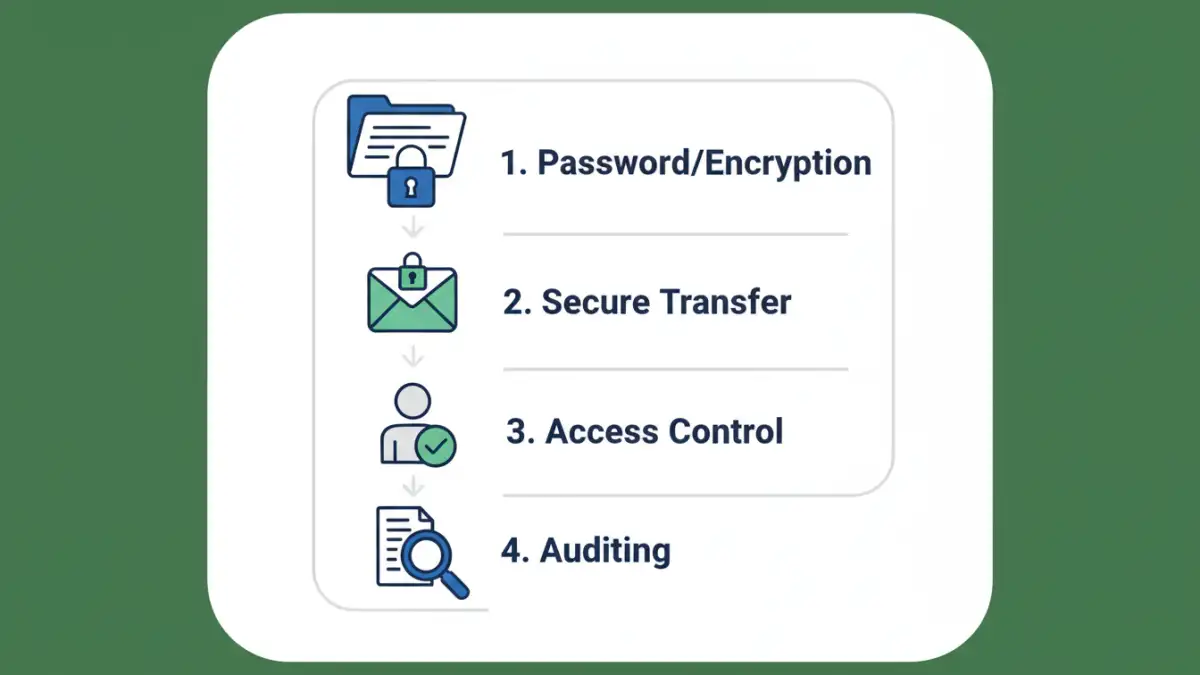
At its core, document security is about protecting information from unauthorized access, modification, or destruction. This involves understanding the different types of threats your documents might face, from external cyberattacks to internal misuse. It's crucial to recognize that security isn't a one-time fix but an ongoing process that requires consistent attention.
Threat Landscape
The digital world presents a constant stream of potential risks. Malware, phishing attempts, unauthorized access due to weak passwords, and even accidental data leaks are common threats. Understanding these threats helps in building a defense that addresses the most probable dangers to your files.
Core Principles for Secure Handling

Several fundamental principles guide effective document safety. These principles form the bedrock of any secure document handling strategy, ensuring a comprehensive approach to protection.
Access Control and Permissions
One of the most critical aspects is ensuring only authorized individuals can access specific documents. This involves setting up user permissions carefully, granting the minimum level of access necessary for each person to perform their job. Regularly reviewing these permissions is also vital, especially when employees change roles or leave the organization.
Data Encryption
Encryption is the process of converting readable data into an unreadable format, accessible only with a decryption key. This is a powerful tool for protecting documents, especially when they are stored on portable devices or transmitted over networks. Strong encryption renders data useless even if it falls into the wrong hands.
Practical Methods for Document Protection
Implementing secure document handling involves a combination of readily available tools and smart practices. These methods can be adopted by individuals and organizations alike to bolster their document security.
Password Protection
Many document formats, such as PDFs and Microsoft Office files, offer built-in password protection. This is a simple yet effective first line of defense against casual snooping. However, it's essential to use strong, unique passwords and avoid easily guessable ones. For sensitive files, consider using both user passwords (to open the file) and owner passwords (to restrict editing or printing).
Secure File Transfer
When sharing documents, especially via email, consider the risks. Email attachments can be intercepted. Whenever possible, use secure file transfer services or encrypted cloud storage links. These methods ensure that data is protected both in transit and at rest, providing a more secure way to share sensitive information.
Advanced Techniques and Tools
Beyond basic password protection, more advanced techniques can significantly enhance document security. These often involve specialized software or services designed for robust data protection.
Data Loss Prevention (DLP)
DLP solutions are designed to detect and prevent potential data breaches or data leakage. They can monitor documents for sensitive information and prevent them from being shared or copied inappropriately. While often employed by larger organizations, smaller teams can leverage some features through cloud storage services or specialized endpoint security software.
Digital Signatures and Certificates
For verifying the authenticity and integrity of documents, digital signatures are invaluable. They use cryptography to ensure that a document hasn't been tampered with since it was signed and that it originated from the claimed sender. This is particularly important for legal and financial documents.
Implementing Your Secure Handling Routine
Creating a consistent routine is key to maintaining document security. This involves integrating security measures into daily workflows and ensuring everyone involved understands their role. Regular training and awareness programs can help reinforce good document safety habits.
Regular Audits and Reviews
Periodically audit your document storage and access logs. This helps identify any suspicious activity or access patterns. Reviewing your security policies and procedures ensures they remain effective against evolving threats. This proactive approach is crucial for maintaining a strong security posture.
Comparison Table: Document Security Methods
| Method | Ease of Use | Security Level | Best For | Considerations |
|---|---|---|---|---|
| Built-in Password Protection (PDF/Office) | High | Moderate | Individual files, casual protection | Weak passwords are a risk; limited control over permissions |
| Secure File Transfer Services (e.g., WeTransfer Pro, Dropbox) | High | High | Sharing sensitive files externally | Requires service subscription; recipient needs access |
| Encrypted Cloud Storage (e.g., Google Drive, OneDrive with encryption) | High | High | Storing and sharing sensitive documents | Depends on provider's security; potential for account compromise |
| Digital Signatures | Moderate | Very High | Authenticating document origin and integrity | Requires certificate acquisition; not for all document types |
| Data Loss Prevention (DLP) Software | Low to Moderate | Very High | Enterprise-level data protection, compliance | Complex to implement and manage; costly for small users |