
A few months ago, our legal team needed to share due diligence documents with an external party for a 30-day review period. They were concerned that after the review, those sensitive files would remain accessible indefinitely. A standard password wasn't enough; we needed a way to automatically revoke access after the contract period ended. This is a common challenge where time-based security becomes critical for managing sensitive information.
Static passwords protect a document, but they don't control its lifecycle. Once you share the password, you lose control over who has it and for how long. Password expiration, typically managed through Digital Rights Management (DRM) or secure document platforms, adds a crucial layer of time-based control that directly supports compliance mandates.
Table of Contents
Why Expiration Matters for Compliance
Data protection regulations like GDPR and HIPAA have fundamentally changed how organizations must handle sensitive information. It's no longer enough to just protect data; you must also manage its lifecycle, including its disposal. This is where time-based access controls become essential.
Enforcing Data Retention Policy
A core component of many compliance frameworks is the data retention policy. This dictates how long an organization should keep specific types of data. Once that period is over, the data should be securely deleted. Automatically expiring access to a PDF ensures that collaborators or third parties can't view the information beyond the permitted timeframe, aligning with the policy's intent to minimize data exposure.
The Principle of Purpose Limitation
Under GDPR, data should only be processed for the specific purpose for which it was collected. If you share a financial report with an auditor for a quarterly review, their access should be limited to that review period. Password expiration directly enforces this principle by ensuring the document isn't accessible long after its purpose has been served, which is a key aspect of strong gdpr document security.
How PDF Password Expiration Works

It's important to clarify that standard PDF encryption offered by tools like Adobe Acrobat Reader doesn't natively support password expiration. A password applied directly to a PDF file is static; it works forever unless you manually change it and redistribute the file.
True password expiration is a feature of more advanced systems:
- Digital Rights Management (DRM) Platforms: These systems wrap the PDF in a secure container. Access is controlled by a central server that checks credentials and permissions—including expiration dates—each time someone tries to open the file. If the access period has passed, the server denies the request.
- Secure Document Sharing Portals: Similar to DRM, these web-based platforms host the document and require users to log in to view it. The platform manages access rights, allowing you to set expiration dates, revoke access manually, and track activity. The user never receives a standalone file they can control.
In both cases, the control is dynamic and managed remotely, unlike a static password embedded in the file itself. This is crucial for maintaining control over your secure documents after they've been distributed.
Implementing Time-Based Document Access
Setting up time-sensitive access requires moving beyond basic PDF tools. From my experience building and integrating systems, the approach depends on your scale, security needs, and technical resources.
Using Commercial Secure Sharing Platforms
For most businesses, the most straightforward method is to use a commercial service. Platforms like Digify, Vitrium Security, and certain enterprise-level Adobe services are built for this. The process is typically simple:
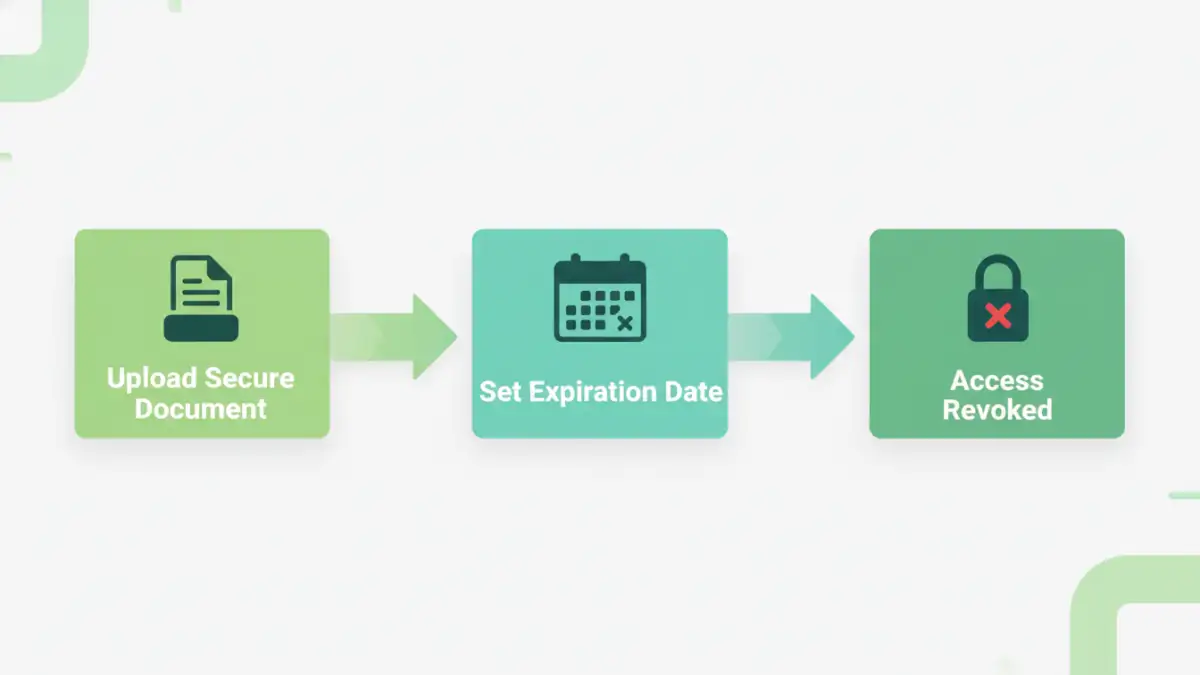
- Upload your PDF to the platform's secure environment.
- Define access permissions, including who can view the document.
- Set an expiration date or a specific duration for access (e.g., 14 days from the first open).
- Share a secure link with the recipient instead of the file itself.
This approach is ideal for managing hipaa secure file sharing, as these platforms often provide audit trails and other compliance-focused features.
Developing a Custom Solution with APIs
For larger organizations with specific workflow needs, a custom solution might be more appropriate. Many DRM and document processing services offer APIs that allow developers to integrate time-based controls into existing applications. For example, a client portal could use an API to generate secure, time-limited viewing links for invoices or reports automatically. This provides a seamless user experience while maintaining strict control over the document lifecycle.
Best Practices for Secure Document Sharing
While powerful, password expiration isn't a silver bullet. A determined user could still take a screenshot or photograph their screen. Therefore, it should be part of a layered security strategy.
To achieve meaningful pdf password compliance, combine expiration with other controls. Disable printing and copying permissions to prevent easy duplication. Use dynamic watermarks that display the viewer's name and the time of access, which deters screen sharing and photography. Always choose a reputable platform with a strong security track record and clear privacy policies.
Finally, educate your team and recipients. Ensure they understand that the access is temporary and part of the organization's commitment to data protection. Clear communication can prevent frustration and reinforce the importance of your security measures.
Document Control Feature Comparison
| Feature | Standard PDF Password | Secure Sharing Platform | Custom DRM Solution |
|---|---|---|---|
| Password Expiration | Not Available | Yes (Date or Duration) | Fully Customizable |
| Remote Access Revocation | Not Available | Yes (Instant) | Yes (Instant) |
| Print/Copy Control | Basic (Easily Bypassed) | Advanced & Enforced | Advanced & Enforced |
| Access Audit Trails | Not Available | Yes (Detailed Logs) | Yes (API-driven Logs) |
| Dynamic Watermarking | Not Available | Yes | Yes |
| Implementation Effort | Low | Low to Medium | High |