
I recently helped a colleague who was in a panic. He couldn't access a critical project proposal saved as an encrypted PDF. The password, something he thought was clever, was completely forgotten. After a stressful hour, we managed to recover it, but the incident highlighted a vulnerability I see all too often: we lock our doors but leave our digital files wide open.
Protecting a document with a password feels simple, but doing it effectively is another story. It’s not just about setting a password; it’s about creating a secure, manageable system that protects information without hindering workflow. This is where a foundational understanding of security principles becomes crucial.
Table of Contents
The Real Risk of Weak Document Passwords
A weak password is like a cheap lock on a bank vault. It provides a false sense of security while offering little real protection. For documents containing financial data, personal information, or proprietary business strategies, a breach can be catastrophic. The threat isn't just external hackers; it's often unauthorized internal access or accidental sharing.
From a technical standpoint, simple passwords like 'Company2024!' or 'ProjectX1' can be cracked in seconds by brute-force software. These tools rapidly cycle through common words, dates, and simple substitutions. Relying on them is an invitation for trouble. The goal is to make the cost of cracking the password far outweigh the value of the information inside.
Building Strong Password Habits from the Ground Up

The foundation of document security rests on the strength of the passwords used to protect them. This means moving beyond outdated advice and adopting modern, robust practices. Strong password habits are the first line of defense against unauthorized access.
Beyond 'Password123': Crafting Unbreakable Passphrases
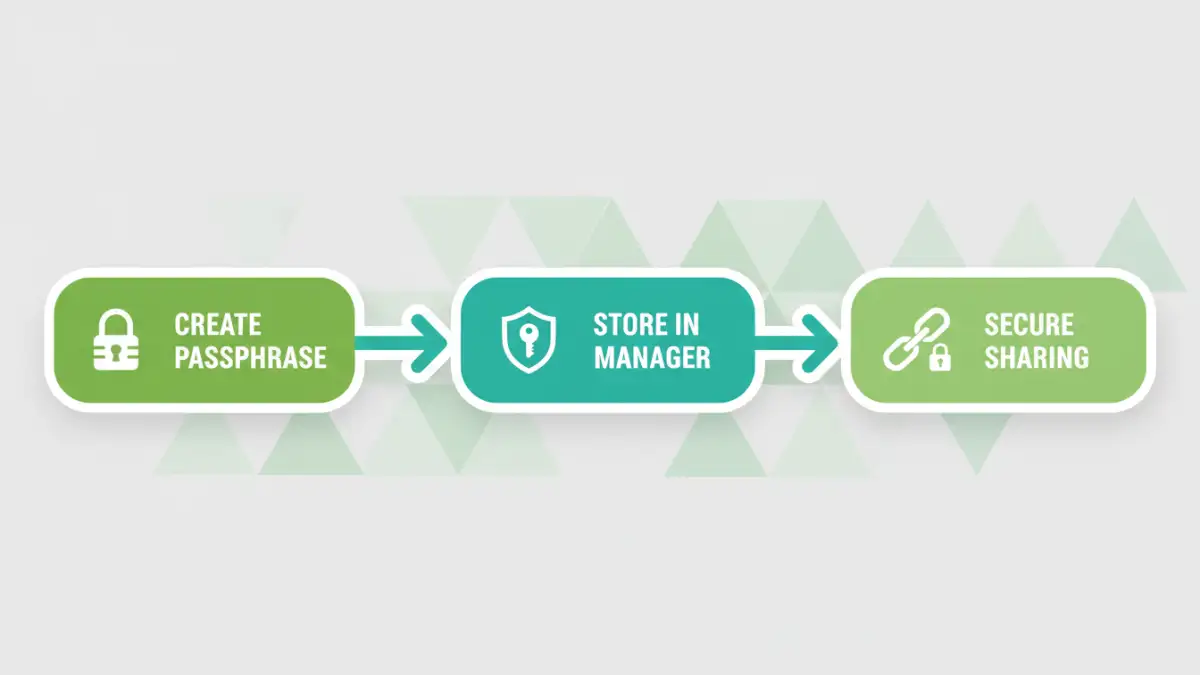
Complexity and length are your best friends. Instead of a single complex word, I always recommend using a passphrase—a sequence of unrelated words. For example, 'CorrectHorseBatteryStaple' is far more secure and, surprisingly, easier to remember than 'R#8b^&!pL'. The sheer length makes it exponentially harder for computers to guess. Aim for at least four random words, totaling 16 characters or more. This simple shift in thinking is one of the most effective file protection tips you can adopt.
Why Reusing Passwords is a Security Blind Spot
Never reuse passwords across different documents or systems. I've seen situations where a breach in one minor system led to a cascade of security failures because the same password was used everywhere. If you use the same password for a low-security newsletter signup and your sensitive financial spreadsheets, a breach of the former exposes the latter. Every secure document deserves a unique key.
Effective Document Password Management Strategies
Creating strong, unique passwords for every document leads to a new problem: how do you remember them all? Writing them on a sticky note is not the answer. This is where strategy and tools come into play.
Leveraging Password Managers for Documents
A password manager is an essential tool in any modern security toolkit. These applications create and store incredibly complex, unique passwords for all your accounts and documents in an encrypted vault. You only need to remember one master password to access everything. I use one to store the keys to encrypted archives and sensitive project files. It lets me use 64-character randomized passwords for documents without ever needing to memorize them.
Establishing Secure Sharing Protocols
Sharing a password-protected document requires a secure method for transmitting the password itself. Never send the password in the same email as the document. This is like mailing a key taped to the front of the safe it opens. Instead, use a different communication channel—a secure messaging app, a text message, or a phone call—to share the password. This simple separation drastically reduces the risk of interception.
Integrating Security into Your Daily Workflow
The best security measures are the ones that become second nature. For teams, this is where consistent and practical password security training comes in. It’s not about a one-time lecture but about building a culture of security. This includes regular reminders, clear guidelines on what to encrypt, and providing the right tools, like a team-wide password manager.
Make encryption a standard step in your document creation process for sensitive information. When you save a new financial report or HR document, the 'Encrypt with Password' option should be as routine as clicking 'Save'. By making these file protection tips part of your muscle memory, you build a resilient and secure work environment and avoid weak passwords by default.
Password Strategy Comparison
| Strategy | Complexity | Memorability | Security Level |
|---|---|---|---|
| Common Word + Number (e.g., Summer2024) | Low | High | Very Weak |
| Character Substitution (e.g., P@ssw0rd1) | Low-Medium | Medium | Weak |
| Unique Acronym (e.g., MfDhasb@7pm!) | Medium | Low | Moderate |
| Multi-Word Passphrase (e.g., BlueKiteFlyHigh) | High | High | Strong |
| Password Manager Generated (e.g., 8*k$V@#Lz^&!pQ) | Very High | Very Low (Not needed) | Very Strong |