
Working with confidential information from clients isn't just a task; it's a significant responsibility. A few years ago, I saw a small consulting firm scramble after a client's financial data was accidentally sent to the wrong recipient via an unencrypted email. The fallout was messy and eroded a long-standing relationship. This incident reinforced for me that having a robust, repeatable process is non-negotiable for proper client file management.
Without a clear system, it's easy for sensitive files to end up in insecure locations, shared improperly, or retained long after they should have been deleted. Building a simple yet effective workflow protects your clients, your business, and your reputation.
Table of Contents
Why a Standardized Workflow is Crucial
Relying on ad-hoc methods for handling sensitive data is like navigating without a map. You might get there, but the risks are high. A standardized workflow eliminates guesswork, reduces the chance of human error, and ensures everyone on your team handles confidential information with the same level of care. It's the foundation for building trust with your clients.
More importantly, many industries are bound by strict data protection regulations like GDPR, HIPAA, or CCPA. A documented workflow isn't just a best practice; it's often a legal requirement. It provides a clear audit trail, demonstrating due diligence in protecting client data and helping you avoid hefty fines and legal trouble.
The Dangers of Unstructured Methods
What happens without a plan? I've seen it all: critical contracts saved on personal desktops, financial statements shared via unencrypted personal email, and project files passed around on unsecured USB drives. These practices create massive security holes. There's no version control, no access log, and no way to revoke access once a file is sent. This is how data breaches happen.
The Core Pillars of Secure Document Handling
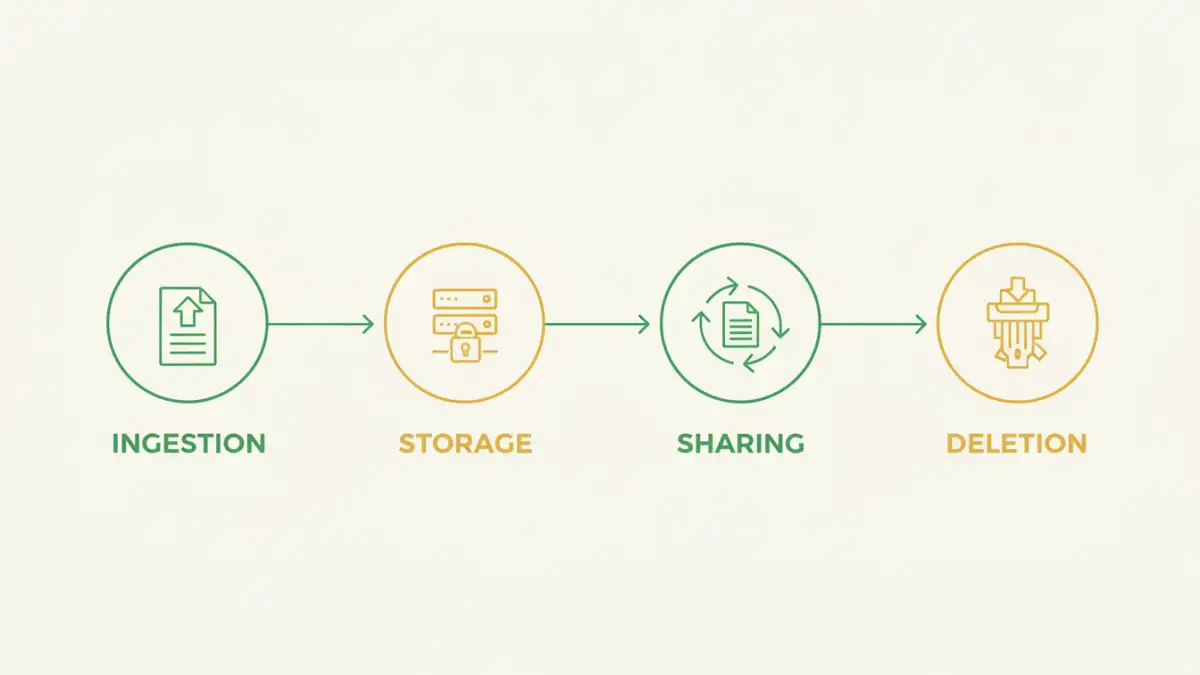
A comprehensive workflow to manage secure client documents can be broken down into four key stages, covering the entire lifecycle of a file. Thinking about security at each step is essential.
Pillar 1: Secure Ingestion and Creation
The security process starts the moment you receive or create a document. Instead of having clients email you sensitive files, consider using a secure file upload portal. This ensures the data is encrypted during transit from the very beginning. When creating documents, use templates that have security features enabled by default, such as password protection on exported PDFs.
Pillar 2: Encrypted Storage and Access Control
Once you have the document, where it lives matters. Files should be stored in an encrypted environment, both 'at rest' (on the server) and 'in transit' (when being accessed). Modern secure cloud storage providers offer this as a standard feature. Equally important is access control. Implement the principle of least privilege: team members should only have access to the specific client files they absolutely need to do their job. This minimizes the attack surface if one person's account is compromised.
A Practical Step-by-Step Security Workflow
Putting theory into practice doesn't have to be complicated. Here is a simple, four-step workflow you can adapt for your needs. This framework is designed to bring order and security to your client file management process.
- Classify Your Data: Not all documents carry the same risk. Create simple categories like 'Public,' 'Internal,' and 'Highly Confidential.' This classification will dictate the security measures applied. A marketing brochure is public, while a client's financial records are highly confidential.
- Centralize Storage: Choose a single, secure location as the source of truth for all client documents. This could be a business-grade cloud storage service with strong encryption and audit logs, or a dedicated document management system. Prohibit saving sensitive files on local machines.
- Adopt a Naming Convention: A consistent file naming system is surprisingly powerful. A structure like
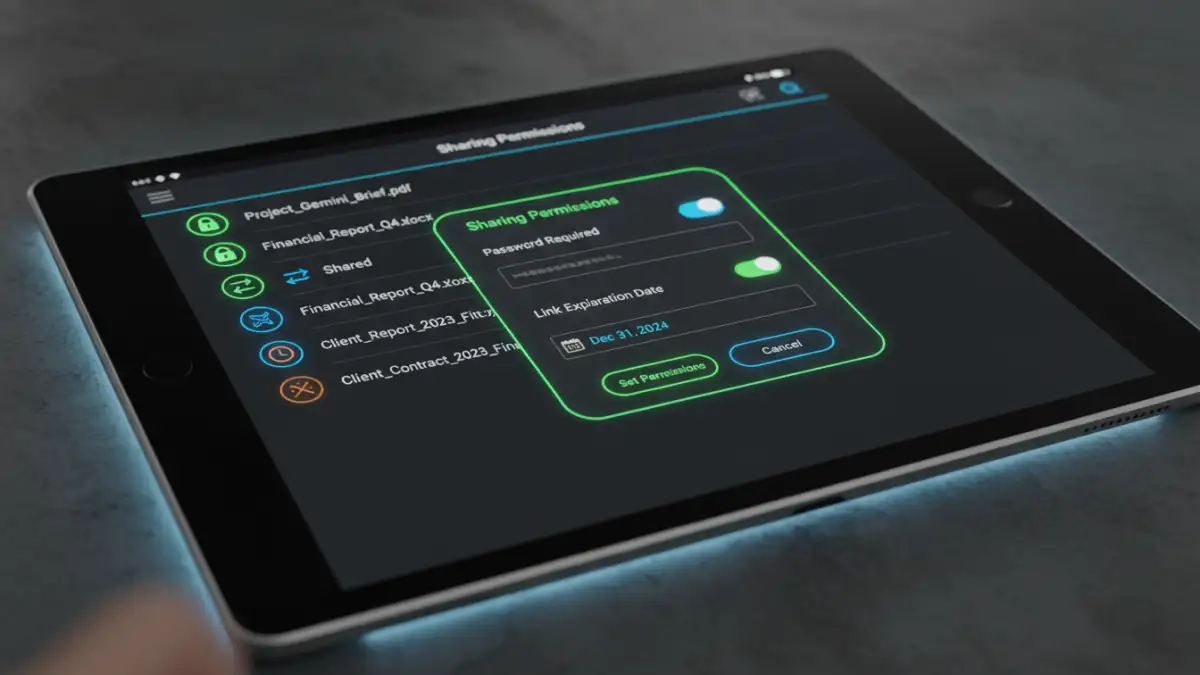
[ClientName]_[ProjectID]_[DocumentType]_[YYYY-MM-DD].pdfprevents confusion, makes files easy to find, and simplifies auditing. - Define a Sharing Protocol: This is critical. Instead of email attachments, the protocol should mandate the use of secure, password-protected, time-limited sharing links from your centralized storage. This gives you control to revoke access at any time and track who has viewed the file.
Tools and Automation for Efficiency
Manually managing this process can be tedious, which is where tools and automation come in. Many document management systems can automate these steps for you. For instance, you can set up rules to automatically apply a specific security policy based on the folder a document is saved into.
This is where concepts like pdf workflow automation become incredibly valuable. You can create automated workflows that add watermarks, apply encryption, and notify relevant team members when a new client file is uploaded. Platforms like Zapier or Microsoft Power Automate can connect your storage to other apps, creating a seamless and secure chain of events that reduces manual effort and the risk of mistakes.
Comparison of Secure Sharing Methods
| Method | Security Level | Ease of Use | Best For |
|---|---|---|---|
| Encrypted Email (with S/MIME or PGP) | High | Low | Technical users sending one-off sensitive communications. |
| Secure Cloud Storage Link | High | High | Everyday secure document sharing with clients and team members. |
| Dedicated Client Portal | Very High | Medium | Organizations needing a branded, high-touch experience with audit trails. |
| Password-Protected ZIP File | Medium | Medium | Bundling multiple files, but password must be shared via a separate channel. |
| Physical Encrypted Drive | Very High | Low | Transporting massive amounts of data or for offline archival purposes. |