
I once worked on a project where the validity of a multi-million dollar contract hinged on proving it hadn't been altered after a specific date. The other party claimed a clause was added retroactively. The document was digitally signed, but the key question was: what does that signature actually prove? It's more than just a visible stamp; it fundamentally changes the file itself by embedding a rich layer of new information directly into its metadata.
This hidden data is what allows us to verify a document's history and authenticity with cryptographic certainty. Understanding how a digital signature and a timestamp interact with a file's underlying properties is crucial for anyone dealing with legally binding or sensitive documents.
Table of Contents
What Happens When You Sign a Document Digitally?
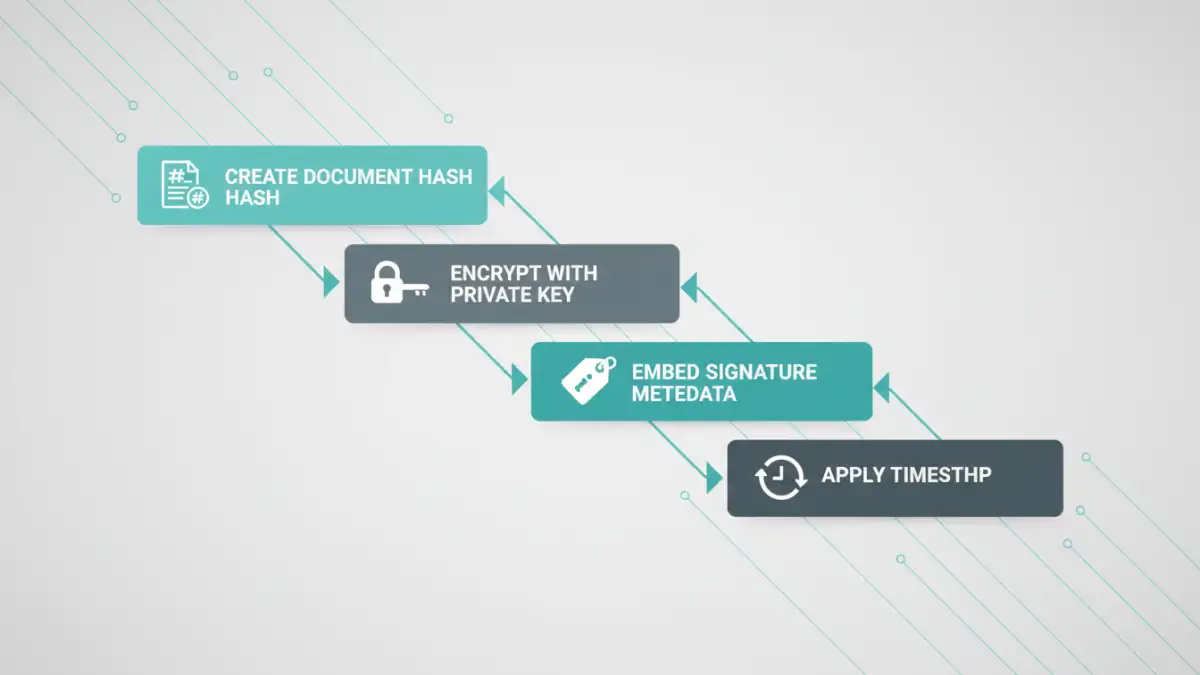
When you apply a digital signature, you're not just pasting an image of your signature. Instead, you're initiating a complex cryptographic process. The software first creates a unique digital fingerprint of the document, known as a hash. This hash is a fixed-length string of characters that represents the exact state of the document's content at that moment.
This hash is then encrypted using your private key, which is securely stored and accessible only to you. The resulting encrypted hash, along with your public key and certificate, is bundled together and embedded within the file. This entire bundle is the digital signature, and it becomes a permanent part of the document's structure.
The Hash as a Document's Fingerprint
Think of the hash as a document's DNA. Even changing a single comma or adding a space will produce a completely different hash. This is the foundation of tamper detection. The original hash, locked away inside the signature, serves as the undisputed baseline against which any future version of the document can be compared.
Embedding Signature Data into the File
In formats like PDF, this new data is written into dedicated sections of the file's object structure. It's not just appended to the end; it's integrated. This is why a signed document is often slightly larger than its unsigned counterpart. The file now contains not only its original content but also this new block of cryptographic and identity information.
Unpacking the Metadata Changes from a Signature
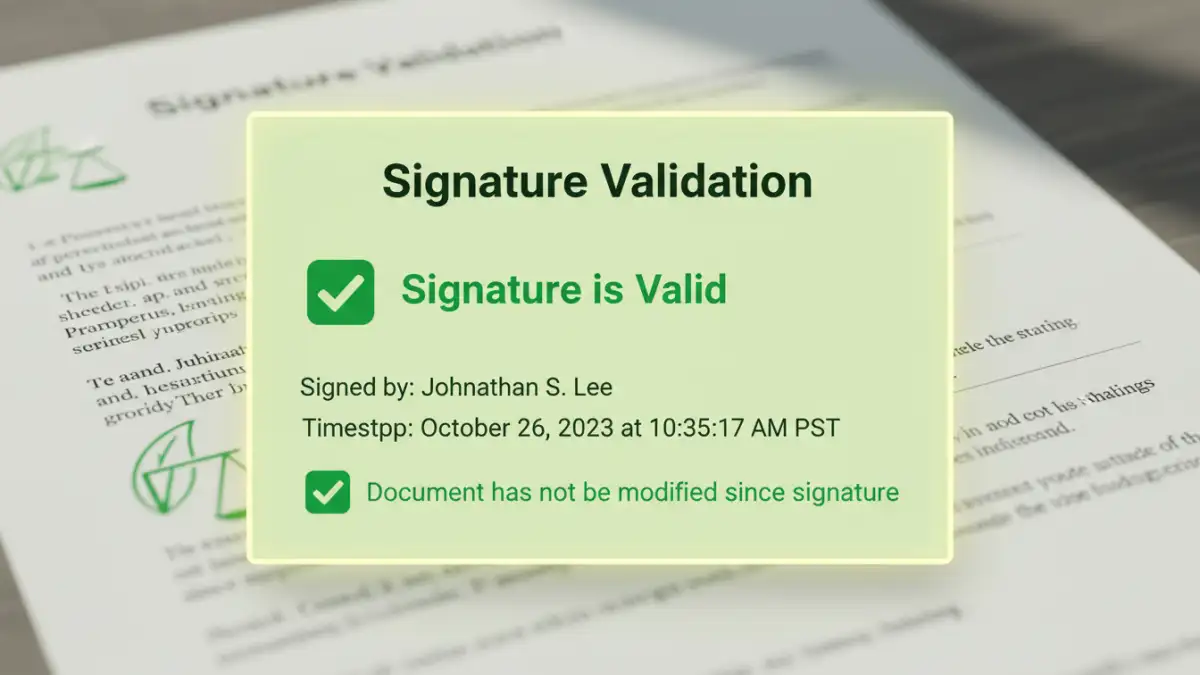
Applying a signature introduces a wealth of new metadata. This isn't the simple metadata you might be used to, like 'Author' or 'Creation Date'. This is cryptographic metadata designed for verification. A key aspect of understanding the document metadata digital signature creates is knowing what information is added.
The most visible additions include the signer's name, the reason for signing (e.g., 'I approve this document'), and sometimes location or contact information. More importantly, it embeds crucial `certificate information in files`. This includes details about the Certificate Authority (CA) that issued your digital ID, the certificate's validity period, and the public key needed to decrypt the signature's hash.
The Critical Role of Timestamping Properties
A digital signature alone proves *who* signed the document and that it hasn't been changed since signing. However, it relies on the computer's local clock for the time, which can be easily manipulated. This is where timestamping comes in. It addresses the critical question of *when* the document was signed.
When you opt to include a timestamp, the signing software sends the hash of your document to a trusted third-party Time Stamping Authority (TSA). The TSA bundles that hash with the current, verifiable time from its own secure servers and signs this bundle with its own private key. This signed timestamp is then embedded back into your document's signature metadata.
These `timestamping properties` provide independent proof that the document existed in its signed state at a specific point in time. This is incredibly powerful, as it ensures the signature remains valid even long after the signer's original certificate expires.
How Metadata Enables Document Integrity Validation
This is where all the embedded metadata comes together. The process of `validating document integrity` happens automatically whenever someone opens a signed file in a compatible viewer like Adobe Acrobat.
Here's how it works behind the scenes:
- Recalculate Hash: The software first calculates a new hash of the document's current content.
- Decrypt Original Hash: It then finds the signature metadata, extracts the signer's public key, and uses it to decrypt the original hash that was created at the time of signing.
- Compare Hashes: The software compares the new hash with the decrypted original hash. If they match perfectly, it confirms the document has not been altered.
- Verify Certificate and Timestamp: Simultaneously, it checks the signer's certificate against trusted root authorities to confirm it was valid at the time of signing. If a timestamp is present, it verifies the TSA's signature to confirm the time of signing.
If any part of this process fails—if the hashes don't match or the certificate is invalid—the software will display a prominent warning that the signature is invalid and the document may have been tampered with.
Signature Metadata Comparison
| Metadata Component | Standard Digital Signature | Signature with Trusted Timestamp |
|---|---|---|
| Signer Identity | Yes (Name, Email from Certificate) | Yes (Name, Email from Certificate) |
| Document Hash | Yes (Cryptographic fingerprint of content) | Yes (Cryptographic fingerprint of content) |
| Certificate Information | Yes (Issuer, Validity Period, Public Key) | Yes (Issuer, Validity Period, Public Key) |
| Signing Time | From user's local computer clock (unreliable) | From a trusted TSA server (cryptographically secure) |
| Long-Term Validity | Depends on certificate status (invalid if cert expires) | Valid even after signer's certificate expires |
| Independent Verification | Relies on trusting the signer's certificate chain | Adds a second layer of trust from the TSA |