I once worked on a case where the authenticity of a contract was in question. The document's text claimed it was signed in March, but something felt off. By digging into the PDF's hidden properties, we discovered the file was actually created in late April, and the modifying software was different from what the supposed author claimed to use. This small discrepancy was the key piece of evidence needed.
This is the world of digital forensics, where every file tells a story beyond its visible content. PDFs, in particular, are treasure troves of information. Their internal structure contains metadata—data about data—that can reveal who made the document, when it was created, what software was used, and its entire modification history. Understanding this is crucial for anyone in security, legal, or IT compliance.
Table of Contents
Understanding PDF Metadata
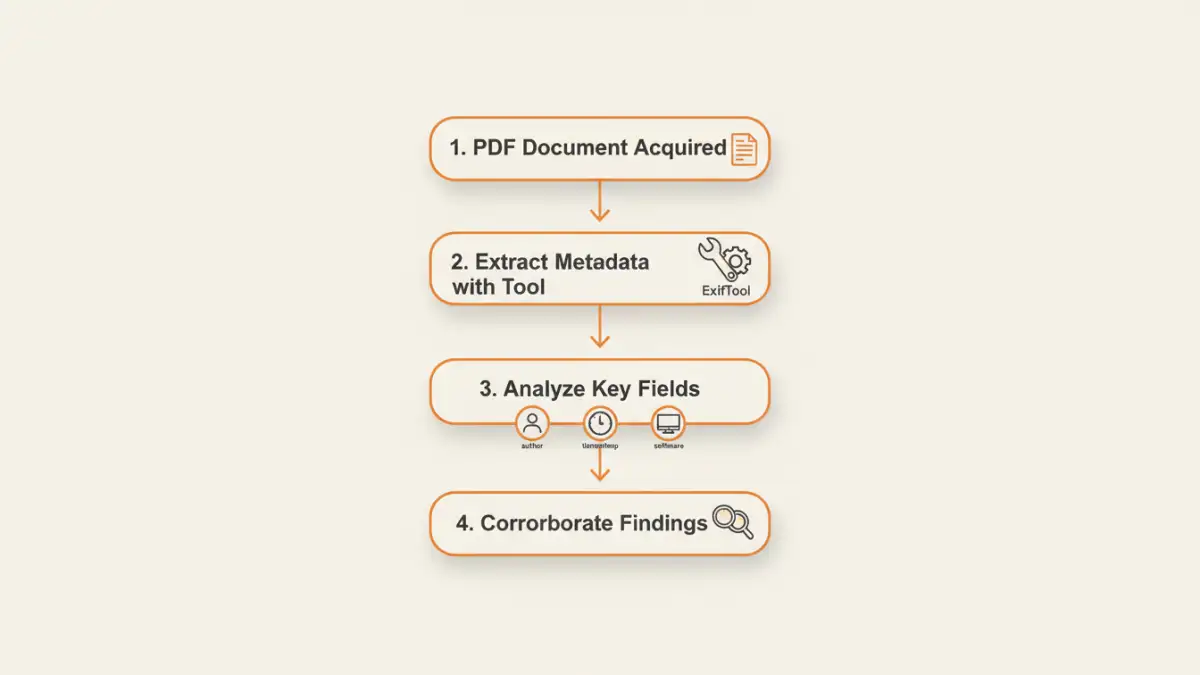
Every PDF file is more than just text and images. It's a structured object that contains various informational dictionaries. This metadata is generated automatically by the software used to create or edit the file. While some of it is easily visible, much of it is buried within the file's code.
This information serves many purposes, from helping operating systems index files for search to embedding copyright information. For investigators, however, this data provides a timeline and context for the document's lifecycle. It's the digital equivalent of examining the ink and paper of a physical document.
The InfoDictionary and XMP
Historically, PDF metadata was stored in an object called the "Info dictionary." This contains standard fields like Author, Title, Subject, Keywords, Creator (the application that created the PDF), and Producer (the application that converted it to PDF). It also includes the crucial CreationDate and ModDate timestamps.
More modern PDFs use Extensible Metadata Platform (XMP), an XML-based standard developed by Adobe. XMP can store a much richer set of information, including detailed version history, intellectual property rights, and even camera data if the PDF contains images. Both InfoDictionary and XMP data can coexist in a file, sometimes leading to conflicting information that itself can be a clue.
Key Properties for Forensic Analysis
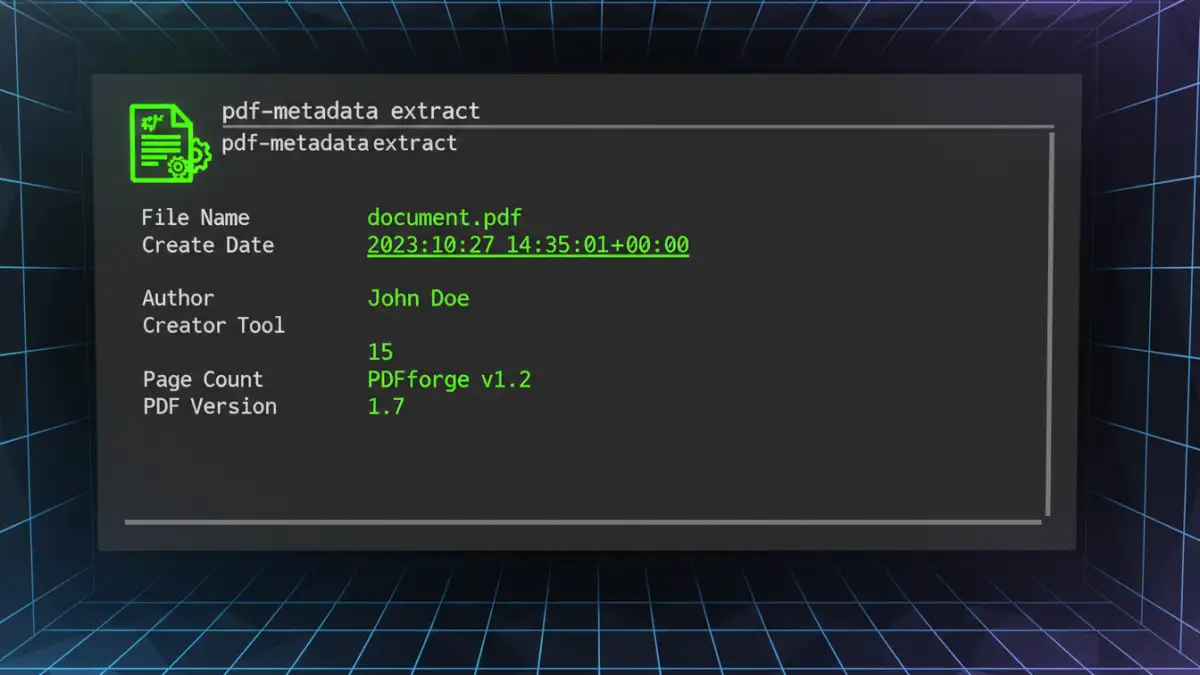
When you analyze PDF metadata, you're looking for specific fields that can corroborate or contradict a story. Certain properties are more valuable than others from an investigative standpoint.
Document Author Tracking
The 'Author' field is often set by the user, but the 'Creator' and 'Producer' fields are set by software. For example, 'Creator' might be "Microsoft Word," while 'Producer' could be "Adobe PDF Library 15.0." This tells you the document's origin (a Word file) and how it was converted. If someone claims to have created a document on a Mac using Pages, but the metadata points to Microsoft Word on a Windows machine, that's a significant red flag.
File Creation Date Analysis
Timestamps are perhaps the most critical pieces of metadata. The 'CreationDate' and 'ModDate' fields record when the file was first created and last modified. These timestamps are stored in a specific PDF date format (e.g., D:20231027103000-05'00'), which includes the date, time, and UTC offset. Comparing these dates to system file timestamps or other known events can establish a precise timeline. Discrepancies between the metadata date and the file system date can indicate that a file was copied or altered.
Tools to Analyze PDF Metadata
You don't need to be a low-level programmer to access this information. Several excellent metadata analysis tools are available, ranging from simple viewers to powerful command-line utilities.
Basic Viewers: Adobe Acrobat Reader
The simplest way to start is with a standard PDF viewer. In Adobe Acrobat or Reader, you can go to `File > Properties` to see the basic metadata from the Info dictionary. This includes the title, author, subject, creation date, and modification date. While it's a good starting point, it doesn't show the full picture, especially the deeper XMP data.
Advanced Tools: ExifTool
For a more thorough investigation, a dedicated tool is necessary. My go-to is ExifTool by Phil Harvey. It's a free, platform-independent command-line utility that can read, write, and edit metadata in a vast array of file types, including PDFs. Running `exiftool -a -G1 yourfile.pdf` will dump every single piece of metadata, including XMP packets and obscure dictionary entries that basic viewers miss. This is where you find the real forensic details.
Challenges and Forensic Considerations
While powerful, relying solely on metadata has its pitfalls. A skilled adversary can manipulate this data, so it's essential to approach the findings with a critical eye. The practice of **pdf properties forensics** requires cross-validating evidence from multiple sources.
Metadata can be intentionally altered or "scrubbed" using specialized software. For example, many organizations use metadata removal tools before publishing documents publicly to protect sensitive information. If metadata is missing or looks unusually clean, it could be a sign of tampering. Furthermore, timestamps can be manipulated by changing the system clock of the computer used to create the file. This is why it's crucial to look for inconsistencies across different metadata fields and compare them with external evidence when possible.
Comparison of Metadata Analysis Tools
| Tool | Key Features | Skill Level | Cost |
|---|---|---|---|
| Adobe Acrobat Reader | View basic Info dictionary metadata | Beginner | Free |
| ExifTool | Comprehensive metadata extraction (Info, XMP), command-line interface, supports hundreds of file types | Intermediate | Free |
| Metashield Analyzer | GUI-based, detailed reporting, detects hidden data and potential threats | Intermediate/Advanced | Commercial |
| PDF Stream Dumper | Analyzes the low-level object structure of a PDF, useful for malware analysis | Advanced | Free |
| Online Metadata Viewers | Web-based, easy to use for quick checks | Beginner | Free (with privacy risks) |