How many times have you found multiple versions of the same PDF file in a shared drive, with names like 'Contract_Final_v2_approved_Final.pdf'? This chaos makes it nearly impossible to know which document is the official one. It’s a common problem that can lead to serious compliance and operational risks, something I've seen derail projects more than once.
While file names are a fragile solution, a much more robust system is hiding in plain sight: the document's own internal data. By effectively using the information stored within the file itself, we can build a reliable system to track changes, manage versions, and maintain a clear history of a document's lifecycle.
Table of Contents
What Are PDF Metadata Properties?
At its core, metadata is simply 'data about data'. For a PDF, this includes standard information that describes the document. You've likely seen these fields before: Author, Title, Subject, and Keywords. They are automatically generated or can be manually set by the creator. While useful for organization and search, their real power for tracking is limited.
This is where custom fields come into play. Most professional PDF tools allow you to define and embed your own unique data points directly into the file. This capability transforms a static document into a dynamic record, providing a foundation for a reliable tracking system.
Standard vs. Custom Metadata
Standard metadata is great for basic identification. It tells you who created the file and what it's generally about. However, it doesn't provide the granular detail needed for a proper pdf audit trail. For instance, the 'Author' field doesn't change when someone else edits the document.
Custom metadata fields, on the other hand, are completely flexible. You can create fields like 'VersionNumber', 'ApprovalStatus', 'LastModifiedBy', or 'ReviewDate'. These custom attributes provide the specific context needed for effective document version control and can be updated at each stage of the document's lifecycle.
Leveraging Metadata for Document Tracking
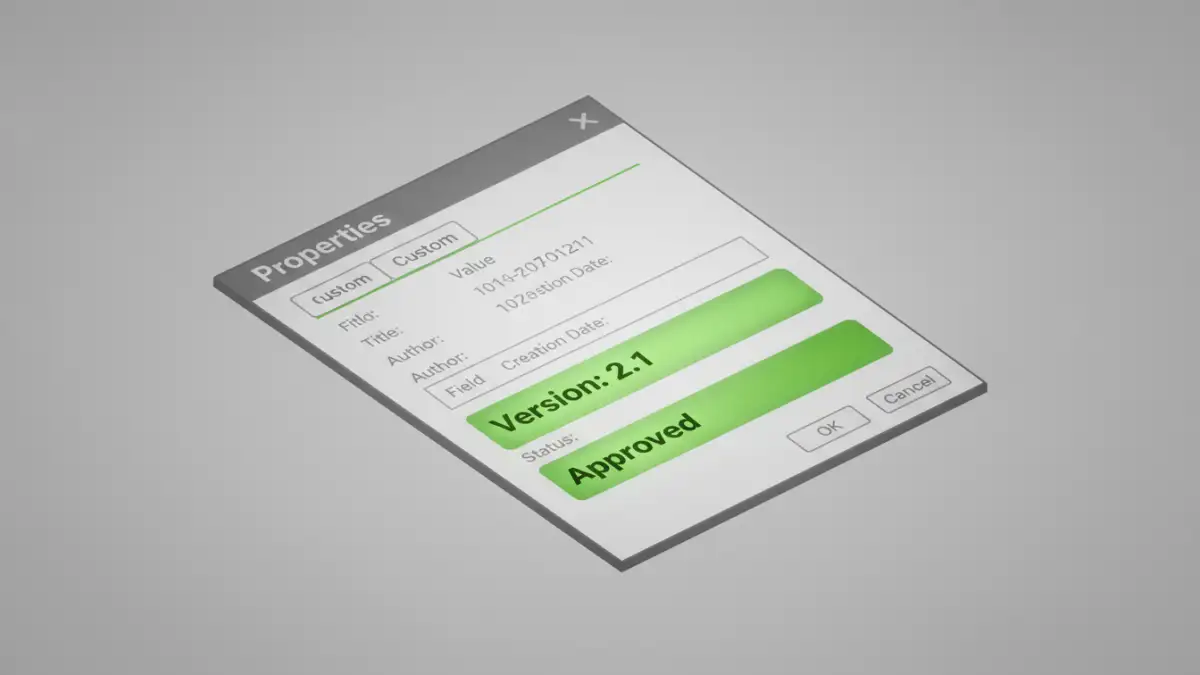
Once you embrace custom fields, you can build a comprehensive tracking system. Imagine a legal contract. Instead of relying on the filename, you could embed metadata that tells the whole story: who drafted it, who reviewed it, its current approval status, and its version number.
This internal log is far more secure and reliable than external methods like spreadsheets or complex folder structures. Because the data travels with the file, the context is never lost, even when the document is emailed or moved to a different system. This creates a self-contained record that is invaluable for compliance and auditing.
Creating a Simple Versioning System
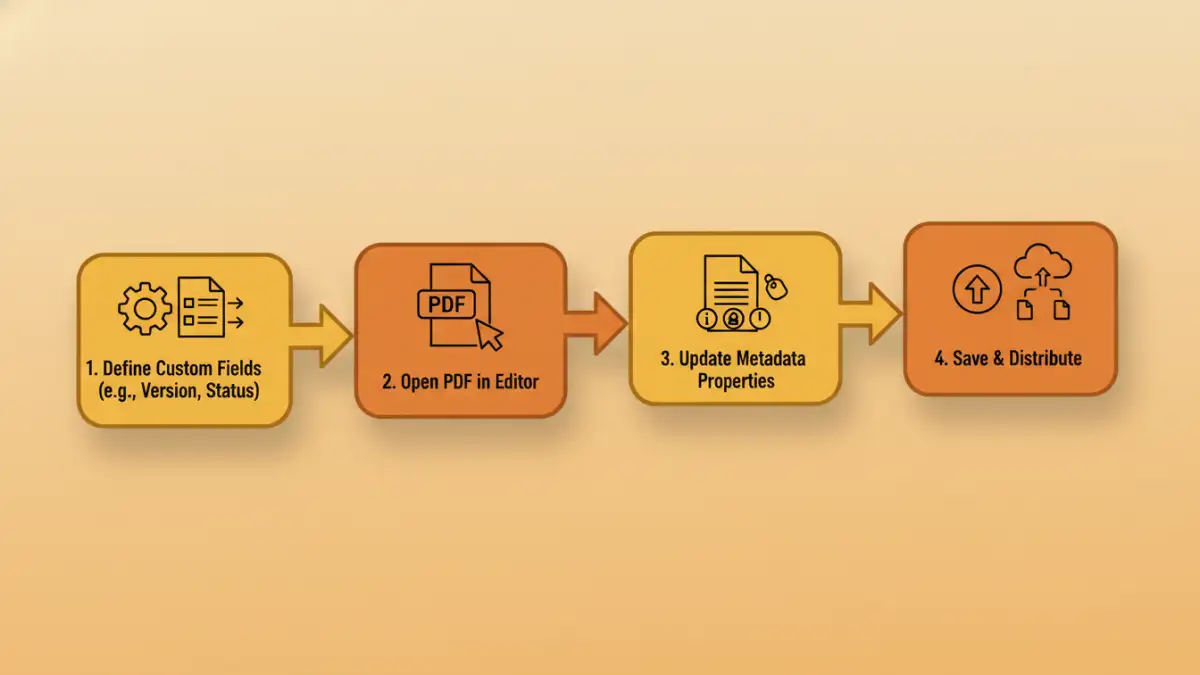
Implementing a basic versioning system is straightforward. First, define a set of mandatory custom metadata fields for your team. A good starting point would be:
- Version: A simple numbering scheme (e.g., 1.0, 1.1, 2.0).
- Status: A controlled vocabulary (e.g., Draft, In Review, Approved, Archived).
- ModifiedBy: The name or ID of the person who made the last change.
- ChangeLog: A brief description of the changes made in the current version.
The key is consistency. Everyone on the team must agree to update these fields whenever they make a significant change to the document. This discipline ensures the integrity of your ability to track pdf changes accurately.
Tools and Techniques for Managing Metadata
Manually editing metadata is possible, but it's not scalable and is prone to human error. Fortunately, several tools can help automate and manage this process effectively.
Professional software like Adobe Acrobat Pro provides a user-friendly interface for viewing and editing both standard and custom metadata. For more technical users, command-line utilities like ExifTool offer powerful batch processing capabilities, allowing you to read or write metadata for hundreds of files at once with a single script.
From a software engineering perspective, the most powerful approach is programmatic. I've used libraries like PyPDF2 in Python or iText in Java to build automated workflows. For example, a script could automatically increment the version number, update the 'ModifiedBy' field, and log the changes whenever a file is checked into a version control system like Git. This removes the manual burden and guarantees compliance.
Best Practices for a Secure Audit Trail
To ensure your metadata-based tracking system is robust and secure, follow a few key principles. First, establish a clear and documented policy for what metadata is required and how it should be maintained. This standardization is critical for consistency across your organization.
Second, automate where possible. The more you can remove manual steps, the less likely errors are to occur. Integrating metadata updates into existing workflows, such as saving a file or submitting it for review, is the most effective strategy.
Finally, remember that metadata is not a replacement for proper access control. Combine your metadata audit trail with a secure file storage system or a dedicated Document Management System (DMS). This layered approach ensures that not only is the document's history tracked, but the document itself is protected from unauthorized access or modification.
Comparison of Metadata Management Methods
| Method | Ease of Use | Scalability | Best For |
|---|---|---|---|
| Manual Editing (e.g., Adobe Reader) | Easy | Low | Individual users or very small teams. |
| Professional Software (e.g., Adobe Acrobat Pro) | Moderate | Medium | Business teams needing consistent control. |
| Command-Line Tools (e.g., ExifTool) | Difficult | High | IT professionals managing bulk file operations. |
| Custom Scripts (e.g., Python) | Very Difficult | Very High | Integrating a pdf audit trail into automated workflows. |