
Integrating systems through APIs has become a cornerstone of modern business operations, and securing document handling is no exception. When sensitive information needs to flow between applications, ensuring that process is robust and protected is paramount. I've seen firsthand how a poorly secured document transfer can lead to significant data breaches and compliance issues. This is where a well-architected API integration for document workflows becomes critical.
By leveraging APIs, we can automate the movement, processing, and management of documents while embedding security measures at each step. This approach moves beyond manual, error-prone methods and offers a scalable, auditable, and secure solution for businesses of all sizes. Let's explore how to build these secure pathways.
Table of Contents
Understanding API Integration in Document Workflows
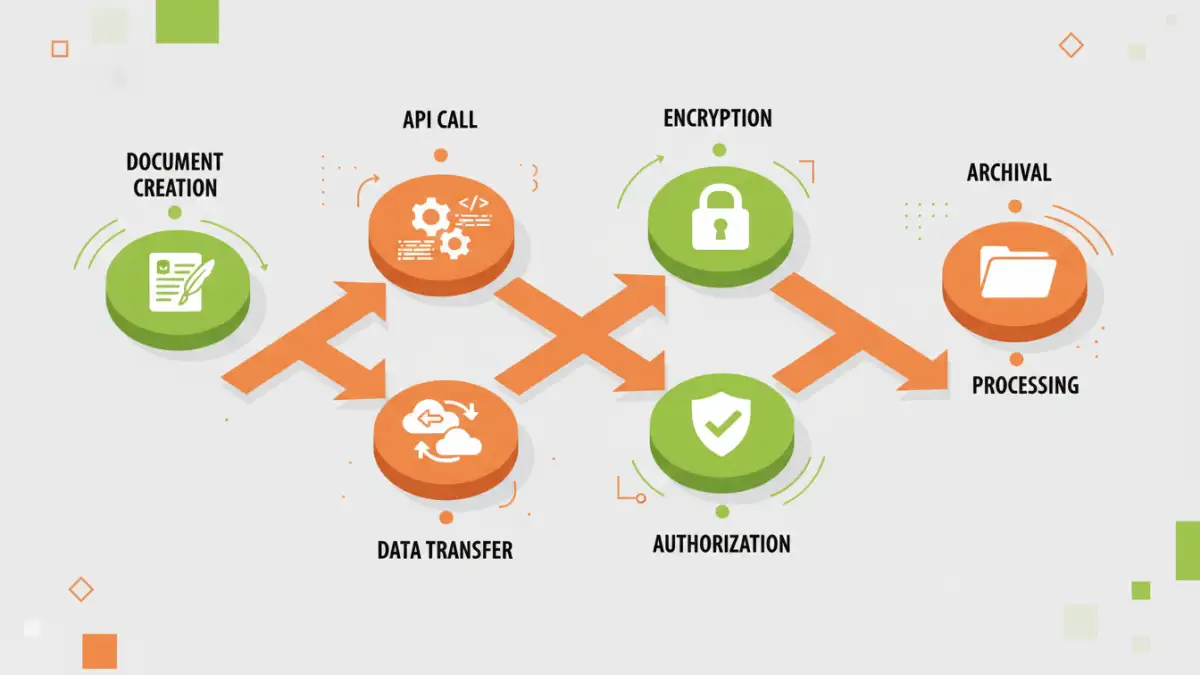
At its core, API integration allows different software applications to communicate with each other. In the context of document workflows, this means automating tasks like uploading, downloading, converting, signing, and distributing documents without manual intervention. For example, a CRM system could automatically send a contract document to an e-signature platform via API when a deal reaches a certain stage.
This not only speeds up processes but also reduces the risk of human error, which is often a weak link in security. When documents are handled programmatically, we can ensure consistent application of security policies. This is the foundation for building a truly secure document workflow.
Key Concepts in Document API Integration
When discussing document API integration, several concepts are vital. These include understanding RESTful APIs, webhooks for real-time notifications, and data formats like JSON. A well-designed API will expose clear endpoints for document-related operations, making it easier for developers to integrate securely. Furthermore, understanding the flow of data—from creation to archival—helps map out where security controls are most needed.
Securing Data Transfer with APIs
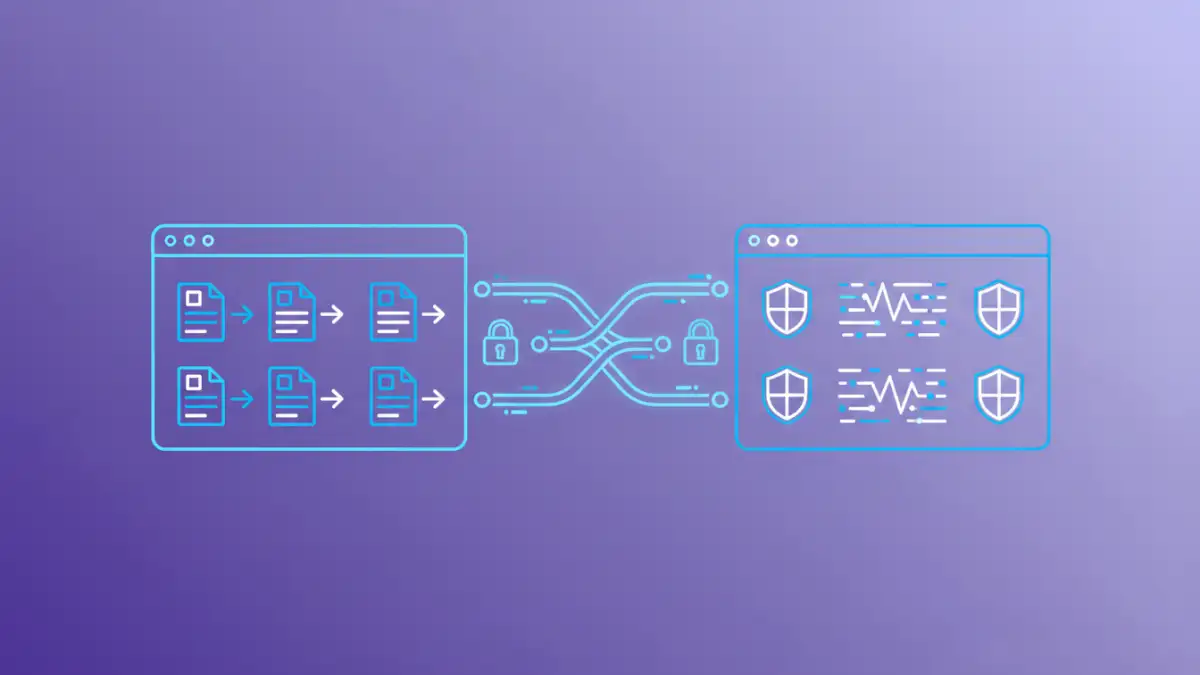
The transfer of documents between systems via APIs is a critical point of vulnerability. Fortunately, standard security protocols are readily available to mitigate these risks. Using HTTPS (TLS/SSL) for all API communication encrypts data in transit, preventing eavesdropping or man-in-the-middle attacks. This is a non-negotiable first step for any secure API integration.
Beyond encryption in transit, consider encryption at rest. Documents stored temporarily on servers or in cloud storage as part of the workflow should also be encrypted. Many cloud storage providers offer built-in encryption options that can be leveraged through their respective APIs, adding another layer of protection.
Encryption Standards and Practices
When integrating APIs, it's crucial to adhere to industry-standard encryption algorithms. For data in transit, TLS 1.2 or higher is recommended. For data at rest, AES-256 is a common and robust choice. Ensure that your API endpoints are configured to enforce these standards and that any sensitive data passed within API payloads is also appropriately handled.
API Authentication and Authorization for Documents
Controlling who can access and manipulate documents is fundamental to workflow security. API authentication verifies the identity of the client application making the request, while authorization determines what actions that client is permitted to perform. Without proper controls, unauthorized access to sensitive documents becomes a significant risk.
Common authentication methods include API keys, OAuth 2.0, and JWT (JSON Web Tokens). OAuth 2.0 is particularly well-suited for scenarios where third-party applications need to access documents on behalf of a user, providing granular control over permissions. For internal integrations, API keys can be simpler but must be managed securely to prevent compromise.
Role-Based Access Control (RBAC)
Implementing Role-Based Access Control (RBAC) through your API is a powerful way to manage document permissions. This means defining roles (e.g., 'Admin', 'Editor', 'Viewer') and assigning specific permissions to each role for document operations (create, read, update, delete). When an API request comes in, the system checks the authenticated user's role and verifies if they have the necessary permissions for the requested action.
Enhancing Workflow Automation Security
Workflow automation security goes beyond just securing the data itself; it's about ensuring the integrity and reliability of the entire automated process. This involves logging all API interactions, setting up alerts for suspicious activities, and regularly auditing access logs. Comprehensive logging provides an audit trail, essential for compliance and for investigating any security incidents.
Consider the principle of least privilege: grant only the necessary permissions for each API integration and user role. This minimizes the potential damage if an account or API key is compromised. Regularly reviewing and updating these permissions is also a vital part of maintaining a secure system.
Logging and Auditing
Robust logging mechanisms are indispensable for secure document workflows. Every API call, document access, and modification should be logged with timestamps, the requesting entity, and the action performed. These logs should be stored securely and be readily available for audits. Implementing automated alerts for unusual patterns, such as multiple failed login attempts or access to a large volume of documents, can provide early warning of potential security breaches.
Implementation Considerations
When embarking on building secure document workflows with API integration, several factors need careful consideration. Thoroughly vetting any third-party APIs you plan to integrate with is crucial. Understand their security practices, data handling policies, and compliance certifications. Ensure their APIs support the security protocols you require, such as TLS and robust authentication mechanisms.
Also, plan for error handling and fallback mechanisms. What happens if an API call fails? How will the system recover, and how will this be logged? Designing for resilience and security from the outset will save considerable effort and risk down the line. Regularly testing your integrations, especially after updates, is also key to maintaining a high level of security.
Comparison Table: API Security Measures
| Security Measure | Description | Impact on Workflow | Best For |
|---|---|---|---|
| HTTPS/TLS | Encrypts data in transit | Minimal performance impact; ensures confidentiality during transfer | All API communications |
| OAuth 2.0 | Delegated authorization framework | Adds a step for user consent; provides granular control | User-centric integrations, third-party access |
| API Keys | Simple secret token for authentication | Easy to implement; requires secure management | Internal integrations, server-to-server communication |
| JWT | Standard for securely transmitting information as a JSON object | Stateless authentication; can carry user claims | Modern web applications, microservices |
| RBAC | Role-Based Access Control | Enforces permissions at the application level; ensures least privilege | Managing document access for different user types |
| Comprehensive Logging | Recording all API interactions | Adds overhead but crucial for auditing and incident response | Compliance, security monitoring |