Sharing sensitive documents is a daily reality for most businesses. Whether it's client contracts, financial reports, or proprietary research, ensuring these files reach the intended recipients securely is paramount. Mishandling sensitive information can lead to significant financial losses, reputational damage, and legal repercussions. Implementing robust protocols for sharing documents, especially PDFs which are widely used for their portability and formatting consistency, is no longer optional—it's a critical business necessity.
My experience has shown that many organizations struggle with balancing security needs with the practical demands of day-to-day operations. The goal is to create a system that is both highly secure and user-friendly, minimizing friction for employees while maximizing protection for valuable data. This involves understanding the various methods available and choosing the ones that best fit a company's specific risk profile and workflow.
Table of Contents
Understanding the Basics of Secure PDF Sharing
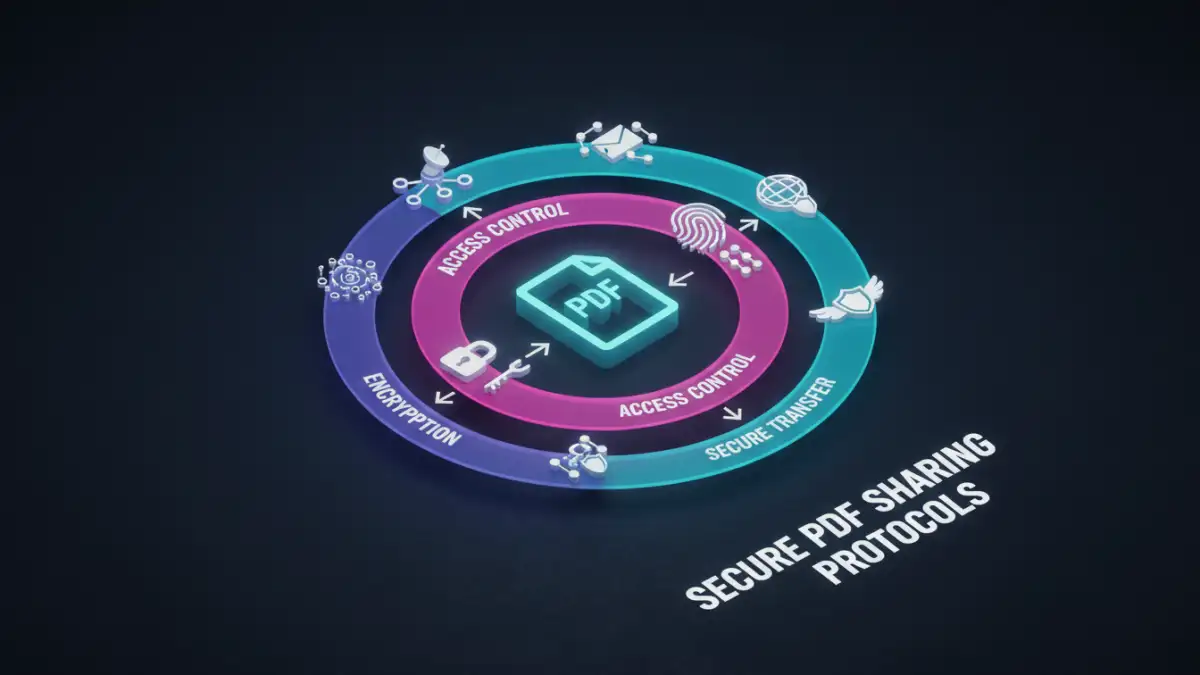
At its core, secure PDF sharing is about controlling who can access your documents, when they can access them, and what they can do with them. This involves layers of protection that work together to prevent unauthorized viewing, modification, or distribution. It's not just about locking a file; it's about creating a secure ecosystem around your documents from creation to final delivery and archiving.
Key Concepts in PDF Security
Several key concepts underpin secure PDF sharing. Encryption is the process of scrambling data so it can only be read by authorized parties. Access control involves setting permissions that dictate user actions, such as whether they can view, print, copy, or edit a document. Audit trails provide a record of who accessed a document and when, which is crucial for accountability and compliance. Understanding these elements is the first step toward building an effective strategy.
Encryption Methods for PDFs

When it comes to securing PDFs, encryption is a primary tool. There are different levels and types of encryption, each offering varying degrees of protection. Choosing the right method depends on the sensitivity of the data and the environment in which it will be shared.
Password Protection
The most common method is password protection. PDFs can be encrypted with a password that the recipient must enter to open the document. This is effective for basic security, but it's crucial to use strong, unique passwords and communicate them securely, as weak passwords can be easily guessed or brute-forced. Some PDF software also allows for owner passwords, which restrict actions like printing or copying, even if the document is opened.
Advanced Encryption Standards (AES)
For higher security needs, AES encryption is often employed. AES is a symmetric encryption algorithm widely used by governments and organizations worldwide. PDFs can be encrypted using AES-128 or AES-256 bit keys, with AES-256 offering a significantly higher level of security. Many professional PDF editing tools support AES encryption, providing a robust barrier against unauthorized access.
Implementing Access Control Measures
Beyond encryption, controlling user permissions is vital for secure document sharing. This ensures that even if a document falls into the wrong hands, the recipient can only perform actions you've explicitly allowed.
Digital Signatures and Certificates
Digital signatures provide a way to verify the authenticity and integrity of a PDF. When a document is digitally signed, it confirms that the sender is who they claim to be and that the document has not been altered since it was signed. This is often achieved using digital certificates, which are electronic credentials that bind a public key to an individual or organization. This adds a layer of trust and non-repudiation to your shared documents.
Watermarking
Watermarking can deter unauthorized sharing by making it clear that the document is sensitive or proprietary. You can apply visible watermarks (e.g., "Confidential," "Internal Use Only") or invisible watermarks that can help track the origin of a document if it's leaked. This acts as a deterrent and a potential tracking mechanism.
Secure Transfer Mechanisms
How you send the PDF is as important as how you protect it. Simply emailing a password-protected PDF without securing the password itself is a common vulnerability I've seen. Utilizing secure channels is therefore essential.
Encrypted Email Gateways
Some email services offer encrypted gateways that automatically encrypt emails and their attachments when sent to external recipients. This ensures that the data remains encrypted in transit. For internal communication, secure internal networks are generally sufficient, but for external sharing, additional measures are often needed.
Secure File Transfer Services (SFTP/Cloud Platforms)
Dedicated secure file transfer services or enterprise-grade cloud storage platforms offer more robust solutions. These platforms often provide end-to-end encryption for files at rest and in transit, granular access controls, and audit logs. Utilizing these services for sensitive documents provides a much higher level of security than traditional email attachments, ensuring better pdf sharing security.
Best Practices for Secure PDF Sharing
Implementing secure PDF sharing protocols requires a consistent approach. Here are some best practices that can significantly enhance your organization's security posture:
Regularly review and update your security policies to align with evolving threats and business needs. Train employees on the importance of document security and the correct procedures for sharing sensitive information. Employ the principle of least privilege, granting users only the access they need to perform their job functions. Regularly audit access logs to detect any suspicious activity. Finally, ensure that all software used for creating, editing, and sharing PDFs is kept up-to-date with the latest security patches.
Comparison Table
| Method | Description | Pros | Cons | Use Case |
|---|---|---|---|---|
| Password Protection (Standard) | Requires a password to open the PDF. | Simple, widely supported. | Weak passwords are a risk; password must be shared separately and securely. | Low to moderate sensitivity documents. |
| Password Protection (Owner) | Restricts actions like printing, copying, editing. | Controls document usage after opening. | Doesn't prevent screenshots or screen recording; owner password can sometimes be bypassed. | Preventing unauthorized distribution or modification. |
| AES Encryption (128/256-bit) | Uses strong encryption algorithms to scramble document content. | High level of security against unauthorized access. | Requires compatible software; recipient needs to enter the correct password/key. | Highly sensitive and confidential business information. |
| Digital Signatures | Verifies sender identity and document integrity using certificates. | Ensures authenticity and non-repudiation; builds trust. | Requires setup and management of digital certificates. | Legal documents, contracts, official communications. |
| Secure File Transfer Services | Dedicated platforms for encrypted file upload/download. | End-to-end encryption, access controls, audit trails. | Can involve subscription costs; requires user adoption. | Sharing large, highly sensitive files externally or internally. |