You've just password-protected a sensitive PDF contract, thinking all its information is secure. But what about the data you can't see—the file's metadata? It's a common assumption that locking a file locks down everything about it. As someone who has worked on document management systems, I've seen this misunderstanding lead to unintentional data leaks. The truth is more complex than you might think.
The distinction between content and metadata is critical in digital security. While the paragraphs, images, and charts within your PDF are the 'content,' the metadata includes properties like the author's name, creation date, software used, and file title. The big question is: does standard encryption shield this information from prying eyes? Let's break it down.
Table of Contents
What Exactly Is PDF Metadata?
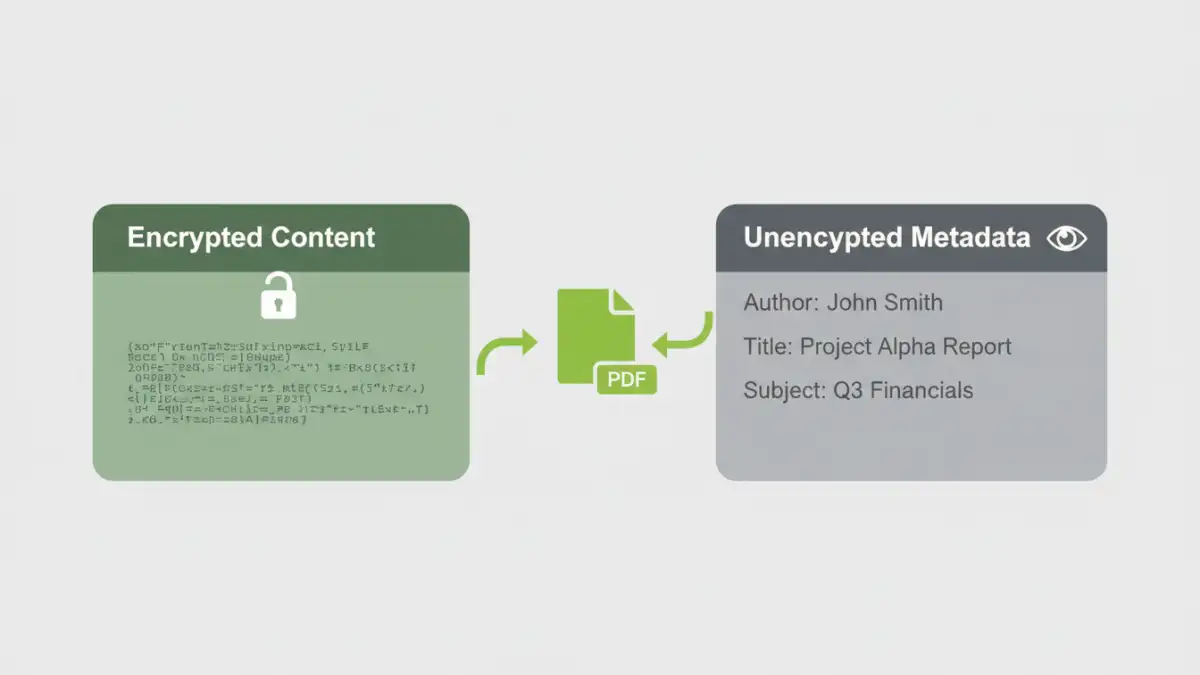
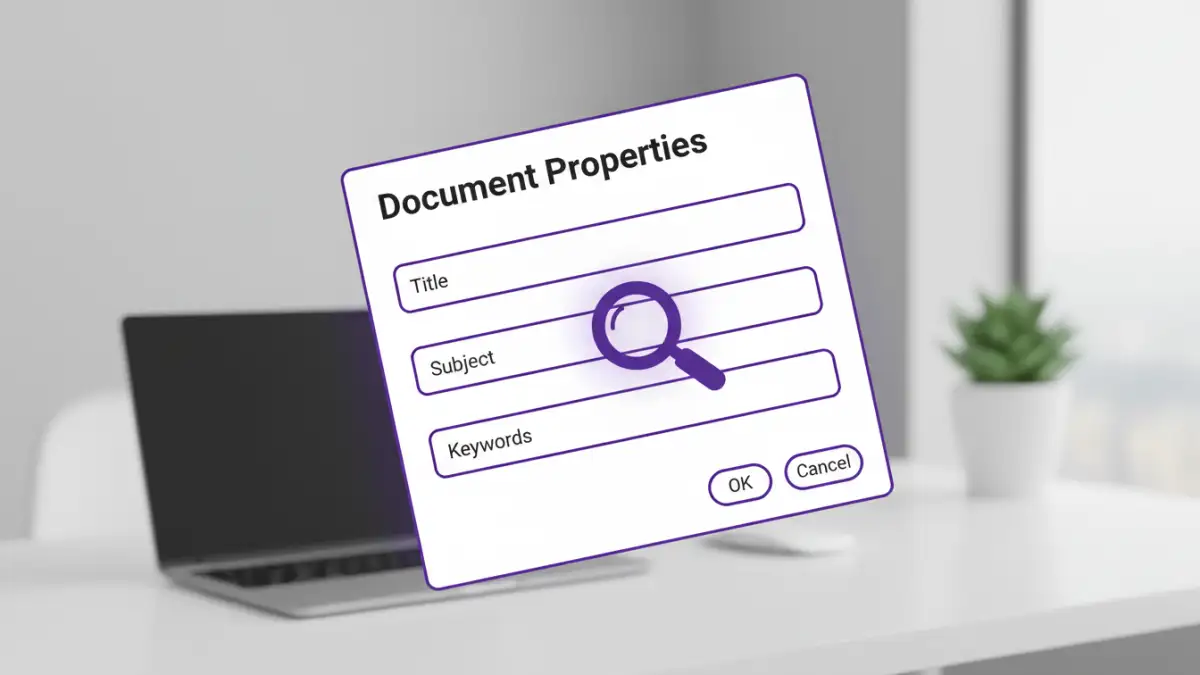
Before we can talk about protecting it, we need to understand what we're dealing with. Metadata is essentially 'data about data.' For a PDF file, this information is stored within the document's structure and provides context about its origin, history, and properties. Anyone can typically view this information by opening the file and navigating to 'File > Properties' in most PDF readers, even without a password to view the content.
Common Types of PDF Metadata
The metadata embedded in a PDF can be surprisingly revealing. Some of the most common fields include:
- Author: The name of the person or system that created the document.
- Title: The official title of the document, which can differ from the filename.
- Subject & Keywords: A brief description and tags for searchability.
- Creation & Modification Dates: Timestamps for when the file was first created and last saved.
- Application: The software used to create the PDF (e.g., Adobe Acrobat, Microsoft Word).
- PDF Producer: The software that converted the original file to PDF format.
In a legal or corporate setting, exposing this information could inadvertently reveal timelines, software versions with known vulnerabilities, or the identities of individuals involved in a project.
How Standard PDF Encryption Works
When you apply a password to a PDF, you are encrypting the *streams* and *strings* that make up the visible content. Think of it as putting the body of a letter into a locked safe but leaving the envelope's return address and postmark visible. The PDF specification was designed this way to allow systems to catalog and manage files without needing to decrypt their entire contents.
The short answer to our main question is: no, standard pdf encryption metadata is not typically protected. The encryption primarily targets the document's content—the text, images, and pages you see. The metadata, stored in a separate, unencrypted part of the file's structure (the document information dictionary), remains accessible.
User Passwords vs. Owner Passwords
It's also important to understand the two types of passwords in the PDF standard. A 'user password' (or 'document open password') is required to open and view the file. An 'owner password' (or 'permissions password') restricts actions like printing, copying, or editing. Applying either or both of these passwords generally does not encrypt the file's metadata by default. The primary goal is content confidentiality and integrity, not metadata privacy.
Why Is Metadata Often Left Unencrypted?
This might seem like a major oversight, but it's largely by design. Leaving metadata unencrypted serves several practical purposes for file management systems and search engines. Imagine a corporate server with millions of documents. If all metadata were encrypted, you couldn't search for files by author, creation date, or keyword without decrypting every single one.
This functionality allows for efficient indexing and retrieval. Document management systems, operating systems (like Windows Search or macOS Spotlight), and enterprise search tools rely on this accessible metadata to function effectively. They can quickly catalog your encrypted pdf metadata without needing the password, making your files discoverable while keeping the core content secure. The trade-off is functionality for absolute privacy.
Best Practices for Securing PDF Metadata
If you need to ensure that absolutely no information about your file is accessible, simply password-protecting it isn't enough. You need to take additional steps to sanitize the document before encryption and distribution. This creates a more robust approach to file properties security.
Step 1: Manually Edit or Remove Metadata
Before you encrypt, use a tool to clean the metadata. Software like Adobe Acrobat Pro has built-in functions to remove hidden information. You can access the 'Document Properties' (Ctrl+D or Cmd+D) and manually delete the entries in fields like Author, Title, and Subject. For more thorough cleaning, look for a 'Sanitize Document' or 'Remove Hidden Information' feature, which scrubs all non-essential metadata automatically.
Step 2: Use a Dedicated Metadata Scrubber
For high-stakes environments, dedicated third-party metadata removal tools offer a more comprehensive solution. These applications are designed specifically to find and eliminate all forms of hidden data, not just the basic property fields. They can often be integrated into workflows to automatically clean documents before they are sent externally.
Step 3: Encrypt After Cleaning
Once you have removed the sensitive metadata, you can proceed with encrypting the document. This two-step process—clean then encrypt—ensures that both the content and the context of your file are protected. Remember to use a strong, unique password and a modern encryption algorithm like AES-256 for the best protection.
PDF Encryption: What's Protected vs. Exposed
| Data Component | Protection Status (Standard Encryption) | Security Implication |
|---|---|---|
| Page Content (Text/Images) | Encrypted | The core information is secure from unauthorized viewing. |
| Author Name | Unencrypted | Can reveal the identity of the document creator. |
| Creation/Modification Dates | Unencrypted | Can expose project timelines or document history. |
| Software Used | Unencrypted | May indicate software versions with known vulnerabilities. |
| File Title & Subject | Unencrypted | Can give away the context or topic of a confidential document. |
| File Attachments | Encrypted | Files embedded within the PDF are generally protected with the content. |
| File Size | Unencrypted | Visible to the file system; cannot be hidden by PDF encryption. |