A few years ago, a water pipe burst in my neighbor's basement, destroying boxes of old photos and financial records. It was a stark reminder of how fragile physical documents are. That event pushed me to finally tackle a project I'd been putting off for years: creating a secure digital archive of all my important papers, from birth certificates and passports to tax returns and property deeds.
The goal isn't just to scan documents and throw them in a folder. It's about building a resilient, organized, and secure system that protects your most sensitive information from physical disaster, degradation, and digital threats. It sounds like a massive undertaking, but with the right approach, it's a manageable and incredibly valuable process.
Table of Contents
Why Should You Digitize Important Papers?
Moving away from paper-filled filing cabinets offers more than just extra closet space. The primary driver is security and peace of mind. Physical documents are vulnerable to fire, water damage, theft, and simple misplacement. A well-structured digital archive mitigates these risks entirely.
Accessibility is another huge benefit. Imagine needing a copy of your car's title while you're at the DMV, or a specific tax document while meeting with a financial advisor. With a digital archive stored securely in the cloud, you can access any document from your phone in seconds. This convenience is a game-changer, especially in urgent situations.
The Essential Toolkit: Hardware and Software
You don't need an enterprise-level setup, but a few key pieces of hardware and software will make the process smooth and effective. Investing a small amount upfront saves countless hours and ensures the quality and security of your digital files.
Choosing the Right Scanner
Your smartphone can work in a pinch, but for a serious project, a dedicated scanner is non-negotiable. A sheet-fed scanner is ideal for standard documents like bank statements and contracts, as it can process multi-page documents quickly. For items like passports, photos, or fragile papers, a flatbed scanner is better because it handles items of varying sizes and thickness without risk of damage. Look for a scanner with a resolution of at least 300 DPI (dots per inch) for clear, legible text, and 600 DPI for photos or detailed documents.
Software for Organization and Encryption
Once scanned, you need software to manage and protect your files. I recommend scanning everything to PDF format, as it's a universal standard. Tools like Adobe Acrobat (paid) or free alternatives allow you to merge pages, edit, and most importantly, apply password protection. For robust encryption, I use 7-Zip or VeraCrypt to create encrypted, password-protected containers. These tools use strong encryption algorithms like AES-256, which is the industry standard for securing sensitive data.
Digitizing Sensitive Papers
With your tools ready, you can begin the core process. I suggest breaking it down into manageable chunks—tackle one folder or category of documents at a time to avoid feeling overwhelmed. A systematic approach is key to creating a useful and organized archive.
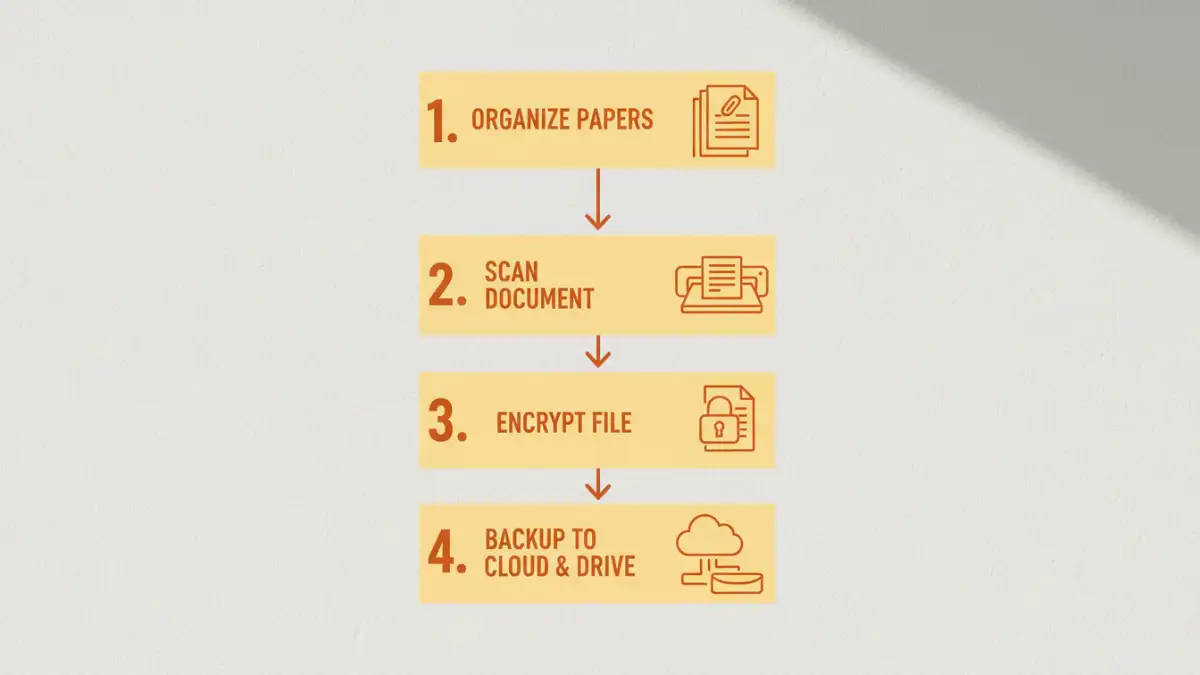
First, sort your physical papers into logical categories: Financial, Legal, Medical, Household, etc. Discard what you no longer need (after shredding it, of course). Second, scan the documents in batches according to your categories. Use consistent scanner settings to ensure uniformity across your files.
Third, establish a clear and consistent file naming convention. This is crucial for finding things later. A good format is `YYYY-MM-DD_DocumentType_Description.pdf` (e.g., `2023-04-15_TaxReturn_Form1040.pdf`). Finally, apply security. This is the most important step for a **secure digital document archive**. Password-protect individual sensitive files or place entire categories of files into an encrypted archive using a tool like 7-Zip. Use a strong, unique password for each encrypted container.
Best Practices for Long-Term Safe Document Storage
Creating the archive is only half the battle; maintaining its integrity and security over the long term is just as important. The core principle here is redundancy. Never rely on a single copy or a single location for your digital archive.
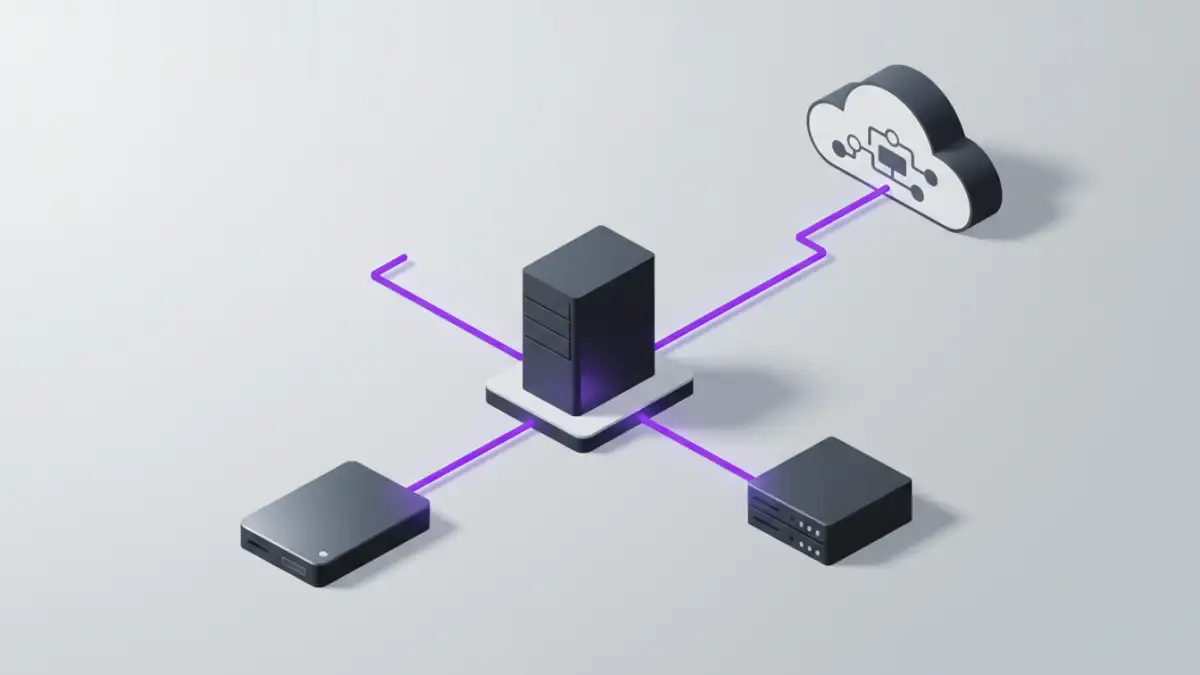
I live by the 3-2-1 backup rule, a strategy widely used in the tech industry. It means having at least **three** total copies of your data, on **two** different types of media, with **one** copy located off-site. For my personal archive, this looks like: 1) The primary copy on my computer's encrypted drive. 2) A second copy on an external encrypted hard drive stored in my home. 3) A third copy stored with a zero-knowledge cloud storage provider, which serves as my off-site backup.
This strategy protects against almost any failure scenario, from a hard drive crash to a house fire. Finally, schedule a yearly review of your archive. Prune unnecessary files, check for data integrity, and ensure your backups are functioning correctly. This small time investment ensures your digital legacy remains safe and accessible for decades.
Comparison of Digital Storage Options
| Storage Method | Security Level | Accessibility | Cost |
|---|---|---|---|
| Local Hard Drive (Unencrypted) | Low | High (local only) | Low (one-time) |
| Encrypted External HDD/SSD | High | Moderate (physical access needed) | Low (one-time) |
| Standard Cloud Storage (e.g., Google Drive) | Moderate | Very High (anywhere) | Low (subscription) |
| Zero-Knowledge Encrypted Cloud | Very High | Very High (anywhere) | Moderate (subscription) |