A lawyer friend of mine recently called me in a panic. He had almost emailed a client's entire case file—full of sensitive personal information—to the wrong recipient. He caught the mistake just in time, but it was a stark reminder of how easily confidential data can be exposed. This isn't just about simple mistakes; it's about building a robust system to safeguard information that, if compromised, could have serious legal or personal consequences.
Whether you're a legal professional handling case files, a healthcare provider managing patient data, or an individual storing personal medical history, the principles of confidential document security are the same. It’s about creating layers of protection that go beyond a simple password.
Table of Contents
Why Standard Protection Isn't Enough
Many people believe that using the built-in password feature in Microsoft Word or Adobe Acrobat is sufficient. While it's a good first step, it's often a weak one. These passwords can sometimes be bypassed with specialized software, and they do nothing to protect the file if your entire computer or storage device is compromised.
The Real Risks of Inadequate Security
For professionals, the stakes are incredibly high. A breach involving medical records could lead to massive fines under regulations like HIPAA. For legal professionals, exposing client information violates attorney-client privilege and can destroy a firm's reputation. For individuals, it can lead to identity theft, fraud, or the exposure of deeply personal information.
Understanding Encryption: The Core Concept
At its heart, strong security relies on encryption. Think of it as translating your document into a secret code that can only be read by someone with the correct key. Modern encryption algorithms are so complex that even the world's most powerful computers would take an impossibly long time to crack them. This is the foundation upon which we build reliable security.
Foundational Security Methods for All Users
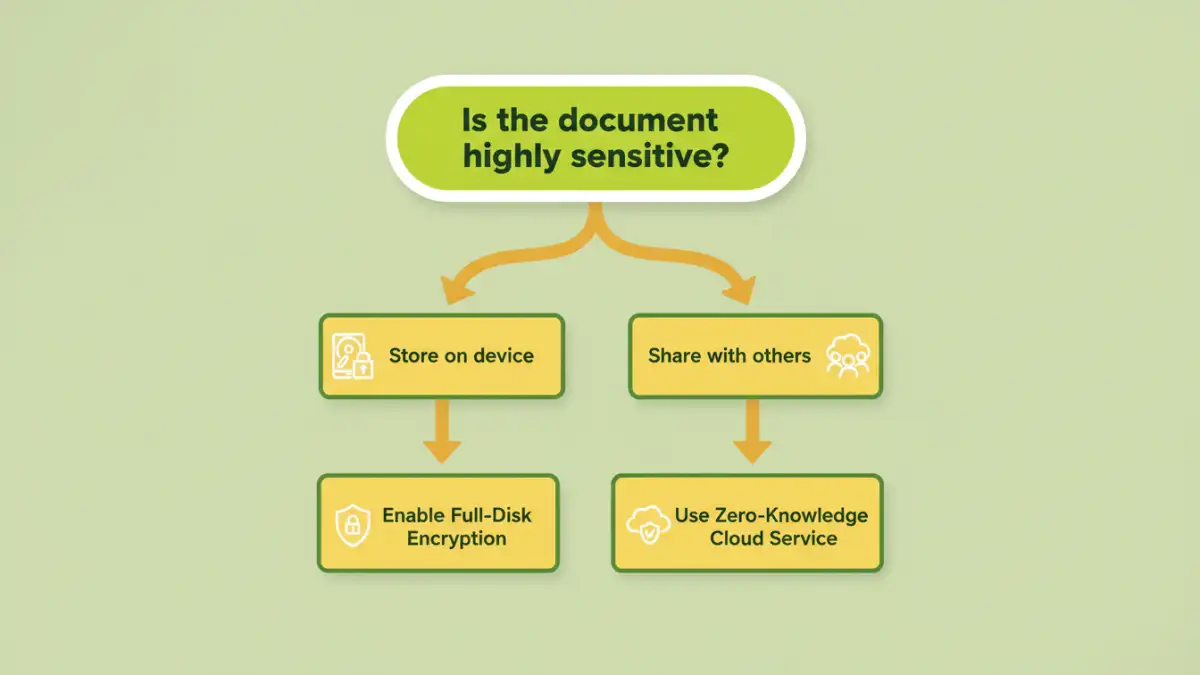
Before you even think about individual files, you should secure the device where they are stored. This is your first and most important line of defense. It protects everything on your computer, not just one or two documents.
Full-Disk Encryption: Your Digital Safe
Both Windows and macOS have powerful, free, and built-in tools for this. Windows offers BitLocker, and macOS has FileVault. When enabled, they encrypt your entire hard drive. If your laptop is stolen, the thief will just have a useless brick of scrambled data without your login password. I always enable this on any machine I set up; it's a non-negotiable step.
Secure Cloud Storage with Zero-Knowledge Encryption
Standard cloud services like Google Drive or Dropbox are convenient, but they typically hold the keys to your encrypted data. This means the company (or a government agency with a subpoena) could potentially access your files. To truly secure legal files or encrypt medical records, use a 'zero-knowledge' service like Sync.com, Tresorit, or Proton Drive. With these platforms, only you have the key, meaning not even the company's employees can see your data.
Advanced Strategies for Sharing and Collaboration
Protecting files on your own machine is one thing, but you often need to share them securely with clients, colleagues, or other parties. Emailing sensitive attachments is one of the riskiest things you can do.
Using Secure Sharing Links
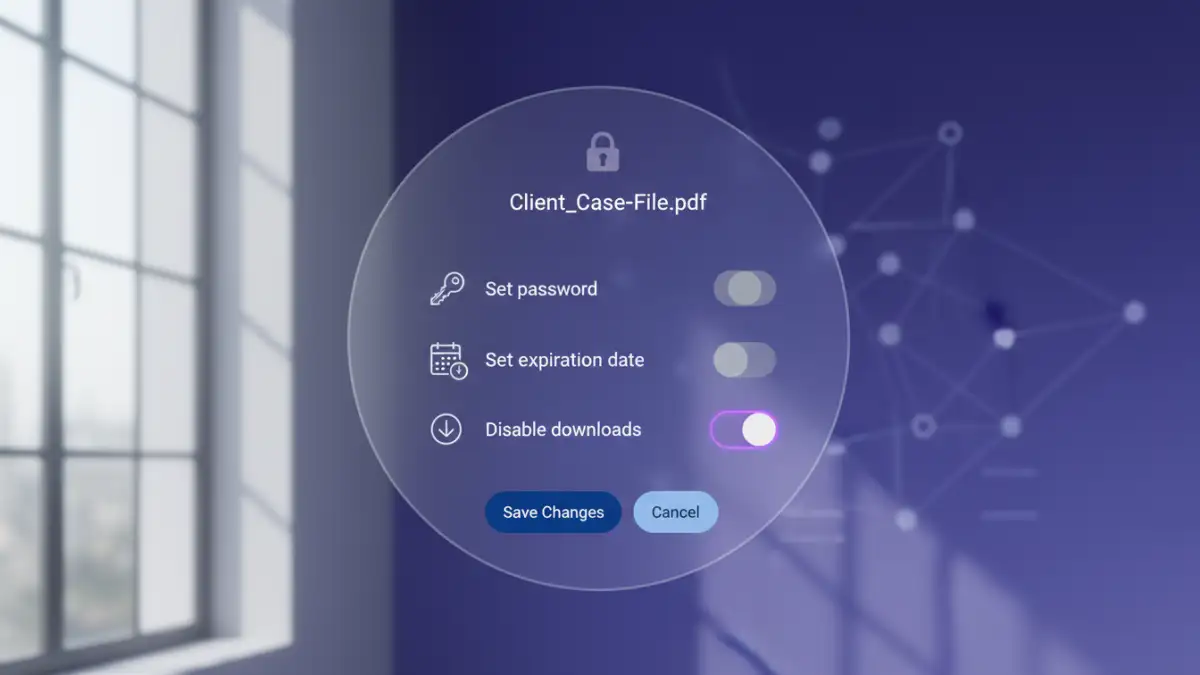
Zero-knowledge cloud providers excel here. You can generate a secure link to a file or folder and protect it with a password, set an expiration date, and even limit download permissions. This gives you granular control. I once helped a small clinic set this up to share records with specialists, ensuring HIPAA compliance for their PDF files and other documents. You send the link via email and the password via a separate channel, like a text message, for added security.
Digital Rights Management (DRM)
For enterprise-level control, DRM solutions offer the highest level of security. DRM embeds permissions directly into the file itself. This means you can prevent a recipient from printing, copying text, taking screenshots, or forwarding the document. Even after they've downloaded it, you can revoke their access remotely. This is often used by large law firms and corporations to protect high-value intellectual property.
Best Practices for Long-Term Security
Technology is just one part of the equation. Human habits are equally important. Implementing good security practices ensures your system remains effective over time. The goal is to protect sensitive documents through a combination of tools and smart routines.
Implement a Strong Password Policy
This applies to everything: your computer login, your cloud storage account, and any encrypted files. Use a reputable password manager like Bitwarden or 1Password to generate and store long, complex, and unique passwords for every service. Avoid reusing passwords at all costs.
Regularly Audit Access Permissions
If you're using a secure cloud platform to collaborate, make it a quarterly habit to review who has access to your sensitive folders. An intern who worked on a case last year shouldn't still have access. Remove anyone who no longer needs it. This simple audit can prevent accidental leaks down the road.
Document Security Method Comparison
| Method | Security Level | Ease of Use | Best For |
|---|---|---|---|
| Standard Password Protection (Word/PDF) | Low | Very Easy | Casual, low-risk documents. Not for sensitive data. |
| Full-Disk Encryption (BitLocker/FileVault) | High | Easy (Set it and forget it) | Securing a device against physical theft. Essential baseline. |
| Secure Cloud Storage (Zero-Knowledge) | Very High | Moderate | Storing and securely sharing sensitive files like medical or legal records. |
| Digital Rights Management (DRM) | Highest | Complex | Corporate environments needing to control file usage after sharing. |