You've just received a password-protected PDF from a colleague, but they forgot to send the password. You need to access it now, and a quick search reveals dozens of free online tools promising to unlock it in seconds. It's tempting to just upload the file and solve the problem, but a voice in the back of my head—the one honed by years of dealing with data breaches—always asks: where is that file actually going?
Table of Contents
The Risk of Convenience: How Online Unlockers Work
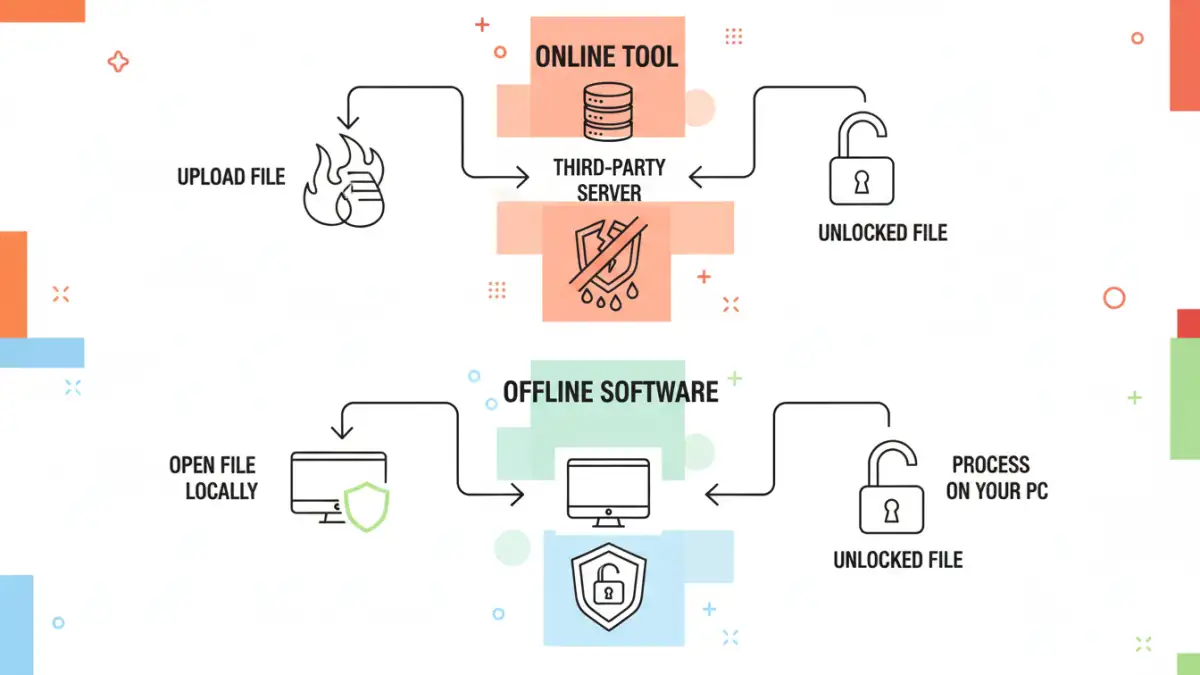
The appeal of online PDF unlockers is their simplicity. You drag, drop, and download. But the convenience masks a critical process happening behind the scenes. When you upload your document, you are transferring a complete copy of it to a third-party server somewhere in the world. This server then runs processes to attempt to remove the password protection before offering you a link to download the unlocked version.
The problem is the complete lack of transparency. You have no verifiable way of knowing what happens to your file after the process is complete. Does the server delete it immediately? Is it stored in temporary logs? Could it be archived for data mining? The terms of service are often vague, leaving users to hope for the best, which is a poor strategy for data security.
Understanding Owner vs. User Passwords
It's important to differentiate between the two types of PDF passwords. A 'user' or 'open' password is required to open and view the file at all. An 'owner' password restricts permissions, like printing, copying, or editing, but allows you to view the file. Most online tools are only effective at removing owner passwords, as breaking a strong user password requires immense computational power (brute-forcing) that free services are unlikely to provide.
Major Document Privacy Concerns You Can't Ignore
Uploading any document to an unknown service introduces significant file security risks. If the PDF contains sensitive information—financial records, legal contracts, personal identification, or proprietary business data—using an online unlocker is like handing your house keys to a stranger.
The Top Three Risks
From my perspective as an engineer, the dangers fall into three main categories:
- Data Retention and Misuse: The service provider could permanently store your document. This data could be sold, analyzed for marketing purposes, or exposed in a future data breach. You've lost control of your information permanently.
- Interception During Transfer: If the website doesn't use strong, end-to-end encryption (HTTPS), your file could be intercepted by attackers while it's being uploaded or downloaded. This is a classic 'man-in-the-middle' attack.
- Malware Distribution: Some less-reputable sites use the promise of a free tool to trick you into downloading malware, adware, or other malicious software bundled with your 'unlocked' file. The cure becomes far worse than the disease.
Secure Alternatives to Online PDF Tools
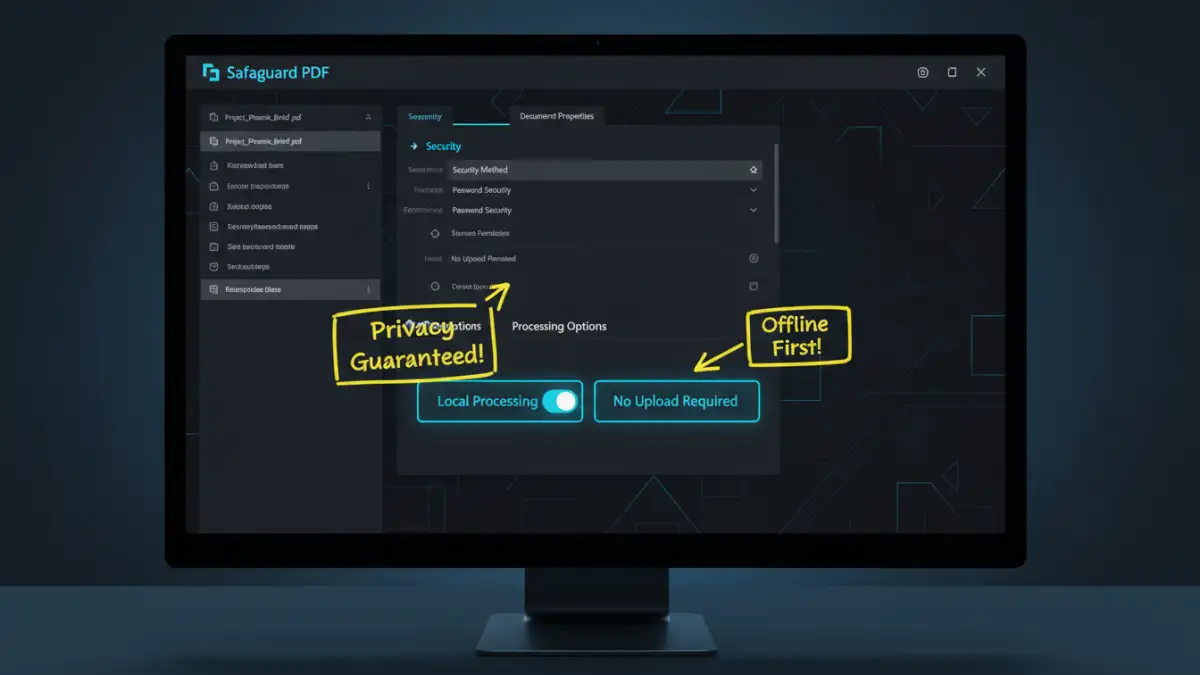
Fortunately, you don't have to compromise on security to manage your PDFs. There are several secure PDF tools and methods that process your files locally on your own machine, ensuring your data never leaves your control.
Desktop Software: This is the safest and most powerful option. Applications like Adobe Acrobat Pro, Foxit PhantomPDF, or even free and open-source options like QPDF process everything locally. For removing an owner password (if you have the right to), these tools do it instantly and safely. They are the professional standard for a reason.
The Browser Print Trick: If the PDF has an owner password that only restricts printing or copying but lets you view it, there's a simple, secure workaround. Open the PDF in a web browser like Google Chrome or Microsoft Edge. Go to the 'Print' menu (Ctrl+P or Cmd+P), but instead of selecting a physical printer, choose 'Save as PDF' as the destination. This creates a new, unrestricted copy of the PDF on your computer.
A Framework for Risk Assessment
So, is it ever acceptable to use an online tool? I would only consider it under a very strict set of conditions. Before you even think about uploading, ask yourself these questions:
- Is the document completely non-sensitive? Does it contain absolutely no personal, financial, or confidential information? Think of a public menu or a generic flyer.
- Can you verify the tool's reputation? Has it been reviewed by reputable tech sites? Does it have a clear, transparent privacy policy that explicitly states files are deleted immediately?
- Is there truly no other option? Have you exhausted all local, secure alternatives first?
For 99% of cases involving documents with any level of private information, the answer should be a firm 'no.' The potential for data exposure far outweighs the minor convenience. When it comes to online pdf security, keeping your files on your own machine is the only way to be certain they remain private.
Comparison of PDF Unlocking Methods
| Method | Security Risk Level | Cost | Best For |
|---|---|---|---|
| Online Unlocking Tools | High | Free | Non-sensitive, public documents only. |
| Desktop Software (e.g., Adobe Acrobat) | Very Low | Paid (Subscription/One-time) | Sensitive data, professional use, and removing all password types. |
| Browser 'Print to PDF' Trick | Very Low | Free | Removing printing/copying restrictions (owner passwords) safely. |
| Open-Source Desktop Tools (e.g., QPDF) | Very Low | Free | Tech-savvy users who need a powerful, no-cost local solution. |