The pressure of data privacy regulations like GDPR can feel immense. A single document containing personal data, if mishandled, can spiral into a significant compliance breach with heavy financial penalties. It’s not just about having a privacy policy; it’s about proving that your day-to-day operations, especially how you handle documents, are built on a foundation of security and compliance.
Many organizations focus on network security but overlook the vulnerabilities within their document lifecycle. From creation to deletion, every step presents a potential risk. This is where building secure document workflows becomes not just a best practice, but a business necessity for achieving enterprise compliance.
Table of Contents
GDPR and Its Impact on Document Handling
The General Data Protection Regulation (GDPR) isn't just a set of rules for tech giants; it applies to any organization that processes the personal data of EU citizens. This includes everything from customer invoices and HR records to marketing lists and support tickets. If it's in a document and identifies a person, GDPR applies.
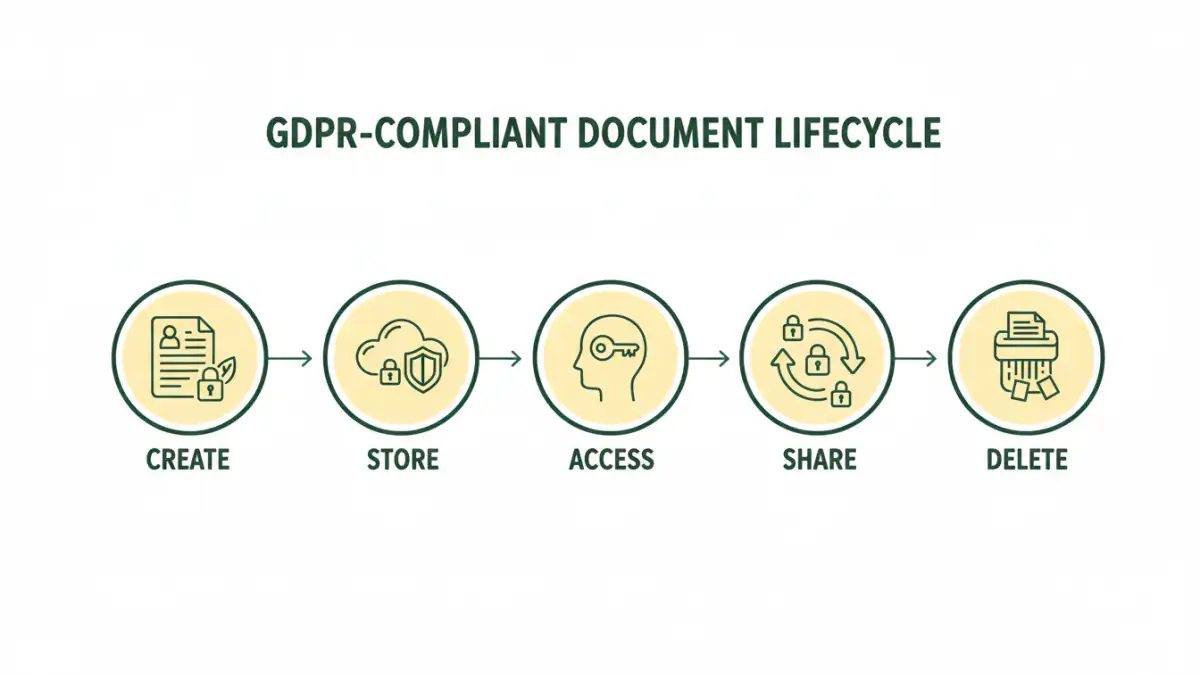
A document workflow is the entire lifecycle of a file within your organization: how it's created, reviewed, stored, shared, and eventually destroyed. An insecure workflow, such as emailing sensitive spreadsheets or storing contracts in unprotected folders, is a direct violation of GDPR's core principles of security and accountability.
Core Principles in Practice
Two critical GDPR principles directly shape your document management strategy. The "Right to be Forgotten" means you must be able to locate and permanently delete an individual's data upon request. Without a structured workflow, finding every copy of a person's data across countless folders and email attachments is nearly impossible.
Furthermore, "Data Minimization" requires you to only process data that is strictly necessary. Your workflows should prevent the collection of superfluous information from the very beginning, for instance, by using standardized templates for client intake forms that only ask for essential details.
Building a Compliant Document Workflow Step-by-Step
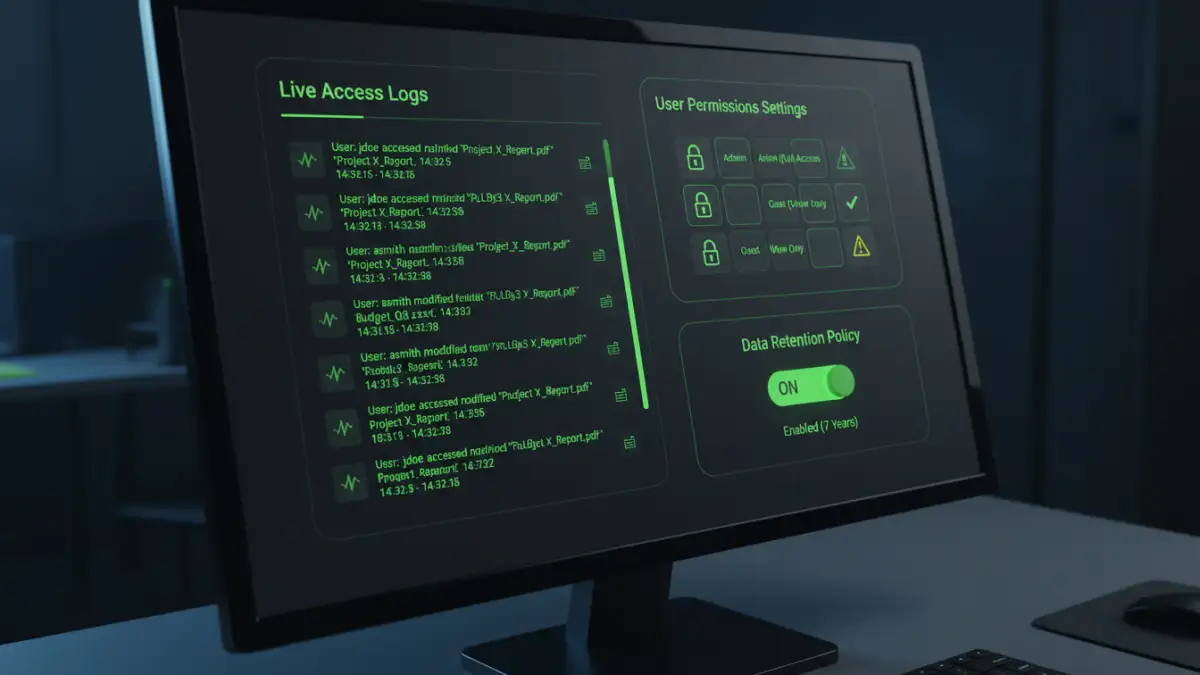
Creating secure document workflows involves mapping out the entire lifecycle of your data and embedding security at each stage. It's about moving from a reactive to a proactive stance on data protection.
Think of it as a digital assembly line where each station has built-in quality and safety checks. This systematic approach not only ensures compliance but also improves operational efficiency by standardizing processes.
The Five Stages of a Secure Document Lifecycle
- Creation: Start with secure templates. For example, any form collecting personal data should include a clear privacy notice and consent checkbox. This ensures transparency from the outset.
- Storage: Data must be encrypted both at rest (on a server or hard drive) and in transit (when being sent over a network). Utilize a central, access-controlled repository instead of letting files live on local desktops or in personal cloud accounts.
- Access: Implement Role-Based Access Control (RBAC). An employee in marketing shouldn't have access to HR's payroll files. I once consulted for a company where the shared drive was a free-for-all; it was a disaster waiting to happen. Limiting access on a "need-to-know" basis is fundamental.
- Sharing: Avoid email attachments for sensitive data. Use secure, expiring links that require authentication. This is a core tenet of HIPAA compliant file sharing and is equally critical for GDPR. This method gives you control and an audit trail.
- Retention & Deletion: Establish automated retention policies. For example, a policy could state that client contracts are automatically and securely deleted seven years after the project's conclusion. This prevents the indefinite storage of unnecessary personal data.
Key Technologies for Data Privacy Solutions
Manual processes are prone to human error. Leveraging the right technology is crucial for building scalable and reliable data privacy solutions that support your workflows. These tools provide the automation and oversight needed for robust GDPR document management.
The goal is to make the secure path the easiest path for your employees. When compliance is built into the tools they use every day, the risk of accidental breaches decreases significantly. This is where investing in the right technology stack pays dividends.
- Document Management Systems (DMS): Modern DMS platforms are designed with compliance in mind. They offer features like version control, granular access permissions, audit trails, and automated retention policies in one centralized system.
- Data Loss Prevention (DLP): DLP tools actively scan outgoing communications (like emails) and documents for sensitive data patterns, such as credit card numbers or national IDs. They can automatically block or encrypt files that violate predefined security policies.
- End-to-End Encryption (E2EE): This ensures that only the sender and intended recipient can read the contents of a document. Even the service provider cannot access the data. This is the gold standard for secure communication and storage.
- Identity and Access Management (IAM): IAM platforms manage user identities and enforce access policies. Integrating an IAM solution with your DMS ensures that only authenticated and authorized users can access sensitive documents.
Common Pitfalls in GDPR Document Management
Even with the best intentions, organizations can fall into common traps that undermine their compliance efforts. Awareness of these pitfalls is the first step toward avoiding them.
One of the biggest challenges I see is the disconnect between IT policy and employee behavior. You can have the best tools in the world, but if employees aren't trained or find workarounds, your secure document workflows will fail. Regular training and a strong security culture are non-negotiable.
- Shadow IT: This is when employees use unapproved applications (e.g., their personal Dropbox account) to store and share company documents. It creates data silos outside of your secure, audited environment, posing a massive compliance risk.
- Inadequate Vendor Vetting: When you use a third-party service (like a cloud storage provider or SaaS application) to process data, you must have a Data Processing Agreement (DPA) in place. Failing to vet your vendors' security and compliance posture makes you liable.
- Poor Data Discovery: You can't protect what you don't know you have. Many companies lack a clear inventory of where all their personal data resides. Conducting regular data audits is essential to ensure no sensitive documents are left in unsecured locations.
GDPR Compliance Feature Comparison
| Security Feature | Description | GDPR Relevance | Implementation Example |
|---|---|---|---|
| Role-Based Access Control (RBAC) | Restricts document access based on an employee's role and responsibilities. | Principle of Integrity and Confidentiality (Article 5) | Setting permissions in a DMS so only HR can view employee contracts. |
| End-to-End Encryption | Scrambles data so only authorized parties can read it, protecting it in transit and at rest. | Security of Processing (Article 32) | Using a file-sharing service that encrypts files before they leave the device. |
| Audit Trails | Logs all activity related to a document, such as who viewed, edited, or shared it. | Accountability Principle (Article 5) | A DMS generating a log report to show who accessed a client's data. |
| Automated Retention Policies | Automatically deletes documents after a predefined period. | Storage Limitation (Article 5) & Right to be Forgotten (Article 17) | Setting a rule to auto-delete job applications 6 months after the position is filled. |
| Data Loss Prevention (DLP) | Monitors and blocks the unauthorized transfer of sensitive information. | Security of Processing (Article 32) | An automated system blocking an email that has an unencrypted spreadsheet of customer data attached. |