
Working with a mix of password-protected documents from different departments can be a real bottleneck. You might get an encrypted PDF from legal, a protected Excel sheet from finance, and a locked Word document from HR. The immediate thought is, isn't there just one tool that can handle all of them? It’s a logical question, but the answer is rooted in the very different ways these files are secured.
Table of Contents
The Complexity of Encryption Standards
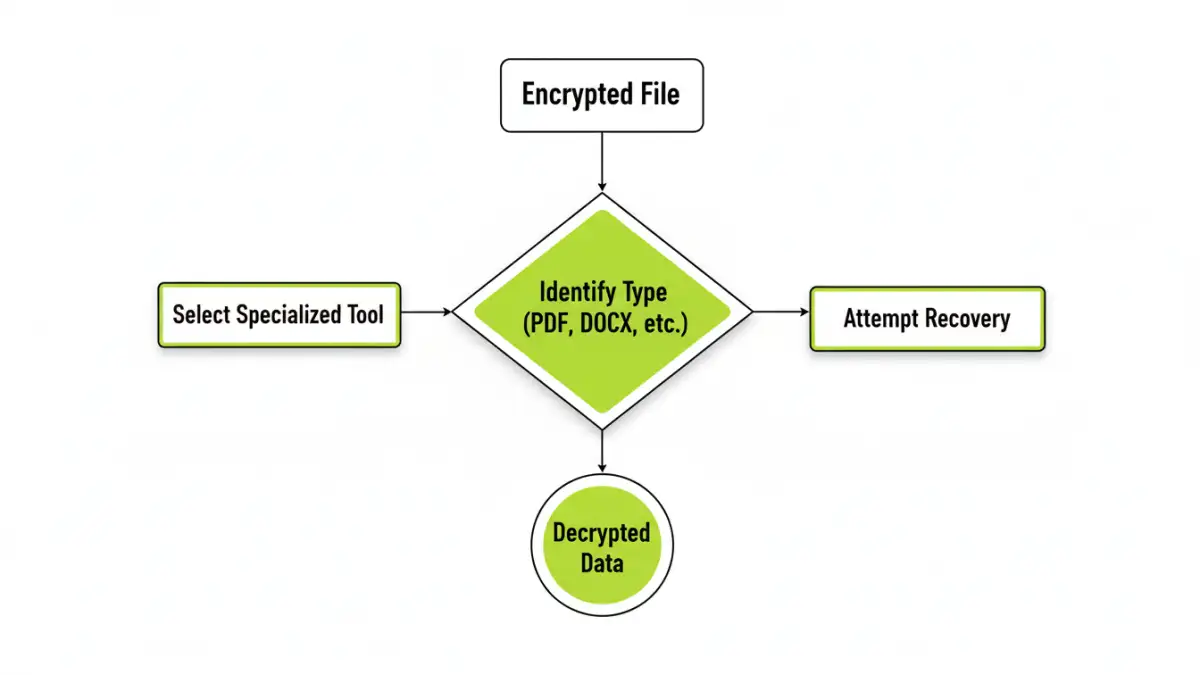
The core challenge is that "encryption" isn't a single, monolithic thing. Different applications use different algorithms and security protocols. Adobe PDF, Microsoft Office, and ZIP archives each have their own proprietary or standardized methods of applying password protection, which have evolved over the years.
For example, older PDF files might use 40-bit RC4 encryption, which is relatively weak by modern standards. A newer PDF or Word document likely uses AES-256, the same standard trusted by governments. A single tool would need to be programmed to identify and tackle each of these unique implementations, which is a significant engineering feat.
User Passwords vs. Owner Passwords
Another critical distinction, especially with PDFs, is the type of password. A 'user' or 'open' password prevents anyone from opening the file at all. An 'owner' password, on the other hand, allows viewing but restricts actions like printing, copying, or editing. Many tools advertised as a 'pdf encryption remover' excel at stripping owner passwords, which is technically much simpler than cracking a strong user password.
The Myth of the Universal Decryption Tool

So, does a true 'universal decryption tool' exist? The short answer is no, not in the way most people imagine. Tools that claim to handle multiple formats are typically suites of smaller, specialized modules bundled under one interface. Each module is designed to target a specific file type.
When it comes to strong user passwords, these tools don't magically 'unlock' the file. They perform password cracking—a brute-force process of trying millions of password combinations. Success depends entirely on the password's complexity and the available computing power. A simple password might be found in minutes, while a complex one could take centuries.
Specialized Tools for Specific Formats
Because of this complexity, the most effective solutions are almost always specialized. A developer building an 'excel password cracker' can focus entirely on the nuances of Microsoft's encryption protocols without worrying about Adobe's standards. This focus leads to better performance and higher success rates for that specific format.
Handling Word File Encryption
For Microsoft Word file encryption, tools often leverage GPU acceleration to speed up the brute-force attacks. They are optimized for the specific hashing algorithms used in .doc and .docx files. A generic tool might not have this level of optimization, making it significantly slower.
The PDF Encryption Remover Use Case
As mentioned, many PDF tools focus on permissions. If you have a PDF you can open but can't print, a dedicated remover can often instantly lift those restrictions without needing the password. This is a common and legitimate use case that is very different from trying to guess an unknown password to open the file in the first place.
A Practical Toolkit Approach
From my experience in software development, the most reliable strategy isn't to search for one magic key. Instead, it's about building a small, trusted toolkit. The quest for a single application to unlock document encryption across all formats usually concludes with the realization that a specialized approach is more efficient and realistic.
This involves understanding the type of lock you're dealing with. Is it an owner password on a PDF? A forgotten user password on an old Excel file? Each scenario has a best-fit tool. Forgetting a password is frustrating, but trying to use a generic tool on a file with strong, modern encryption is often a waste of time and resources.
Comparing Encryption Removal Feasibility
| Encryption Type | Feasibility with Universal Tool | Feasibility with Specialized Tool | Common Method |
|---|---|---|---|
| PDF Owner Password (Permissions) | High | Very High | Instant removal by rewriting metadata. |
| PDF User Password (Weak) | Moderate | High | Brute-force/dictionary attack on older RC4 encryption. |
| PDF User Password (Strong) | Very Low | Low | Intensive brute-force attack on modern AES encryption. |
| MS Office Password (Weak) | Moderate | High | Brute-force attack on older, less secure versions. |
| MS Office Password (Strong) | Very Low | Low | GPU-accelerated brute-force on modern AES encryption. |
| ZIP Archive Password | Low | Moderate | Specialized brute-force tools (e.g., John the Ripper). |