
Securing a single sensitive document is straightforward. But what happens when you're responsible for an entire portfolio of hundreds, or even thousands, of confidential files? Manually encrypting each one is not just tedious; it's a recipe for inconsistency and human error. This is a challenge I've seen trip up many teams, from legal departments managing case files to creative agencies protecting client assets.
The solution lies in shifting from a file-by-file approach to a systematic, portfolio-wide strategy. It's about implementing a process that ensures every sensitive document receives the same high level of protection automatically, without relying on manual intervention for every single file. This approach is not only more efficient but fundamentally more secure.
Table of Contents
Why Manual Encryption Fails at Scale
I once worked on a project to secure thousands of client contracts before a data migration. The initial plan to have a team member go through and password-protect each PDF and Word document was quickly abandoned. After just one afternoon, we found inconsistent password strengths, forgotten passwords, and several missed files. It was a clear demonstration of why manual processes don't scale.
When you need to encrypt multiple documents, a manual approach introduces significant risks. It's prone to human error, leading to weak or inconsistent passwords. It lacks auditability, making it impossible to verify that every file in a large set has been secured correctly. Most importantly, it's incredibly time-consuming, pulling skilled people away from more valuable tasks.
Understanding Batch Document Encryption
At its core, batch document encryption is the process of applying encryption settings to a large group of files simultaneously. Instead of opening each file individually, you use a tool or script to enforce a security policy across an entire folder or collection of documents. This automated approach ensures every file is protected uniformly and efficiently.
Key Principles of Mass File Protection
This method is built on a few core ideas. First is automation; the process should be repeatable and require minimal manual input. Second is consistency; every document is encrypted using the same predefined standards, such as AES-256 encryption and a strong password policy. Finally, it's policy-driven, allowing you to define the security rules once and apply them everywhere, ensuring compliance and robust protection.
Common Use Cases
This technique isn't just for large corporations. Financial advisors use it to secure client financial statements. Legal teams apply it for case discovery documents. Researchers use it to protect sensitive data sets, and creative agencies use it for pre-release project files. Any scenario involving a large volume of sensitive information is a prime candidate for bulk file encryption.
Choosing the Right Portfolio Security Tools
The market for portfolio security tools ranges from simple command-line utilities to sophisticated enterprise platforms. The right choice depends on your technical comfort level, budget, and specific security needs. Some tools are designed for specific file types like PDFs, while others can handle a wide variety of formats.
Command-Line vs. GUI Software
Command-line interfaces (CLI) offer powerful scripting and automation capabilities, which I often prefer for integration into larger workflows. Tools like OpenSSL or specific libraries for languages like Python allow for immense flexibility. However, they require technical expertise. Graphical User Interface (GUI) software provides a user-friendly, visual way to select folders and apply encryption settings, making it more accessible for general business users.
On-Premise vs. Cloud Solutions
On-premise software gives you complete control over the encryption process, as your files never leave your local network. This is often a requirement for industries with strict data residency regulations. Cloud-based services offer convenience and accessibility, allowing you to upload and encrypt files from anywhere, but this requires trusting a third party with your unencrypted data, even if temporarily.
A Practical Walkthrough: Implementing Bulk File Encryption
Let's walk through a typical process using a hypothetical desktop application. The exact steps will vary by tool, but the principles remain the same.
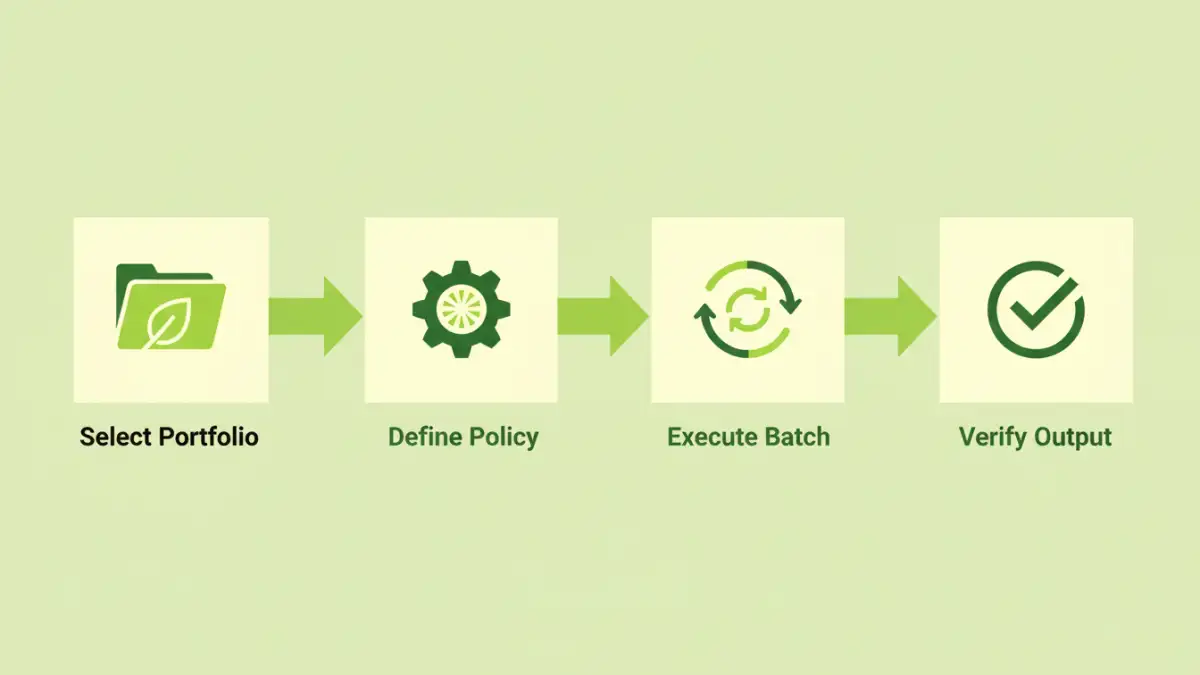
- Organize Your Files: Gather all the documents you need to encrypt into a single parent folder. A clean, organized source directory prevents accidental omissions.
- Configure Your Encryption Profile: In your chosen tool, create a new security profile. This is where you'll set the encryption algorithm (stick with AES-256 if available), define the password, and set permissions (e.g., restrict printing or editing).
- Select Source and Destination: Point the software to your source folder containing the documents. Specify a different destination folder for the encrypted output to avoid overwriting your original files.
- Run the Batch Process: Initiate the process. The tool will iterate through every file in the source folder, apply your encryption profile, and save the secured version in the destination folder. Good tools provide a log of which files were processed successfully and which, if any, failed.
- Verify and Secure Credentials: Spot-check a few files in the destination folder to ensure they are password-protected. Most importantly, store the password or encryption key in a secure password manager. Losing it means losing access to all the files.
Best Practices for Long-Term Security
Implementing batch encryption is a great first step, but maintaining security is an ongoing process. Always use strong, unique passwords for each batch and store them securely in a dedicated password manager. It's tempting to use one simple password for everything, but that creates a single point of failure.
Maintain logs of your encryption activities. Knowing when a batch was run and what files were included is crucial for auditing and compliance. Finally, regularly review and update your security policies. As your portfolio of documents grows, your approach to securing it should evolve as well.
Comparison of Batch Encryption Tool Types
| Tool Type | Key Features | Ideal Use Case | Potential Drawbacks |
|---|---|---|---|
| Command-Line Utilities (e.g., OpenSSL) | Highly scriptable, lightweight, granular control | Integrating into automated server-side workflows | Requires technical expertise; steep learning curve |
| Desktop GUI Software | User-friendly interface, visual progress tracking | Individuals or small teams needing to secure folders periodically | Can be resource-intensive; manual initiation required |
| Cloud-Based Platforms | Accessible from anywhere, no installation needed | Distributed teams and quick, one-off bulk encryption tasks | Security and privacy concerns with uploading sensitive data |
| Enterprise DLP Solutions | Policy-based automation, detailed auditing, central management | Large organizations with compliance and regulatory needs | High cost and complexity of implementation |