A few months ago, a marketing team I was supporting faced a huge challenge. They had contracts, design files, spreadsheets, and presentations scattered across different cloud services and local drives. Securing them was a nightmare of inconsistent passwords and access levels, and nobody was confident about who had access to what. This kind of fragmentation is more than just an inconvenience; it's a significant security risk.
When every file type and storage location has its own set of rules, gaps inevitably appear. A single weak link can expose your entire operation. The solution lies in creating a unified system, a single source of truth for security policies that governs every document, regardless of its format or location. This approach simplifies management and dramatically strengthens your defenses.
Table of Contents
What Is a Centralized File Protection Strategy?
A centralized file protection strategy moves away from ad-hoc, per-file security measures. Instead of setting individual passwords on a PDF here and restricting folder access on a shared drive there, it establishes a single, overarching framework. This framework applies consistent security policies across your entire collection of documents.
Think of it as a master control panel for all your sensitive information. From this central point, you can define, apply, and monitor access rights, encryption standards, and usage policies. This ensures that a confidential spreadsheet is protected with the same rigor as a legal contract or a proprietary design file, creating a consistent security posture.
The Dangers of a Fragmented Security Approach
Relying on decentralized security is like trying to guard a castle by having each guard make up their own rules. Sooner or later, someone leaves a door unlocked. The same principle applies to your data. When security is inconsistent, you create vulnerabilities that can be easily exploited.
Inconsistent Access Control
Without a central system, access permissions become chaotic. An employee might have editor access to a sensitive report in one system but only viewer access in another. This inconsistency makes it nearly impossible to conduct a proper access audit or to quickly revoke permissions when an employee leaves the company, a scenario I've seen cause major headaches.
Data Breach Vulnerabilities
Fragmented security increases the surface area for attacks. A weakly protected document on a personal cloud account or an unencrypted file on a laptop can become an entry point for a wider breach. Centralized management minimizes these weak points by enforcing a baseline level of security everywhere, making your overall document portfolio security much stronger.
Building Your Centralized Security Hub
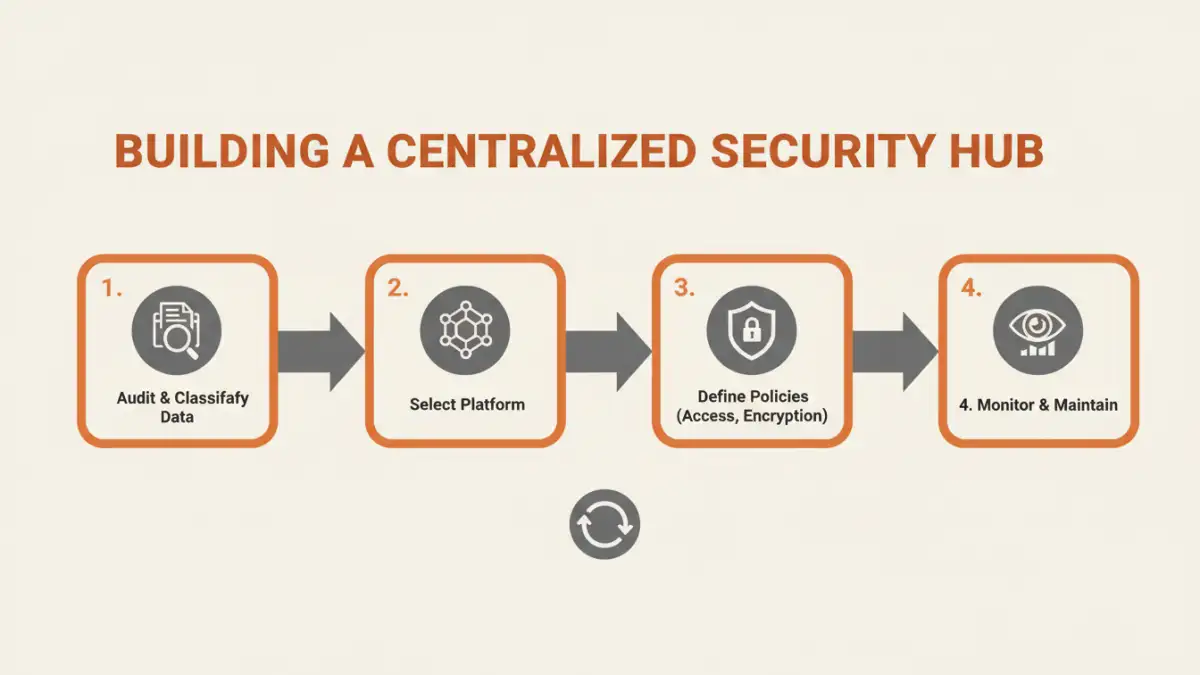
Creating a centralized security system involves more than just buying a new piece of software. It requires a strategic approach that combines technology, policy, and user training. The goal is to build a robust framework that is both secure and usable for your team.
Choosing a Centralized Platform
The first step is selecting a platform that can act as your security hub. This could be a comprehensive document management system (DMS), a cloud storage provider with advanced security features (like Microsoft 365 or Google Workspace), or a dedicated Digital Rights Management (DRM) solution. The right choice depends on your organization's scale, the types of files you handle, and your compliance requirements.
Implementing Universal Security Policies
Once you have a platform, you need to define your policies. These rules should cover key areas like:
- Access Control: Use role-based access control (RBAC) to grant permissions based on job function, not individuals.
- Encryption: Mandate encryption for all sensitive documents, both at rest (in storage) and in transit (when being shared).
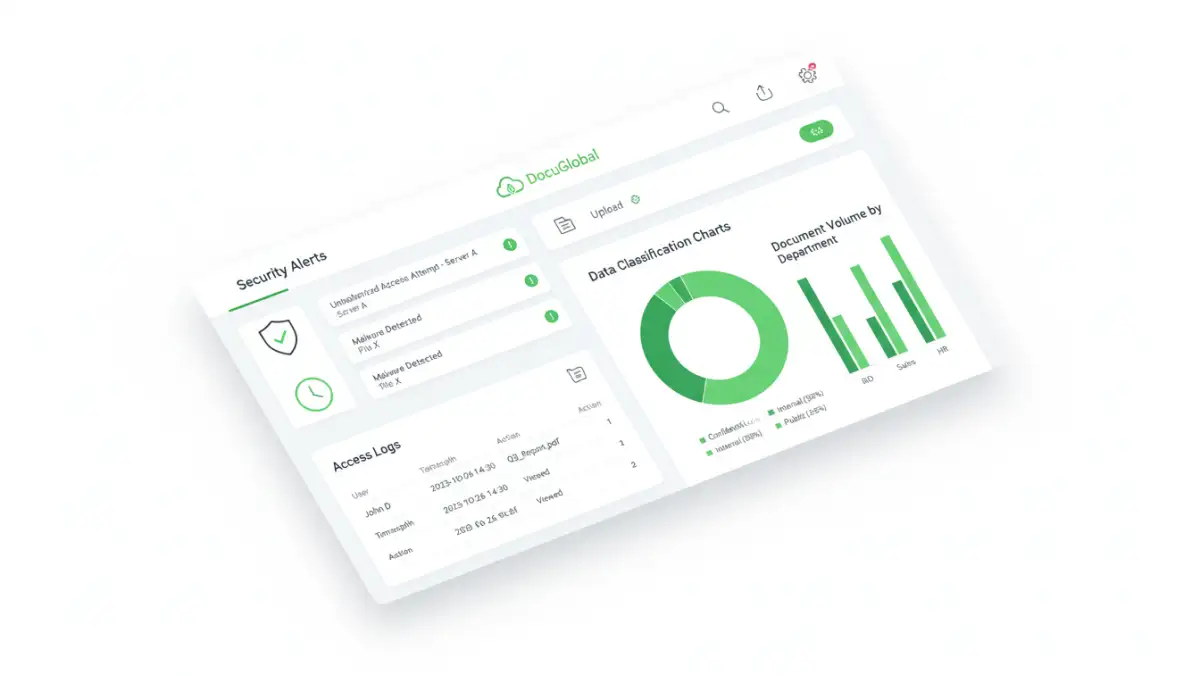
- Data Classification: Tag documents based on their sensitivity (e.g., Public, Internal, Confidential). This allows you to apply different security levels automatically.
- Auditing and Logging: Your system must track who accesses, modifies, or shares files, and when. This is critical for incident response and compliance.
Key Technologies for Multi-Format Security
A successful centralized strategy relies on a stack of technologies working together. No single tool does it all, but a combination can provide comprehensive protection for a diverse range of file types, from standard office documents to specialized media files.
Key components often include Identity and Access Management (IAM) systems to control who can log in, encryption tools that protect the data itself, and Data Loss Prevention (DLP) solutions that scan outgoing communications to prevent sensitive information from leaving your network. These technologies form the technical backbone of your secure portfolio access strategy.
Maintaining and Auditing Your Secure System
Implementing a centralized system isn't a one-time project; it's an ongoing process. Technology evolves, threats change, and your organization's needs will shift. Regular maintenance and auditing are essential to ensure your security remains effective over time.
Schedule periodic reviews of access rights to remove permissions that are no longer needed. Conduct regular security audits to identify and patch potential vulnerabilities. Most importantly, provide ongoing training to your team. A well-informed user is one of your best defenses against security threats. This continuous cycle of review and improvement is what keeps your system resilient.
Centralized Security Platform Comparison
| Platform Type | Key Features | Best For | Potential Drawbacks |
|---|---|---|---|
| Document Management System (DMS) | Version control, granular permissions, audit trails, workflow automation. | Organizations with complex compliance and workflow needs (legal, finance). | Can be complex and expensive to implement and maintain. |
| Secure Cloud Storage (e.g., Google Workspace, M365) | Built-in collaboration, data loss prevention (DLP), encryption at rest/in transit. | Teams that need seamless collaboration with strong, integrated security. | Security features may depend on the subscription tier. |
| Digital Rights Management (DRM) | Prevents unauthorized copying, printing, and sharing, even after download. | Protecting high-value intellectual property like e-books, reports, or software. | Can create friction for legitimate users; may not be necessary for all files. |
| Cloud Access Security Broker (CASB) | Acts as a gatekeeper between users and cloud services, enforcing policies. | Companies using multiple cloud apps and needing consistent security across them. | Adds another layer of complexity to the IT infrastructure. |