
A client recently asked me a critical question: 'We sent out a dozen encrypted proposals, but how do we know who actually opened them and when?' This isn't just about curiosity; it's about compliance, security, and even sales intelligence. Simply locking a document is only half the battle. The other, often overlooked, half is knowing exactly who is interacting with your information.
Without a clear view of access patterns, you're operating in the dark. You can't confirm receipt, identify potential security breaches, or ensure that only authorized personnel are viewing sensitive data. True document control extends beyond encryption to include comprehensive monitoring and logging.
Table of Contents
Why Tracking Document Access Matters
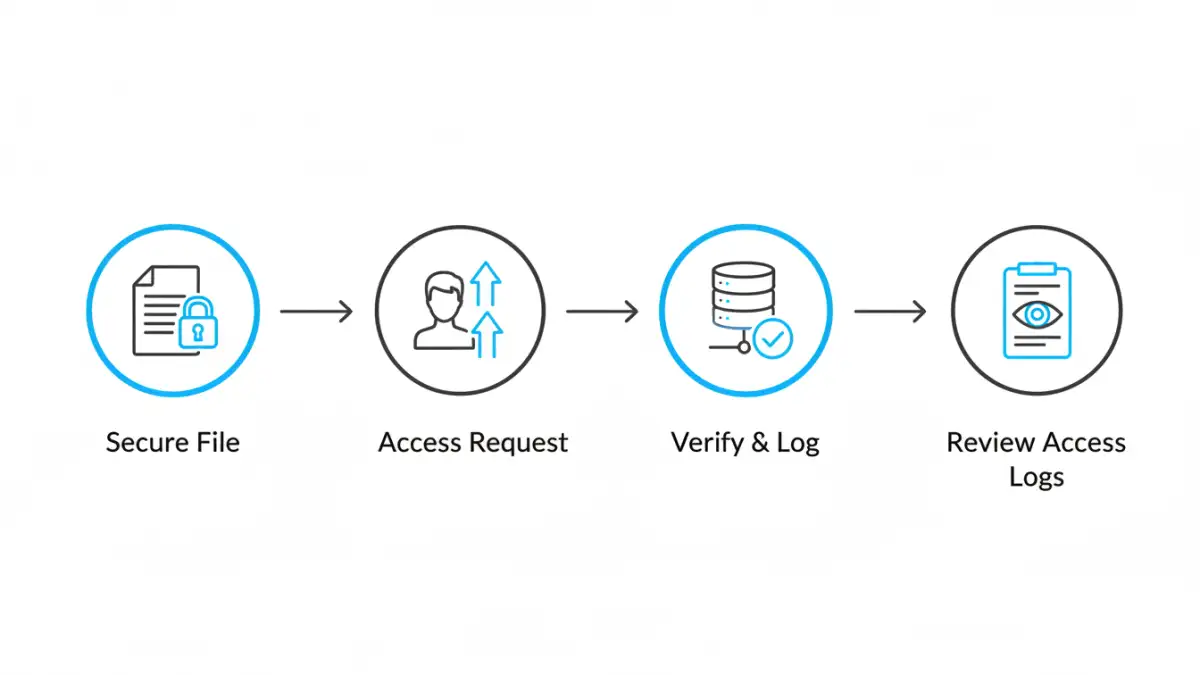
Before diving into the 'how,' it's crucial to understand the 'why.' Tracking access isn't about micromanagement; it's a fundamental pillar of a robust security strategy. For many industries, it’s not even optional—it’s a requirement for regulatory compliance.
The Compliance and Legal Angle
Regulations like GDPR, HIPAA, and Sarbanes-Oxley mandate strict controls over sensitive data. A key part of this is maintaining a detailed audit trail. If a data breach occurs, having complete document access logs can be the difference between a manageable incident and a costly legal penalty. These logs prove you've taken due diligence to protect information.
Internal Security and Accountability
The unfortunate reality is that many data leaks originate from inside an organization, whether intentional or accidental. Monitoring user access history helps establish a clear chain of accountability. It allows you to spot unusual behavior, such as an employee downloading hundreds of client files right before leaving the company, and act before significant damage is done.
Core Methods for File Activity Tracking
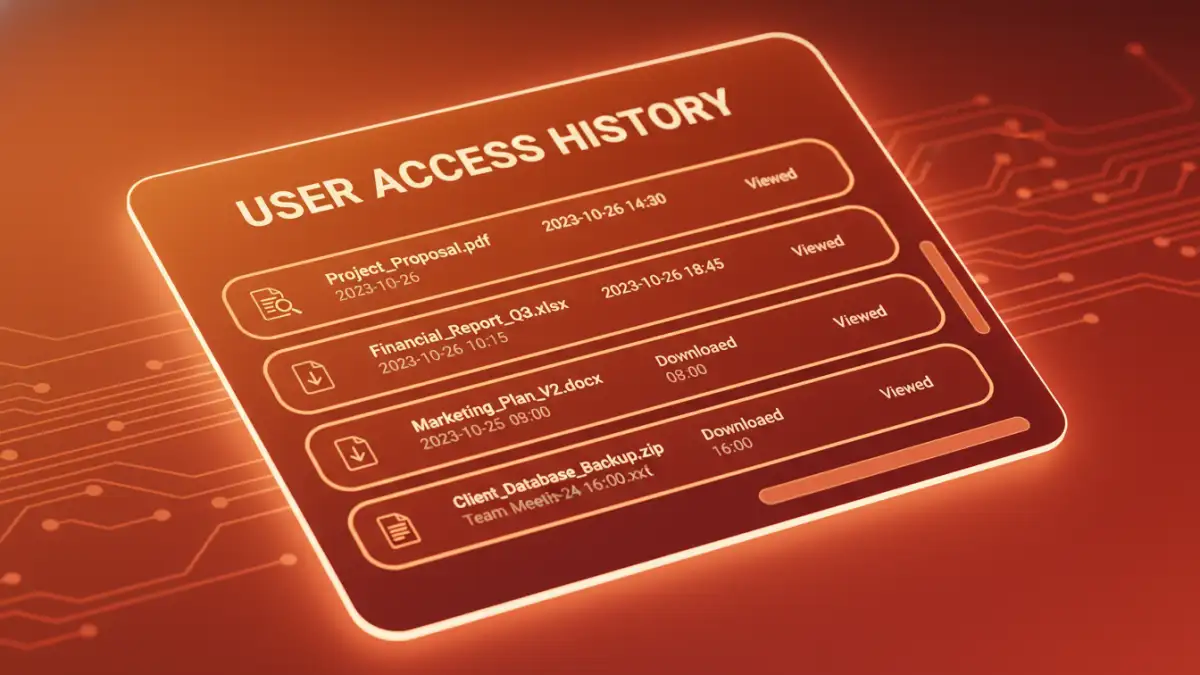
Getting started with file activity tracking can be straightforward. Many of the tools you already use have built-in capabilities that provide a foundational level of insight. These methods are often the first step for individuals and small teams.
Native Operating System Auditing
Both Windows and macOS have built-in auditing features. On a Windows Server, you can enable 'Audit object access' policies to log events whenever specific files or folders are accessed, modified, or deleted. While powerful, this method generates a lot of raw data in the Event Viewer, which can be difficult to parse without specialized tools. It's effective but requires technical expertise to configure and interpret correctly.
Cloud Storage Platform Logs
Services like Google Drive, Dropbox Business, and Microsoft OneDrive offer user-friendly activity dashboards. You can easily see a feed of actions, such as who viewed, edited, or downloaded a file and when. This is excellent for collaborative environments. However, the limitation is obvious: the tracking only works as long as the document remains within that specific cloud ecosystem. Once a file is downloaded, you lose all visibility.
Advanced Solutions for Comprehensive Control
When basic logging isn't enough, you need tools that offer persistent tracking and granular control. These solutions are designed for organizations that manage a large or highly sensitive secure document portfolio and require end-to-end visibility.
Document Management Systems (DMS)
A dedicated DMS like SharePoint or M-Files is built around the concept of centralized control. Every action—from viewing and editing to printing and sharing—is logged within the system. You can generate detailed reports on a per-document or per-user basis. This creates an authoritative user access history that is invaluable for audits and internal investigations. The system acts as the single source of truth for your document lifecycle.
Digital Rights Management (DRM) Solutions
DRM is the gold standard for document tracking. Unlike other methods, DRM protection is embedded directly into the file itself. This means that no matter where the file goes—emailed to a partner, downloaded to a USB drive, or uploaded to another cloud service—the tracking and permissions travel with it. I've implemented DRM for clients who needed to revoke access to a proposal after it was sent or prevent recipients from printing a confidential report. It offers unparalleled control, including features like dynamic watermarking and remote access revocation.
Implementing a Portfolio Security Audit
Putting these tools to work requires a strategic approach. A portfolio security audit isn't a one-time task but an ongoing process of monitoring, reviewing, and refining your security posture. It ensures your tracking efforts are effective and aligned with your goals.
First, clearly define what activities you need to monitor. Is it just file opens, or do you also need to track prints, downloads, and edits? Next, select the right tool for your needs—a simple cloud log might suffice for a small team, while a large enterprise will likely need a DMS or DRM solution. Once implemented, configure automated alerts for suspicious activities, such as multiple failed access attempts or unusually large downloads. Finally, schedule regular reviews of your document access logs to identify trends and potential vulnerabilities before they become major incidents.
Document Access Tracking Method Comparison
| Tracking Method | Granularity | Ease of Use | Best For |
|---|---|---|---|
| Native OS Auditing | High (but complex) | Low | On-premise servers and technical teams |
| Cloud Storage Logs | Medium | High | Collaborative teams using a single platform |
| Document Management System (DMS) | High | Medium | Organizations needing centralized control and audit trails |
| Digital Rights Management (DRM) | Very High | Medium | Protecting highly sensitive IP that is shared externally |