With data breaches becoming more frequent and sophisticated, simply storing files on a server is no longer enough. Businesses are now expected to programmatically enforce security policies on sensitive documents, whether it's an invoice, a legal contract, or a patient record. This is where manual processes fall short and automation becomes critical.
Integrating a dedicated API to handle these tasks directly within your existing applications is the most scalable solution. It allows you to build security into your workflows from the ground up, rather than treating it as an afterthought. It's a shift from manually locking files to creating a system of automated document protection.
Table of Contents
Why Integrate a Document Security API?
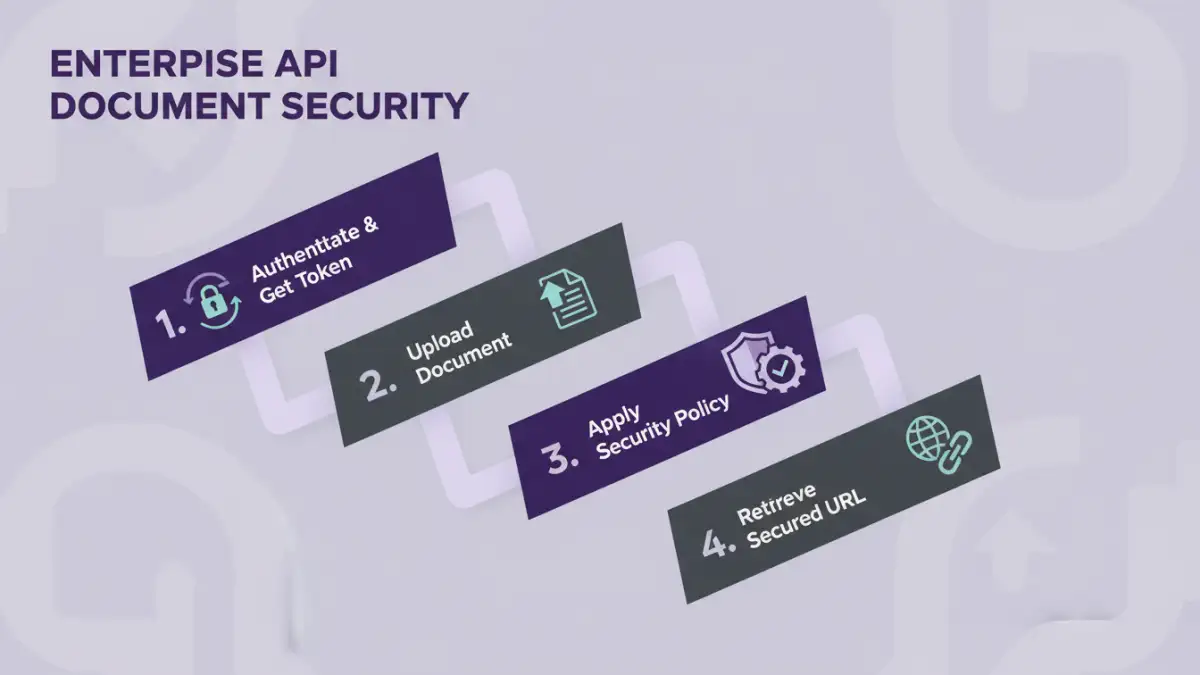
The primary driver for integration is efficiency and consistency. When a new customer signs up for a service, your application can automatically generate a contract, apply a unique password, add a watermark with their details, and email it to them without any human intervention. This kind of secure workflow automation is impossible to achieve at scale manually.
From a development perspective, using a specialized API offloads the complex cryptography and security logic. Instead of building and maintaining your own encryption libraries—a task fraught with risk—you can leverage a service built by security experts. This allows your team to focus on core business features while ensuring documents are protected using industry-standard methods.
Choosing the Right API for Your Needs
Not all APIs are created equal. Before writing a single line of code, it's crucial to evaluate potential services based on your specific requirements. I've seen projects get derailed because the chosen API lacked a critical feature that was only discovered late in the development cycle.
Evaluating Core Features
Start by listing your non-negotiables. Do you need simple password protection, or more granular permissions like disabling printing and copying? A good pdf encryption api will offer both. Other features to consider include watermarking, redaction, digital signatures, and document expiry. Also, check what file formats are supported; while PDF is common, you may need to secure Word documents, images, or spreadsheets.
Authentication and Security
Look at the API's authentication mechanism. Most modern APIs use token-based authentication (like OAuth 2.0 or simple API keys), which is far more secure than passing credentials with every request. Review the provider's security posture, compliance certifications (like SOC 2 or HIPAA), and data handling policies. You are entrusting them with sensitive data, so due diligence is essential.
A Practical Integration Walkthrough
Let's walk through a typical enterprise API integration process. For this example, we'll assume we're adding a password and a watermark to a PDF invoice generated by our application before it's sent to a customer.
- Obtain API Credentials: First, you'll sign up for the service and get an API key from your provider's dashboard. Store this key securely as an environment variable in your application, never hard-code it directly in your source code.
- Set Up Your Environment: Install the necessary HTTP client or the provider's official SDK for your programming language (e.g., Python's `requests` library, or a dedicated Node.js package).
- Construct the API Request: The request will typically be a `POST` request to a specific endpoint, like `/v1/secure/pdf`. The request body will contain the document (often as a base64-encoded string or multipart/form-data) and a JSON object specifying the security parameters.
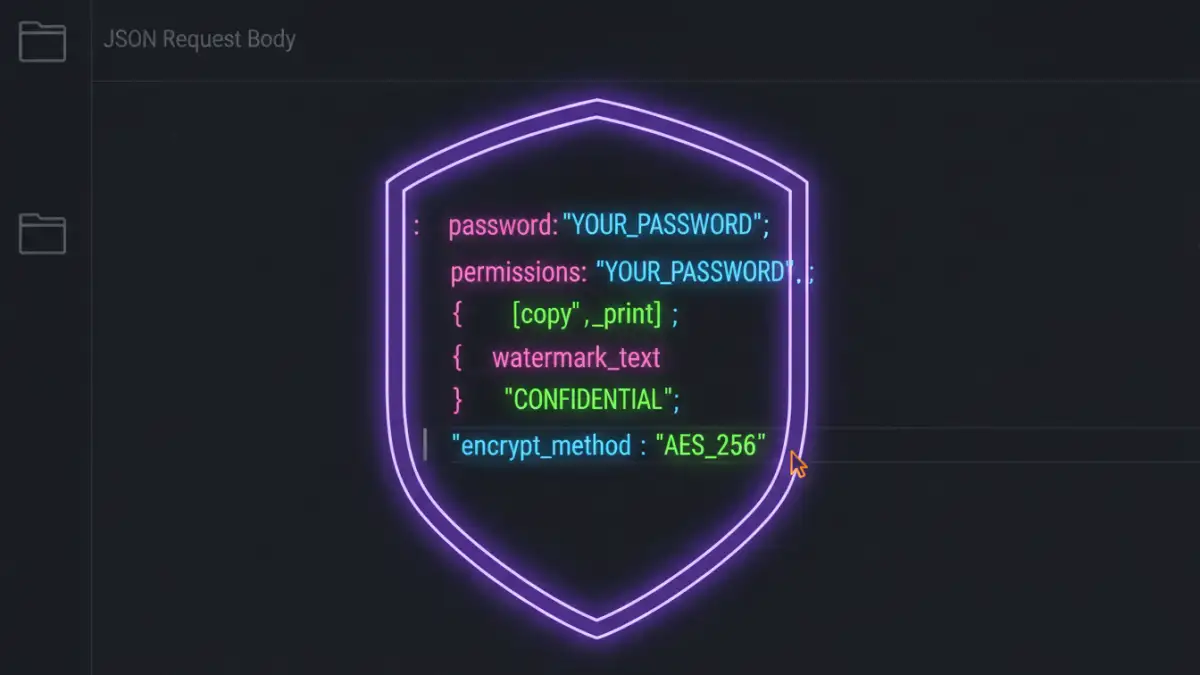
A sample JSON payload might look like this:
{
  "file": "(base64_encoded_string_of_your_pdf)",
  "security_settings": {
    "password": "a-strong-generated-password",
    "permissions": {
      "allow_printing": false,
      "allow_content_extraction": false
    }
  },
  "watermark": {
    "text": "Invoice #12345 - Confidential",
    "position": "diagonal"
  }
}Automating Workflows for Maximum Impact
The real power of a document security api comes from integrating it into automated business processes. Think beyond one-off tasks and consider the entire document lifecycle.
For example, in a human resources application, when an offer letter is generated, a webhook can trigger a function that calls the security API. This function applies a password known only to the candidate and adds a watermark like "Draft Offer". Once signed, the same API could be used to apply a digital signature and lock the document from further edits, creating a secure and auditable trail.
Common Pitfalls and How to Avoid Them
Over the years, I've seen a few common mistakes. The most frequent is insecurely storing API keys. Always use a secret management system or environment variables. Another pitfall is inadequate error handling. Network failures and API errors happen; your application needs to handle them gracefully, perhaps by retrying the request or alerting an administrator.
Finally, don't forget about rate limiting. High-volume applications can easily exceed the API's request limits. Understand the limits of your plan and implement logic in your application to stay within them, such as using a queueing system to process documents in batches.
API Feature Comparison
| Feature | Description | Common Use Case | Considerations |
|---|---|---|---|
| Password Protection | Encrypts the document with a user-defined password. | Securing invoices, reports, or contracts sent via email. | Password strength and secure distribution are key. |
| Permission Controls | Restricts actions like printing, copying text, or editing. | Protecting intellectual property in training materials or research papers. | Not all PDF viewers enforce these permissions strictly. |
| Dynamic Watermarking | Adds text or images (e.g., user ID, timestamp) to each page. | Discouraging unauthorized sharing of confidential documents. | API should support customization of text, position, and opacity. |
| Redaction | Permanently removes sensitive content from a document. | Removing PII from legal or medical documents before sharing. | Ensure the redaction is permanent and not just a black box overlay. |
| Digital Signatures | Applies a cryptographically verifiable signature to prove authenticity. | Executing legally binding contracts and agreements. | Requires a trusted certificate authority (CA). |