
That little nagging feeling in the back of your mind when you upload a sensitive file—a will, tax returns, or a client contract—to a cloud service is perfectly normal. We trade a bit of control for incredible convenience, but where do we draw the line? Is the default security of major cloud providers enough for files you absolutely cannot afford to have exposed?
As an engineer, I've worked on systems where data integrity and privacy were non-negotiable. This has made me particularly critical of how I handle my own data. The truth is, not all cloud storage is created equal, and understanding the difference between 'secure' and 'private' is the first step toward true peace of mind.
Table of Contents
The Security vs. Privacy Dilemma
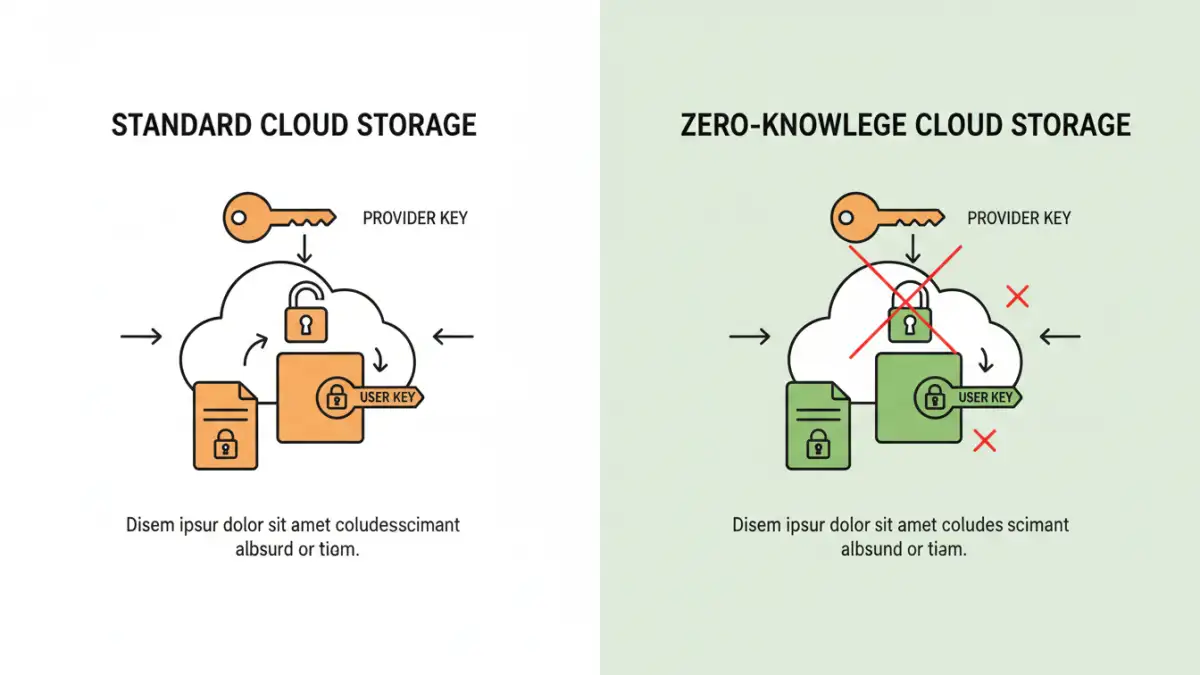
Most major cloud providers talk a big game about security, and for the most part, they deliver. They use strong encryption to protect your data from outside attackers. Your files are encrypted 'in transit' (while being uploaded or downloaded) and 'at rest' (while sitting on their servers). This is excellent for preventing hackers from intercepting your data or stealing physical hard drives from a data center.
However, security doesn't automatically mean privacy. The critical question is: who holds the encryption keys? With standard services like Google Drive, Dropbox, and OneDrive, the provider holds the keys. This means they have the technical ability to decrypt and access your files. They might do this to scan for malware, index content for search, or comply with legal requests. For many users, this is an acceptable trade-off. For sensitive documents, it might not be.
Evaluating the Major Cloud Providers
Let's break down what the most popular services offer. While they share many similarities, their approach to security and features can differ in subtle but important ways. Understanding these differences is key to making an informed decision about where you store your files.
Google Drive Security
Google Drive is a powerhouse of integration and collaboration. It protects data in transit with TLS and at rest with 256-bit AES encryption. For most users, this is robust protection against external threats. Google also offers advanced features like its Advanced Protection Program for high-risk users and strong two-factor authentication (2FA) options.
The privacy trade-off, however, is that Google can and does scan your content. This is primarily for features like search functionality, spam detection, and malware scanning. While this is often beneficial, it confirms that your files are not private from Google itself. For general documents, photos, and collaborative projects, Google Drive's security is more than adequate.
Is Dropbox Secure for Documents?
Dropbox has built its reputation on reliable file syncing. It uses 256-bit AES for files at rest and SSL/TLS for files in transit. It also breaks files into chunks, encrypts each one, and stores them discreetly. Security features include 2FA, remote device wipe, and detailed access logs, which are great for both personal and business use.
Like Google, Dropbox manages the encryption keys. This means their employees or automated systems could potentially access your data under specific circumstances, such as a law enforcement request. While Dropbox has a strong security track record, it does not offer true user-controlled privacy by default.
Client-Side Encryption: The Ultimate Control
If the idea of a provider having access to your keys is a deal-breaker, the solution is client-side encryption. This approach ensures that your files are encrypted on your device *before* they are ever uploaded to the cloud. The provider only ever receives a scrambled, unreadable blob of data, and only you hold the key to decrypt it.
This method is often called 'zero-knowledge' encryption because the service provider has zero knowledge of what you are storing. This is the gold standard for cloud storage privacy and is essential for anyone handling highly confidential information like legal documents, medical records, or proprietary business data.
What is Zero-Knowledge Encryption?
Zero-knowledge is a system architecture where the service provider cannot decrypt user data because they don't have the encryption keys. Your password becomes the master key. If you forget your password, your data is irrecoverable because the provider has no way to reset it or access your files. This puts the full responsibility of data access on you, which is the cornerstone of true digital privacy.
Tools for Adding Zero-Knowledge to Your Cloud
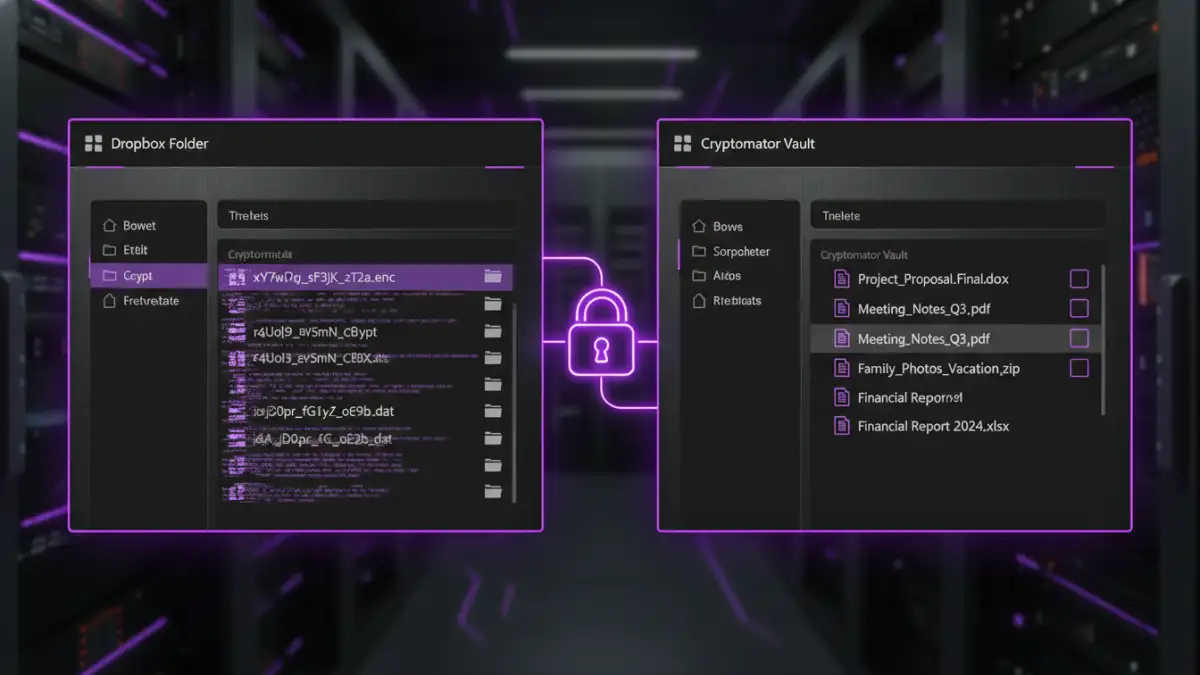
You don't have to abandon your favorite cloud service to get zero-knowledge protection. Tools like Cryptomator (open-source and free) or Boxcryptor allow you to create an encrypted 'vault' inside your existing Dropbox, Google Drive, or OneDrive folder. You simply drag and drop sensitive files into this vault, and they are automatically encrypted on your machine before being synced to the cloud. It's a fantastic way to get the best of both worlds: convenient syncing and absolute privacy.
Best Practices for Secure Document Storage
Regardless of the provider you choose, adopting good security habits is crucial. Technology is only one part of the equation; user behavior is the other. Strong document security in the cloud depends on a layered approach.
- Enable Two-Factor Authentication (2FA): This is the single most effective step you can take to secure your account. It adds a crucial second layer of defense against password theft.
- Use a Strong, Unique Password: Don't reuse passwords across services. A password manager can help you generate and store complex passwords for all your accounts.
- Review Sharing Permissions Regularly: It's easy to share a file and forget about it. Periodically audit who has access to your files and folders and revoke permissions that are no longer needed.
- Encrypt Before You Upload: For your most sensitive files, consider encrypting them locally using a tool like 7-Zip or VeraCrypt before they even touch your cloud storage folder. This gives you an extra layer of protection controlled entirely by you.
Cloud Storage Security Feature Comparison
| Provider / Method | Encryption At-Rest | Zero-Knowledge by Default? | Key Feature |
|---|---|---|---|
| Google Drive | AES-256 | No | Deep integration with Google Workspace |
| Dropbox | AES-256 | No | Excellent file syncing reliability |
| Microsoft OneDrive | AES-256 | No | Personal Vault for extra verification |
| Cryptomator (on any cloud) | AES-256 | Yes | Adds a zero-knowledge vault to existing cloud storage |
| Proton Drive | AES-256 | Yes | End-to-end encrypted ecosystem |
| Tresorit | AES-256 | Yes | Business-focused security and compliance |