
When handling contracts, financial reports, or intellectual property, the security of your PDF documents is non-negotiable. I've often seen teams default to a particular PDF editor without fully understanding its security limitations. Choosing between industry giants like Adobe Acrobat Pro and Foxit PhantomPDF (now Foxit PDF Editor Suite Pro) isn't just about editing features; it's about safeguarding sensitive information.
Both platforms offer robust tools, but their approach to security, integration, and enterprise-level control has key differences. Let's break down where each one excels and which might be the better fit for your specific security needs.
Table of Contents
Core Security: Encryption and Password Protection
The first line of defense for any document is encryption. Both Adobe and Foxit support standard password-based security with strong AES-256 bit encryption, which is the industry benchmark. This allows you to set an 'open' password to view the document and a 'permissions' password to restrict actions like printing, copying, or editing.
Adobe's Security Policies
Adobe Acrobat Pro allows you to create and save reusable security policies. For instance, in a legal department, I helped set up a policy named "Confidential-Legal" that automatically applied AES-256 encryption and disabled printing for any document it was applied to. This standardization is a huge time-saver and reduces human error, ensuring consistent adobe security across all sensitive files.
Foxit's Streamlined Approach
Foxit offers the same level of encryption but presents it in a slightly more straightforward interface. While it doesn't have the same named 'policy' system as Adobe, its security settings are easy to access and apply. Foxit's focus is on efficiency, making it quick for users to secure a document without navigating complex menus, which is a key aspect of Foxit security.
Data Sanitization: Redaction and Metadata Removal

Properly redacting information is more than just drawing a black box over text. True redaction permanently removes the underlying data from the file. If done incorrectly, the 'redacted' text can often be recovered by simply copying and pasting it into a text editor. This is a critical aspect of any serious pdf editor security evaluation.
Acrobat's Thorough Redaction Tools
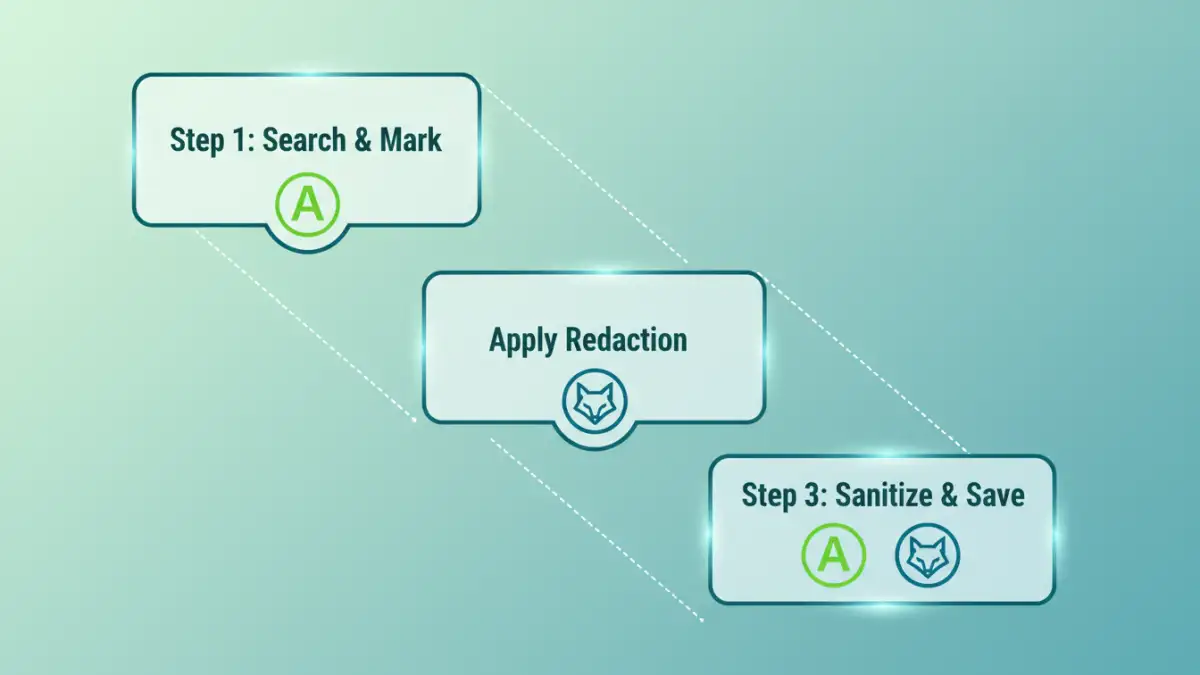
Adobe Acrobat Pro provides a comprehensive redaction toolset. You can search for specific text patterns (like social security numbers or names) across a document and mark them for redaction in one go. After applying the redactions, Acrobat's "Sanitize Document" feature removes all metadata, hidden layers, and other potentially sensitive background information. This two-step process is incredibly thorough.
Foxit's Efficient Redaction
Foxit also offers powerful redaction capabilities, including pattern-based searching. I've found its performance on very large documents to be impressive. Foxit's process feels slightly faster, and it integrates redaction and sanitization cleanly. It's a highly effective tool for secure document sharing when you need to be certain sensitive data is gone for good.
Identity and Access: Digital Signatures and Certification
Verifying the author's identity and ensuring a document hasn't been tampered with is crucial. Both platforms have excellent support for digital signatures, which are cryptographically secure and legally binding in many regions.
Adobe Sign Integration
Adobe's major advantage is its tight integration with Adobe Sign, a market-leading e-signature solution. This creates a seamless workflow from document creation to secure signing and archiving. Certifying a document in Acrobat can also lock it down after signing, providing a clear visual indicator in a blue bar at the top that the document is authentic and unchanged.
Foxit eSign and Flexibility
Foxit has its own capable e-signature service, Foxit eSign, but it also plays well with other third-party digital ID providers. This flexibility can be an advantage for organizations that already have an established digital signature provider. The process of creating and validating signatures is robust and provides a clear audit trail.
Enterprise-Level Security and Integrations
For large organizations, security extends beyond individual document features to include centralized management and integration with existing security infrastructure. This is where the differences between the two platforms become most apparent.
Adobe and Microsoft Purview Information Protection
Adobe's deep integration with Microsoft Purview Information Protection (formerly MIP) is a game-changer for enterprises in the Microsoft ecosystem. It allows organizations to apply the same sensitivity labels and protection policies to PDFs as they do to their Office documents. This unified approach to data classification and protection simplifies compliance and management immensely.
Foxit's ConnectedPDF and GPO
Foxit's answer to enterprise control is ConnectedPDF (cPDF). This technology assigns a unique ID to a document, allowing the owner to track, manage, and revoke access even after it has been sent. You can see who opened it, when, and from where. Additionally, Foxit provides robust support for Group Policy Objects (GPO) and XML configuration, allowing IT admins to centrally manage and disable features to enforce company policies.
Feature Comparison: Adobe Acrobat Pro vs. Foxit PDF Editor
| Security Feature | Adobe Acrobat Pro | Foxit PDF Editor Suite Pro |
|---|---|---|
| Encryption Standard | AES-256 bit | AES-256 bit |
| Redaction | Advanced search-and-redact patterns, full document sanitization | Fast search-and-redact, efficient and reliable removal |
| Digital Signatures | Deep integration with Adobe Sign, document certification | Integrated Foxit eSign, good third-party digital ID support |
| Enterprise Integration | Excellent Microsoft Purview (MIP) integration | ConnectedPDF for document tracking and GPO for management |
| Special Feature | Reusable Security Policies | ConnectedPDF document tracking and revocation |