
I recently worked with a finance team that was preparing for their annual Sarbanes-Oxley (SOX) audit. They were confident in their numbers, but the IT department was in a panic. Their method for storing critical financial reports was a chaotic mix of shared network drives, emails, and locally saved spreadsheets. Proving who had access to what—and who made changes—was becoming a nightmare. This scenario is incredibly common and highlights a critical, often overlooked, aspect of financial regulation: the integrity of your document workflows.
SOX isn't just about accounting principles; it's about ensuring the data behind those principles is trustworthy. For engineers and IT professionals, this means building and maintaining systems where every sensitive document is controlled, tracked, and verifiable. It's about turning that chaos into a well-oiled, auditable machine.
Table of Contents
SOX and Why Document Security Matters
The Sarbanes-Oxley Act was enacted to protect investors from fraudulent financial reporting. While it originated in the accounting world, its requirements extend deep into a company's IT infrastructure. At its core, SOX demands that public companies have verifiable internal controls for their financial reporting processes. In our digital age, this means controlling the documents that constitute the financial record.
If an auditor can't verify the chain of custody for a financial spreadsheet, how can they trust the numbers within it? This is where IT's role becomes central. We are responsible for the systems that store, transmit, and protect the data that underpins the entire financial reporting structure. A failure in document control can lead to a significant deficiency or even a material weakness finding during an audit, which has serious consequences.
Key SOX Sections Affecting IT Controls
Two sections of SOX are particularly relevant for IT teams. Section 302 requires that the CEO and CFO personally certify the accuracy of financial statements and the effectiveness of internal controls. This personal liability forces leadership to pay close attention to how data is managed.
Section 404 is even more direct. It requires management and the external auditor to report on the adequacy of the company's internal control over financial reporting (ICFR). This includes controls over who can access, modify, and approve sensitive documents like earnings reports, balance sheets, and revenue projections. Without a secure document workflow, satisfying Section 404 is nearly impossible.
Core Pillars of a SOX-Compliant Workflow
To build an auditable system, you need to focus on three fundamental pillars. These principles form the bedrock of any reliable control environment and are exactly what auditors look for when they examine your systems.
First is Access Control. This is the principle of least privilege in action. Not everyone in the finance department needs access to every file. A robust system allows you to define granular permissions based on roles. For instance, a junior analyst might have read-only access to certain reports, while a controller has rights to edit and approve them. These controls must be centrally managed and regularly reviewed.
Second is Change Management and Integrity. Auditors need to know that a document hasn't been tampered with. This involves version control, which shows the history of all changes, and mechanisms to ensure file integrity, such as checksums or digital signatures. If a key number in a report is changed, you must be able to prove who changed it, when they changed it, and why.
The Critical Role of Audit Trails
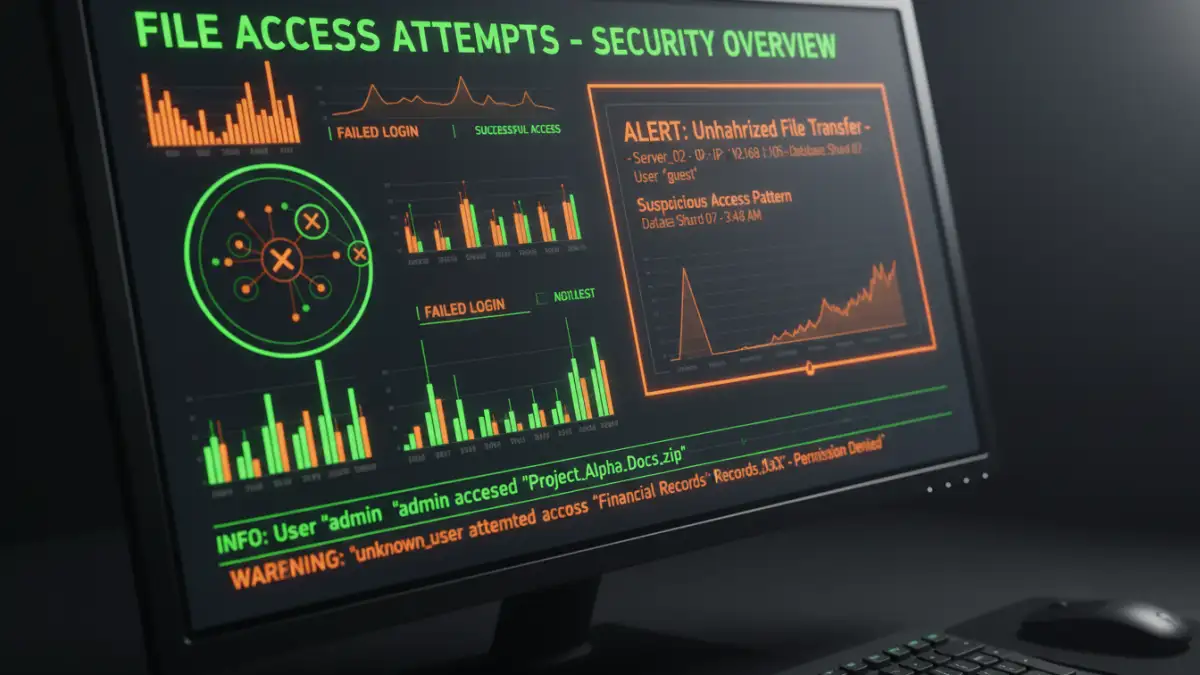
The third and most crucial pillar is the presence of comprehensive audit trails. An audit trail is an unchangeable, time-stamped log of every significant action taken on a document. This includes who viewed it, who downloaded it, who attempted to edit it (successfully or not), and who approved it. These logs are the definitive proof you provide to auditors to demonstrate your controls are working effectively. Simply having password protected reports isn't enough; you need the metadata that proves who used that password and what they did.
Conducting an Internal Audit of Your Document Controls
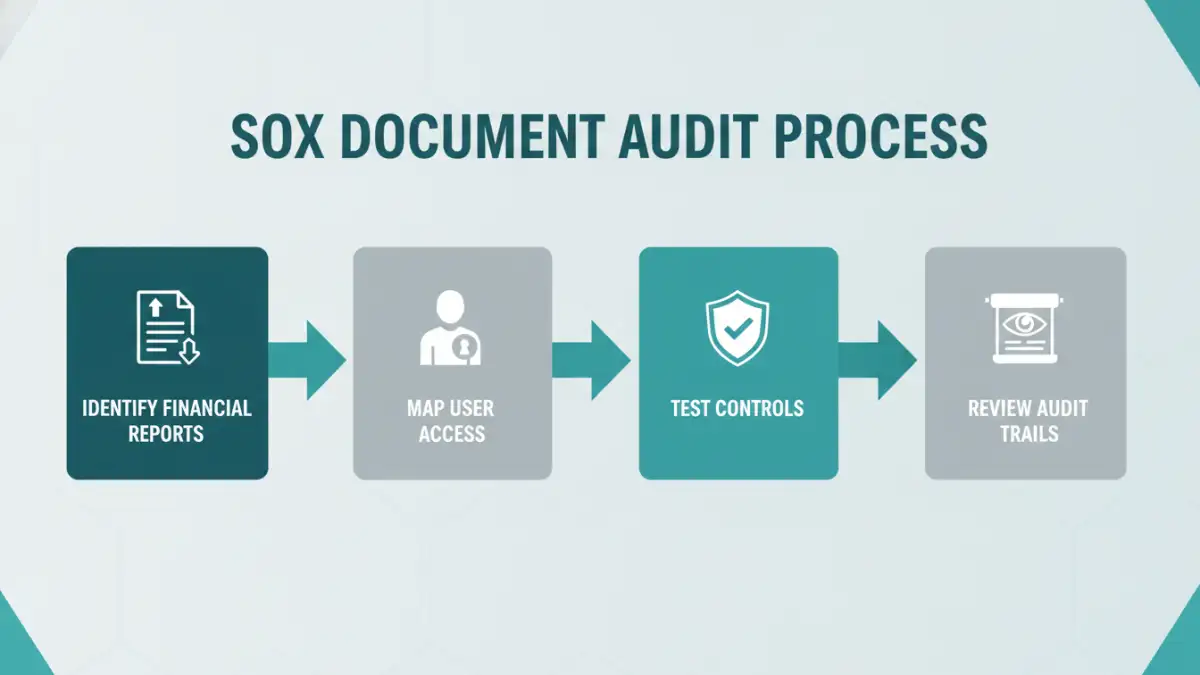
Before an external auditor arrives, you should perform your own internal assessment. This proactive approach helps you identify and remediate gaps before they become official findings. I recommend a straightforward, four-step process.
First, inventory all documents that are critical to financial reporting. Work with the finance department to identify everything from raw transaction data exports to final board-level presentations. You can't protect what you don't know you have.
Second, map the current access permissions for this inventory. Who has access? Is it appropriate for their role? I've often found that permissions creep over time, with employees retaining access long after their roles have changed. This step usually reveals several immediate issues to fix.
Third, test your controls. This involves both technical and procedural testing. Try to access a restricted file with an unauthorized account. Review the process for granting new permissions—is it documented and approved? This is where you validate that your stated policies are actually being enforced by the system.
Tools and Technologies for Sustainable Compliance
Managing SOX compliance manually with shared drives and spreadsheets is a recipe for failure. Modern tools are essential for creating a sustainable and auditable sox secure document environment. The goal is to automate as much of the control and logging process as possible to reduce human error.
Document Management Systems (DMS) like SharePoint, OpenText, or M-Files are designed for this. They have built-in features for version control, role-based access, approval workflows, and most importantly, detailed audit trails. When a document is stored in a proper DMS, every interaction is logged automatically, providing a complete history for auditors.
For an even higher level of security, many organizations integrate their DMS with Security Information and Event Management (SIEM) tools. A SIEM can aggregate logs from the DMS and other systems to detect suspicious patterns, such as an unusual number of file downloads from a single user or access attempts outside of business hours, providing an additional layer of automated oversight.
Manual Controls vs. Automated DMS for SOX
| Feature | Manual Controls (Shared Drives) | Automated DMS |
|---|---|---|
| Access Control | Basic, often inconsistent folder-level permissions. | Granular, role-based, and easily auditable. |
| Audit Trails | Limited to non-existent. Difficult to prove who did what. | Comprehensive, immutable logs of all user actions. |
| File Integrity | No inherent protection. Files can be altered or deleted without a trace. | Version history and checksums ensure data integrity. |
| Approval Workflows | Manual (email, verbal). Prone to error and hard to track. | Automated, documented, and enforced by the system. |
| Audit Preparation | Time-consuming and stressful. Requires manual data gathering. | Streamlined. Reports can be generated on-demand. |
| Risk of Human Error | Very high. Relies on individuals following procedures perfectly. | Significantly reduced through automation and system controls. |