
With the sheer volume of digital data businesses handle, traditional 'lock-and-key' encryption is starting to show its age. A static password or a fixed encryption key is a single point of failure. I've seen projects where one compromised credential led to significant data exposure, highlighting a critical vulnerability: traditional systems are reactive, not proactive. They can't distinguish between a legitimate user under duress and a malicious actor with stolen credentials.
This is where artificial intelligence enters the picture, shifting the paradigm from static defense to an active, intelligent one. Instead of just building higher walls, we're now building security systems that can think, adapt, and respond to threats in real-time. It's a fundamental change in how we approach protecting our most sensitive information.
Table of Contents
The Limits of Traditional Document Security
For decades, standards like AES-256 have been the gold standard for encryption. While mathematically sound, their implementation relies on a static secret—a password or a private key. If that secret is compromised through phishing, brute-force attacks, or simple human error, the encryption becomes useless. The system has no way to assess the context of an access request.
Traditional security can't answer crucial questions. Is the user logging in from a new location at 3 AM? Are they trying to download thousands of documents when their job only requires accessing a few? Legacy systems see a valid key and open the door, oblivious to the suspicious circumstances surrounding the request. This lack of situational awareness is their greatest weakness in the face of sophisticated modern attacks.
How AI Is Revolutionizing Encryption

AI introduces a layer of dynamic intelligence on top of traditional encryption methods. It doesn't necessarily replace algorithms like AES but makes them smarter and more resilient by changing how and when access is granted. This approach is central to the evolution of modern AI document security.
Adaptive Encryption Protocols
Imagine an encryption system that adjusts its own security level based on perceived risk. An AI model can analyze dozens of variables in real-time: user location, time of day, device health, and network security. If an employee tries to access a sensitive financial report from an unsecured public Wi-Fi network, the AI can automatically enforce multi-factor authentication or even block the request entirely. This is a move from a one-size-fits-all model to a dynamic, risk-based one.
Behavioral Biometrics for Access Control
Passwords can be stolen, but behavior is much harder to replicate. AI-powered systems can create a unique biometric profile for each user based on their habits. This includes keystroke dynamics (the rhythm and speed of typing), mouse movement patterns, and even how they navigate applications. If a logged-in user's behavior suddenly deviates from this established baseline, the AI can flag the session as suspicious and require re-authentication, effectively stopping an attacker who is using stolen credentials.
The Core of AI: Automated Threat Detection
Beyond access control, AI is a powerful tool for inspecting the documents themselves. This is where machine learning encryption and analysis techniques truly shine. By training models on vast datasets of both benign and malicious files, AI can identify threats that traditional signature-based antivirus software would miss.
Anomaly Detection in Document Content
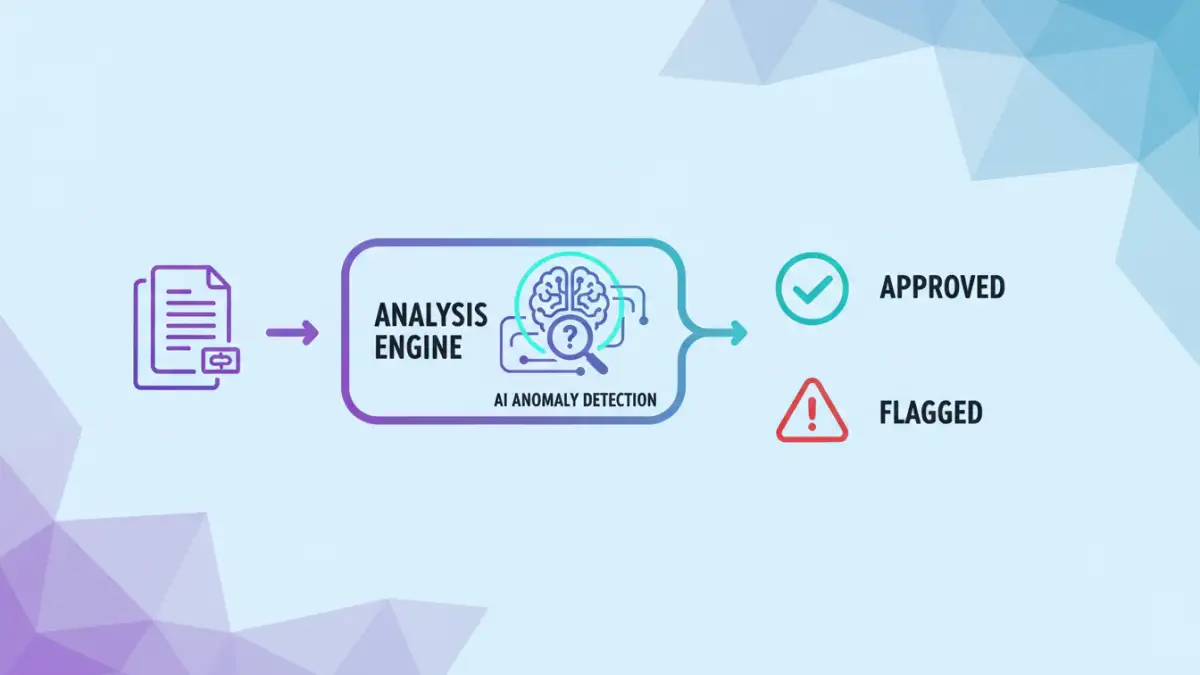
AI can perform deep ai pdf analysis to detect anomalies within the file's structure. It can identify obfuscated code in macros, recognize patterns associated with ransomware, or flag documents containing unusual links or scripts. For example, it might notice that an invoice PDF contains an executable script, a combination that is highly indicative of a phishing attempt. This is a form of automated threat detection that focuses on intent rather than just matching a known virus signature.
This proactive scanning can prevent threats from ever reaching an end-user. When a new document enters the network via email or upload, the AI can analyze it in a sandbox environment to observe its behavior before it's cleared for access, neutralizing threats at the perimeter.
Practical Applications and Future Trends
The principles of AI-driven security are already being integrated into enterprise-grade systems like Data Loss Prevention (DLP) and cloud access security brokers (CASBs). These platforms use AI to monitor and control the flow of data, automatically encrypting or redacting sensitive information before it leaves the corporate network.
The future lies in even more intelligent document protection. We're moving toward a world of self-protecting documents. These are files with embedded AI agents that manage their own security policies. Such a document could automatically redact certain paragraphs based on the clearance level of the person viewing it or become permanently inaccessible if it detects it has been moved to an unauthorized location. This represents the ultimate evolution: from protecting systems to empowering the data to protect itself.
Comparison: Traditional vs. AI-Powered Document Security
| Feature | Traditional Security | AI-Powered Security |
|---|---|---|
| Threat Response | Reactive (based on known signatures) | Proactive and Predictive (based on behavior) |
| Adaptability | Static and rule-based | Dynamic and context-aware |
| Authentication | Relies on 'what you know' (password) | Uses 'who you are' (biometrics) and 'how you act' (behavior) |
| False Positives | Higher rate, as it lacks context | Lower rate, as it understands normal behavior |
| Analysis | Surface-level signature matching | Deep content and structural analysis |