
A real estate agent I know called me in a panic last week. He’d accidentally sent a purchase agreement with sensitive client data—social security numbers, financial statements—to the wrong email address. While he managed to recall the message, the incident highlighted a critical vulnerability many professionals face. In an industry built on trust and confidential information, a simple mistake can have serious consequences.
This isn't just about avoiding embarrassment; it's about legal compliance, protecting your clients, and safeguarding your reputation. Fortunately, implementing robust real estate document security doesn't require a degree in computer science. It's about adopting the right tools and building consistent habits.
Table of Contents
Why Document Security is Non-Negotiable in Real Estate
Every real estate transaction involves a mountain of paperwork filled with personally identifiable information (PII). From loan applications and bank statements to inspection reports and closing documents, these files are a prime target for identity thieves and fraudsters. A data breach can lead to financial loss for your clients and significant legal liability for your business.
Properly securing client pdf files is the first line of defense. It demonstrates professionalism and a commitment to protecting the people you serve. Think of it as the digital equivalent of locking the office door at night; it's a fundamental practice that prevents unauthorized access and protects your most valuable assets.
Core Methods to Password Protect Contracts

The most straightforward way to protect a document is with a password. This creates an immediate barrier, ensuring that only individuals with the correct credentials can open and view the file. There are several accessible ways to accomplish this.
Using Adobe Acrobat Pro
If you work with PDFs regularly, Adobe Acrobat Pro is the industry standard for a reason. It offers robust security features that go beyond simple passwords. You can set two types of passwords: a Document Open password (to view) and a Permissions password (to restrict printing, copying, or editing). This granular control is perfect for sending a contract for review without allowing changes.
To do this, you simply open the PDF in Acrobat, go to File > Protect Using Password, and select the level of security you need. It's a quick process that adds a powerful layer of protection to your sensitive client data.
Leveraging Free Online Encryption Tools
For those who don't have a subscription to Acrobat Pro, numerous online tools offer free PDF password protection. Services like Smallpdf or iLovePDF allow you to upload a document, add a password, and download the newly encrypted file. While convenient, exercise caution. Always read the privacy policy of any online service to understand how they handle your data, as you are uploading sensitive information to their servers.
Beyond Passwords: Advanced Security Layers
While passwords are a great start, they aren't foolproof. A truly secure strategy involves multiple layers of protection. This is where more advanced techniques come into play, ensuring the integrity and authenticity of your documents.
Digital Signatures and Certificates
A digital signature does more than just replace a wet ink signature. It's a cryptographically secure way to verify the identity of the signer and ensure the document hasn't been tampered with since it was signed. When you use a service like DocuSign or Adobe Sign, you're not just getting an electronic signature; you're getting a full audit trail and a certificate of completion that validates the entire process.
This is crucial for legally binding documents like purchase agreements. It provides a higher level of assurance than a simple password, making encrypted pdf forms and contracts much more reliable.
Creating a Secure Workflow for Your Team
Technology is only half the battle. The other half is process. Your team needs a standardized, easy-to-follow workflow for handling sensitive documents. This minimizes human error—the leading cause of data breaches.
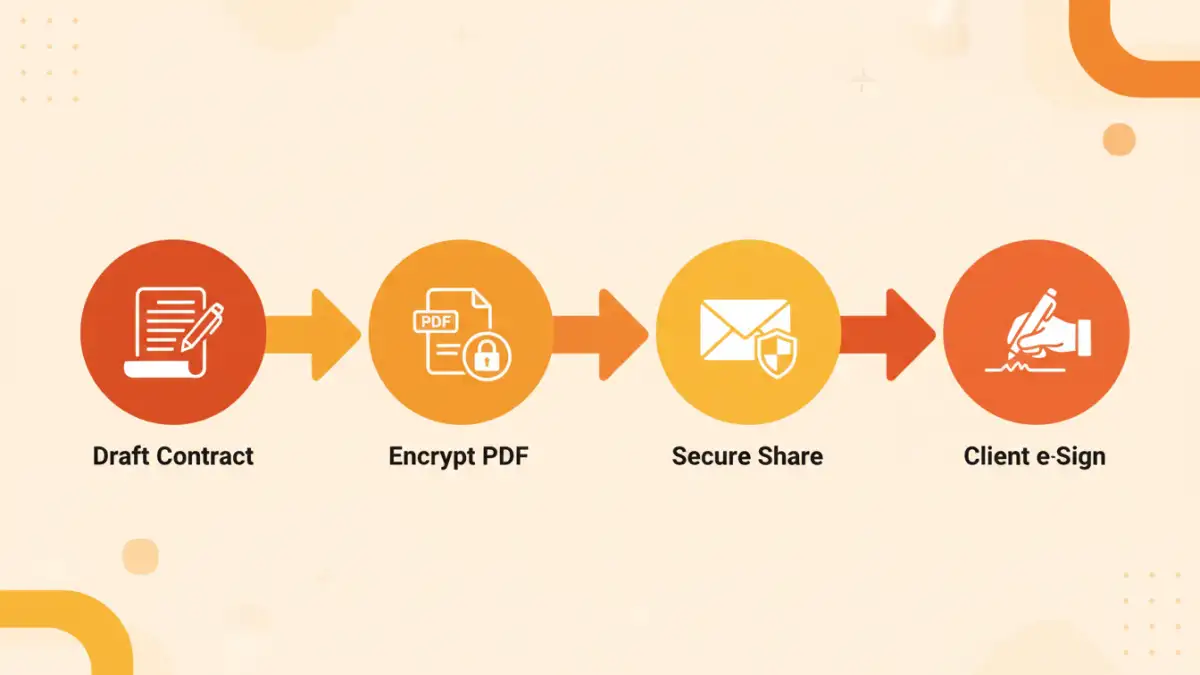
First, establish a clear policy on when and how to encrypt documents. For example, any document containing a client's financial information must be password-protected before being emailed. Second, use a secure method for sharing passwords. Never send the password in the same email as the document. Instead, call the recipient, use a secure messaging app like Signal, or use a password manager's sharing feature. Consistency is key to building a culture of security within your organization.
Comparison of PDF Security Tools
| Security Method | Cost | Ease of Use | Best For |
|---|---|---|---|
| Adobe Acrobat Pro DC | Subscription-based | Moderate | Professionals needing granular control over permissions and editing. |
| Free Online Tools | Free | Very Easy | Quick, one-off password protection for non-critical documents. |
| Secure Client Portals | Varies (often part of a CRM) | Easy for Client | Sharing multiple documents securely throughout a transaction. |
| Digital Signature Platforms | Subscription-based | Easy | Legally binding contracts requiring verification and audit trails. |
| Built-in OS Features | Free | Easy | Basic password protection without third-party software (e.g., Print to PDF on Mac). |