With our team spread across three continents, a simple 'Can you send me that file?' isn't so simple anymore. It's a question loaded with security implications. A stray email with sensitive credentials or an open link to a client proposal can create significant risks. We had to build a system that was both highly secure and didn't grind our productivity to a halt.
This isn't about buying one magic piece of software. It's about establishing a culture and a set of interlocking practices that make security the default path. Here’s a look at how we handle secure documents for remote teams, balancing access with protection.
Table of Contents
The Foundation: Our Security Principles
Before we even chose our tools, we agreed on two core principles that guide all our decisions about remote work file security. These ideas are borrowed from network security but apply perfectly to document management.
The Principle of Least Privilege (PoLP)
This is our golden rule: people should only have access to the information and resources they absolutely need to do their jobs. A frontend developer doesn't need access to server root passwords, and the marketing team doesn't need to see raw source code. By limiting access, we drastically reduce the potential impact of a compromised account. It forces us to be intentional about who can see, edit, and share every document.
Zero-Trust Mentality
We operate under the assumption that threats can come from anywhere, both outside and inside our organization. This means we don't automatically trust a request just because it comes from a company device or a known team member's account. Every access request for a sensitive file is verified. This translates to using multi-factor authentication (MFA) everywhere, employing encrypted team documents, and avoiding insecure sharing methods like email attachments for anything confidential.
Our Core Toolset for Secure Collaboration
Our strategy relies on a few key types of tools that work together to create a secure environment. We've found that a combination of platforms is more effective than trying to find a single one-size-fits-all solution.
First is our centralized cloud storage (we use Google Workspace). The key here isn't the storage itself, but its granular permission controls. We can set file access to 'viewer', 'commenter', or 'editor' on a per-user or per-group basis. We also enforce strict rules: no 'public on the web' links, ever. All sharing is done via direct invitation to a specific user's account.
Second is our team password manager (1Password). This is the backbone of our credentials management. Instead of emailing passwords for encrypted files, we share access to the password entry directly within the manager's secure vault. This allows us to share credentials without ever exposing them in plain text and to revoke access instantly if a team member leaves.
Finally, we use an end-to-end encrypted messaging platform (Signal) for any ad-hoc communication about sensitive topics. This ensures that conversations about access or project details remain private and are not logged on a server that could be compromised.
A Practical Workflow for Sensitive Documents
Let's walk through a common scenario: a developer needs to share a new set of API credentials with a project manager. Here’s how our system prevents common security mistakes.
Step 1: Document Creation and Local Encryption
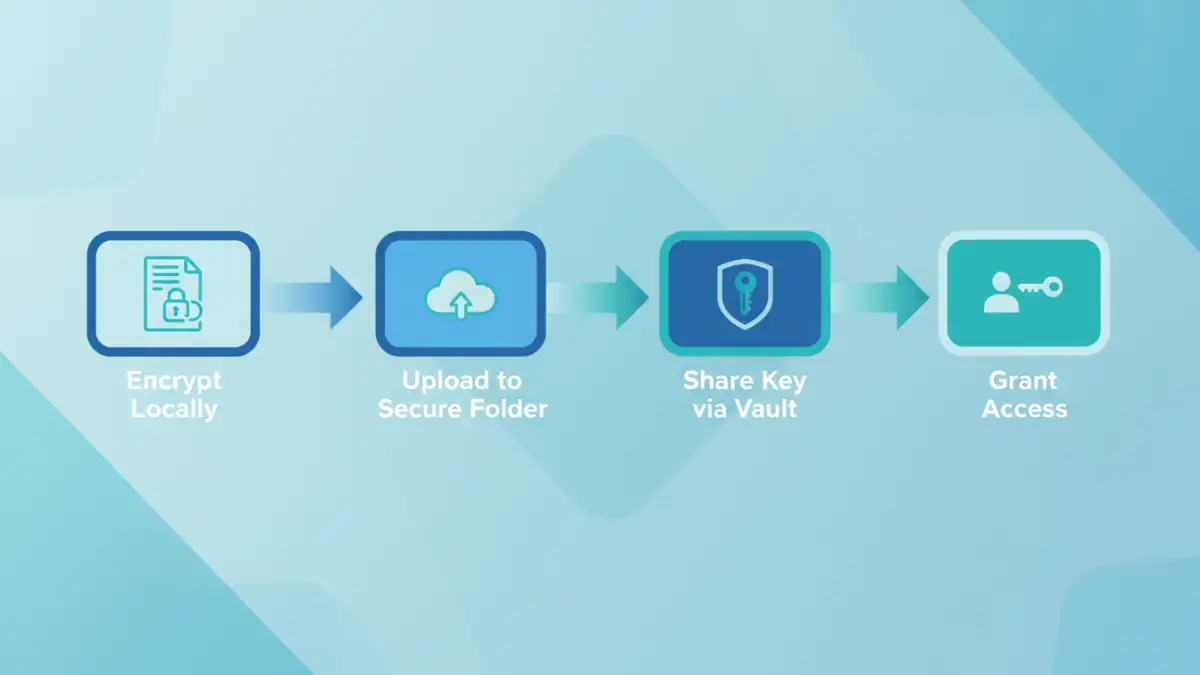
The developer creates a plain text file with the credentials. Before uploading it anywhere, they use a local utility (like OpenSSL or a GUI tool like Keka on macOS) to place it inside an AES-256 encrypted ZIP archive. They generate a long, random password for this archive. The unencrypted text file is then securely deleted.
Step 2: Secure Storage and Access Sharing
The developer uploads the encrypted archive to a specific, restricted-access folder in our shared cloud drive. They then open the team password manager, create a new entry for these credentials, and save the archive's password there. They share this specific password entry with the project manager directly through the password manager's sharing feature. The project manager gets a notification and can now access the password to unlock the file, but the password itself was never transmitted over email or chat.
Handling Different Levels of Document Sensitivity
Not every document needs to be locked down like Fort Knox. Over-securing everything creates friction and encourages workarounds. We use a simple classification system to ensure the level of protection matches the level of risk.
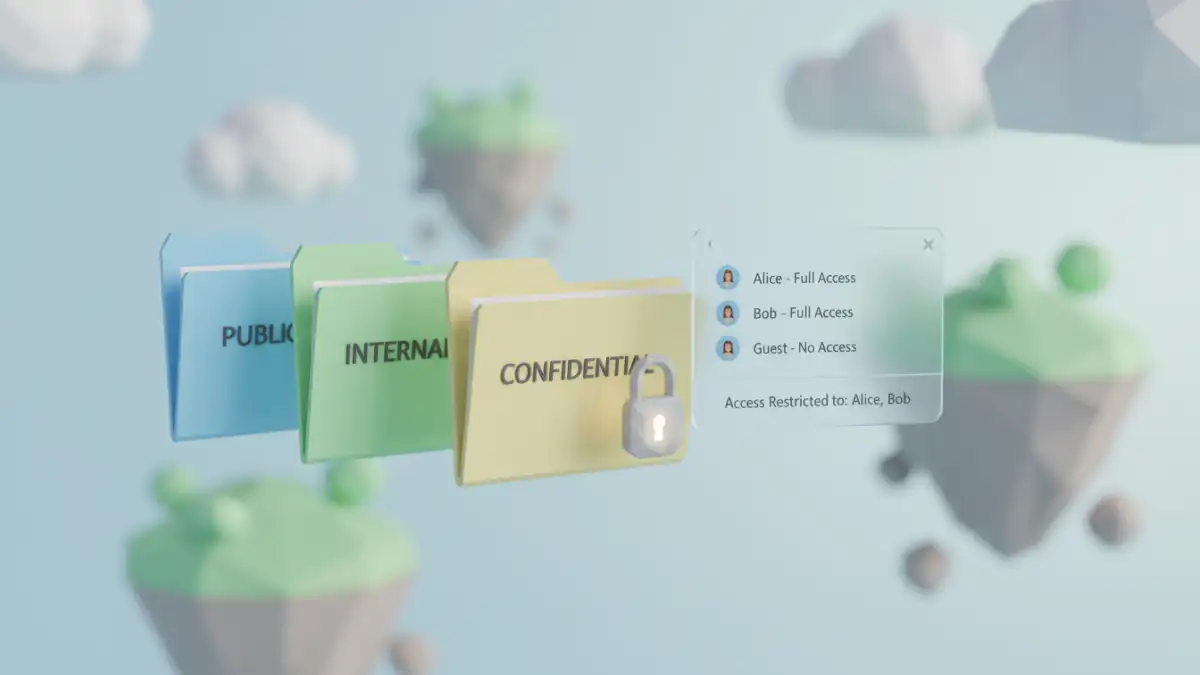
- Public: Marketing materials, blog posts. Can be shared freely.
- Internal: General team documents, project plans, meeting notes. Accessible to everyone in the company via our cloud drive but not shared externally.
- Confidential: Client contracts, financial data, employee information. Stored in restricted folders with access granted only to specific roles or individuals. Often requires an extra layer like password protection.
- Restricted: API keys, server passwords, source code. Always uses the encrypted archive workflow and is managed via our password manager. Access is logged and audited.
This system empowers team members to make smart security decisions without having to consult a policy document for every single file they create. It makes secure collaboration a part of the natural workflow.
Secure Sharing Method Comparison
Choosing the right method to password protect shared files depends on the sensitivity of the data. Here’s a quick comparison of the common methods and where they fit in our system.
| Sharing Method | Security Level | Pros | Cons |
|---|---|---|---|
| Email Attachment (Unencrypted) | Very Low | Fast and universally understood. | Insecure, no access control, easily intercepted. |
| Cloud Storage Link (Anyone with link) | Low | Convenient for non-sensitive files. | Link can be forwarded, no user verification. |
| Cloud Storage Invite (Specific Users) | Medium | Requires authentication, access is logged. | Relies on the security of the user's account. |
| Encrypted Archive + Password Manager | High | End-to-end protection, password is never exposed. | Requires more steps, all users need the right tools. |
| Dedicated Secure Vault | Very High | Built for secure sharing, includes auditing. | Can be expensive, may be overkill for some files. |