A startup's intellectual property (IP) is often its most valuable asset, the very engine driving its innovation and market position. Protecting this IP is paramount, especially in the early stages when resources might be lean, but the stakes are incredibly high. I've seen firsthand how a seemingly simple decision—to implement robust security measures for digital documents—can be the difference between thriving and failing.
This is precisely the situation a burgeoning tech startup I've been advising found themselves in. They were developing a groundbreaking piece of software, and the blueprints, technical specifications, and early user feedback reports were all contained within PDF documents. Sharing these with potential investors and early partners was essential, but the thought of this sensitive information falling into the wrong hands was a constant source of anxiety.
Table of Contents
Understanding the Importance of Document Security
In today's digital landscape, business document security isn't just an IT concern; it's a fundamental business imperative. For startups, safeguarding proprietary information like trade secrets, product roadmaps, and client data is crucial for maintaining a competitive edge and building trust. A data breach can lead to significant financial losses, reputational damage, and even legal repercussions.
Why PDFs Are Common Targets
PDFs are ubiquitous for sharing documents because they preserve formatting across different devices and operating systems. However, this widespread use also makes them attractive targets for unauthorized access. Without proper protection, sensitive information within these files can be easily copied, modified, or leaked.
Methods of Securing PDF Files

There are several layers of security one can apply to PDF files, ranging from basic password protection to advanced encryption techniques. Understanding these options is the first step in choosing the right approach for your needs.
Password Protection vs. Encryption
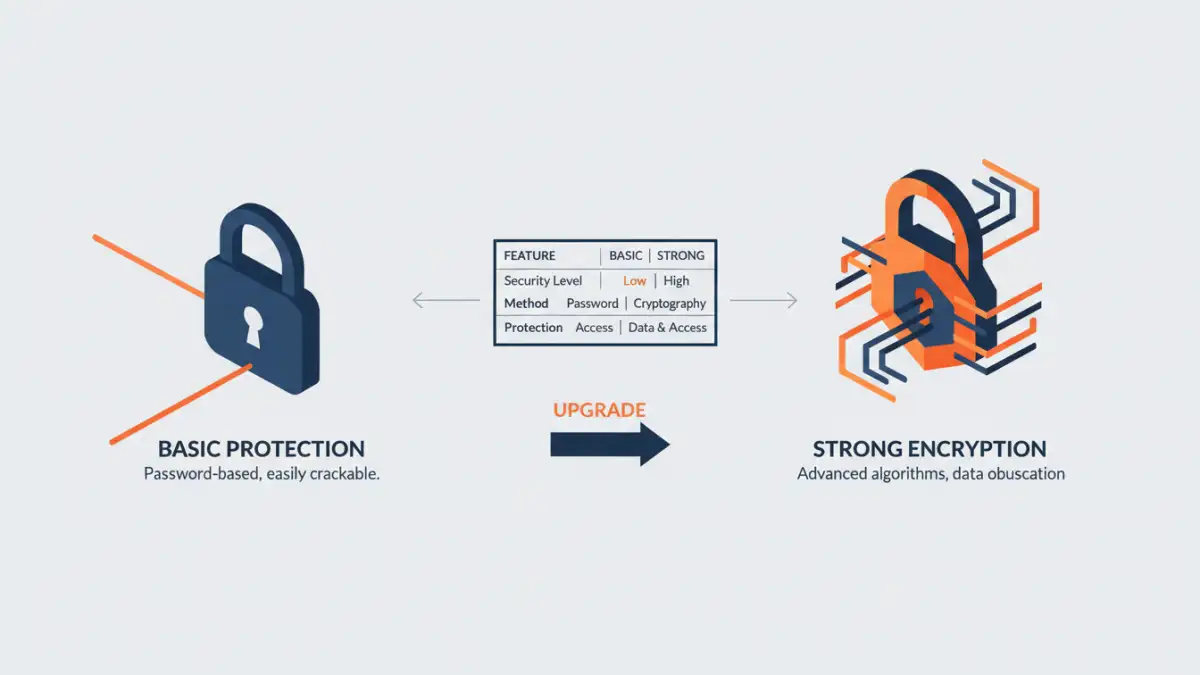
Many people confuse password protection with true encryption. While both require a password, strong PDF encryption uses complex algorithms to scramble the file's content, making it unreadable without the correct decryption key (the password). Basic password protection might only prevent opening the file or restrict certain actions like printing or copying text, but the underlying data might still be more accessible to determined individuals.
Implementing Strong PDF Encryption
Implementing strong PDF encryption involves using software that supports robust security standards, such as AES-256. This is the same level of encryption used by governments and financial institutions to protect sensitive data. The process typically involves opening the PDF in compatible software, navigating to the security settings, and applying a strong password that enables encryption.
Choosing a strong password is vital. It should be a combination of uppercase and lowercase letters, numbers, and symbols, and ideally, it should not be easily guessable. For business document security, it's also important to have a system for managing these passwords securely, perhaps through a password manager, to avoid accidental loss, which could render the protected documents inaccessible.
Startup's Success Story
The startup I mentioned was initially hesitant about the complexity of implementing strong PDF encryption. They worried it would slow down their workflow or be too expensive. However, after a minor security scare where an unencrypted draft proposal was almost sent to the wrong external party, they decided to act.
They opted for a reputable desktop PDF editor that offered AES-256 encryption. The process was surprisingly straightforward. They set up a master password for their core IP documents and a separate, more temporary password for specific investor presentations. This allowed them to share critical information with confidence, knowing that even if a file was misdirected, the unauthorized recipient would be met with an unreadable jumble of data.
This proactive approach to startup IP protection paid dividends. During a crucial funding round, potential investors were impressed by the professionalism and security-conscious attitude of the team. The ability to securely share sensitive technical documents without fear of leaks built significant trust and contributed to their successful acquisition of the necessary capital. The strong PDF encryption wasn't just a technical feature; it was a demonstration of their commitment to safeguarding their future.
Best Practices for Business Document Security
Beyond just encrypting files, a comprehensive strategy for business document security involves several key practices. Regularly backing up all important files, both encrypted and unencrypted, is essential. Implementing access controls so that only authorized personnel can access sensitive documents is also critical. Furthermore, educating your team about the importance of data security and how to handle sensitive information responsibly can prevent many common security lapses.
For any business, especially startups, adopting strong PDF encryption is a low-cost, high-impact way to protect invaluable intellectual property. It’s about building a secure foundation that supports growth and innovation without undue risk.
Comparison of PDF Security Measures
| Security Measure | Ease of Use | Level of Protection | Best For |
|---|---|---|---|
| Basic Password Protection (Open) | Very Easy | Prevents unauthorized opening | Informal sharing, non-critical docs |
| Permissions Restrictions (Print/Edit) | Easy | Limited control over actions | Preventing casual changes |
| Strong PDF Encryption (AES-256) | Moderate | High; renders data unreadable | Protecting intellectual property, sensitive data |
| Digital Signatures | Moderate | Authenticates sender and document integrity | Verifying document authenticity |