Have you ever received an official notice or permit as a PDF and had a fleeting moment of doubt about its authenticity? In an age of sophisticated phishing and scams, that hesitation is completely understandable. For public sector organizations, establishing unquestionable trust in their digital communications isn't just a best practice—it's a core function of governance. This is where digital signatures move from a technical feature to an essential pillar of public trust.
A digital signature is far more than just an image of a handwritten signature pasted onto a document. It's a cryptographic seal that provides a powerful guarantee. When I work with public agencies on their document workflows, the conversation always centers on ensuring that when a citizen receives a file, they can be absolutely certain of where it came from and that it hasn't been altered. This is the fundamental problem that digital signatures solve so effectively.
Table of Contents
What Exactly Is a Digital Signature?
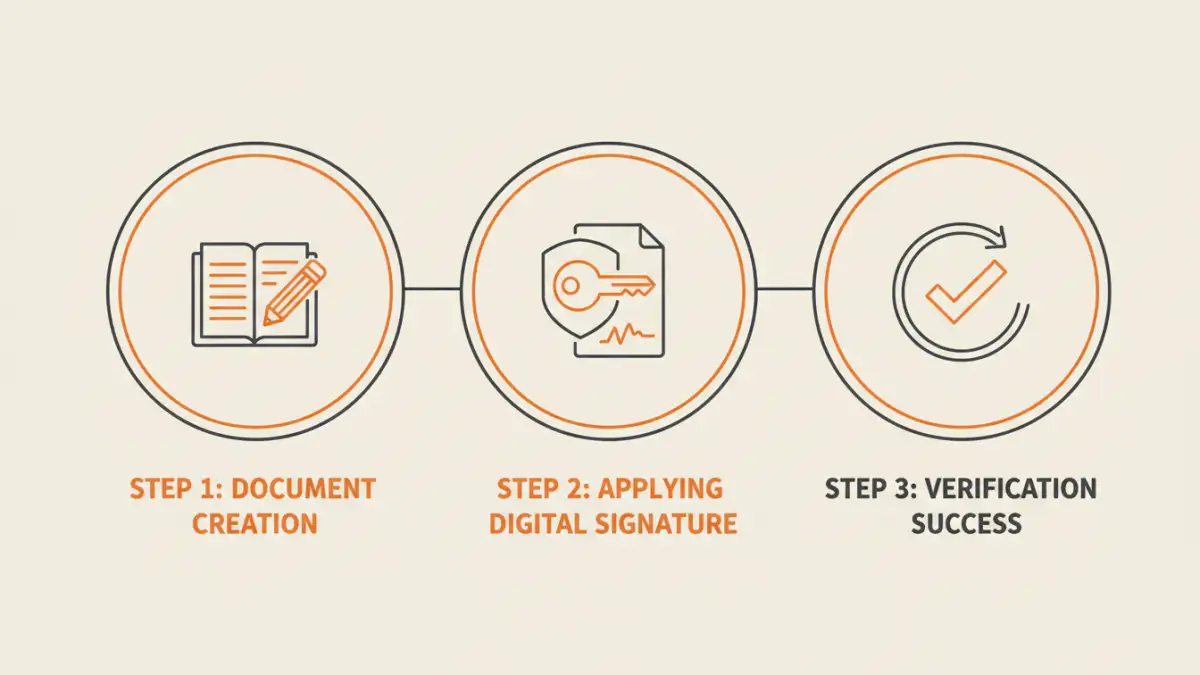
At its core, a digital signature is a specific type of electronic signature that uses a certificate-based digital ID to authenticate a signer's identity. This process is managed by trusted third-party entities known as Certificate Authorities (CAs). When a document is digitally signed, a unique cryptographic hash—a sort of digital fingerprint of the file—is created. This hash is then encrypted using the signer's private key.
When a recipient opens the document, their software uses the signer's public key (which is publicly available) to decrypt the hash. It then calculates a new hash from the document it just received. If the two hashes match, the signature is validated. This process confirms two critical things: the identity of the signer and that the document has not been changed since it was signed.
The Three Pillars of Trust
This cryptographic process provides three essential guarantees that are vital for official communications:
- Authenticity: It proves who signed the document. Because the signature relies on a private key that only the signer should have access to, it provides strong evidence of their identity.
- Integrity: It ensures the document has not been altered. If even a single character in the PDF is changed after signing, the hashes will not match, and the signature will immediately show as invalid.
- Non-repudiation: It prevents signers from denying they signed the document. The cryptographic link between the signature and the signer is so strong that it provides legal proof of their action.
Why Governments Need Ironclad Verification

For a commercial business, a forged invoice is a problem. For a government, a forged court order, tax levy, or public health notice is a crisis that can erode public trust and cause significant harm. The use of digital signatures in the public sector is about mitigating these high-stakes risks. Every official document, from internal memos to external citizen communications, carries the weight of the institution's authority.
Think about the documents governments issue daily: business licenses, building permits, legal filings, and tax records. Each one needs to be verifiable. With digital signatures, a citizen or business can perform an official document verification with a single click inside their PDF reader. This simple action provides immediate assurance that the document is legitimate, directly combating fraud and sophisticated phishing attempts that use fake official documents as bait.
How Signatures Create Tamper-Proof Documents
The integrity check is arguably the most powerful feature for creating tamper-proof documents. I once consulted on a case where a contractor had tried to alter the payment terms on a digitally signed government contract. They edited the PDF, but the moment they did, the signature broke. The software flagged it as invalid immediately, preventing a potentially costly dispute.
This automatic invalidation is a crucial element of a strong government pdf security posture. It removes the need for manual, error-prone verification processes. Instead of comparing a received document against a master copy, the file itself contains the proof of its own integrity. This makes workflows more efficient and dramatically more secure, ensuring the final version of any document is the only version in circulation.
Visible vs. Invisible Signatures
Digital signatures can be implemented in two ways. A visible signature appears on the document much like a handwritten one, often with details like the date and reason for signing. This is common for documents like contracts or approval forms. An invisible signature doesn't have a visual appearance on the page but provides the same level of cryptographic security. These are often used for document certification, where the goal is to certify the document's authenticity and integrity without cluttering the layout.
Building a Layered Document Security Strategy
While powerful, digital signatures are just one component of a comprehensive security strategy. Relying on a single mechanism is never wise. For truly sensitive information, agencies should combine digital signatures with other protective measures.
For example, a document can be encrypted with a password to control access, and then digitally signed to guarantee its integrity once opened. Additionally, using PDF watermarking can serve as a visual deterrent, clearly marking documents as 'Confidential,' 'Draft,' or 'Official Record.' This layered approach ensures that documents are protected against unauthorized access (encryption), unauthorized modification (digital signatures), and improper handling (watermarking), providing end-to-end security.
Document Security Method Comparison
| Security Method | Primary Function | Strength | Limitation |
|---|---|---|---|
| Digital Signatures | Authenticity & Integrity | Cryptographically secure; provides non-repudiation. | Doesn't prevent unauthorized viewing without encryption. |
| Password Encryption | Access Control | Restricts who can open or edit the document. | Does not verify sender identity or prevent changes once opened. |
| PDF Watermarking | Visual Deterrent & Classification | Clearly marks document status (e.g., 'Confidential'). | Offers no technical protection; can be removed. |
| Redaction | Content Obscuration | Permanently removes sensitive data from a document. | Only protects specific information, not the entire file. |