
A lawyer I know recently dealt with a data breach scare. A misplaced laptop contained unencrypted client files, leading to a frantic few days of damage control. It was a stark reminder that in the legal field, data security isn't just good practice—it's an ethical and professional mandate. Simply password-protecting a document is no longer enough.
Understanding and implementing strong encryption is the bedrock of modern legal practice. It's about building a digital fortress around your most sensitive information, protecting not just your firm, but the clients who place their trust in you. Let's walk through the essential practices that every legal professional should adopt.
Table of Contents
Why Encryption is Non-Negotiable for Legal Professionals
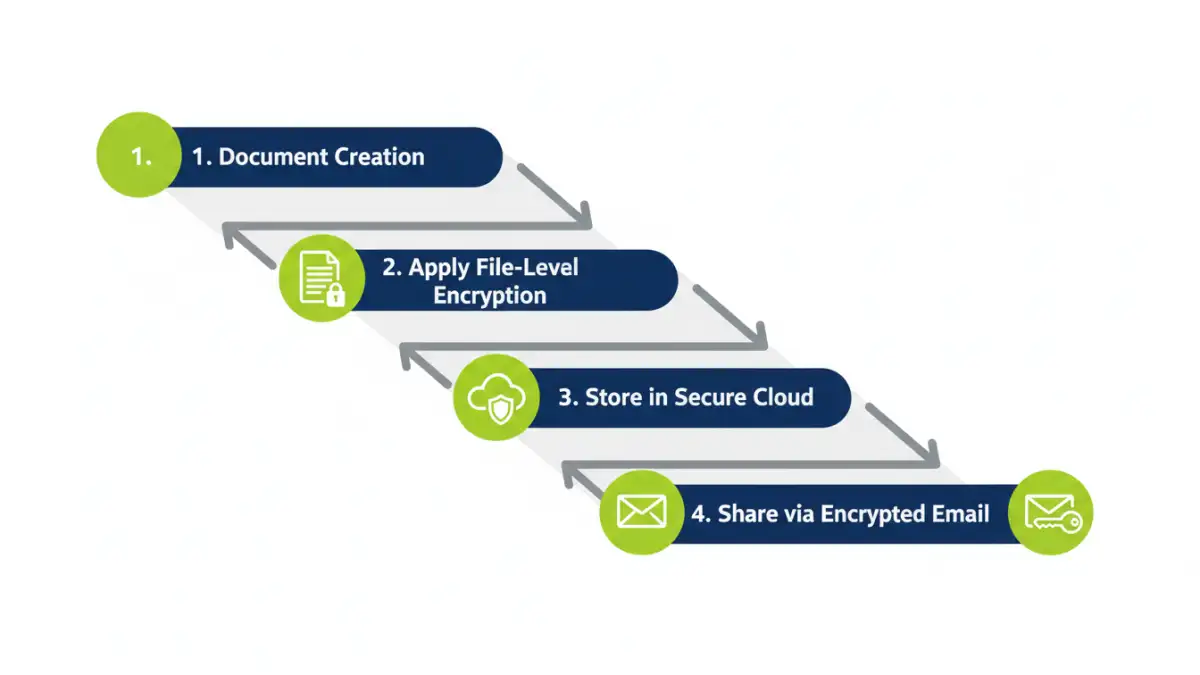
In the legal world, confidentiality is paramount. A data breach can lead to malpractice claims, ethical sanctions, and irreparable damage to a firm's reputation. Encryption acts as your last line of defense. If a device is lost or stolen, or a server is compromised, encrypted data remains unreadable and useless to unauthorized individuals.
The Ethical Duty of Confidentiality
The ABA Model Rules of Professional Conduct require lawyers to make reasonable efforts to prevent the inadvertent or unauthorized disclosure of, or unauthorized access to, information relating to the representation of a client. In today's digital landscape, 'reasonable efforts' undoubtedly includes the use of strong encryption for confidential legal documents and communications.
Regulatory and Compliance Risks
Beyond ethical duties, various regulations mandate data protection. If your firm handles data related to EU citizens (GDPR) or protected health information (HIPAA), the penalties for non-compliance are severe. Proper law firm data encryption is a key component of meeting these stringent requirements and avoiding hefty fines.
Practical Encryption Methods for Law Firms
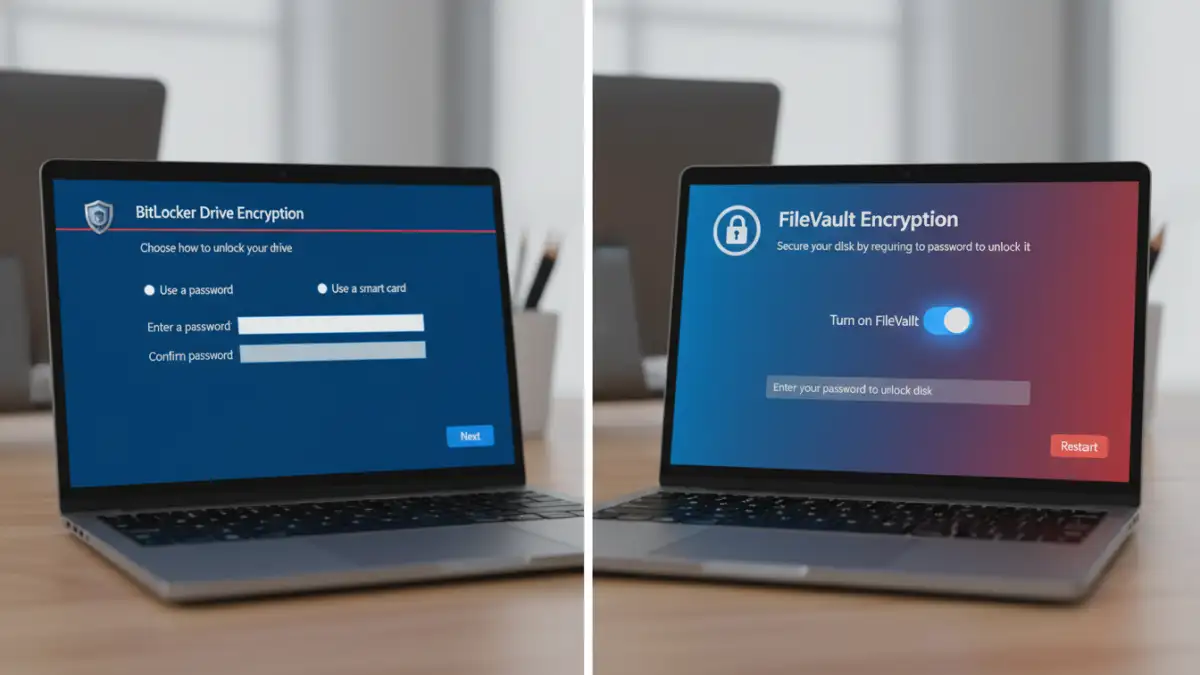
Implementing encryption doesn't have to be overly complex. Many powerful tools are built directly into the operating systems you already use, while others offer specialized features for enhanced security. The goal is to create layers of protection.
Full-Disk Encryption (FDE)
This is the most fundamental step. FDE encrypts the entire hard drive of a computer or laptop. If the device is lost or stolen, the data is inaccessible without the decryption key or password. I always advise starting here because it's a set-it-and-forget-it solution that protects everything on the device.
- Windows: Use BitLocker (available in Pro and Enterprise editions). It's seamlessly integrated into the OS.
- macOS: Use FileVault. It's a standard feature that provides robust, system-level encryption.
File-Level and Container Encryption
While FDE protects data at rest on your device, file-level encryption adds another layer of security, especially for files you might share or store in the cloud. You can encrypt individual files or create encrypted 'containers' (which act like secure digital safes) to store multiple documents.
Tools like VeraCrypt (a free, open-source option) or even the built-in encryption in 7-Zip can be used to create these secure containers. This is perfect for managing a specific case file encryption strategy, where all documents related to a single matter are stored together in one encrypted volume.
Securing Communications and File Transfers
Your data is most vulnerable when it's in transit. An encrypted laptop is great, but if you email sensitive documents without protection, you've created a significant weak point. Securing your communications is just as critical as securing your storage.
Encrypting Email Communications
Standard email is notoriously insecure. For highly sensitive communications, consider using end-to-end encrypted email services like ProtonMail or Tutanota. For those using traditional platforms like Outlook or Gmail, plugins that support S/MIME or PGP encryption can be used, though they often require both the sender and recipient to be properly configured.
Choosing Secure File Storage for Lawyers
Cloud storage offers convenience, but it can also be a security risk. When choosing a provider, look for one that offers 'zero-knowledge' or 'end-to-end' encryption. This means that even the service provider cannot access your files. Services like Tresorit and Sync.com are built with this principle in mind, making them excellent choices for storing confidential legal documents.
Building a Robust Data Encryption Policy
Technology is only part of the solution. A successful legal file encryption strategy requires a clear, firm-wide policy that everyone understands and follows. This policy should be a living document that outlines the firm's requirements and procedures.
Key Management Best Practices
Encryption is only as strong as the keys that lock and unlock it. Your policy must define how encryption keys and passwords are created, stored, and managed. Using a reputable password manager like 1Password or Bitwarden is essential for generating and storing strong, unique passwords for every encrypted file, container, and service.
Employee Training and Enforcement
A policy is useless if it isn't followed. Regular training is crucial to ensure all staff members—from partners to paralegals—understand the importance of encryption and know how to use the firm's approved tools correctly. The policy should also outline the consequences of non-compliance to ensure it's taken seriously.
Comparison of Encryption Solutions for Law Firms
| Encryption Method | Primary Use Case | Pros | Cons |
|---|---|---|---|
| Full-Disk Encryption (FDE) | Securing entire devices (laptops, desktops) | Comprehensive, automatic, set-and-forget | Only protects data when device is off; doesn't protect data in transit |
| File/Container Encryption | Securing specific case files or document groups | Granular control, portable security, good for sharing | Requires manual user action to encrypt/decrypt |
| Encrypted Email | Securely transmitting information to clients/counsel | Protects data in transit, end-to-end security | Can require setup for both sender and receiver |
| Secure Cloud Storage | Centralized, secure file storage for lawyers | Zero-knowledge, accessible from anywhere, collaboration features | Dependent on third-party provider, subscription costs |