
The stakes for protecting internal government documents have never been higher. A simple, misconfigured password can be the single point of failure that leads to a significant data breach, compromising citizen data or national security information. Generic, corporate-style password rules simply don't offer the granular control needed in this high-stakes environment.
Successfully securing these assets isn't just about making passwords longer; it's about building a comprehensive framework that accounts for data sensitivity, user roles, and the lifecycle of information. It requires a thoughtful approach that balances robust security with practical usability for government employees.
Table of Contents
Why Standard Policies Fail in the Public Sector
Many organizations adopt a one-size-fits-all password policy, often something like "8 characters, one number, one symbol." While better than nothing, this approach is fundamentally flawed for government agencies. The sensitivity of documents can range from public meeting minutes to classified intelligence reports, and treating them with the same level of protection is a critical oversight.
I once consulted on a project where a single, department-wide password was used to access a shared drive containing both benign HR forms and sensitive infrastructure planning documents. This created an enormous attack surface. A proper government document password policy must be nuanced, recognizing that not all data is created equal and therefore requires different levels of secure file access.
Core Components of an Effective Policy
A strong policy is built on several key pillars that work together to create a resilient security posture. These are the non-negotiable elements that should form the foundation of your internal document security strategy.
Password Complexity and Length
Length is the single most important factor in password strength. Modern guidelines, like those from NIST (National Institute of Standards and Technology), prioritize length over arbitrary complexity rules. Mandating a minimum of 12-14 characters for standard access and 16+ for sensitive systems is a great starting point. Instead of forcing confusing symbols, encourage the use of passphrases—memorable but long strings of words—which are harder for machines to crack but easier for humans to remember.
Rotation and History Requirements
The old advice of forcing password changes every 90 days is now considered outdated if other controls are in place. Frequent, mandatory changes often lead to users creating weak, predictable password patterns (e.g., "Summer2023!" becomes "Fall2023!"). A better approach is to only force a password change upon evidence of a compromise. However, maintaining a password history—preventing users from reusing their last 5-10 passwords—is still a valuable control to prevent reverting to a previously compromised credential.
Implementing Tiered Access and Data Classification
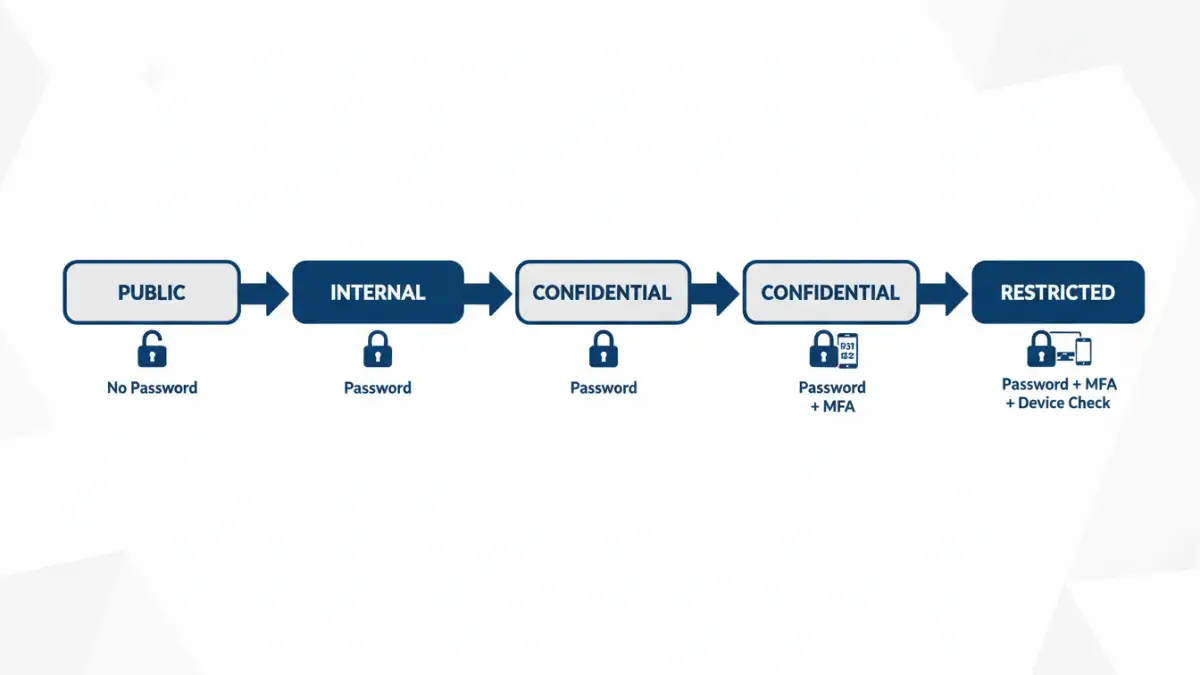
This is where security truly becomes effective. Tiered access control means that the password and authentication requirements change based on the sensitivity of the data being accessed. This starts with classifying your documents into distinct levels, such as Public, Internal, Confidential, and Restricted.
For example, accessing 'Internal' documents might require a standard password. Accessing 'Confidential' documents should trigger a Multi-Factor Authentication (MFA) challenge. Gaining access to 'Restricted' data could require MFA plus access from a government-issued device on a secure network. This layered approach ensures that your most critical assets receive the highest level of confidential document protection, minimizing risk even if a lower-level account is compromised.
Technology for Enforcement and Auditing
A policy is useless without enforcement. Manually managing this is impossible at scale, so leveraging technology is essential. Tools like Microsoft's Active Directory Group Policy (GPO) or modern Identity and Access Management (IAM) platforms can enforce these rules automatically. These systems can manage password complexity, history, and account lockout policies across the entire organization.
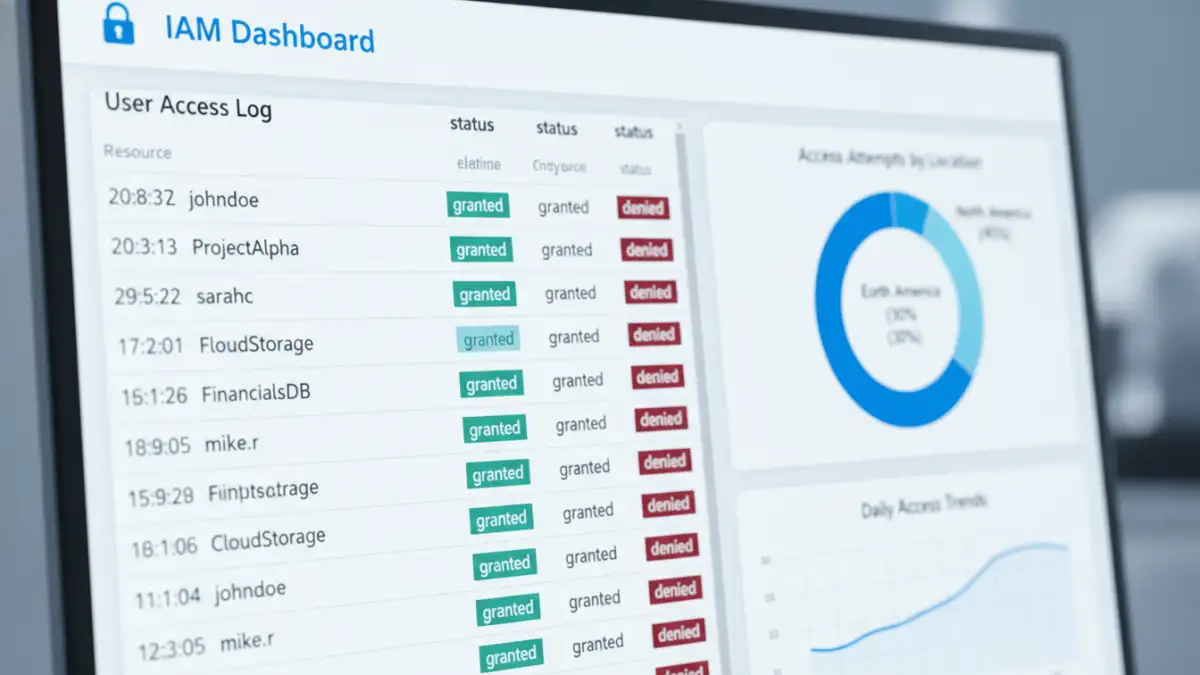
Furthermore, robust logging and auditing are critical. Your system should log every access attempt—successful or not—to sensitive documents. Regular audits of these logs can help detect anomalous behavior, such as an employee suddenly trying to access files far outside their job scope, which could indicate a compromised account. This proactive monitoring turns your policy from a static document into a living security measure.
Comparison of Policy Enforcement Mechanisms
| Mechanism | Primary Function | Pros | Cons |
|---|---|---|---|
| Group Policy (GPO) | Enforces password rules on Windows domain-joined devices. | Natively integrated with Active Directory; highly granular control. | Limited to Windows environments; can be complex to manage. |
| Identity & Access Management (IAM) | Centralizes user authentication and authorization for multiple systems. | Platform-agnostic; supports SSO and MFA; excellent for cloud/hybrid environments. | Higher cost and implementation complexity. |
| Privileged Access Management (PAM) | Secures and monitors accounts with elevated permissions. | Provides session recording, credential vaulting, and strict controls for admin access. | Can be expensive; focused on a specific subset of users. |
| Manual Audits & Scripts | Periodic checks and custom scripts to verify compliance. | Low cost; highly customizable to specific needs. | Not real-time; prone to human error; difficult to scale. |