Imagine sending a sensitive contract proposal to a potential client. Once the deal is either signed or rejected, you want that proposal to simply vanish, leaving no trace on their systems. This isn't science fiction anymore; it's the reality of ephemeral file sharing, powered by dynamic and self-destructing documents.
Traditional files, once sent, are out of your control. They can be copied, forwarded, and stored indefinitely. This creates a significant security risk for confidential information. The solution lies in shifting our mindset from static files to intelligent, rule-based documents that enforce your policies no matter where they are.
Table of Contents
The Problem with Static Files
For years, the standard workflow has been simple: create a document, maybe password-protect it, and email it away. The problem is that control ends the moment you hit 'send'. The recipient can remove the password, share the file with unauthorized individuals, or keep it on an insecure device forever. This static nature is a liability in an age of constant data breaches.
This is where the concept of smart document permissions comes into play. Instead of a simple lock and key, we're talking about a comprehensive security system embedded within the file itself. It’s about retaining ownership and control over your intellectual property even after it has left your possession.
How Dynamic Document Technology Works
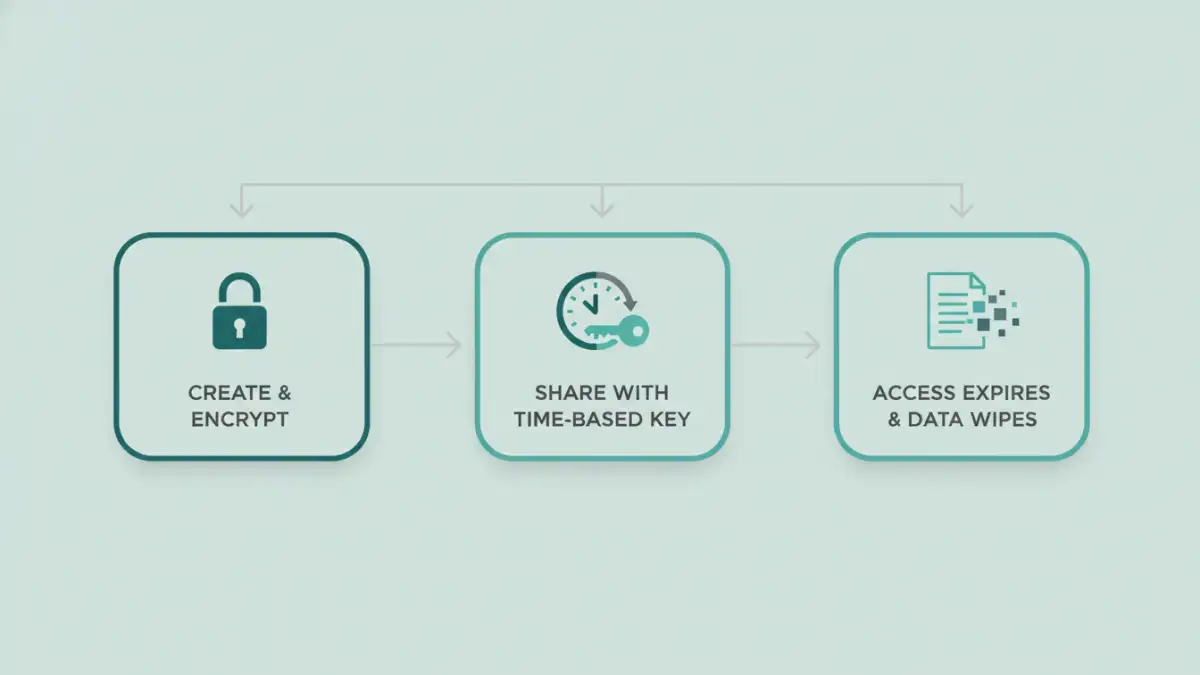
At its core, this technology decouples the document content from the access key. When you send a dynamic document, you're often sending an encrypted shell or a link to a secure viewer. The actual content is only decrypted and rendered for the user after they have been authenticated by a central server.
The Role of a Central Server
This server is the brain of the operation. It checks the user's identity, the current time, their location, and other policy-defined variables before granting access. If the conditions for access are not met—for example, if the expiry date has passed—the server simply refuses to serve the decryption key, and the file remains an unreadable, encrypted block of data.
Encryption and Keys
The document itself is protected with strong encryption. The magic happens with the management of the encryption keys. By implementing time based access control, the keys themselves can be set to expire. Once the key is invalid, the document it was meant to unlock becomes permanently inaccessible, effectively making it one of the many self destructing documents that have served their purpose.
Key Features of Smart Documents
The capabilities of these systems go far beyond a simple expiration date. The level of control they offer is granular and powerful, providing a robust framework for dynamic pdf security and other formats.
- Time-Based Expiration: The most fundamental feature. You can set a document to become inaccessible after a specific date and time, or after a certain period has elapsed since it was first opened.
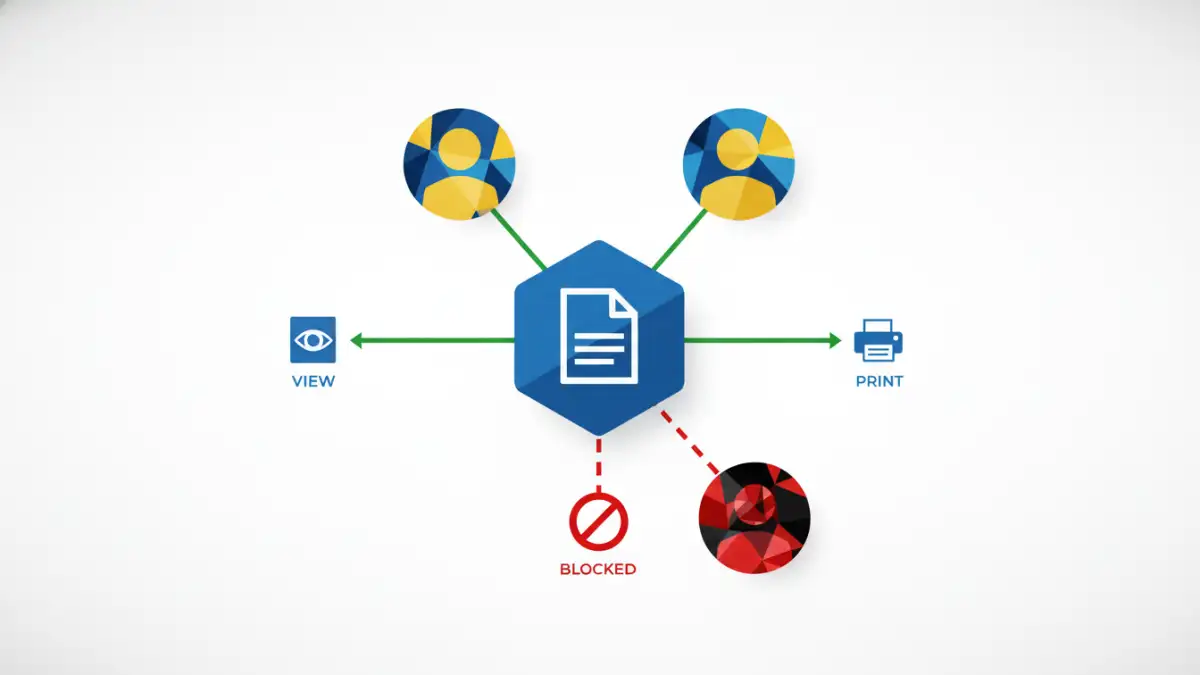
- Revoke Access Remotely: If you send a file by mistake or if a recipient's access rights change, you can instantly revoke their permission to view it, no matter how many copies they have made.
- Geofencing: Restrict document access to specific physical locations. This is incredibly useful for sensitive information that should only be viewed within an office building or a particular country.
- Dynamic Watermarking: The system can automatically overlay a watermark on the document that includes the viewer's name, IP address, and the time of access. This deters screenshots and unauthorized sharing.
- Device and Print Control: You can limit how many devices can access a document or disable printing, copying, and screen sharing functionalities altogether.
Practical Use Cases Across Industries
The application of this technology is vast and spans multiple sectors. It's not just for spies and secret agents; it provides tangible value in everyday business operations.
Legal and Financial Sectors
Law firms can share discovery documents with opposing counsel that expire after a case is closed. Financial institutions can distribute quarterly reports to stakeholders with access that terminates after the next report is issued, preventing outdated information from circulating.
Creative and Media
A film studio can send a script to an actor with access limited to their specific location and for a limited time. A publisher can send an advance copy of a book to reviewers, which self-destructs on the official publication date to prevent leaks. This form of ephemeral file sharing is critical for protecting high-value intellectual property before its public release.
Dynamic Document Feature Comparison
| Feature | Description | Primary Benefit |
|---|---|---|
| Time-Based Expiration | Document becomes inaccessible after a set date or time period. | Ensures information is not available indefinitely, reducing long-term risk. |
| Remote Revocation | Ability to instantly disable access for any user at any time. | Provides immediate control over who can view your data, even post-delivery. |
| Dynamic Watermarking | Automatically applies user-specific watermarks upon viewing. | Deters screenshots and pinpoints the source of a leak if one occurs. |
| Geofencing | Restricts document access to a specific geographical area. | Prevents sensitive data from being opened in unsecured locations. |
| Print/Copy Control | Disables the ability to print, copy text, or take screenshots. | Stops the creation of uncontrolled physical or digital copies. |