
I remember a project where a shared network drive was our 'single source of truth.' We thought the firewall and user passwords were enough. In reality, a single compromised account could have granted an attacker access to years of sensitive project files. That old model of trusting everything inside the network is precisely what the Zero Trust framework aims to dismantle, especially when it comes to our most valuable assets: our documents.
The core idea is simple but powerful: never trust, always verify. Instead of a castle-and-moat approach where everything inside the walls is trusted, Zero Trust treats every access request as if it originates from an open network. This is a fundamental shift in mindset that has massive implications for how we manage and share files.
Table of Contents
What is Zero Trust and Why Apply It to Documents?
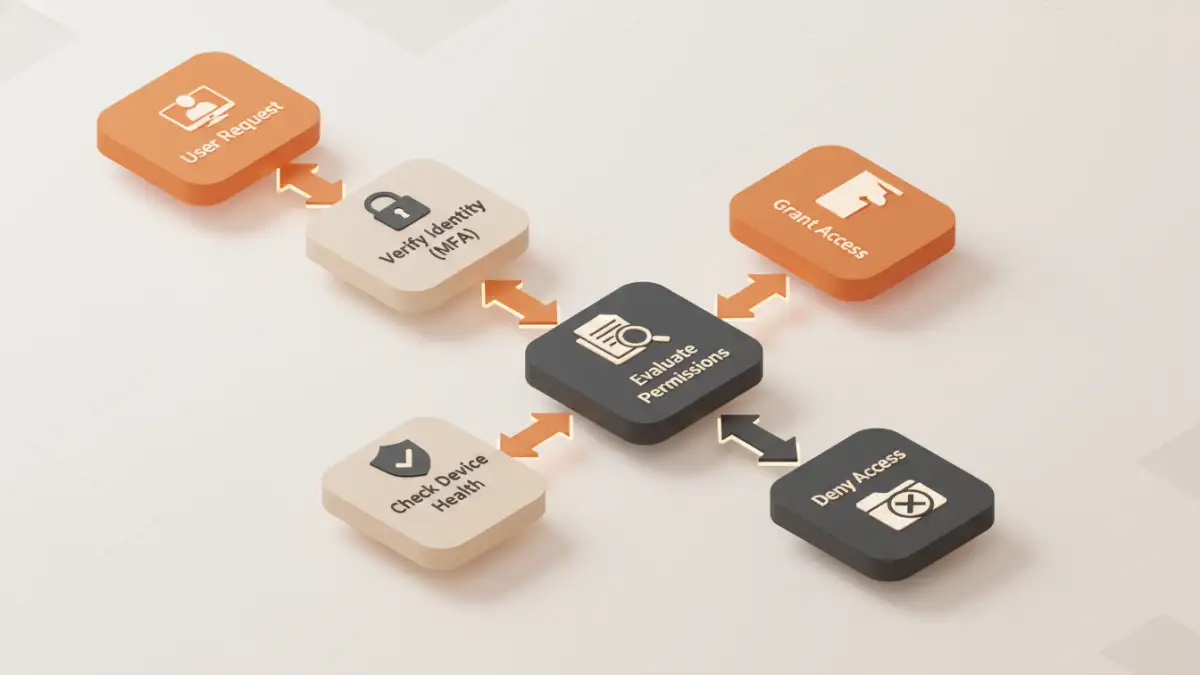
Zero Trust is a security model built on the philosophy that no user or device should be implicitly trusted. Trust is not a one-time event granted at login; it must be continuously earned and re-evaluated with every single interaction. When a user tries to open a document, Zero Trust asks questions: Who are you? Is your device secure? Are you authorized to view this specific file right now, from this location?
Applying this to documents is critical because files are often the final destination for sensitive data—financial reports, intellectual property, client information. Traditional network security fails once an attacker is inside. A robust zero trust document security strategy protects the data at the file level, making the network location irrelevant. It doesn't matter if the document is on a local server, in the cloud, or on a USB drive; the security policies travel with the file itself.
Core Principles of Zero Trust for Document Sharing
Implementing Zero Trust for documents isn't about a single product; it's about adhering to a set of guiding principles. Three of the most important are verifying explicitly, using least privilege access, and assuming breach.
Verify Explicitly
This is the cornerstone. Every attempt at verifying file access must be authenticated and authorized. It's not enough to know the user's password. We need to validate their identity using multi-factor authentication (MFA). We also need to consider the context of the request: Is the user on a recognized device? Is the device's operating system patched and its antivirus software active? Is the request coming from a typical geographic location? All these signals contribute to an access decision.
Apply the Principle of Least Privilege
The principle of least privilege dictates that users should only have access to the exact information and resources necessary to perform their jobs. For documents, this means granular control. An accountant might need read-only access to last quarter's reports but edit access to the current one. A contractor might get time-limited access that automatically expires after their project ends.
This approach minimizes the potential damage from a compromised account. If a user with limited access is breached, the attacker's blast radius is contained. This is a form of microsegmentation for documents, where each file or folder becomes its own protected segment with its own access rules, rather than relying on broad folder permissions.
A Phased Approach to Practical Implementation
Adopting Zero Trust doesn't happen overnight. It's a journey that starts with understanding what data you have and who needs access to it. From there, you can build layers of verification and control.
Step 1: Discover and Classify Your Data
You can't protect what you don't know you have. The first step is to identify where your sensitive documents live—on servers, in cloud storage, or on endpoints. Once discovered, you must classify them based on sensitivity (e.g., Public, Internal, Confidential, Restricted). This classification will drive the security policies applied to each document.
Step 2: Strengthen Identity and Access Management (IAM)
A strong identity foundation is non-negotiable. This involves implementing a centralized identity provider (IdP) and enforcing MFA for all users. Single Sign-On (SSO) helps streamline the user experience while maintaining centralized control. Access policies should be dynamic, evaluating user roles, device health, and other signals in real-time before granting access to a document repository.
Step 3: Enforce Device Health and Compliance
A trusted user on an untrusted device is a major risk. Zero Trust requires verifying the security posture of every device attempting to access data. This means ensuring devices are company-managed, have up-to-date operating systems, are running endpoint protection software, and are free from malware. If a device doesn't meet the security baseline, access can be blocked or limited to a web-only view without download permissions.
Tools and Technologies That Enable Zero Trust
Several technologies work together to create effective secure file sharing models based on Zero Trust. My engineering teams have often integrated these systems to build a comprehensive defense.
- Identity Providers (IdPs): Services like Azure Active Directory, Okta, or Duo provide the foundation for strong authentication, SSO, and MFA.
- Data Loss Prevention (DLP): Tools that scan documents for sensitive information (like credit card numbers or PII) and can automatically apply protection policies, such as blocking sharing or forcing encryption.
- Cloud Access Security Brokers (CASB): These act as intermediaries between users and cloud services, enforcing security policies for cloud-based document storage like SharePoint, Google Drive, or Dropbox.
- Information Rights Management (IRM): Solutions like Microsoft Purview Information Protection embed encryption and access rights directly into the document. These policies persist wherever the file goes, controlling who can open, edit, print, or forward it.
Common Challenges and Best Practices
The biggest challenge is often cultural. Moving from a high-trust to a low-trust environment can create friction if not managed properly. It's crucial to communicate the 'why' behind new security measures and to streamline the user experience as much as possible with tools like SSO.
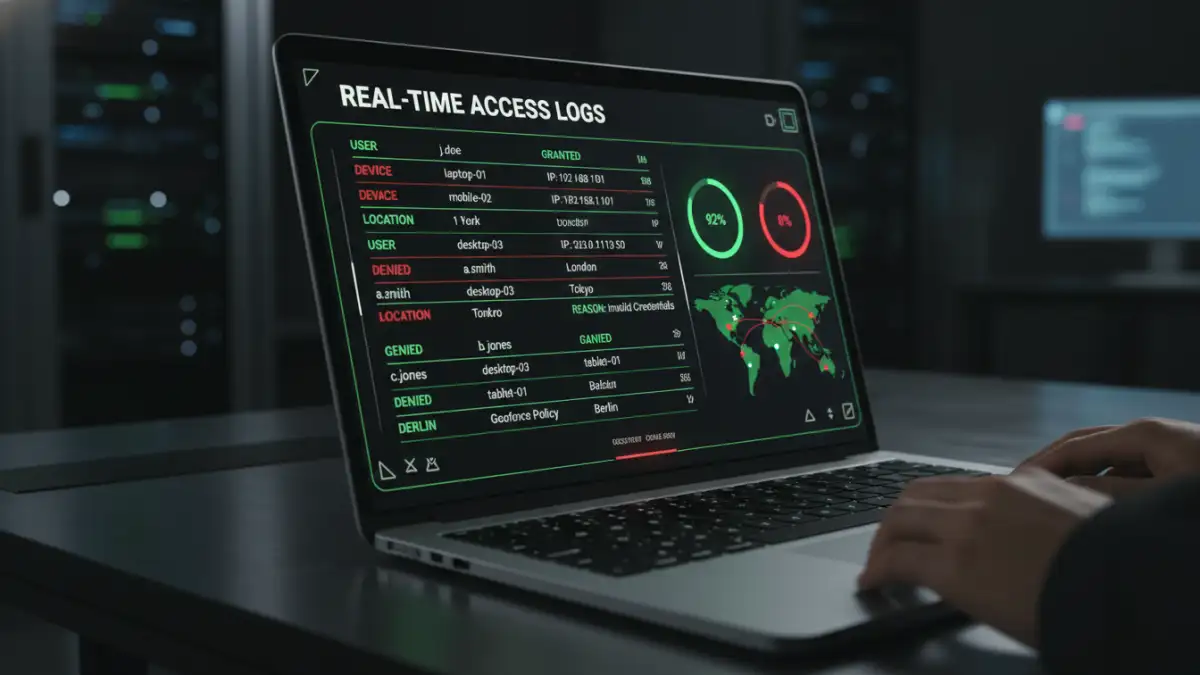
Start with a pilot program focused on a high-risk data set. This allows you to fine-tune policies and demonstrate value before a full-scale rollout. Continuously monitor access logs and user activity. This not only helps detect threats but also provides valuable data for refining your access policies over time. The goal is a security model that is both robust and adaptive.
Comparison: Traditional vs. Zero Trust File Sharing
| Aspect | Traditional Security Model | Zero Trust Security Model |
|---|---|---|
| Trust Assumption | Implicit trust inside the network perimeter. | No implicit trust; verify every request. |
| Access Control | Broad, network-based (e.g., VPN access). | Granular, per-resource, and dynamic. |
| Verification | One-time authentication at the perimeter. | Continuous authentication and authorization. |
| Threat Focus | Preventing perimeter breaches. | Assuming breach; minimizing blast radius. |
| Data Protection | Focus on securing the network/server. | Focus on securing the data itself (file-level). |
| Flexibility | Poorly suited for remote work and cloud. | Designed for hybrid cloud and remote workforces. |