With data privacy regulations like GDPR and HIPAA becoming stricter, simply encrypting a file isn't enough anymore. Organizations now face the dual challenge of not only securing data but also proving that they are handling it correctly. I've worked on projects where teams spent weeks manually creating audit logs for compliance checks, a process that is both tedious and prone to error.
This is precisely the problem our new release aims to solve. It's about moving beyond basic protection and into a world of verifiable, automated compliance. This update isn't just another layer of security; it's a framework designed to make adherence to complex regulations a seamless part of your workflow.
Table of Contents
The Shifting Landscape of Document Security
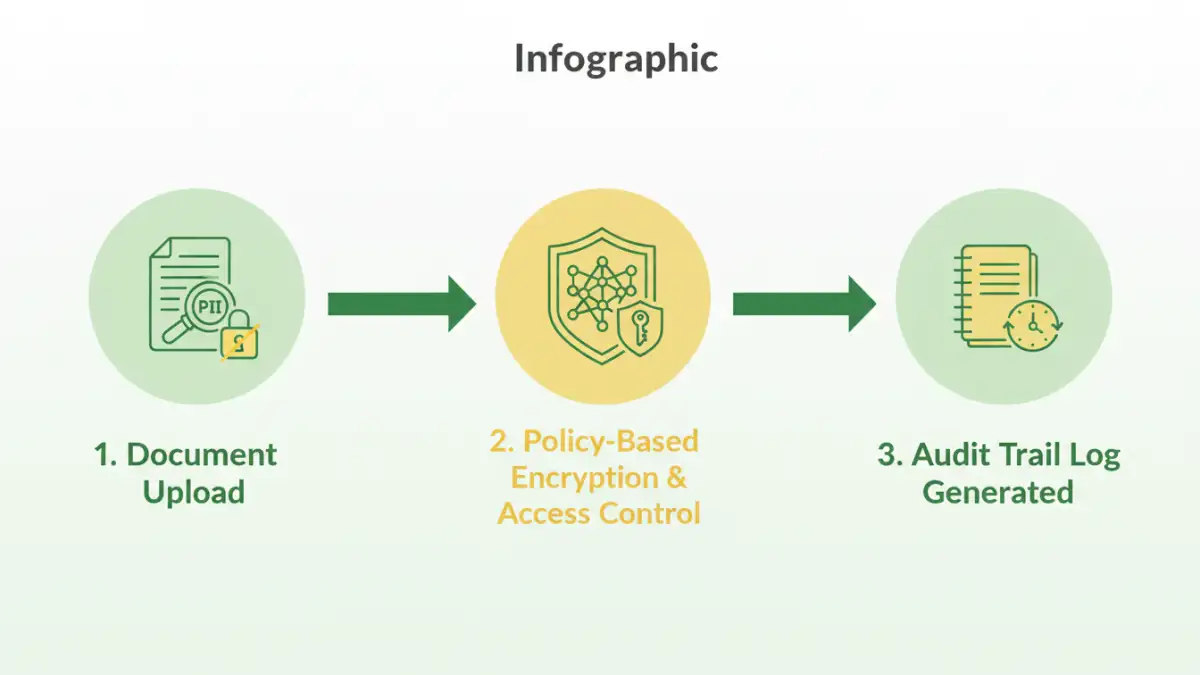
For years, document security meant password protection and maybe some basic encryption. But the game has changed. Regulations now demand accountability. It's no longer sufficient to just lock the door; you must have a record of everyone who has a key, when they used it, and what they did inside. This shift is driven by the significant financial and reputational risks associated with data breaches under modern privacy laws.
The core challenge is that most legacy systems were not built with these requirements in mind. Adding compliance features often involves complex, custom-built solutions that are difficult to maintain. We saw a clear need for integrated tools that could handle both security and the administrative overhead of compliance, allowing technical teams to focus on their primary tasks instead of becoming compliance experts.
Introducing Our New Regulatory Security Update
Our latest release directly targets these challenges with a suite of new features built for today's regulatory environment. This is more than a simple patch; it's a foundational upgrade to how we approach secure file handling. We focused on automation and granular control to reduce the manual workload and potential for human error.
Granular Access Controls and Audit Trails
One of the cornerstone features is the enhanced access control system. You can now define policies based on user roles, departments, or even specific project needs. For instance, you can grant a user view-only access for a limited time. More importantly, every single action—from viewing and editing to printing and sharing—is logged in an immutable audit trail. I remember a client who faced an audit and struggled to prove who accessed what and when. This feature directly solves that problem by providing a clear, timestamped record of all activity.
Policy-Based Automated Classification
Another major addition is automated data classification. The system can scan documents upon upload and intelligently tag them based on content patterns. If it detects a Social Security number, credit card information, or specific medical terms, it can automatically apply a 'Highly Confidential' tag and enforce stricter security policies. This proactive approach ensures that sensitive data receives the highest level of protection without requiring manual intervention for every file.
How These Features Address Core Compliance Needs
These new tools aren't just abstract security enhancements; they are designed to map directly to the requirements of major regulations. By building these capabilities into the platform, we provide a more robust set of document security compliance tools that organizations can rely on.
For GDPR, the detailed audit trails help satisfy Article 30 requirements for 'Records of processing activities.' The ability to set data retention policies and automatically purge expired documents also assists with the 'right to be forgotten.' These integrated GDPR document features provide tangible evidence of compliance, which is invaluable during an audit.
Similarly, for healthcare organizations, these updates provide a stronger foundation for HIPAA file protection. The end-to-end encryption, strict access controls, and comprehensive logging are critical for protecting Electronic Protected Health Information (ePHI). The system ensures that only authorized personnel can access sensitive patient data, and it provides the documentation to prove it.
Practical Implementation for Secure File Handling
Adopting these new features is designed to be straightforward. The system integrates with existing user directories like Active Directory or Okta, so you can apply policies to your current user groups without a major overhaul. The first step is to define your data classification policies. Start by identifying the types of sensitive information your organization handles and create rules to tag them automatically.
Next, configure your access control policies. A good practice is to start with the principle of least privilege—granting users the minimum level of access they need to perform their jobs. For example, the finance team might have edit access to invoices, while the sales team only has view access. Once policies are active, you can monitor the audit logs through a centralized dashboard to get a clear view of how your documents are being accessed and shared across the organization. This proactive monitoring is key to effective and secure file handling.
Feature Comparison: Standard vs. Enhanced Compliance
| Feature | Standard Security Approach | Enhanced Compliance Tool Approach |
|---|---|---|
| Access Control | Basic permissions (read/write) set manually per file or folder. | Granular, policy-based access based on user role, data classification, and context. |
| Audit Trail | Relies on server logs, which are often difficult to parse and incomplete. | Immutable, user-friendly logs detailing every action (view, edit, print, share) per document. |
| Data Classification | Manual tagging by users, which is inconsistent and error-prone. | Automated content scanning and classification based on predefined rules (PII, PHI, etc.). |
| Policy Enforcement | Dependent on users following manual procedures. | Policies are automatically enforced by the system, ensuring consistent application. |
| Compliance Reporting | A manual, time-consuming process of collecting and collating log data. | One-click generation of comprehensive compliance reports for audits. |