
A client recently approached my team with a warehouse full of banker's boxes containing decades of records. Their problem wasn't just the physical storage cost; it was a ticking compliance bomb. Those aging paper files and outdated digital formats were inaccessible, insecure, and completely invisible to modern regulations like GDPR. This is a common scenario, where historical data becomes a significant liability.
Bringing these legacy systems up to date is not just about scanning paper. It's a strategic process of transforming unstructured, vulnerable information into a structured, secure, and searchable asset. Getting this right protects an organization from hefty fines and makes valuable historical data usable again.
Table of Contents
The Risks of Inaction: Why Modernize Now?
Ignoring old archives is a gamble. Physical documents degrade, get lost in fires or floods, or are simply misfiled into oblivion. Early digital formats, like old `.doc` files or proprietary database formats, can become unreadable as technology moves on. From a technical standpoint, the lack of searchability alone makes responding to data requests nearly impossible.
The Compliance Landscape
Modern data privacy laws don't distinguish between old and new data. Regulations like GDPR require organizations to know what personal data they hold, where it is, and be able to delete it upon request. For healthcare, HIPAA document storage rules mandate strict security and access controls. An unmanaged archive makes it impossible to comply with these subject access or deletion requests, opening the door to severe penalties.
Operational Inefficiency and Security Gaps
Beyond compliance, legacy archives are a drag on efficiency. Finding a single document can take days instead of seconds. More critically, they often lack modern security controls. Unencrypted files on old servers or unlocked filing cabinets are easy targets for data breaches. A proper document compliance archive conversion addresses these gaps by implementing access controls, encryption, and audit trails.
Planning Your Archive Conversion Project
A successful project starts with a solid plan. Jumping straight into scanning or data transfer without a strategy is a recipe for chaos and budget overruns. I've seen projects fail because the team didn't properly assess the scope beforehand.
First, conduct a thorough data audit. What do you have? Where is it? This involves cataloging physical records and mapping out old digital file shares and databases. Next, define your goals. Are you trying to meet a specific regulation, reduce storage costs, or improve data accessibility? Your objectives will guide your technical choices. Finally, establish a clear project scope, timeline, and budget. Decide what needs to be kept, what can be securely destroyed, and what gets migrated.
The Core Conversion Process: A Step-by-Step Guide
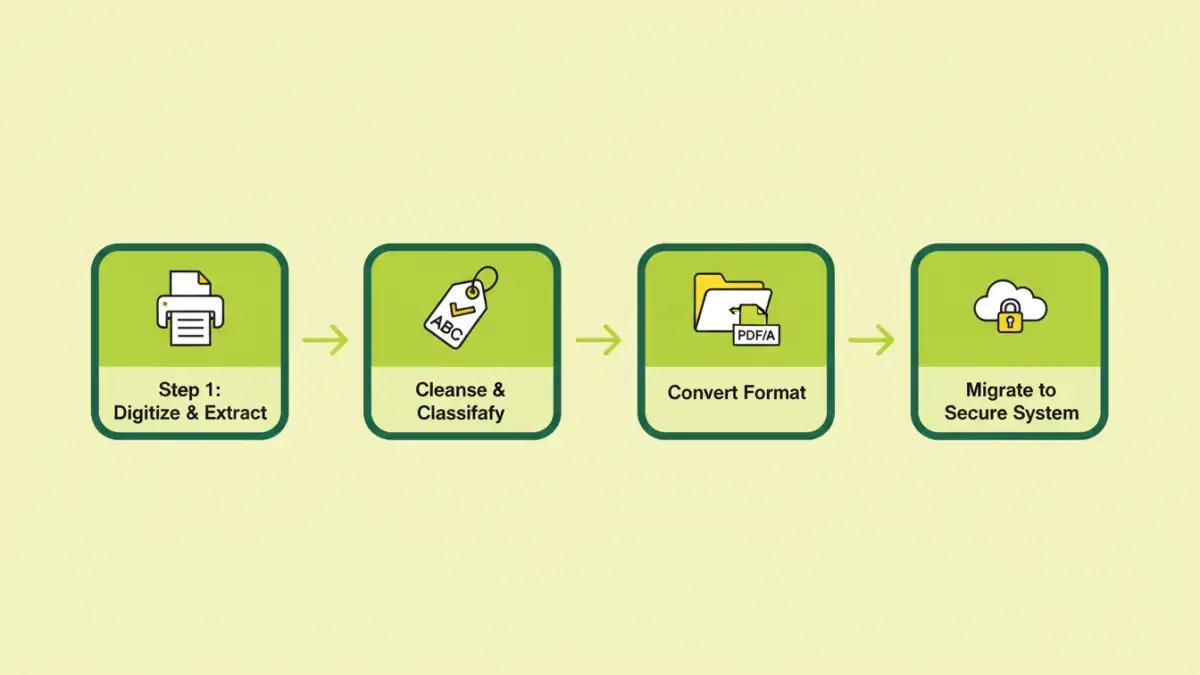
Once you have a plan, the migration process can begin. This is a multi-stage effort that requires careful execution to maintain data integrity. We generally break it down into four key phases.
Step 1: Digitization and Data Extraction
For physical records, this phase involves high-volume scanning. It's crucial to use Optical Character Recognition (OCR) technology during this step. OCR converts the scanned images into machine-readable text, making the documents searchable. For existing digital files, this step involves extracting them from their legacy systems.
Step 2: Data Cleansing and Classification
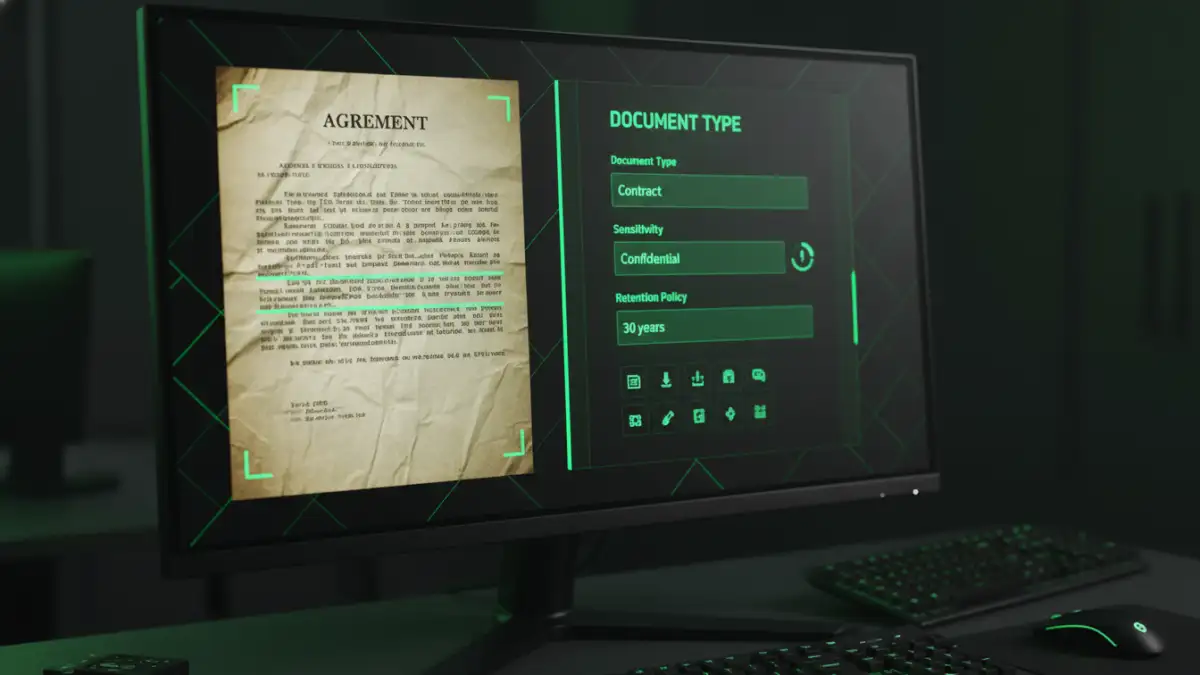
This is where the real value is added. Raw data is messy. This phase involves cleansing the extracted data—removing duplicates, correcting errors, and standardizing formats. More importantly, it's about classification. Using automated tools and manual review, you tag documents with metadata (e.g., 'contract,' 'invoice,' 'patient record') and identify sensitive information that falls under GDPR or HIPAA.
Step 3: Conversion to Secure File Formats
With clean, classified data, the next step is converting it into a stable, long-term format. The goal is to ensure the files remain accessible and unalterable for decades. This is a critical part of ensuring GDPR compliant archiving. We'll often use formats designed specifically for this purpose.
Step 4: Migration to a Compliant Repository
The final phase is moving the converted data into a modern, secure system. This could be a cloud-based document management system (DMS) or a dedicated on-premise archive. The new system should have robust security features, including encryption at rest and in transit, granular access controls, and detailed audit logs to track who accesses what and when.
Choosing the Right Technology and Formats
The tools and formats you choose are critical to the success of your legacy data migration. For file formats, PDF/A (Portable Document Format/Archive) is the gold standard. It's an ISO-standardized version of PDF designed for long-term preservation, ensuring documents will render exactly the same way in the future. It embeds fonts and forbids dynamic content, making it self-contained and stable.
For the repository, look for systems that explicitly support compliance requirements. A good DMS will automate retention policies, manage legal holds, and simplify the process of responding to data subject requests. This is especially important for meeting the stringent demands of HIPAA document storage, which requires auditable access trails and strict user permissions.
Best Practices for Long-Term Management
The project isn't over once the data is migrated. Ongoing governance is key. Implement clear data lifecycle management policies that define how long data is kept and when it should be securely destroyed. Regularly audit your archive to ensure policies are being followed and that security controls remain effective. Finally, train your team on how to use the new system and understand their responsibilities regarding data handling and privacy.
Archival Format Comparison
| Format | Pros | Cons | Best Use Case |
|---|---|---|---|
| TIFF | Lossless quality, widely supported for scanning. | Large file size, not easily searchable without OCR layer. | High-quality image masters from initial scans. |
| Standard PDF | Universally viewable, can contain text and images. | Can contain scripts and external links, not ideal for long-term stability. | General document sharing and daily use. |
| PDF/A | ISO standard for archiving, self-contained, stable rendering. | Slightly larger file size than standard PDF, restricts some features. | Long-term document compliance archive conversion and retention. |
| XML | Structured, machine-readable data. | Not human-readable without a stylesheet, not suitable for visual documents. | Archiving structured database records or application data. |