I was recently in a project kickoff where the team got into a spirited discussion that I've seen play out in countless tech forums: where should we store and encrypt our most sensitive project files? The argument split right down the middle. One camp championed keeping everything on local, encrypted drives for ultimate control. The other argued for the collaborative power and accessibility of the cloud. This is the heart of the data storage debate.
Both sides have valid points, and the 'right' answer depends entirely on your specific needs for security, access, and teamwork. As an engineer, I've had to implement both solutions, and I've learned that understanding the fundamental trade-offs is the first step to making a smart decision.
Table of Contents
The Core Conflict: Control vs. Convenience
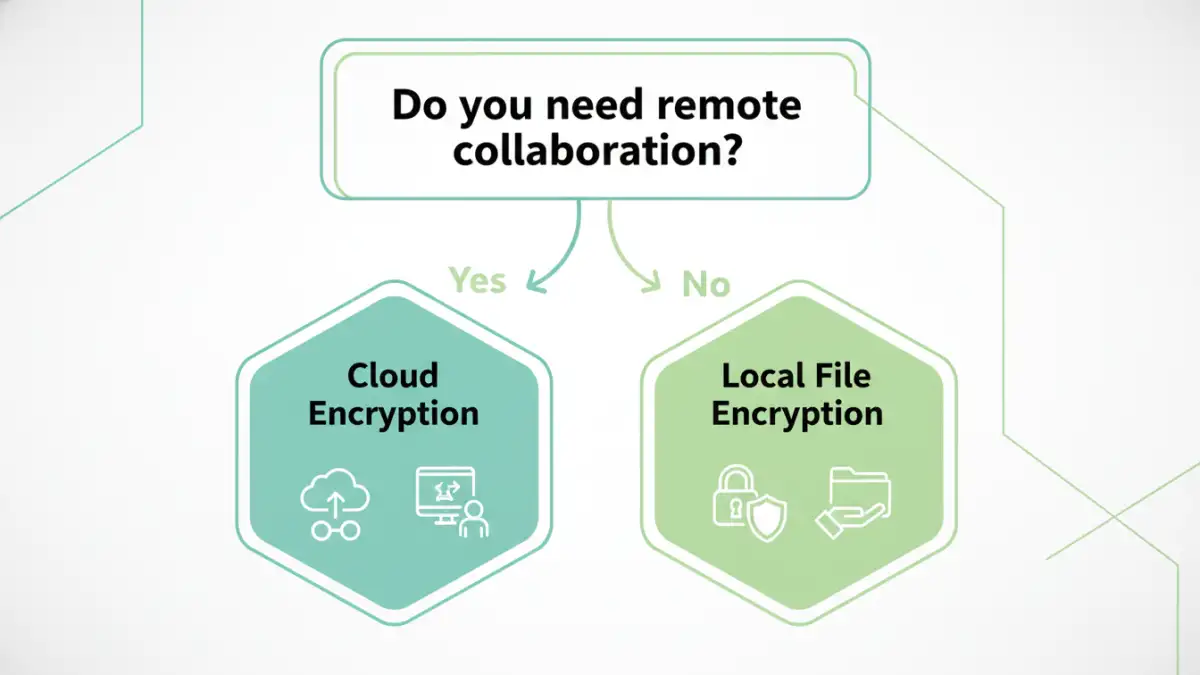
The entire local versus cloud debate boils down to a fundamental trade-off. Do you prioritize absolute control over your data, or do you value the convenience of accessing it from anywhere and collaborating seamlessly? There's no single answer that fits everyone, which is why this topic fuels so many tech forum discussions.
What is Local File Encryption?
Local file encryption means the data and the keys that unlock it reside on a physical device you own—your laptop's hard drive, an external SSD, or a server in your office. You are solely responsible for managing the hardware, the software (like BitLocker or VeraCrypt), and the security protocols. When your device is offline, your data is completely inaccessible to the outside world.
What is Cloud Encryption?
With cloud encryption, your files are stored on servers owned by a third-party provider like Google, Microsoft, or Dropbox. The data is encrypted both in transit (as it travels over the internet) and at rest (while sitting on their servers). The provider manages the hardware, infrastructure, and often, the base level of key management, offering you access from any internet-connected device.
The Case for Local File Encryption

The advocates for local encryption are typically focused on privacy and autonomy. Their argument is compelling, especially for individuals or organizations handling extremely sensitive information where any third-party access is a non-starter.
Ultimate Control Over Your Data
With local encryption, you hold all the cards. You control the physical device, the encryption software, and most importantly, the encryption keys. There are no third-party terms of service to worry about, no risk of a provider's data breach exposing your files, and no government subpoena to a provider can grant access without your direct involvement. This is digital sovereignty.
Performance and Offline Access
Working with large files is often faster locally, as you aren't limited by internet connection speeds for uploads and downloads. More importantly, if your internet goes down, you still have full access to your work. For field researchers, journalists, or anyone working in areas with unreliable connectivity, this isn't a luxury; it's a necessity.
The Argument for Cloud Encryption
On the other side of the debate, the cloud camp focuses on the realities of modern work: collaboration, mobility, and resilience. They argue that leveraging the scale of major tech companies provides security benefits that are difficult for an individual or small business to replicate.
Unmatched Accessibility and Collaboration
This is the cloud's killer feature. The ability to access a document from your laptop, edit it on your tablet, and have a colleague in another country review it in real-time is transformative. Local encryption makes this kind of seamless collaboration incredibly difficult, often requiring cumbersome manual file transfers that can introduce security risks of their own.
Leveraging Enterprise-Grade Security and Redundancy
Major cloud providers invest billions in security. They have teams of experts dedicated to threat detection, physical security for their data centers, and redundant systems to protect against data loss from hardware failure or natural disasters. For most users, a reputable provider's security infrastructure is far more robust than what they could build and maintain themselves. Your locally encrypted laptop can be lost, stolen, or damaged; data in the cloud is resilient by design.
Making the Right Choice: A Hybrid Future?
So, who wins the debate? Neither. The smartest approach is often a hybrid one. You identify the data's sensitivity and how it needs to be used. For an ultra-sensitive intellectual property blueprint that never needs to be shared, local file encryption is the clear winner. For collaborative project documents, marketing materials, and daily operational files, the benefits of a secure cloud document encryption service are undeniable.
Some advanced users even employ a 'double-wrap' method: they use local encryption software to encrypt files *before* uploading them to a cloud storage provider. This gives them the best of both worlds—offline control of the keys and the accessibility of the cloud—though it adds complexity to the workflow. The key is to analyze your own risk profile and operational needs rather than adopting a one-size-fits-all ideology.
Comparison Table: Local vs. Cloud Encryption
| Feature | Local File Encryption | Cloud Encryption |
|---|---|---|
| Control | Absolute; you control hardware and keys. | Shared; provider manages infrastructure. |
| Accessibility | Limited to the physical device. | High; accessible from any internet-connected device. |
| Collaboration | Difficult and requires manual sharing. | Seamless and built-in. |
| Security Responsibility | Entirely on the user. | Shared between user and provider. |
| Data Redundancy | Requires manual backups by the user. | High; managed automatically by the provider. |
| Offline Access | Excellent; no internet required. | Limited or none, depends on service/syncing. |
| Initial Setup | Can be complex (e.g., setting up VeraCrypt). | Simple; usually just creating an account. |