
Have you ever needed to programmatically secure sensitive documents but weren't sure where to start? It's a common challenge. Whether you're building an application that handles user uploads or creating an internal tool for company secrets, ensuring that data at rest is unreadable to unauthorized parties is non-negotiable.
Simply password-protecting a ZIP file isn't enough for robust security. We need a standardized, battle-tested method. This is where the Advanced Encryption Standard (AES) comes in, specifically the 256-bit variant, which is considered the gold standard for symmetric encryption and is trusted by governments and security professionals worldwide.
Table of Contents
What Is AES-256 and Why Is It So Strong?
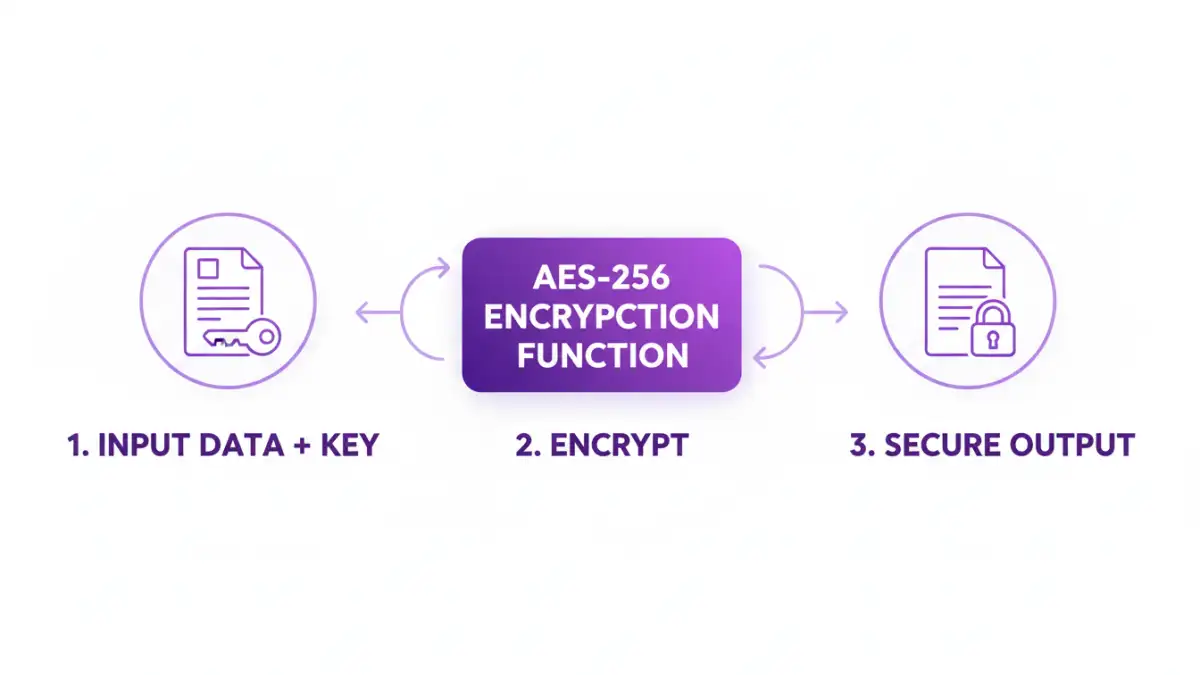
AES is a symmetric block cipher, which means it uses the same key for both encrypting and decrypting data. It operates on fixed-size blocks of data (128 bits). The "256" in AES-256 refers to the length of the encryption key: 256 bits. This key length is what provides its immense strength.
A few years ago on a project, we had to choose an encryption standard for storing sensitive medical records. The choice was clear. The sheer number of possible combinations for a 256-bit key is astronomical (2 to the power of 256), making a brute-force attack computationally infeasible with current technology. This is why it's the preferred method for strong document encryption.
Understanding the Components
When you work with AES, you'll encounter a few key terms:
- Key: The secret 256-bit (32-byte) string used to perform the encryption and decryption. This must be kept absolutely secret.
- Initialization Vector (IV) or Nonce: A random or pseudo-random number that ensures encrypting the same plaintext multiple times with the same key produces different ciphertext. This prevents attackers from identifying patterns. The IV doesn't have to be secret and is often prepended to the ciphertext.
- Ciphertext: The encrypted, unreadable output.
- Mode of Operation: A specific algorithm that determines how to repeatedly apply the block cipher. Common modes include CBC, CTR, and GCM. GCM (Galois/Counter Mode) is often recommended as it provides both confidentiality and authenticity.
Setting Up Your Python Environment
For our code example, we'll use Python, a versatile language with excellent cryptographic libraries. The most respected and secure library for this is `cryptography`. It provides high-level recipes that are easy to use and hard to misuse.
First, make sure you have Python installed. Then, you can install the library using pip:
pip install cryptography
That's it. This single command gives us all the tools we need to generate keys and perform encryption and decryption operations safely.
A Practical File Encryption Example in Python
Let's walk through how to apply AES encryption documents using the `cryptography` library. The process involves generating a key, reading the document's content, encrypting it, and writing the encrypted data to a new file. We'll use AES in GCM mode.
Code to Encrypt a Document
First, we need a key. For this example, we'll generate one, but in a real application, you'd securely store and retrieve a persistent key. Never hardcode keys in your source code.
from cryptography.hazmat.primitives.ciphers.aead import AESGCM
import os

def encrypt_file(file_path, key):
    # Generate a random 12-byte nonce
    nonce = os.urandom(12)
    aesgcm = AESGCM(key)

    with open(file_path, 'rb') as f:
        plaintext = f.read()

    ciphertext = aesgcm.encrypt(nonce, plaintext, None)

    encrypted_file_path = file_path + '.enc'
    with open(encrypted_file_path, 'wb') as f:
        f.write(nonce + ciphertext)
    print(f'File encrypted to {encrypted_file_path}')

# Generate a 256-bit (32-byte) key
key = AESGCM.generate_key(bit_length=256)

# Create a dummy file to encrypt
with open('sensitive_data.txt', 'w') as f:
    f.write('This is my secret information.')

encrypt_file('sensitive_data.txt', key)

# IMPORTANT: Save this key securely to decrypt the file later!
# For this example, we'll just print it. In a real app, use a key vault.
print(f'Key (hex): {key.hex()}')
This script reads 'sensitive_data.txt', encrypts its content, and saves it as 'sensitive_data.txt.enc'. The new file contains the 12-byte nonce followed by the ciphertext.
Code to Decrypt the Document
To get our original data back, we need the exact same key and the encrypted file. The decryption process will read the nonce from the start of the file and use it with the key to decrypt the rest of the data.
def decrypt_file(encrypted_file_path, key):
    with open(encrypted_file_path, 'rb') as f:
        data = f.read()

    # Extract the nonce and ciphertext
    nonce = data[:12]
    ciphertext = data[12:]

    aesgcm = AESGCM(key)
    plaintext = aesgcm.decrypt(nonce, ciphertext, None)

    decrypted_file_path = encrypted_file_path.replace('.enc', '.decrypted')
    with open(decrypted_file_path, 'wb') as f:
        f.write(plaintext)
    print(f'File decrypted to {decrypted_file_path}')

# Use the SAME key from the encryption step
# In a real app, you would load this from a secure location
# key = bytes.fromhex('your_saved_key_in_hex')

decrypt_file('sensitive_data.txt.enc', key)
Running this second part will create a 'sensitive_data.txt.decrypted' file containing our original message, demonstrating a successful round trip. This is a solid foundation to secure file with AES.
Key Management: The Critical Component
The code is straightforward, but the real challenge in any cryptographic system is key management. The security of your entire system rests on how you protect your encryption keys. If an attacker gets your key, the encryption is useless.
Here are some fundamental principles:
- Never hardcode keys: Do not store keys directly in your application's source code or configuration files.
- Use a Key Vault: Services like AWS KMS, Azure Key Vault, or HashiCorp Vault are designed specifically for securely storing and managing cryptographic keys.
- Limit Access: Follow the principle of least privilege. Only the specific services or users that absolutely need access to a key should have it.
- Rotate Keys: Periodically change your encryption keys to limit the potential damage if a key is ever compromised.
When to Use a 256 Bit AES Encryption API
While implementing encryption yourself is educational, it also places the burden of key management and secure implementation on you. For many applications, using a dedicated service via an API can be a more secure and scalable option.
A cloud-based encryption service or a key management system (KMS) handles the complexities for you. You send your plaintext data to an API endpoint, and it returns the ciphertext. To decrypt, you send the ciphertext. The service manages the keys, rotation, and cryptographic primitives behind the scenes. This approach reduces the risk of implementation errors, which are a common source of security vulnerabilities.
Encryption Approach Comparison
| Approach | Pros | Cons | Best For |
|---|---|---|---|
| DIY with Libraries (e.g., Python `cryptography`) | Full control over the process; No external dependencies. | High responsibility for key management and security. | Internal tools, applications where you control the full stack. |
| Cloud KMS API (e.g., AWS KMS) | Secure key management; Scalable; Reduced implementation risk. | Vendor lock-in; Network latency; Cost. | Cloud-native applications, enterprise systems. |
| Third-Party Encryption API | Simple integration; Abstracted complexity. | Trust in a third party; Potential data privacy concerns. | Applications needing quick integration without deep crypto expertise. |
| Commercial Off-the-Shelf Software | User-friendly GUI; No coding required. | Less flexible; Can be expensive. | End-users and businesses needing to encrypt files manually. |