
Protecting sensitive documents is paramount in today's digital landscape. Whether you're sharing financial reports, legal contracts, or proprietary research, ensuring that only authorized individuals can access these files is critical. While traditional methods like password protection offer a basic layer of security, they often fall short when dealing with programmatic access or large-scale distribution. This is where implementing API keys for PDF file sharing becomes an indispensable strategy for robust security and controlled access.
Over my years working on various software projects, I've encountered numerous scenarios where simple password protection for files was insufficient. The need for granular control, audit trails, and automated access management led me to explore more sophisticated solutions. API keys provide a powerful mechanism to grant or revoke access to files programmatically, offering a flexible and secure way to manage document sharing.
Table of Contents
Understanding API Keys in File Sharing
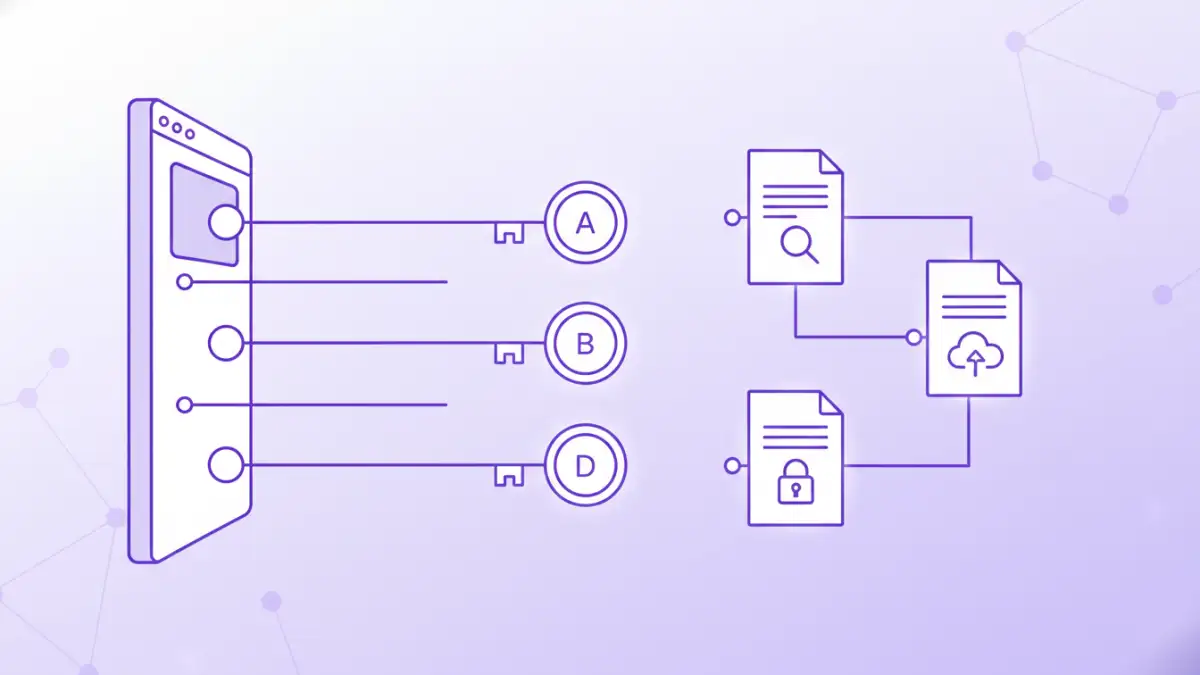
At its core, an API key is a unique identifier used to authenticate a user, developer, or calling program to an API. In the context of PDF file sharing, this translates to a token that grants permission to access specific files or folders. Instead of sharing a static password that everyone uses, each user or application receives its own key. This allows for better tracking of who accessed what, and when.
The Role of API Keys in Access Control
API keys enable granular API access control. You can define specific permissions for each key, such as read-only access, download rights, or even the ability to upload new versions. This level of control is crucial for maintaining the integrity and confidentiality of sensitive documents, preventing unauthorized modifications or distribution. It moves beyond simple authentication to a more nuanced authorization model.
Implementing API Keys for PDF Sharing
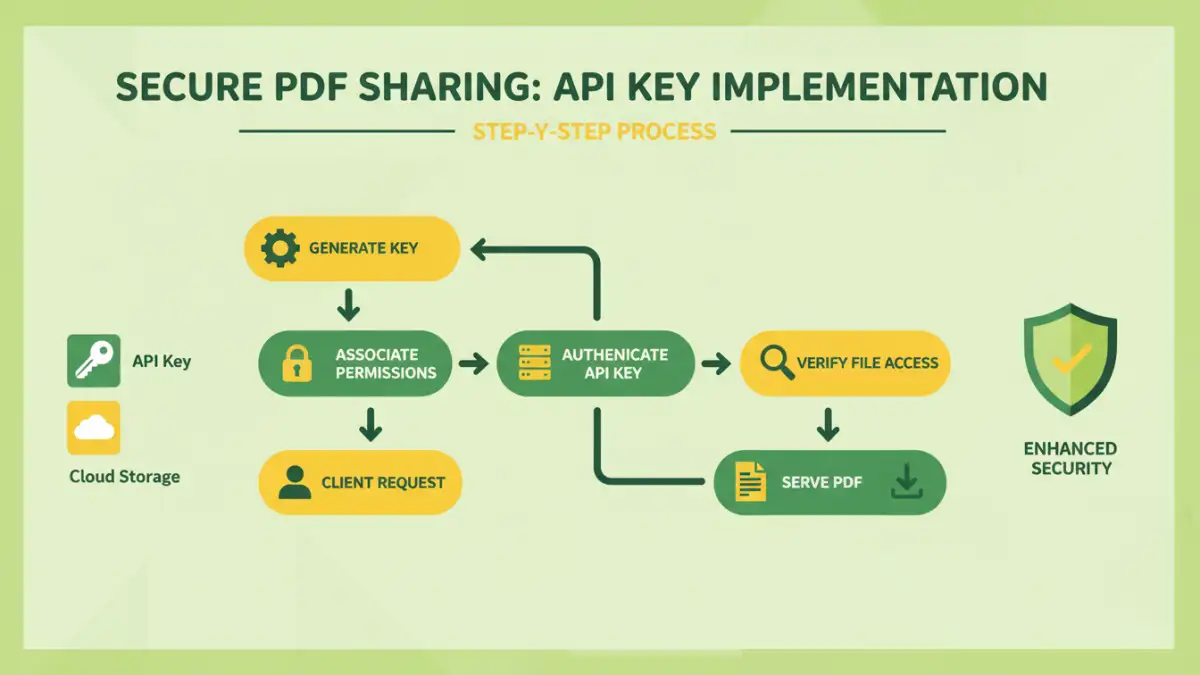
Implementing API keys for secure PDF file sharing involves a multi-step process, typically managed through a backend system or a dedicated file-sharing service. The fundamental idea is to have an authentication layer that verifies the API key before allowing access to the PDF file.
Step 1: Key Generation and Management
The first step is to generate unique API keys for each user or application that needs access. This process should be handled by a secure system. Keys should be long, random strings that are difficult to guess. Secure storage of these keys, both on the server-side and by the client, is paramount. A robust key management system allows for easy generation, revocation, and rotation of keys.
Step 2: Authentication and Authorization Flow
When a request to access a PDF is made, the client application includes its API key, usually in the HTTP headers (e.g., `Authorization: Bearer YOUR_API_KEY`). The server-side application receives this request and checks the provided API key against its database. If the key is valid and has the necessary permissions for the requested file, the server then serves the PDF. If the key is invalid or lacks permissions, access is denied.
Step 3: Secure File Delivery
Once authentication and authorization are successful, the PDF file needs to be delivered securely. This typically involves serving the file over HTTPS to prevent eavesdropping during transit. For highly sensitive documents, you might also consider temporary, time-limited access tokens or signed URLs that expire after a certain period, adding another layer of security beyond the initial API key authentication.
Key Security Considerations
While API keys offer a significant security advantage, their implementation requires careful attention to security best practices. A compromised API key can grant unauthorized access, so protecting them is as important as protecting the documents themselves.
Preventing Key Leakage
API keys should never be hardcoded directly into client-side code (like JavaScript in a public-facing website) or committed to public code repositories. Instead, use environment variables or secure configuration management tools. For mobile applications, consider using more advanced token-based authentication mechanisms that are refreshed periodically.
Rate Limiting and Monitoring
Implement rate limiting on API requests to prevent brute-force attacks aimed at guessing API keys or exploiting vulnerabilities. Continuous monitoring of API access logs is also crucial. Look for unusual patterns, such as a high volume of failed access attempts from a single key or IP address, which could indicate a security breach or misuse.
Best Practices for Secure Sharing
To maximize the effectiveness of using API keys for PDF file sharing, adhere to these best practices. They ensure that your system remains secure and that your documents are protected against unauthorized access and misuse. Following these guidelines helps maintain the integrity of your api keys pdf file sharing strategy.
Least Privilege Principle
Grant API keys only the minimum permissions necessary for their intended function. If a key is only needed to download a specific document, it should not have permissions to upload or delete other files. This principle significantly limits the potential damage if a key is compromised.
Regular Key Rotation
Periodically rotate your API keys. This means generating new keys and revoking the old ones. The frequency of rotation depends on your security requirements, but it's a good practice to have a policy for regular key updates, especially for keys used by external applications.
Secure Storage
Both the server and the client applications must store API keys securely. For server-side applications, this means using secure configuration files, environment variables, or secrets management services. For client applications, especially mobile ones, this is more challenging and might involve using secure storage mechanisms provided by the operating system or employing token-based systems.
Advanced Features and Integrations
Beyond basic authentication, API keys can unlock more advanced functionalities for document sharing. Integrating with other systems can enhance the overall security and user experience.
Auditing and Logging
Maintain comprehensive audit logs of all API key usage. These logs should record who accessed which file, when, and from where. This information is invaluable for security audits, troubleshooting, and forensic analysis in case of a security incident. It provides a clear trail for document sharing authentication.
Integration with Identity Providers
For enterprise solutions, integrating API key management with existing identity providers (like Active Directory, OAuth, or SAML) can streamline user management and enhance security. This allows for centralized control over user access and permissions across multiple applications and services.
Comparison Table: API Key Management Solutions
| Solution Type | Pros | Cons | Ideal Use Case |
|---|---|---|---|
| Custom Backend Implementation | Full control, highly customizable | Requires significant development effort, ongoing maintenance | Unique business logic, complex integrations |
| Third-Party File Sharing Platforms (with API) | Quick setup, managed infrastructure, built-in security features | Less control over underlying infrastructure, potential vendor lock-in | Rapid deployment, standard sharing needs |
| Cloud Storage Provider APIs (e.g., AWS S3, Google Cloud Storage) | Scalable, robust, integrates with cloud ecosystem | Requires cloud expertise, can be complex to configure granular access | Existing cloud infrastructure, large-scale storage |