
I spend a fair amount of time on various business and tech forums, and a pattern has become incredibly clear: small and mid-sized businesses are often overwhelmed by document compliance. The threads are filled with uncertainty, with owners and IT managers asking for help navigating a complex web of regulations. They're worried about massive fines, data breaches, and the reputational damage that follows a compliance failure.
These aren't just abstract legal concerns; they are practical, everyday problems. Questions range from 'How long do I need to keep customer invoices?' to 'Is it okay to email a patient's file?' This article is my attempt to distill the most frequent and critical document compliance questions I see and provide clear, actionable answers based on my experience building secure systems.
Table of Contents
What is Document Compliance and Why Does It Matter?
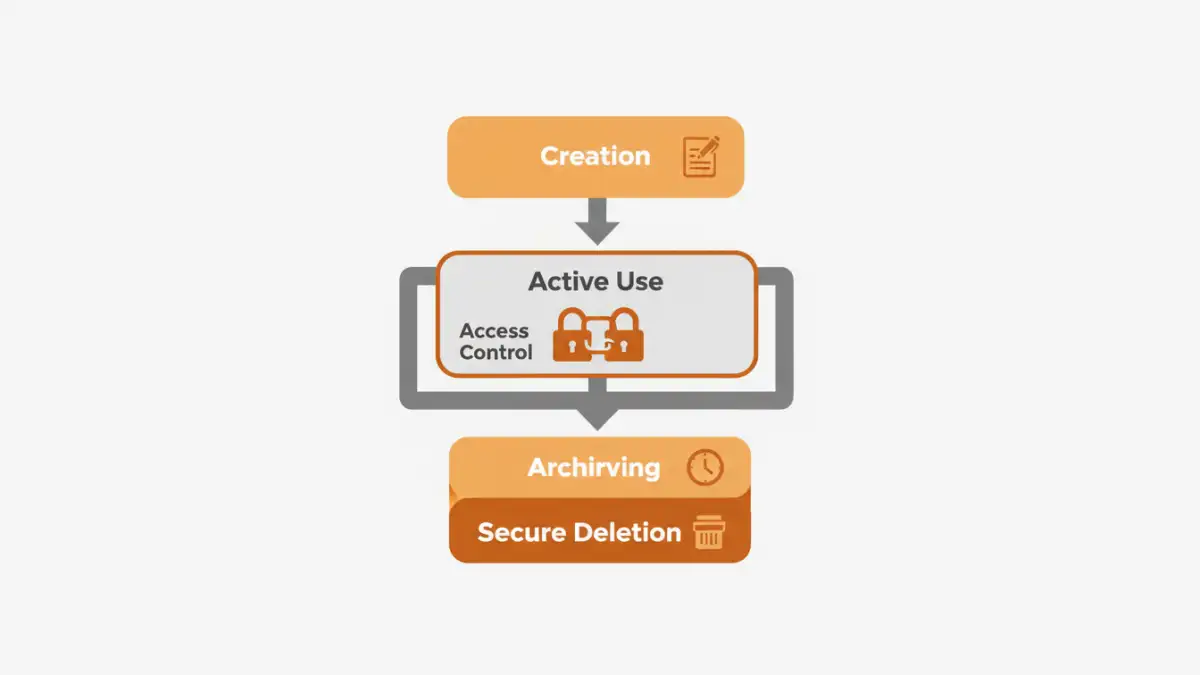
At its core, document compliance is about managing your business documents according to a set of rules. These rules can be imposed by industry regulations (like HIPAA for healthcare), government laws (like GDPR for data privacy in the EU), or your own internal company policies. The goal is to ensure that sensitive information is handled responsibly, securely, and ethically throughout its lifecycle.
Ignoring this isn't an option. The risks of non-compliance are substantial, ranging from crippling financial penalties to a complete loss of customer trust. In many data protection discussions I've followed, companies that treat compliance as an afterthought are the ones that end up in the headlines for the wrong reasons.
Key Regulations: GDPR, HIPAA, and CCPA
While hundreds of regulations exist, a few frequently appear in every business security forum. The General Data Protection Regulation (GDPR) governs the data of EU citizens, mandating strict rules on consent and data handling. The Health Insurance Portability and Accountability Act (HIPAA) sets the standard for protecting sensitive patient health information in the United States. The California Consumer Privacy Act (CCPA) gives California residents more control over their personal information.
Even if you're not based in these regions, these laws can apply if you have customers or clients there. Understanding the basics of each is the first step toward building a compliant document management strategy.
Common Questions About Data Retention and Deletion

One of the most common questions I see is, "How long are we legally required to keep this document?" The answer is almost always, "It depends." Different types of documents have different retention requirements. For example, tax records, employee files, and client contracts all have specific timeframes dictated by law, which can vary by industry and location.
Just as important is the question of deletion. Keeping data forever is not a safe strategy; it's a liability. A secure deletion policy ensures you dispose of documents once they are no longer legally or operationally necessary, reducing your risk exposure. This means simply dragging a file to the trash bin isn't enough. Secure deletion involves methods that make data irrecoverable.
Creating a Data Retention Schedule
A data retention schedule is a formal policy that outlines how long different types of documents should be kept and how they should be destroyed. To create one, start by categorizing your documents (e.g., financial, HR, legal, client). Then, research the legal requirements for each category relevant to your industry and jurisdiction. Finally, document the retention period and the secure disposal method for each category. This schedule becomes your single source of truth and a crucial piece of evidence during an audit.
Securing and Sharing Compliant Documents
"How can we share files with clients securely?" This question is a staple. Emailing sensitive attachments without encryption is a major compliance risk. True security involves a multi-layered approach that includes encryption, access controls, and secure sharing platforms.
For industries dealing with highly sensitive data, achieving HIPAA compliant file sharing or maintaining GDPR document security is non-negotiable. This means using end-to-end encryption for data both in transit (while being sent) and at rest (while stored). It also means ensuring that only authorized individuals can access the information. Many cloud storage providers offer business-tier plans with features designed for this, but you must configure them correctly.
Auditing and Access Control Puzzles
When a problem occurs, the first questions are always "Who did this?" and "When did it happen?" Without an audit trail, these questions are impossible to answer. A robust document management system should log every significant action: who viewed a file, who edited it, who downloaded it, and when. These logs are essential for compliance audits and for investigating potential security incidents.
This leads directly to access control. Not everyone in your company needs access to every file. Implementing a Role-Based Access Control (RBAC) model is a best practice. You define roles (e.g., Administrator, Manager, Team Member) and assign permissions to those roles rather than to individual users. An employee only gets the minimum level of access necessary to perform their job, a principle known as 'least privilege.' This dramatically reduces the risk of both accidental and malicious data exposure.
Compliance Framework Snapshot
| Framework | Primary Focus | Key Document Requirement | Geographic Scope |
|---|---|---|---|
| GDPR | Personal data privacy of EU citizens | Data processing agreements, privacy notices, data breach records | European Union (with extraterritorial reach) |
| HIPAA | Protected Health Information (PHI) in the US | Business associate agreements, security risk analysis, audit logs | United States |
| CCPA/CPRA | Consumer data privacy for California residents | Privacy policies, records of consumer requests, data inventories | California, USA |
| SOX | Corporate financial reporting and accountability | Financial records, internal control reports, audit workpapers | Publicly traded companies in the US |