Imagine a digital case file containing witness statements, evidence logs, and officer notes. A single unauthorized access point could compromise an entire investigation, place individuals at risk, and erode public trust. This isn't just a hypothetical scenario; it's a critical vulnerability that law enforcement agencies face daily. The transition from paper to digital has brought efficiency, but it also introduces complex security challenges that demand a proactive approach.
Protecting this sensitive information goes beyond simple password protection. It requires a comprehensive strategy that encompasses encryption, access control, and auditable workflows. As a software engineer who has worked on secure data systems, I've seen firsthand how seemingly small gaps in a process can lead to significant security failures. The goal is to make security a seamless, unbreakable part of the entire document lifecycle.
Table of Contents
The High Stakes of Unsecured Documents
In law enforcement, a data breach is never just about lost data. The consequences are tangible and severe, impacting active cases and public safety. When a sensitive document like a police report is compromised, it can lead to witness intimidation, evidence tampering, or the premature release of information that jeopardizes an ongoing investigation. Maintaining the digital chain of custody is as crucial as its physical counterpart.
Furthermore, agencies have a legal and ethical obligation to protect Personally Identifiable Information (PII) and Criminal Justice Information (CJI). A failure to do so can result in hefty fines, legal action, and a significant loss of credibility with the community. Effective police report security is not an IT luxury; it's a core operational necessity.
Foundational Security Measures for PDFs
Securing a PDF begins with understanding the tools available within the format itself. These foundational layers are the first line of defense and are essential for any secure document strategy. It’s about creating a barrier that is both strong and intelligent, allowing access only to those with proper authorization.
Encryption Standards and Passwords
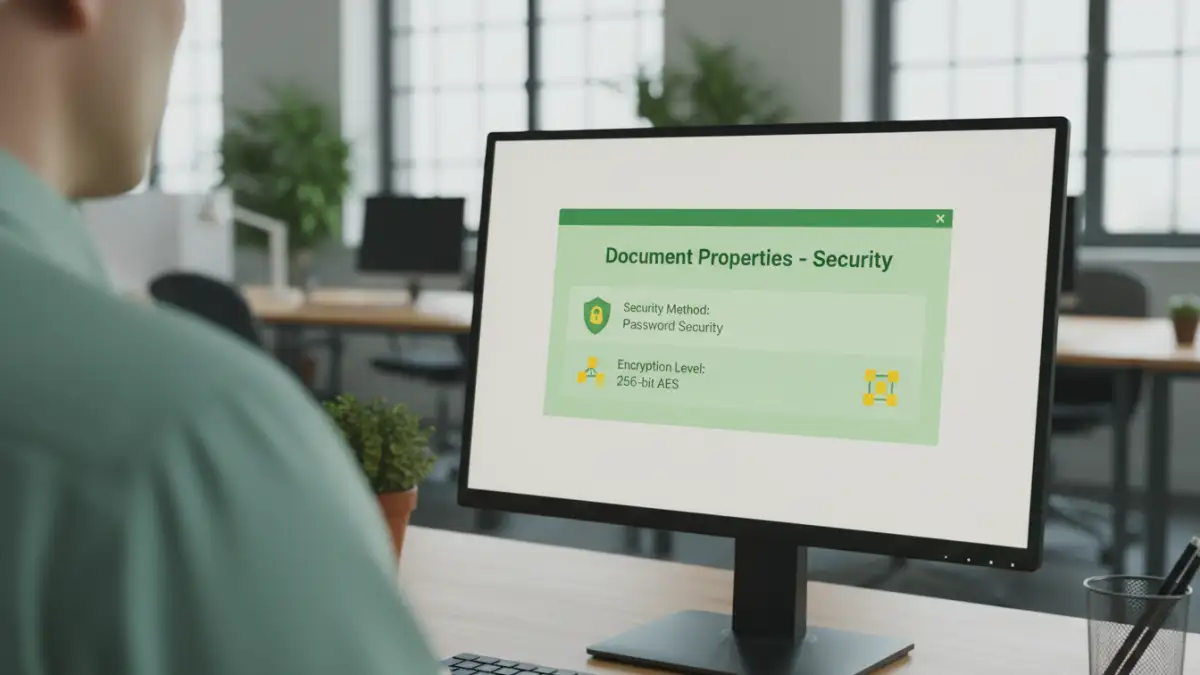
The industry standard for document protection is AES-256 (Advanced Encryption Standard with a 256-bit key). I always recommend this level of encryption because it's virtually unbreakable by brute-force attacks. When creating a secure PDF, you'll typically have the option to set two types of passwords: a document open password (user password) and a permissions password (owner password). The user password restricts who can view the file, while the owner password controls what authorized users can do, such as printing, copying, or editing.
Digital Signatures and Certification
A digital signature serves a different purpose than encryption. It verifies the identity of the signatory and ensures that the document has not been altered since it was signed. This is critical for evidence files and official reports where authenticity is paramount. Certifying a document provides an even higher level of assurance, locking down specific fields or the entire document after it's been finalized to prevent any further changes.
Implementing a Secure Document Workflow
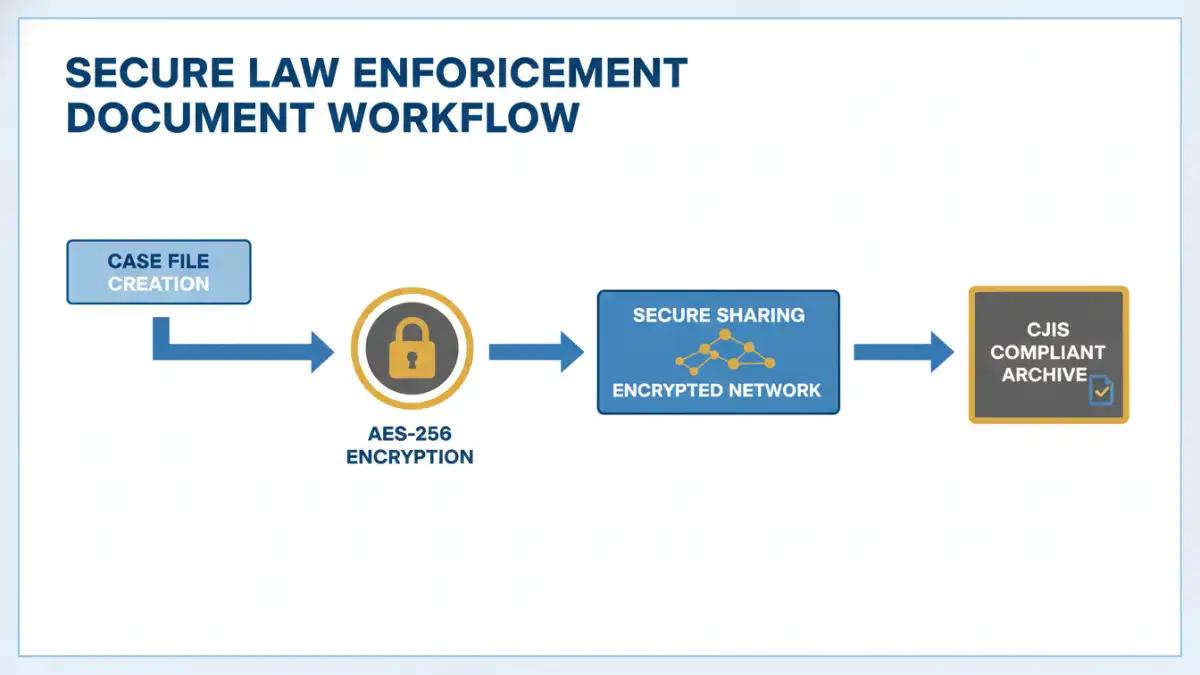
Technology alone is not enough. A secure document workflow ensures that security is maintained at every stage of a document's life, from creation to archival. This process-oriented approach minimizes the risk of human error and creates a verifiable trail of how information is handled. It's about building a system where the secure path is the easiest path.
This workflow should cover creation, collaboration, distribution, and storage. For instance, templates for reports can be pre-configured with the necessary security settings. When sharing files, agencies should use secure, encrypted channels rather than standard email. A clear policy should dictate who has the authority to create, modify, or distribute sensitive documents, often managed through an access control list (ACL). This systematic approach is key to robust evidence file encryption and management.
Meeting Critical Compliance Standards
For any U.S. law enforcement agency, CJIS compliance is non-negotiable. The FBI's Criminal Justice Information Services (CJIS) Security Policy outlines the standards for protecting criminal justice information. This policy covers everything from physical security at a precinct to the encryption used on an officer's laptop. Secure PDFs are a vital component of meeting these requirements.
CJIS mandates specific controls for data in transit and data at rest. When a police report is saved on a server (at rest), it must be encrypted. When it's sent to a district attorney's office (in transit), the transmission must also be encrypted. Using PDFs with AES-256 encryption for documents and sending them via secure, FIPS 140-2 validated channels helps agencies satisfy these stringent requirements and ensures they are handling sensitive data responsibly.
Security Layer Comparison for Law Enforcement Documents
| Security Layer | Description | Importance for CJIS | Example Implementation |
|---|---|---|---|
| Encryption (AES-256) | Scrambles document content, making it unreadable without the correct key or password. | High - Required for data at rest and in transit. | Setting a strong 'document open' password in Adobe Acrobat Pro. |
| Access Control | Restricts actions like printing, copying, or editing for authorized users. | High - Enforces the principle of least privilege. | Using an 'owner password' to disable printing and content copying. |
| Digital Signatures | Verifies the author's identity and ensures the document's integrity has not been compromised. | Medium - Supports chain of custody and authenticity. | Signing a report with a certificate-based digital ID. |
| Redaction | Permanently removes sensitive information (e.g., PII) from a document before sharing. | High - Protects sensitive data when releasing documents publicly. | Using a redaction tool to black out a witness's home address. |
| Audit Trails | Logs all actions performed on a document, such as who opened, printed, or modified it. | High - Provides accountability and is crucial for investigations. | Using a document management system that tracks all user interactions. |