
A city clerk once told me their biggest daily challenge wasn't irate citizens or budget meetings; it was managing who could see what. They had public records requests coming in daily, but those same folders contained sensitive PII and internal drafts. One wrong click could lead to a data breach or a compliance nightmare. This balancing act between transparency and security is a constant pressure point in local government.
This isn't just about locking files; it's about creating a smart, scalable system that empowers staff to do their jobs without exposing the municipality to unnecessary risk. Proper document access control is the framework that makes this possible, ensuring the right people have the right access to the right information at the right time.
Table of Contents
The Unique Challenges of Municipal File Security
Unlike a private corporation, a municipality operates under a unique set of rules. The public's right to know, often governed by laws like the Freedom of Information Act (FOIA), means many documents must be accessible. However, this transparency must be balanced with the duty to protect confidential information.
Municipalities handle a vast range of data types, each with different security needs. Think about building permits, police reports, employee records, zoning applications, and public utility data. Some of this information is public, some is for internal use only, and some contains highly sensitive personal data that is legally protected. A one-size-fits-all security approach simply doesn't work here. The system must be granular enough to distinguish between a public meeting agenda and a confidential HR investigation file.
Core Principles for Local Government Data Protection
Before diving into technology, it's crucial to understand the foundational concepts that guide effective access control. I've seen many projects fail because they focused on the software first and the strategy second. Grounding your approach in these principles will build a more resilient and logical system.
The Principle of Least Privilege (PoLP)
This is the golden rule of security. It means that any user, program, or process should have only the bare minimum permissions necessary to perform its function. A planner doesn't need access to payroll records, and a public works employee doesn't need to see police department case files. Implementing PoLP drastically reduces the potential attack surface and limits the damage if an account is ever compromised.
Role-Based Access Control (RBAC)
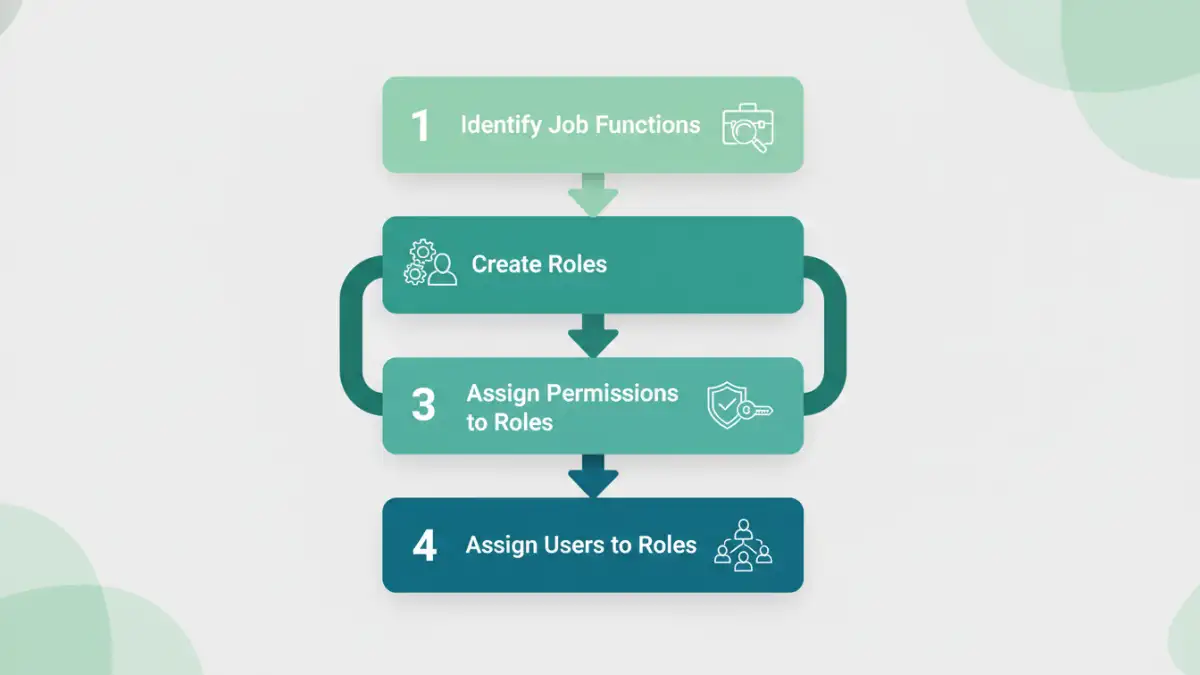
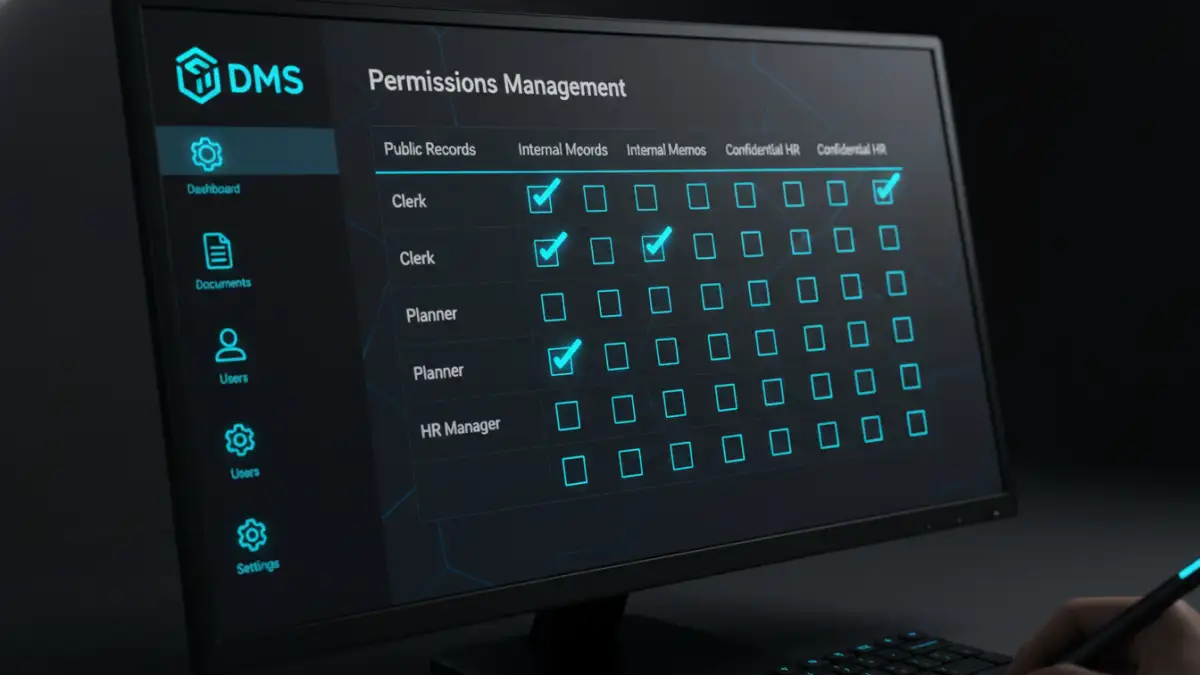
RBAC is the most common and practical model for municipalities. Instead of assigning permissions to individual employees (which becomes a management nightmare), you assign permissions to roles. For example, you create a 'City Clerk' role, a 'Finance Department' role, and a 'Parks & Rec' role. When a new person is hired into the finance department, you simply assign them the 'Finance Department' role, and they automatically inherit all the necessary permissions. This simplifies user permissions management and ensures consistency.
A Phased Approach to Implementation
Rolling out a new document access control system can feel overwhelming. I always recommend a phased approach to my clients, which breaks the project into manageable stages. This allows for adjustments along the way and ensures a smoother transition for staff.
Phase 1: Audit and Classify Your Data
You can't protect what you don't know you have. The first step is a comprehensive audit of all your digital documents. Where are they stored? Who currently has access? This process often uncovers forgotten servers and messy shared drives. Once you have an inventory, you must classify the data. A simple framework might include categories like 'Public,' 'Internal Use Only,' and 'Confidential/Restricted.' This classification will be the blueprint for your access rules.
Phase 2: Define Roles and Policies
With your data classified, you can now define the roles within your municipality based on job functions. Work with department heads to understand what information their teams need to access to perform their duties. Document these roles and the corresponding access levels for each data classification. This creates a clear, written access control policy that becomes the official guide for your IT team and department managers.
Choosing the Right Technology for Your Municipality
The right technology will enforce the policies you've created. The solution can range from simple to complex, depending on your municipality's size, budget, and needs. Simple file server permissions on a network drive can work for very small towns, but they lack robust auditing and are difficult to manage at scale.
For most municipalities, a dedicated Document Management System (DMS) is the ideal solution. These platforms are built specifically for secure document access. They provide features like version control, detailed audit logs (who accessed what, when), automated retention policies, and integrations with other municipal software. When evaluating a DMS, ensure it supports the RBAC model you defined and can handle the scale and diversity of your documents. Cloud-based solutions can also offer excellent security and reduce the burden on internal IT staff, making them a great option for local government data protection.
Access Control Model Comparison
| Model | How It Works | Pros | Cons |
|---|---|---|---|
| Role-Based (RBAC) | Permissions are assigned to roles, and users are assigned to roles. | Scalable, easy to manage, consistent. | Can be rigid if roles are not well-defined. |
| Attribute-Based (ABAC) | Access is granted based on attributes of the user, resource, and environment. | Highly flexible and granular, dynamic. | Complex to set up and maintain. |
| Discretionary (DAC) | The owner of a document determines who can access it. | Simple, gives users control. | Inconsistent, lacks central oversight, security risk. |
| Mandatory (MAC) | Access is based on security clearance levels (e.g., Confidential, Secret). | Extremely secure, centralized control. | Inflexible, typically overkill for municipal needs. |