
Handing over project files to a new contractor can feel like a leap of faith. You need them to have the information, but you also need to control who has access and for how long. I've seen situations where ex-contractors still had access to sensitive company data months after a project ended, simply because no one remembered to revoke their permissions. This is a significant and completely avoidable security gap.
The traditional method of sending a file with a static password just doesn't cut it anymore. Once that password is out, it's out forever. A much safer approach is to use time-based file access, where links or passwords automatically expire. This ensures that access is temporary by design, not by manual intervention.
Table of Contents
The Risk of 'Set It and Forget It' Access
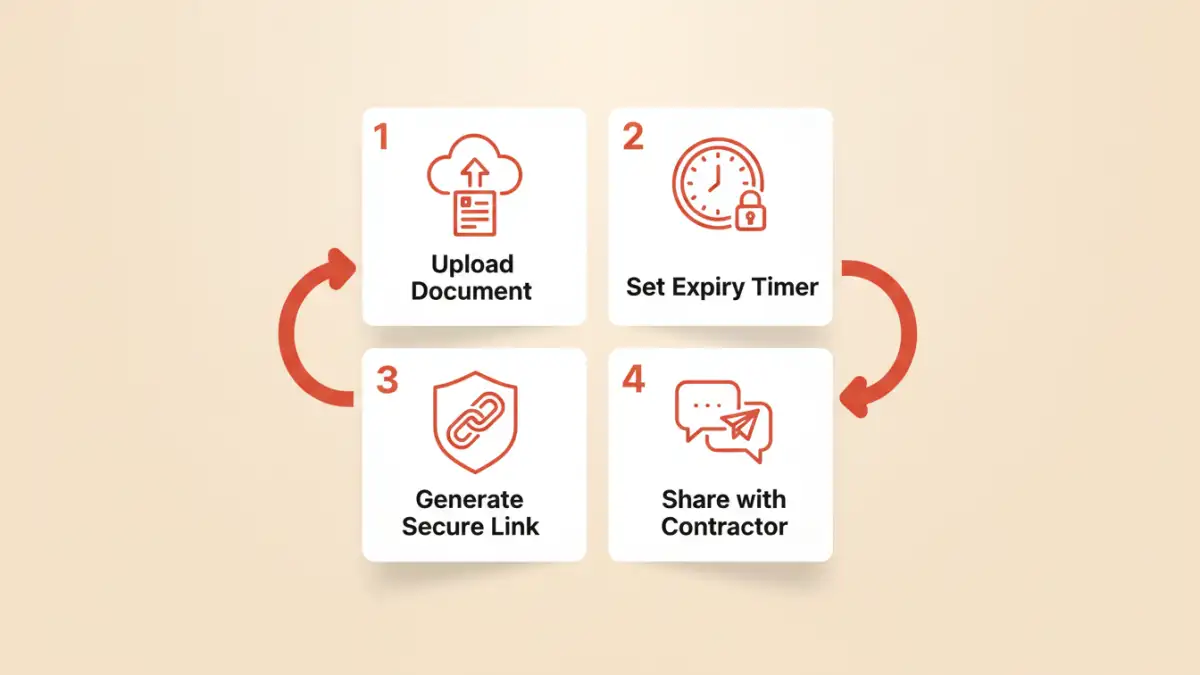
When you share a document through standard email or a cloud link without an expiration, you create a permanent entry point to that data. This becomes a major liability in contractor document access. The contractor might forward the email, their own accounts could be compromised, or they might simply forget they have the file stored on an insecure personal device.
This static approach complicates offboarding. Manually tracking and revoking access for every shared file across multiple projects is tedious and prone to human error. A single forgotten link can leave a backdoor open to your intellectual property, financial data, or project plans long after the professional relationship has ended.
Understanding Time-Based File Access

Time-based file access is a security mechanism that automatically terminates a user's ability to view or download a file after a predefined period. Instead of relying on someone to remember to revoke permissions, the system handles it for you. This is a cornerstone of modern, secure vendor collaboration.
Expiring Links vs. Expiring Passwords
The two most common methods for achieving this are expiring links and expiring passwords. An expiring file link is a unique URL that becomes inactive after a set time (e.g., 72 hours) or after a certain number of clicks. This is excellent for wide but temporary distribution.
An expiring password, on the other hand, applies to the document itself. The file remains encrypted, but the password needed to open it is only valid for a specific duration. Some advanced systems can even enforce this, though it often relies on a centralized platform to validate the password's timeliness. For many use cases, the expiring link is the more practical and widely available solution.
Methods for Implementing Expiring Access
Setting up time-sensitive access doesn't require a complex, custom-built system. Many existing platforms have these features built-in, making it accessible for teams of any size.
Using Cloud Storage Platforms
Most major cloud storage providers offer features for creating expiring links. For example:
- Dropbox: On Professional and Business plans, you can set an expiration date when you create a shared link. You can also add a password for an extra layer of security.
- Google Drive: While native expiration for specific users is tied to Google Workspace accounts, you can use add-ons or Google's API to script link expiration for more granular control.
- Microsoft OneDrive: Business accounts allow users to set link expiration dates and passwords directly from the sharing menu, making it simple to implement.
These platforms are often the easiest starting point because your team is likely already using one of them for daily operations. It's just a matter of integrating a security-conscious step into your existing workflow.
Dedicated Secure Document Sharing Services
For organizations that require more robust features like document tracking, watermarking, and detailed analytics, dedicated services are the way to go. Platforms like DocSend, Tresorit, or Box are built specifically for secure business communications.
These tools not only allow you to set link expirations but also show you who accessed the file, when, and for how long. Some even prevent downloading and printing. This level of control is ideal for highly sensitive materials like legal contracts, financial reports, or unreleased product designs. Some services even specialize in providing a temporary pdf password that grants access for a limited session.
Best Practices for Secure Vendor Collaboration
Implementing the right tool is only half the battle. Your process matters just as much. Here are a few best practices I always recommend to teams I work with.
- Principle of Least Privilege: Only grant access to the specific files a contractor needs to do their job. Avoid sharing entire folders if they only need one document.
- Communicate Expiration Terms: Be transparent with your contractors. Let them know that the link will expire in 48 hours. This prevents confusion and ensures they access the materials promptly.
- Combine with Other Security Measures: An expiring link is powerful, but it's even better when combined with password protection and watermarking. This multi-layered approach ensures that even if the link is shared, the content remains protected and attributable.
- Regularly Audit Shared Links: Even with expirations, it's good practice to periodically review active shared links from your cloud storage dashboard to ensure nothing has been misconfigured.
File Sharing Method Comparison
| Method | Ease of Use | Security Features | Best For |
|---|---|---|---|
| Standard Email Attachment | Very Easy | Very Low (none) | Non-sensitive, public information only. |
| Cloud Storage (Basic Link) | Easy | Low (permanent link) | Internal collaboration on non-critical files. |
| Cloud Storage (Expiring Link) | Easy | Medium (time-based access, passwords) | Everyday secure contractor document access. |
| Dedicated Sharing Service | Moderate | High (tracking, watermarking, expiry) | Highly sensitive IP, legal, and financial documents. |
| Self-Hosted Solution | Difficult | Very High (full control) | Organizations with specific compliance needs and IT resources. |